


- Posts: 34
- Thank you received: 6
3 Post Moderation Rule for New Boarders (25 Jan 2021)
New boarders will have their posts moderated - Don't worry if you cannot see your post immediately.
Fix for "Failed to reveal clip" error?
15 Nov 2022 15:03 #122891
by MWoods
Fix for "Failed to reveal clip" error? was created by MWoods
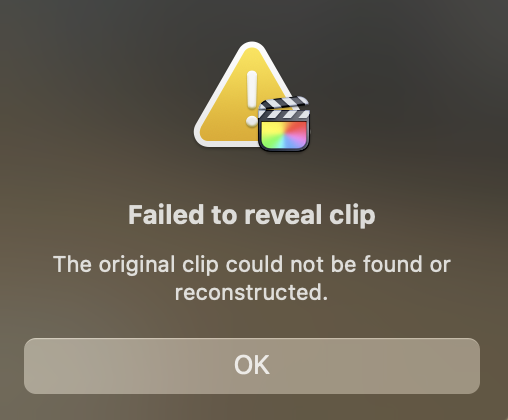
I have a FCPX project that whenever I right click on a clip and choose "Reveal in Browser" I get the following message. "Failed to reveal clip. The original clip could not be found or reconstructed." See the attached screenshot.
This is happens with every clip in the project, even ones I have just placed. I have tried duplicating the project, but get the same errors in the duplicate. Interestingly, I am able to export an XML of the project, and make a spreadsheet/shotlist from it with Producer's Best Friend. Everything seems to be linked up. Everything plays back fine, and I seem to have no other errors aside from this inability to "Reveal in Browser" annoyance. I have been soldiering on with the project anyway, but it would be nice to have a fix.
Has anyone else ever run across this bug? Anyone have a fix for it?
This is happens with every clip in the project, even ones I have just placed. I have tried duplicating the project, but get the same errors in the duplicate. Interestingly, I am able to export an XML of the project, and make a spreadsheet/shotlist from it with Producer's Best Friend. Everything seems to be linked up. Everything plays back fine, and I seem to have no other errors aside from this inability to "Reveal in Browser" annoyance. I have been soldiering on with the project anyway, but it would be nice to have a fix.
Has anyone else ever run across this bug? Anyone have a fix for it?
Please Log in to join the conversation.


15 Nov 2022 19:30 #122897
by TerryB
Replied by TerryB on topic Fix for "Failed to reveal clip" error?
Can you actually get at the clips in the path shown in the spreadsheet?
If so, any easy thing to try is to reset FCP preferences. Hold option and command when launching. Choose Delete Preferences... It will open the default Untitled library. Open the library you were working on, set the prefs back to the way you like and see if the clips can be found.
If so, any easy thing to try is to reset FCP preferences. Hold option and command when launching. Choose Delete Preferences... It will open the default Untitled library. Open the library you were working on, set the prefs back to the way you like and see if the clips can be found.
Please Log in to join the conversation.
15 Nov 2022 19:48 #122898
by MWoods
Replied by MWoods on topic Fix for "Failed to reveal clip" error?
Thanks for the suggestion Terry,
Yes, the paths shown in the spreadsheet are correct. If I select the clip in the library, and choose "Reveal in Finder" then it finds the clip correctly. But if I choose the clip in the project's timeline, and choose "Reveal in Browser" it pops up the error for every clip in that project. Plays them back fine though.
I tried your Delete Preferences trick, but it unfortunately did not work. It still pops up with the same error when trying to reveal in browser. This project is a bit of an odd duck and the bug may be related to some of its peculiarities, but I thought I would ask to see if someone else had encountered this error before.
Yes, the paths shown in the spreadsheet are correct. If I select the clip in the library, and choose "Reveal in Finder" then it finds the clip correctly. But if I choose the clip in the project's timeline, and choose "Reveal in Browser" it pops up the error for every clip in that project. Plays them back fine though.
I tried your Delete Preferences trick, but it unfortunately did not work. It still pops up with the same error when trying to reveal in browser. This project is a bit of an odd duck and the bug may be related to some of its peculiarities, but I thought I would ask to see if someone else had encountered this error before.
Please Log in to join the conversation.
- Tom Wolsky
-

- Offline
- Moderator
-

15 Nov 2022 20:09 #122899
by Tom Wolsky
Replied by Tom Wolsky on topic Fix for "Failed to reveal clip" error?
Does ⇧-F work? Can you post screenshots of the timeline and the clips in the browser?
Please Log in to join the conversation.
15 Nov 2022 20:48 - 15 Nov 2022 20:51 #122902
by MWoods
Replied by MWoods on topic Fix for "Failed to reveal clip" error?
Nope, Shift F comes up with the same error message.
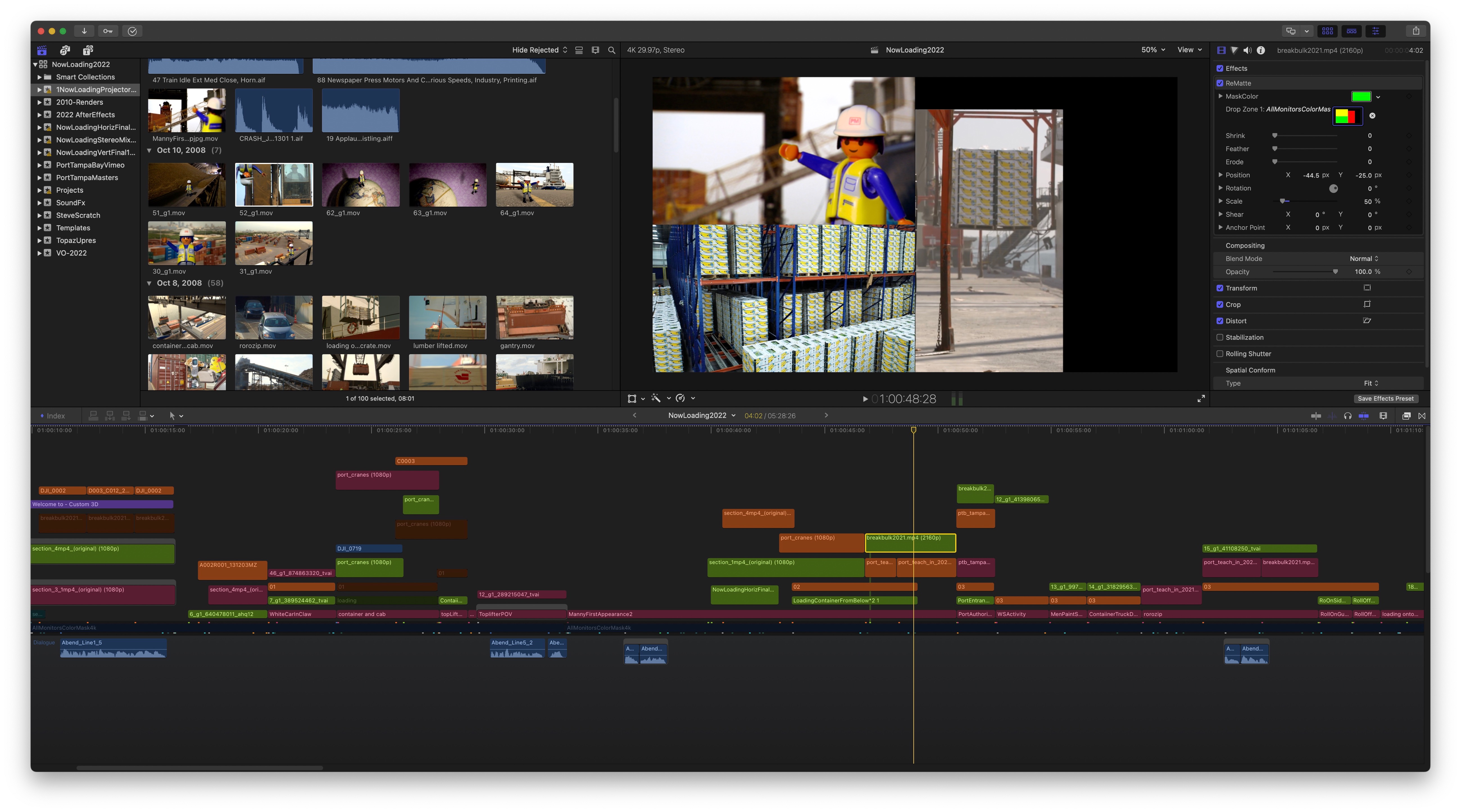
Ok, here is a screenshot, along with an explanation of some of the project's peculiarities.
We have been asked to update a show that we originally edited back in 2010 at 720p in Final Cut 6. The show is 3 screens and was originally edited on 3 separate timelines. It was media managed and archived. I successfully exported XMLs from our old FCP7 mac pro, and imported them into FCPX via SendToX. The projects (in the same library) containing the original xml imports do not have this "Reveal in Browser" problem.
Because I personally can't work in 3 timelines and keep everything in sync, I copied the contents of the 3 timelines to a new 4k project, and am editing the show in 3 image areas (color coded with their own video roles according to screen).
My guess is something about copying the contents of several different projects to a new project is what messed this up.
Ok, here is a screenshot, along with an explanation of some of the project's peculiarities.
We have been asked to update a show that we originally edited back in 2010 at 720p in Final Cut 6. The show is 3 screens and was originally edited on 3 separate timelines. It was media managed and archived. I successfully exported XMLs from our old FCP7 mac pro, and imported them into FCPX via SendToX. The projects (in the same library) containing the original xml imports do not have this "Reveal in Browser" problem.
Because I personally can't work in 3 timelines and keep everything in sync, I copied the contents of the 3 timelines to a new 4k project, and am editing the show in 3 image areas (color coded with their own video roles according to screen).
My guess is something about copying the contents of several different projects to a new project is what messed this up.
Last edit: 15 Nov 2022 20:51 by MWoods. Reason: Attach Smaller file size Screenshot
Please Log in to join the conversation.
16 Nov 2022 18:41 #122917
by MWoods
Replied by MWoods on topic Fix for "Failed to reveal clip" error?
Another interesting wrinkle to this bug. I just discovered that "Reveal in Browser" works for audio only clips in the project. It just fails for any clips containing video.
Please Log in to join the conversation.
