




- Posts: 272
- Thank you received: 2
3 Post Moderation Rule for New Boarders (25 Jan 2021)
New boarders will have their posts moderated - Don't worry if you cannot see your post immediately.
Thin, dark, evenly spaced banding lines in 4k - any utilities / suggestions?
31 Oct 2022 02:56 #122664
by Slaughter
Thin, dark, evenly spaced banding lines in 4k - any utilities / suggestions? was created by Slaughter
(I used the search function for "banding" and, surprisingly, there were zero forum results - I expect this is a search error, surely there are topics like this one here somewhere)
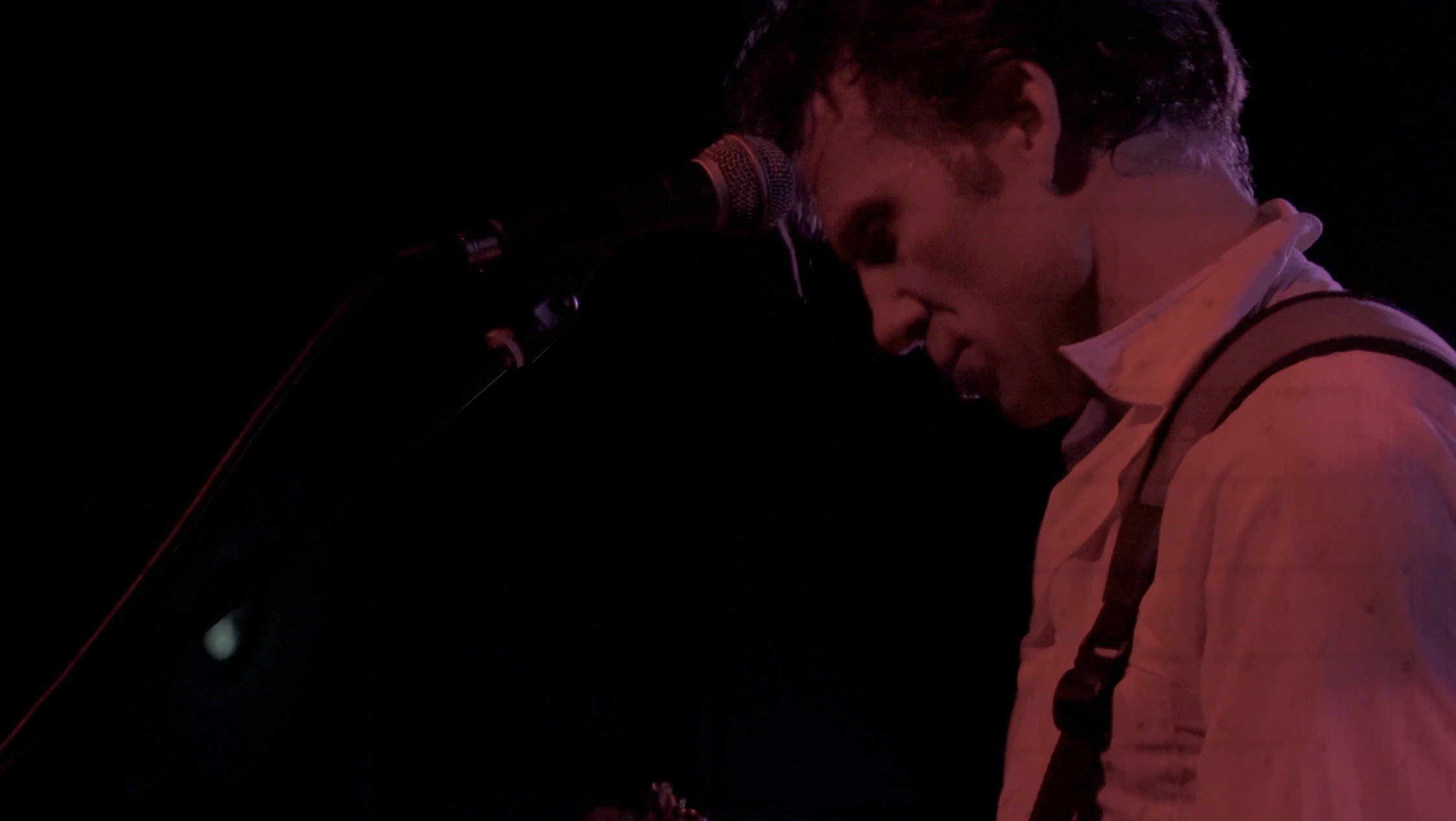
See attached. Have never had this happen before - I suspect it's to do with a certain configuration of stage lights and resultant light / flicker frequency (hence if I had adjusted for them, I imagine there would have been new banding issues elsewhere - an impossible situation to be in when filming 'on the fly' with no way to test everything first due to time constraints of the venue / band / crew).
Shot in 4k, shutter speed 1/50, NTSC 24 or 25fps (whatever it is - I don't remember, it's been my standard setting for years for 'cinematic' shooting). Sony A6400.
I saw this banding come up occasionally in my monitor during the shoot and thought "that's new" and hoped it was a monitor issue only.
Anyway, can't change what happened but I imagine that technically there is a way to manually address this in post. The bands move upward very slowly. There is no flickering. Is there a preset mask / utility out there (whether free or at cost) which would save me the effort of trying to manually create a mask and painstakingly match it to every single frame for every section this happens in?
Cheers
See attached. Have never had this happen before - I suspect it's to do with a certain configuration of stage lights and resultant light / flicker frequency (hence if I had adjusted for them, I imagine there would have been new banding issues elsewhere - an impossible situation to be in when filming 'on the fly' with no way to test everything first due to time constraints of the venue / band / crew).
Shot in 4k, shutter speed 1/50, NTSC 24 or 25fps (whatever it is - I don't remember, it's been my standard setting for years for 'cinematic' shooting). Sony A6400.
I saw this banding come up occasionally in my monitor during the shoot and thought "that's new" and hoped it was a monitor issue only.
Anyway, can't change what happened but I imagine that technically there is a way to manually address this in post. The bands move upward very slowly. There is no flickering. Is there a preset mask / utility out there (whether free or at cost) which would save me the effort of trying to manually create a mask and painstakingly match it to every single frame for every section this happens in?
Cheers
Please Log in to join the conversation.


31 Oct 2022 04:50 #122671
by DaveM
Replied by DaveM on topic Thin, dark, evenly spaced banding lines in 4k - any utilities / suggestions?
"Rolling band" noise can come from dimmed fluorescent or LED lights...
RevisionFX has a DE:Flicker set of plugins that include a specific one for this kind of noise:
revisionfx.com/products/deflicker/fcp/
Tutorial video:
Digital Anarchy has Flicker Free, which can help, as well:
www.digitalanarchy.com/Flicker/main.html
There may be other tools...
RevisionFX has a DE:Flicker set of plugins that include a specific one for this kind of noise:
revisionfx.com/products/deflicker/fcp/
Tutorial video:
Digital Anarchy has Flicker Free, which can help, as well:
www.digitalanarchy.com/Flicker/main.html
There may be other tools...
Please Log in to join the conversation.
31 Oct 2022 05:02 #122672
by Slaughter
Replied by Slaughter on topic Thin, dark, evenly spaced banding lines in 4k - any utilities / suggestions?
Thanks! This looks like just the kind of utility I need.
Please Log in to join the conversation.
- Buhardilla
-

- Offline
- Premium Member
-

Less
More
- Posts: 105
- Thank you received: 16
31 Oct 2022 13:59 #122678
by Buhardilla
Replied by Buhardilla on topic Thin, dark, evenly spaced banding lines in 4k - any utilities / suggestions?
I have recently used BCC+Deband with excellent results
borisfx.com/documentation/continuum/bcc-deband/
borisfx.com/documentation/continuum/bcc-deband/
Please Log in to join the conversation.
03 Nov 2022 07:25 #122743
by Slaughter
Replied by Slaughter on topic Thin, dark, evenly spaced banding lines in 4k - any utilities / suggestions?
Gosh, I just discovered how prohibitively expensive these things are, and only one of them appears to possibly address the very specific type of banding I have encountered. For a one-off project (I filmed this show for love, not as part of a job), I'm not sure I can afford hundreds of bucks. The most useful looking one would cost me close to AU$500. One of them is an incredibly expensive subscription / package deal which is always annoying when you only have one problem, not 12. If anyone has suggestions which don't involve breaking the bank, please chime in!
Please Log in to join the conversation.
- Buhardilla
-
- Offline
- Premium Member
-
Less
More
- Posts: 105
- Thank you received: 16
03 Nov 2022 11:04 #122746
by Buhardilla
Replied by Buhardilla on topic Thin, dark, evenly spaced banding lines in 4k - any utilities / suggestions?
Welcome to FCP ecosystem world. The effects included in fcp are limited. If you need a good noise reduction, remove flicker, etc you will probably need to buy a third-party plug-in (and good plugins are expensive)
Alternatives, suggestions?. I’d try with Davinci Resolve free version . Perhaps a deBand pluign is included
Alternatives, suggestions?. I’d try with Davinci Resolve free version . Perhaps a deBand pluign is included
Please Log in to join the conversation.
03 Nov 2022 22:40 - 03 Nov 2022 22:41 #122758
by Slaughter
Replied by Slaughter on topic Thin, dark, evenly spaced banding lines in 4k - any utilities / suggestions?
Thanks, yes I've looked into such generic 'deband' options - if you take a look at the screenshot I posted, you'll see why a generic plugin probably won't cut it. The banding I have encountered resulted in very, very thin bands which most plugins etc seem to overlook as a problem - most banding appears to be substantially larger. The first utility that was posted about (revisionFX) looks to be the one that could do the job, but god it's expensive. If I consider it. I'll need to contact the makers and make absolutely sure that this can do the job, and /or try a demo.
Last edit: 03 Nov 2022 22:41 by Slaughter.
Please Log in to join the conversation.

04 Nov 2022 00:17 #122762
by joema
I've tested Digital Anarchy's Flicker Free on various banding issues and overall it works very well. However it can be very compute intensive. They have a demo version you could try: digitalanarchy.com/Flicker/main.html
Replied by joema on topic Thin, dark, evenly spaced banding lines in 4k - any utilities / suggestions?
Thanks, yes I've looked into such generic 'deband' options - if you take a look at the screenshot I posted, you'll see why a generic plugin probably won't cut it. The banding I have encountered resulted in very, very thin bands which most plugins etc seem to overlook as a problem - most banding appears to be substantially larger...
I've tested Digital Anarchy's Flicker Free on various banding issues and overall it works very well. However it can be very compute intensive. They have a demo version you could try: digitalanarchy.com/Flicker/main.html
Please Log in to join the conversation.
04 Nov 2022 08:06 #122767
by Slaughter
Replied by Slaughter on topic Thin, dark, evenly spaced banding lines in 4k - any utilities / suggestions?
Thanks, this is the one demo I have installed to try out. So far, it's a nightmare to try and make sense of because the company's demo video does not walk you through the banding problem that I have. It's a tutorial for the more common, very wide / soft 'flickery' banding. This has put me off somewhat. Yes there is a manual and I can look at it, but it's a discouraging intro nonetheless. However, RE:Vision have responded very quickly to a query and asked me for a sample to try and clean up, so I can be fully informed. I'll report back...
Please Log in to join the conversation.
04 Nov 2022 12:46 #122769
by joema
If you can upload a sample to my private file transfer site I'll try all the Flicker Free pre-sets on it: www.transferbigfiles.com/dropbox/joema
Replied by joema on topic Thin, dark, evenly spaced banding lines in 4k - any utilities / suggestions?
Thanks, this is the one demo I have installed to try out. So far, it's a nightmare to try and make sense of because the company's demo video does not walk you through the banding problem that I have...
If you can upload a sample to my private file transfer site I'll try all the Flicker Free pre-sets on it: www.transferbigfiles.com/dropbox/joema
Please Log in to join the conversation.
05 Nov 2022 03:16 #122775
by Slaughter
Replied by Slaughter on topic Thin, dark, evenly spaced banding lines in 4k - any utilities / suggestions?
Thankyou! I got this message: "The dropbox you are looking for is inactive."
Please Log in to join the conversation.
05 Nov 2022 12:44 #122777
by joema
Sorry about that, try this: www.dropbox.com/request/WKw830PzRjC535UPv2FE
Replied by joema on topic Thin, dark, evenly spaced banding lines in 4k - any utilities / suggestions?
Thankyou! I got this message: "The dropbox you are looking for is inactive."
Sorry about that, try this: www.dropbox.com/request/WKw830PzRjC535UPv2FE
Please Log in to join the conversation.
05 Nov 2022 22:21 #122781
by Slaughter
Replied by Slaughter on topic Thin, dark, evenly spaced banding lines in 4k - any utilities / suggestions?
No worries! Thanks, I have just uploaded it - 8 sec clip. Appreciate your help. It's a very specific type of banding as you'll see. At least it's slow moving... I see a very, very slight tilt to it, which will make it a little trickier for me to address than the 'standard', I imagine. In *theory* it should be addressable though. BTW, Re:Vision got back to me and will take a look on Mon, they have been remarkably responsive so far.
Please Log in to join the conversation.
06 Nov 2022 00:27 #122783
by joema
I tried all presets in Digital Anarchy De-Flicker, which didn't work in this case. I then tried Neat Video which seemed to help some. Here is that version: www.dropbox.com/s/x9uhn38t6gnbkwl/test%2...t_NeatVideo.mp4?dl=0
Replied by joema on topic Thin, dark, evenly spaced banding lines in 4k - any utilities / suggestions?
No worries! Thanks, I have just uploaded it - 8 sec clip. Appreciate your help...
I tried all presets in Digital Anarchy De-Flicker, which didn't work in this case. I then tried Neat Video which seemed to help some. Here is that version: www.dropbox.com/s/x9uhn38t6gnbkwl/test%2...t_NeatVideo.mp4?dl=0
Please Log in to join the conversation.
06 Nov 2022 02:48 #122784
by Slaughter
Replied by Slaughter on topic Thin, dark, evenly spaced banding lines in 4k - any utilities / suggestions?
Not bad, not bad... I wonder if the rate of movement could be better matched? (no, that's not a request to spend more time on this!). Also a more affordable option. I'll keep it in mind! Thankyou for looking at this.
Please Log in to join the conversation.
12 Nov 2022 04:13 - 12 Nov 2022 04:14 #122839
by Slaughter
Replied by Slaughter on topic Thin, dark, evenly spaced banding lines in 4k - any utilities / suggestions?
Ok, so I have concluded that for this banding problem, it's a total waste of time and money trying to get any of these plugins to work. They don't. They are simply not made for this specific issue.
Part of my 'research' here is has been to establish that for some of these shots, I can manually mask and move a line shaped mask for each banding line, utilising lightening / darkening colour parameters to good effect.
My problem now is:
How on earth do I create multiple separate drawn masks in a single clip? Cutting and pasting a mask effect causes all kinds of problems, with my colour setting for each individual mask doubling up and causing a mess.
I simply now want to create a mask and associated colour correction for a single banding line in a single clip, automate its movement to follow that line, and then when that is perfect, duplicate this mask and associated colour correction to apply to the next line, amending its position but retaining its rate of movement + amending its dimensions to fit where it sits, and do the same for each banding line in the clip. It's a freaking nightmare, though, because it ain't a simple case of copying and pasting the effect. When you do that, the automation needs a total reset, requiring starting from scratch, and the colour amendment doubles up and you wind up with a problem there.
I'm probably not explaining this very well.
Basically, I'm prepared to manually do this but I need a way to create multiple banding line masks which *sit in a single clip* rather than have a separate clip and mask for each banding line.
Arghhhh
Help!
Part of my 'research' here is has been to establish that for some of these shots, I can manually mask and move a line shaped mask for each banding line, utilising lightening / darkening colour parameters to good effect.
My problem now is:
How on earth do I create multiple separate drawn masks in a single clip? Cutting and pasting a mask effect causes all kinds of problems, with my colour setting for each individual mask doubling up and causing a mess.
I simply now want to create a mask and associated colour correction for a single banding line in a single clip, automate its movement to follow that line, and then when that is perfect, duplicate this mask and associated colour correction to apply to the next line, amending its position but retaining its rate of movement + amending its dimensions to fit where it sits, and do the same for each banding line in the clip. It's a freaking nightmare, though, because it ain't a simple case of copying and pasting the effect. When you do that, the automation needs a total reset, requiring starting from scratch, and the colour amendment doubles up and you wind up with a problem there.
I'm probably not explaining this very well.
Basically, I'm prepared to manually do this but I need a way to create multiple banding line masks which *sit in a single clip* rather than have a separate clip and mask for each banding line.
Arghhhh
Help!
Last edit: 12 Nov 2022 04:14 by Slaughter.
Please Log in to join the conversation.
12 Nov 2022 04:18 - 12 Nov 2022 04:52 #122840
by Slaughter
Replied by Slaughter on topic Thin, dark, evenly spaced banding lines in 4k - any utilities / suggestions?
ie is there a way to 1. fix one line with mask and colour correction, automate movement so that line is fixed. 2. create a new mask in same clip and apply the same colour correction and rate of movement automation to the new mask, but simply moving it up a step, and do the same for every 'line' in the clip? Or do have to start from scratch for every line?
What would be ideal is if I can create X number of line masks running across the screen, get them all sitting perfectly, and then move this set of masks all together - rather than doing this 7 or 8 times separately with separate brand new masks.
*** is there a way that I can take a still into photoshop, create a perfect mask based on every line in a single frame, ie .psd file, import this into FCPX and create a mask based on that file (eg I create a pink .psd mask of lines matching my banding, import into FCPX and use the colour mask function) and then use that mask, amending my exposure / colour to make the banding lines less visible, and then automating its movement across the clip? ****
Postscript:
Ugh. God, it is a complicated mess trying to create a mask based on a shape in a .psd imported into FCPX. I thought there would be a nice way to just point at an imported .psd shape and tell FCPX "I want that shape to be my mask shape" and then apply that shape to a video clip and away we go...
What would be ideal is if I can create X number of line masks running across the screen, get them all sitting perfectly, and then move this set of masks all together - rather than doing this 7 or 8 times separately with separate brand new masks.
*** is there a way that I can take a still into photoshop, create a perfect mask based on every line in a single frame, ie .psd file, import this into FCPX and create a mask based on that file (eg I create a pink .psd mask of lines matching my banding, import into FCPX and use the colour mask function) and then use that mask, amending my exposure / colour to make the banding lines less visible, and then automating its movement across the clip? ****
Postscript:
Ugh. God, it is a complicated mess trying to create a mask based on a shape in a .psd imported into FCPX. I thought there would be a nice way to just point at an imported .psd shape and tell FCPX "I want that shape to be my mask shape" and then apply that shape to a video clip and away we go...
Last edit: 12 Nov 2022 04:52 by Slaughter.
Please Log in to join the conversation.
