


- Posts: 164
- Thank you received: 0
3 Post Moderation Rule for New Boarders (25 Jan 2021)
New boarders will have their posts moderated - Don't worry if you cannot see your post immediately.
FCPX warns about deleted PFS plugins
- Schwalbach
-
 Topic Author
- Offline
- Elite Member
-

Less
More
21 Oct 2022 10:06 #122545
by Schwalbach
FCPX warns about deleted PFS plugins was created by Schwalbach
Hi all,
I have installed FCPX on a new MacBook Pro M1.
All good until I installed some pixel film studio plugins (all the tracking plugs).
It seems that they mess up with FCPX.
So I have removed everything form these plugins, following PFS instructions ( store.pixelfilmstudios.com/how-to-uninstall-a-plugin/ )
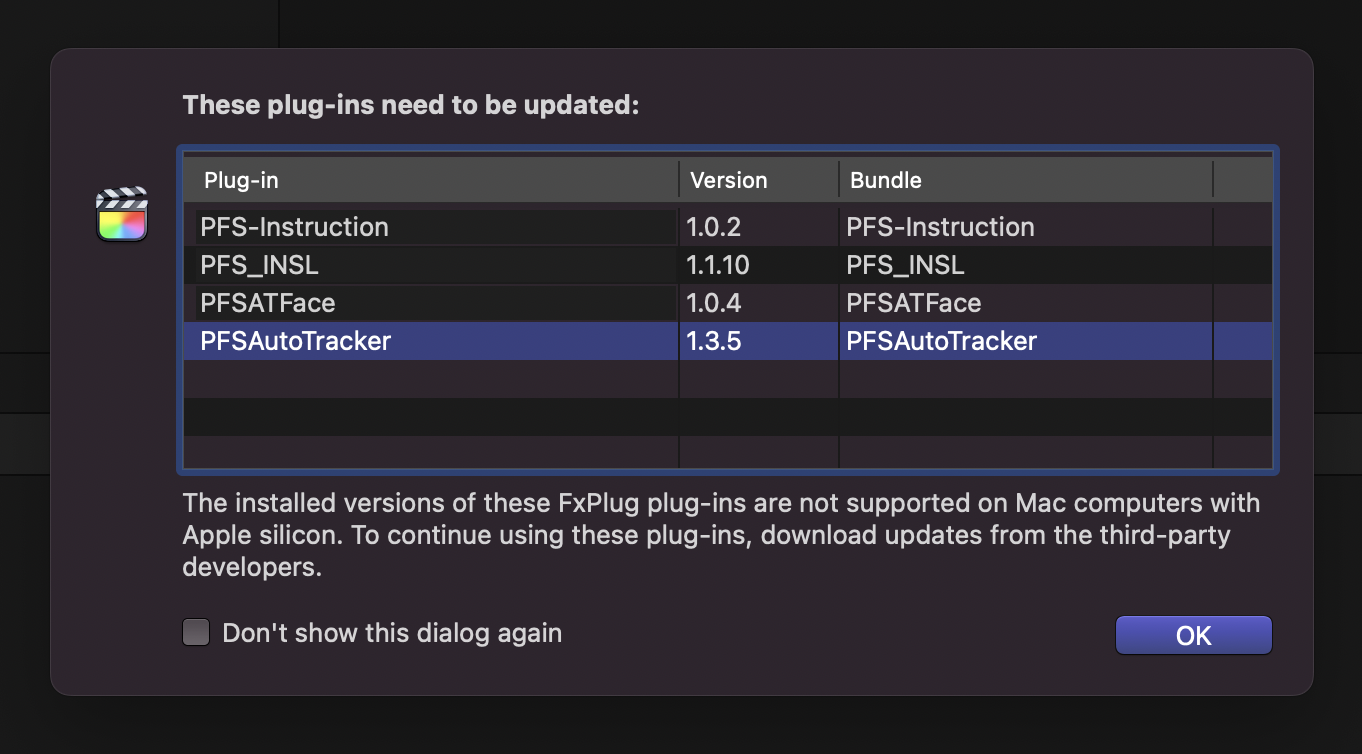
But, when I load FCPX I still get the warning that these plugins must be updated (pic attached).
I have deleted everything including the /motion templates folders and FCPX app.
Re-installed FCPX and nothing...warning still there.
Any ideas?
thanks
I have installed FCPX on a new MacBook Pro M1.
All good until I installed some pixel film studio plugins (all the tracking plugs).
It seems that they mess up with FCPX.
So I have removed everything form these plugins, following PFS instructions ( store.pixelfilmstudios.com/how-to-uninstall-a-plugin/ )
But, when I load FCPX I still get the warning that these plugins must be updated (pic attached).
I have deleted everything including the /motion templates folders and FCPX app.
Re-installed FCPX and nothing...warning still there.
Any ideas?
thanks
Please Log in to join the conversation.

24 Oct 2022 18:53 #122574
by dmetz
Replied by dmetz on topic FCPX warns about deleted PFS plugins
They've likely installed stuff in your root Library folder.
Have a look in HD / Library / Application Support....
you'll be looking for a folder named Pixel Film Studio or PFS
Also check every folder in HD / Library / Application Support / Final Cut Pro / Templates...
this folder is set up like your HD / User / Movies / Motion Templates folder, so you'd be looking for a folder of their stuff, or individual plugins.
Have a look in HD / Library / Application Support....
you'll be looking for a folder named Pixel Film Studio or PFS
Also check every folder in HD / Library / Application Support / Final Cut Pro / Templates...
this folder is set up like your HD / User / Movies / Motion Templates folder, so you'd be looking for a folder of their stuff, or individual plugins.
Please Log in to join the conversation.

25 Oct 2022 04:55 #122576
by DaveF
Replied by DaveF on topic FCPX warns about deleted PFS plugins
I've had problems uninstalling PFS stuff - I used Easyfind (Google, free) and that found the remaining files which I then deleted.
Please Log in to join the conversation.
