


- Posts: 8
- Thank you received: 1
3 Post Moderation Rule for New Boarders (25 Jan 2021)
New boarders will have their posts moderated - Don't worry if you cannot see your post immediately.
advice on a hi-8 project
- enright@menright.com
-
 Topic Author
- Offline
- New Member
-

Less
More
19 Jul 2022 23:03 #121501
by enright@menright.com
advice on a hi-8 project was created by enright@menright.com
I have several hours of hi-8 original footage captured at 720 x 486. This was shot in 1991 for a 60 minute feature that was edited on an Amiga Toaster. I am doing a complete reboot of that edit with many, many changes.
Since I am doing new edits, new titles, new masking, new transitions, and new effects work I would like to keep everything as sharp as possible, probably with the project size at 1920x1080. The hi-8 needs a great deal of massaging no matter what I do, and I know it will not be improved by the upscaling. How would you proceed?
Would I be better off keeping the project size the same size as these captures?
I could also use some advice on any built-in effects in FCP that would improve the look of my ancient footage.
thanks for any advice!
mike enright
Since I am doing new edits, new titles, new masking, new transitions, and new effects work I would like to keep everything as sharp as possible, probably with the project size at 1920x1080. The hi-8 needs a great deal of massaging no matter what I do, and I know it will not be improved by the upscaling. How would you proceed?
Would I be better off keeping the project size the same size as these captures?
I could also use some advice on any built-in effects in FCP that would improve the look of my ancient footage.
thanks for any advice!
mike enright
Please Log in to join the conversation.


20 Jul 2022 02:46 #121502
by TerryB
Replied by TerryB on topic advice on a hi-8 project
There was a good discussion about uprezzing on Apple's FCP discussion board recently.
Please Log in to join the conversation.


20 Jul 2022 16:43 - 20 Jul 2022 17:04 #121507
by VTC
Replied by VTC on topic advice on a hi-8 project
The line, "You can't polish a turd." from the movie Christine comes to mind here.
Your plan is to take 240 / 400 line (1st gen 8mm / 2nd gen Hi8) analog tape and magically making it somewhere close to resembling 1080 line video. That involves pulling and tugging that 480 field to cover one that's 1080... Close to 7x a greater video field. If that were indeed possible to do convincingly all the studios that shot early tape would remaster their libraries. There's a reason they don't because with money and technology at their disposal it can't realistically be achieved.

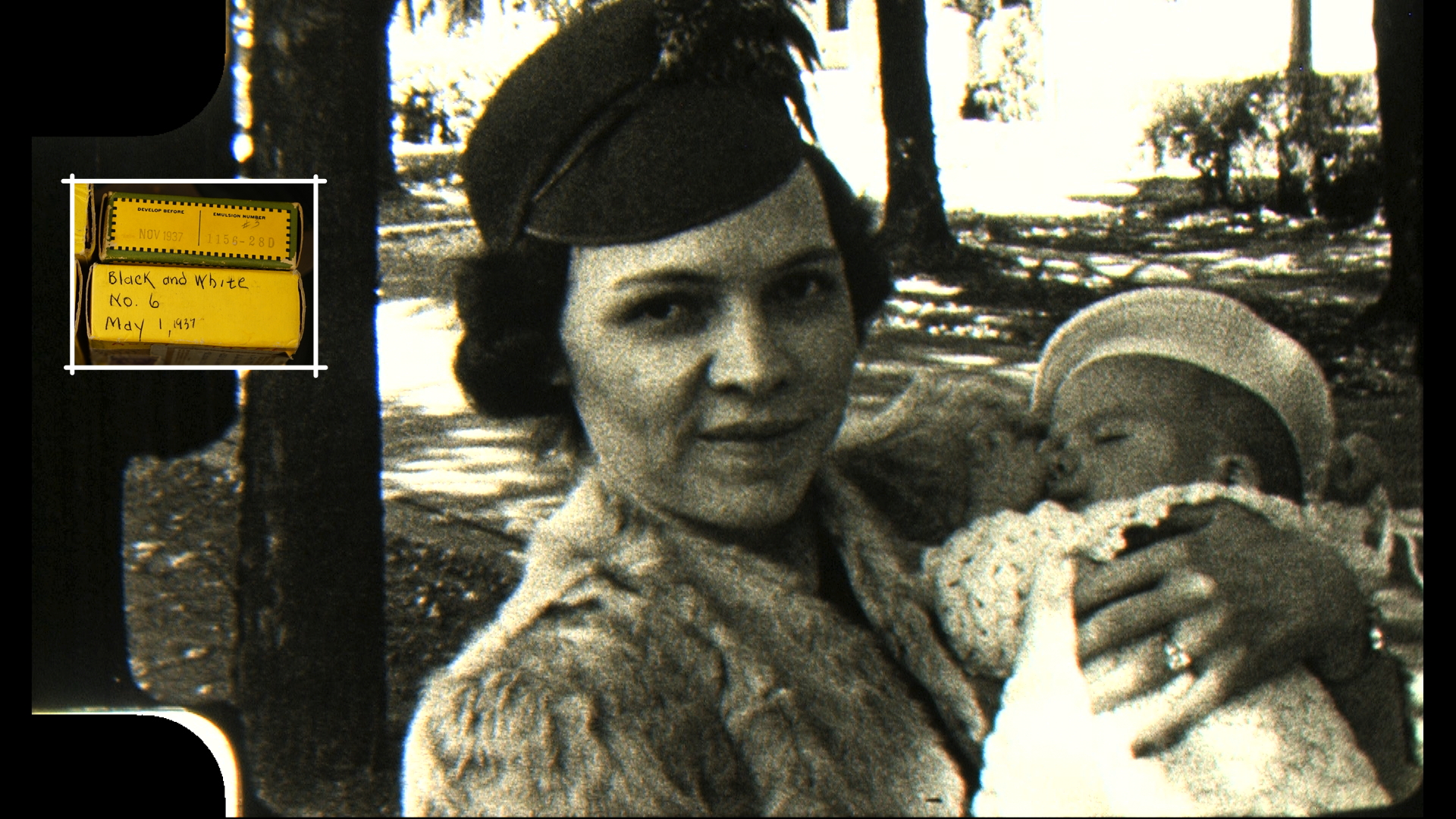
The only caveat to above comes to remastering vintage movie film. Now THAT can be captured 1080 or 4K with astonishing results providing it's done by someone who knows what they're doing.
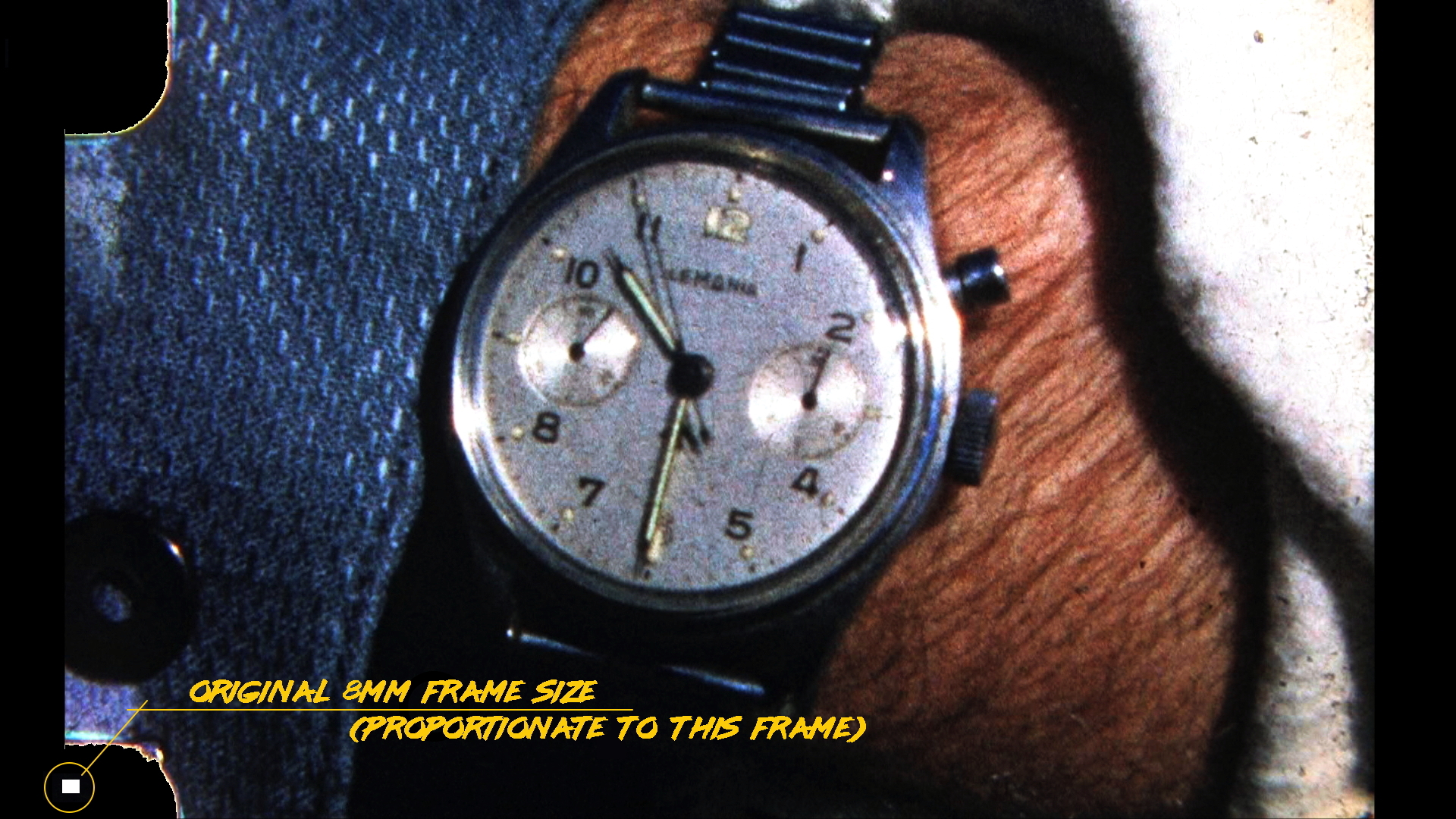
Film from 1937 can trump anything shot in 1991 providing you're using the original source material.
There may be some kind of plugin or effect that'll improve things maybe 15% at most but any improvement beyond that being obviously evident. There's no dismissing that was the state of video back in the day and if it were me I wouldn't waste the time or the effort but keep it at is present 720 state, which is precisely what I did with all my 8mm / Hi8 / Digital 8 tapes.
Your plan is to take 240 / 400 line (1st gen 8mm / 2nd gen Hi8) analog tape and magically making it somewhere close to resembling 1080 line video. That involves pulling and tugging that 480 field to cover one that's 1080... Close to 7x a greater video field. If that were indeed possible to do convincingly all the studios that shot early tape would remaster their libraries. There's a reason they don't because with money and technology at their disposal it can't realistically be achieved.
The only caveat to above comes to remastering vintage movie film. Now THAT can be captured 1080 or 4K with astonishing results providing it's done by someone who knows what they're doing.
Film from 1937 can trump anything shot in 1991 providing you're using the original source material.
There may be some kind of plugin or effect that'll improve things maybe 15% at most but any improvement beyond that being obviously evident. There's no dismissing that was the state of video back in the day and if it were me I wouldn't waste the time or the effort but keep it at is present 720 state, which is precisely what I did with all my 8mm / Hi8 / Digital 8 tapes.
Last edit: 20 Jul 2022 17:04 by VTC.
Please Log in to join the conversation.


20 Jul 2022 21:31 - 20 Jul 2022 21:41 #121511
by zzchu
Replied by zzchu on topic advice on a hi-8 project
I personally think SD footage looks nice windowed-windowboxed (or just slightly zoomed in) in a 1080p HD project. Tons of documentaries utilize old SD footage. PBS Frontline comes to mind. The titles, graphics and new footage combined with the old stuff makes it compelling. In terms of upscaling.. I think adding a "film look" or grain to the old footage can sweeten it. My two-cents.
Last edit: 20 Jul 2022 21:41 by zzchu.
Please Log in to join the conversation.
20 Jul 2022 23:46 #121515
by fsorvin
Replied by fsorvin on topic advice on a hi-8 project
There used to be a really great tool for doing this kind of thing, Red Giant Software's Instant HD.
https://web.archive.org/web/20090319090743/http://www.redgiantsoftware.com/products/all/magic-bullet-instant-hd
It's long gone from their current offerings, but we can emulate a lot of what it did. I used to do a lot of upressing SD to HD for fun before I could afford an HD camera. The technique was:
1. Put the footage into the highest quality process you can use, ideally 32-bit float 4:4:4. I used After Effects.
2. Do a DV artifact clean up pass on your footage. Bluring only the colour channels works (leaving the luminance channel), but it's tricky to do the conversions right (and pretty much impossible to do in Motion/FCPX). Median in After Effects was my tool of choice. It did a really good job of only effecting the crappy edges in DV. Unfortunately Motion/FCPX still doesn't have a median filter.
3. Rescale the cleaned up footage to the target size.
4. Sharpen the footage.
If you're sticking with FCPX's set of tools, I would try the denoise filter for step 2 (slight denoise to clean up footage), in a timeline (project) at your full 1080 resolution, and then use the sharpen effect or the sharpen in the denoise effect to make it look a little nicer. If you're destination is 1080 progressive, don't forget to set your project to progressive and FCPX should deinterlace it. If anything starts to look weird with the deinterlacing, look at info for the clip and change the BASIC VIEW to the SETTINGS VIEW, you can then change the field order of the clip.
If you want more sharpening tools, I have some available, including a selective edge sharpener which might work well.
fsorvin.freeshell.org/02projects/0208sharpeningtools.html
Hope that helps.
Flemming
https://web.archive.org/web/20090319090743/http://www.redgiantsoftware.com/products/all/magic-bullet-instant-hd
It's long gone from their current offerings, but we can emulate a lot of what it did. I used to do a lot of upressing SD to HD for fun before I could afford an HD camera. The technique was:
1. Put the footage into the highest quality process you can use, ideally 32-bit float 4:4:4. I used After Effects.
2. Do a DV artifact clean up pass on your footage. Bluring only the colour channels works (leaving the luminance channel), but it's tricky to do the conversions right (and pretty much impossible to do in Motion/FCPX). Median in After Effects was my tool of choice. It did a really good job of only effecting the crappy edges in DV. Unfortunately Motion/FCPX still doesn't have a median filter.
3. Rescale the cleaned up footage to the target size.
4. Sharpen the footage.
If you're sticking with FCPX's set of tools, I would try the denoise filter for step 2 (slight denoise to clean up footage), in a timeline (project) at your full 1080 resolution, and then use the sharpen effect or the sharpen in the denoise effect to make it look a little nicer. If you're destination is 1080 progressive, don't forget to set your project to progressive and FCPX should deinterlace it. If anything starts to look weird with the deinterlacing, look at info for the clip and change the BASIC VIEW to the SETTINGS VIEW, you can then change the field order of the clip.
If you want more sharpening tools, I have some available, including a selective edge sharpener which might work well.
fsorvin.freeshell.org/02projects/0208sharpeningtools.html
Hope that helps.
Flemming
Please Log in to join the conversation.
- enright@menright.com
-
Topic Author
- Offline
- New Member
-
Less
More
- Posts: 8
- Thank you received: 1
21 Jul 2022 10:15 #121519
by enright@menright.com
Replied by enright@menright.com on topic advice on a hi-8 project
I've been experimenting with exactly this approach. A lot of the artifacts are along the bottom and top edges and they disappear completely when zoomed slightly larger than the 1080 frame. Also found the Film Grain effect intriguing; adding grain seems to smooth everything a bit (though it does add a yellowish color cast I'm not sure I want).
Please Log in to join the conversation.
- enright@menright.com
-
Topic Author
- Offline
- New Member
-
Less
More
- Posts: 8
- Thank you received: 1
21 Jul 2022 10:33 #121520
by enright@menright.com
Replied by enright@menright.com on topic advice on a hi-8 project
I don't want to zoom the footage to make it look better, nor do I expect that to happen. I'm putting it into a larger format because I want everything I'm adding (titles, transitions, masking, etc.) to look sharp when projected.
Hi-8 looks awful under the best of conditions; the zoomed footage can sometimes look better (which is weird) and often doesn't look much worse. Perhaps some sort of artifact blurring happens.
I suppose I'm looking for anything I can do to improve the overall look at that zoomed size.
Hi-8 looks awful under the best of conditions; the zoomed footage can sometimes look better (which is weird) and often doesn't look much worse. Perhaps some sort of artifact blurring happens.
I suppose I'm looking for anything I can do to improve the overall look at that zoomed size.
Please Log in to join the conversation.

21 Jul 2022 13:29 - 21 Jul 2022 13:30 #121522
by cseeman
Replied by cseeman on topic advice on a hi-8 project
Blackmagic Teranex Convertors supposedly do very good real-time upconversion of SD to HD.
www.blackmagicdesign.com/products/teranexmini/models
www.blackmagicdesign.com/products/teranexmini/models
Last edit: 21 Jul 2022 13:30 by cseeman.
Please Log in to join the conversation.
21 Jul 2022 14:49 #121523
by dmetz
Replied by dmetz on topic advice on a hi-8 project
OP has "several hours of hi-8 original footage captured at 720 x 486" - I'm wondering how that was captured and the resulting file format/codec/spec, as this would affect the amount and type of cleanup necessary to get a good result.
Please Log in to join the conversation.
- enright@menright.com
-
Topic Author
- Offline
- New Member
-
Less
More
- Posts: 8
- Thank you received: 1
21 Jul 2022 15:37 - 21 Jul 2022 15:41 #121524
by enright@menright.com
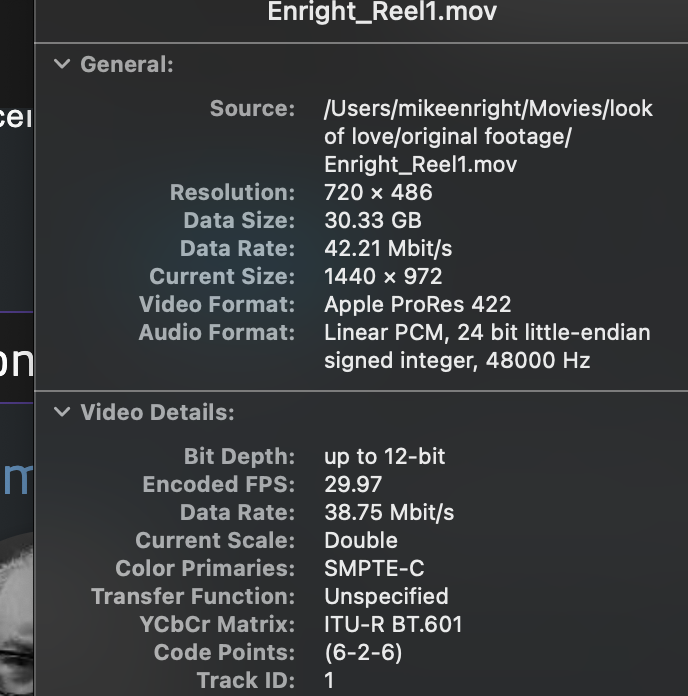 I had the tapes captured at an offshoot of the old Magno Video and Sound previously near Times Square. I don't know what they used for capture but my files are all in Apple ProRes 422.
Replied by enright@menright.com on topic advice on a hi-8 project
Last edit: 21 Jul 2022 15:41 by enright@menright.com.
Please Log in to join the conversation.
21 Jul 2022 20:25 #121527
by fsorvin
Replied by fsorvin on topic advice on a hi-8 project
Adding grain does help a lot in reducing banding and other unsmooth artifacts.
I like the grain effect in Motion more than the FCPX Film Grain effect. If you have access to Motion, try the Add Noise effect and use the blue noise generator in it. It won't colour your footage and you can really control the subtlety. Overlay is a good blend mode to use with it too. Control the amount of grain with Amount and the intensity of the layer with the Mix.
If you really like it, you can always publish out as a FCPX effect.
If you're going to sharpen the footage, sharpen first, then add grain (or noise) to avoid sharpening the noise as well.
I like the grain effect in Motion more than the FCPX Film Grain effect. If you have access to Motion, try the Add Noise effect and use the blue noise generator in it. It won't colour your footage and you can really control the subtlety. Overlay is a good blend mode to use with it too. Control the amount of grain with Amount and the intensity of the layer with the Mix.
If you really like it, you can always publish out as a FCPX effect.
If you're going to sharpen the footage, sharpen first, then add grain (or noise) to avoid sharpening the noise as well.
Please Log in to join the conversation.
21 Jul 2022 20:30 #121528
by fsorvin
Replied by fsorvin on topic advice on a hi-8 project
I would also look at doing a colour saturation and contrast pass on the footage to get a little more punch out of it. The Hi8 camera was probably a little weak on saturation, and you're also coming from a Rec 601 colour space and putting it into a Rec 709 colour space. 709 has a bigger colour pallette, so you might as well take advantage of it.
Adding grain to the footage will help in building smoother colours (less banding).
Adding grain to the footage will help in building smoother colours (less banding).
Please Log in to join the conversation.
- enright@menright.com
-
Topic Author
- Offline
- New Member
-
Less
More
- Posts: 8
- Thank you received: 1
21 Jul 2022 21:23 #121531
by enright@menright.com
Replied by enright@menright.com on topic advice on a hi-8 project
Yeah, I realized that I would have to play with color grading and saturation and exposure as well. I love the FCP white balance tool; that's like the Raw Camera Filter in Photoshop, a program I know well.
A lot of my scenes are coming out somewhat desaturated because the original lighting was so bright, so I'm taking them in the other direction. The Hi-8 cam was pretty sensitive to lighting sources also, huge color casts on everything. Eventually I'll have to go over the whole thing virtually frame-by-frame.
So by going 1080 and/or ProRes I'm now in this 709 color space?
A lot of my scenes are coming out somewhat desaturated because the original lighting was so bright, so I'm taking them in the other direction. The Hi-8 cam was pretty sensitive to lighting sources also, huge color casts on everything. Eventually I'll have to go over the whole thing virtually frame-by-frame.
So by going 1080 and/or ProRes I'm now in this 709 color space?
Please Log in to join the conversation.
- enright@menright.com
-
Topic Author
- Offline
- New Member
-
Less
More
- Posts: 8
- Thank you received: 1
21 Jul 2022 21:29 #121532
by enright@menright.com
Replied by enright@menright.com on topic advice on a hi-8 project
Looks like a great box, but too much for me to spend right now. If I ever get some funding, I'll uprez the whole thing again from scratch.
Please Log in to join the conversation.
21 Jul 2022 22:52 #121533
by fsorvin
Yes, you should be in 709. Rec 709 colour space is the standard colour gamut in FCPX, unless you've set it for wide colour gamut (rec 2022). You can confirm the settings when you start a new Project or by viewing an existing project's settings in the inspector column under the "i".
Replied by fsorvin on topic advice on a hi-8 project
Yeah, I realized that
So by going 1080 and/or ProRes I'm now in this 709 color space?
Yes, you should be in 709. Rec 709 colour space is the standard colour gamut in FCPX, unless you've set it for wide colour gamut (rec 2022). You can confirm the settings when you start a new Project or by viewing an existing project's settings in the inspector column under the "i".
Please Log in to join the conversation.


29 Jul 2022 13:11 #121627
by foxytom
Replied by foxytom on topic advice on a hi-8 project
This is v interesting.
I wonder if Neat Video's "Reduce Noise" Filter could do a lot of the legwork you describe below:
I wonder if Neat Video's "Reduce Noise" Filter could do a lot of the legwork you describe below:
......The technique was:
1. Put the footage into the highest quality process you can use, ideally 32-bit float 4:4:4. I used After Effects.
2. Do a DV artifact clean up pass on your footage. Bluring only the colour channels works (leaving the luminance channel), but it's tricky to do the conversions right (and pretty much impossible to do in Motion/FCPX). Median in After Effects was my tool of choice. It did a really good job of only effecting the crappy edges in DV. Unfortunately Motion/FCPX still doesn't have a median filter.
3. Rescale the cleaned up footage to the target size.
4. Sharpen the footage.
If you're sticking with FCPX's set of tools, I would try the denoise filter for step 2 (slight denoise to clean up footage), in a timeline (project) at your full 1080 resolution, and then use the sharpen effect or the sharpen in the denoise effect to make it look a little nicer. If you're destination is 1080 progressive, don't forget to set your project to progressive and FCPX should deinterlace it. If anything starts to look weird with the deinterlacing, look at info for the clip and change the BASIC VIEW to the SETTINGS VIEW, you can then change the field order of the clip.
If you want more sharpening tools, I have some available, including a selective edge sharpener which might work well.
fsorvin.freeshell.org/02projects/0208sharpeningtools.html
Hope that helps.
Flemming
Please Log in to join the conversation.
01 Aug 2022 03:08 #121655
by fsorvin
Replied by fsorvin on topic advice on a hi-8 project
Yes, Neat Video will do a good job as well.
I remember trying it out and doing an AB comparison. If I remember correctly, it might have been slightly better, but it was a lot slower in rendering.
In my experience, Neat Video had a lot of options. It's more designed for cleaning up a single shot, but for bulk stuff, man, it really took a lot of time, both in setting up the cleaning job and in processing it.
I remember trying it out and doing an AB comparison. If I remember correctly, it might have been slightly better, but it was a lot slower in rendering.
In my experience, Neat Video had a lot of options. It's more designed for cleaning up a single shot, but for bulk stuff, man, it really took a lot of time, both in setting up the cleaning job and in processing it.
Please Log in to join the conversation.

01 Aug 2022 23:34 - 01 Aug 2022 23:35 #121671
by Redifer
Replied by Redifer on topic advice on a hi-8 project
These days I usually recapture the 480i stuff using a RetroTink 5x and let its Adaptive Deinterlacing do it's thing. It preserves the 60fps movement while scaling to 1080p. Still soft as to be expected, but it's a great starting point as there are very few jaggies.
Not sure how you plan to recreate those Kiki Wipes from the Video Toaster.
Not sure how you plan to recreate those Kiki Wipes from the Video Toaster.
Last edit: 01 Aug 2022 23:35 by Redifer.
Please Log in to join the conversation.
- enright@menright.com
-
Topic Author
- Offline
- New Member
-
Less
More
- Posts: 8
- Thank you received: 1
02 Aug 2022 09:01 #121674
by enright@menright.com
Replied by enright@menright.com on topic advice on a hi-8 project
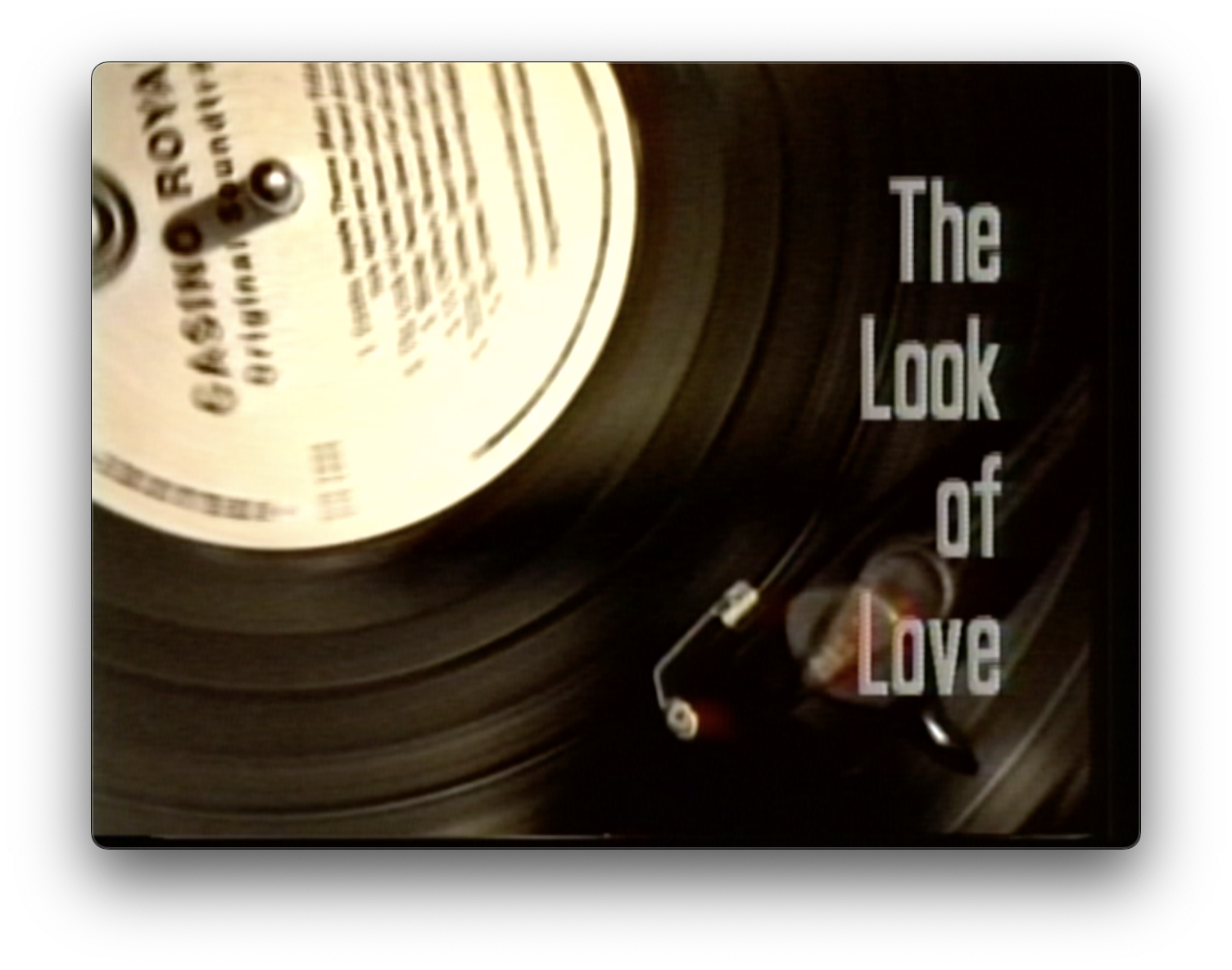
It's funny, but the one thing I really miss from the Toaster is some of the fonts that were available for titles. Since I'm doing everything over again, I've been unable to find anything like the san-serif condensed I originally chose for the project. No big deal, I'm just going with a different approach.
Please Log in to join the conversation.

02 Aug 2022 13:14 - 02 Aug 2022 13:15 #121675
by DaveM
Replied by DaveM on topic advice on a hi-8 project
Some font-selling websites offer ways of searching for fonts via images. MyFonts.com has "WhatTheFont". From a brief search there here's a possible match or replacement for the one in your screenshot:
www.myfonts.com/products/pro-black-extra-condensed-plak-360378
aminet.net also has a bunch of fonts that were available on Amigas... Many of the fonts are PostScript T1 so they may not be in a format usable nowadays...
www.myfonts.com/products/pro-black-extra-condensed-plak-360378
aminet.net also has a bunch of fonts that were available on Amigas... Many of the fonts are PostScript T1 so they may not be in a format usable nowadays...
Last edit: 02 Aug 2022 13:15 by DaveM.
Please Log in to join the conversation.
