


- Posts: 33
- Thank you received: 2
3 Post Moderation Rule for New Boarders (25 Jan 2021)
New boarders will have their posts moderated - Don't worry if you cannot see your post immediately.
Outside of viewer not grey anymore in Wide Gamut HDR Library
12 May 2022 07:44 #120496
by bjrE
Outside of viewer not grey anymore in Wide Gamut HDR Library was created by bjrE
HELP! Can anyone tell me why the outside of the viewer is no longer grey when in Wide Gamut HDR workspace and if there is a way to change it? Not the background, the outside of the viewer. I have some screen grabs here. In standard rec 709 it's grey like in pic one, but in wide gamut HDR it's black and it's really messing with me. Is there any reason it's like this and is there any way to change it? It looks like the shot is scaled below the 100% mark of the viewer but it's not. Any help or tips would be awesome.
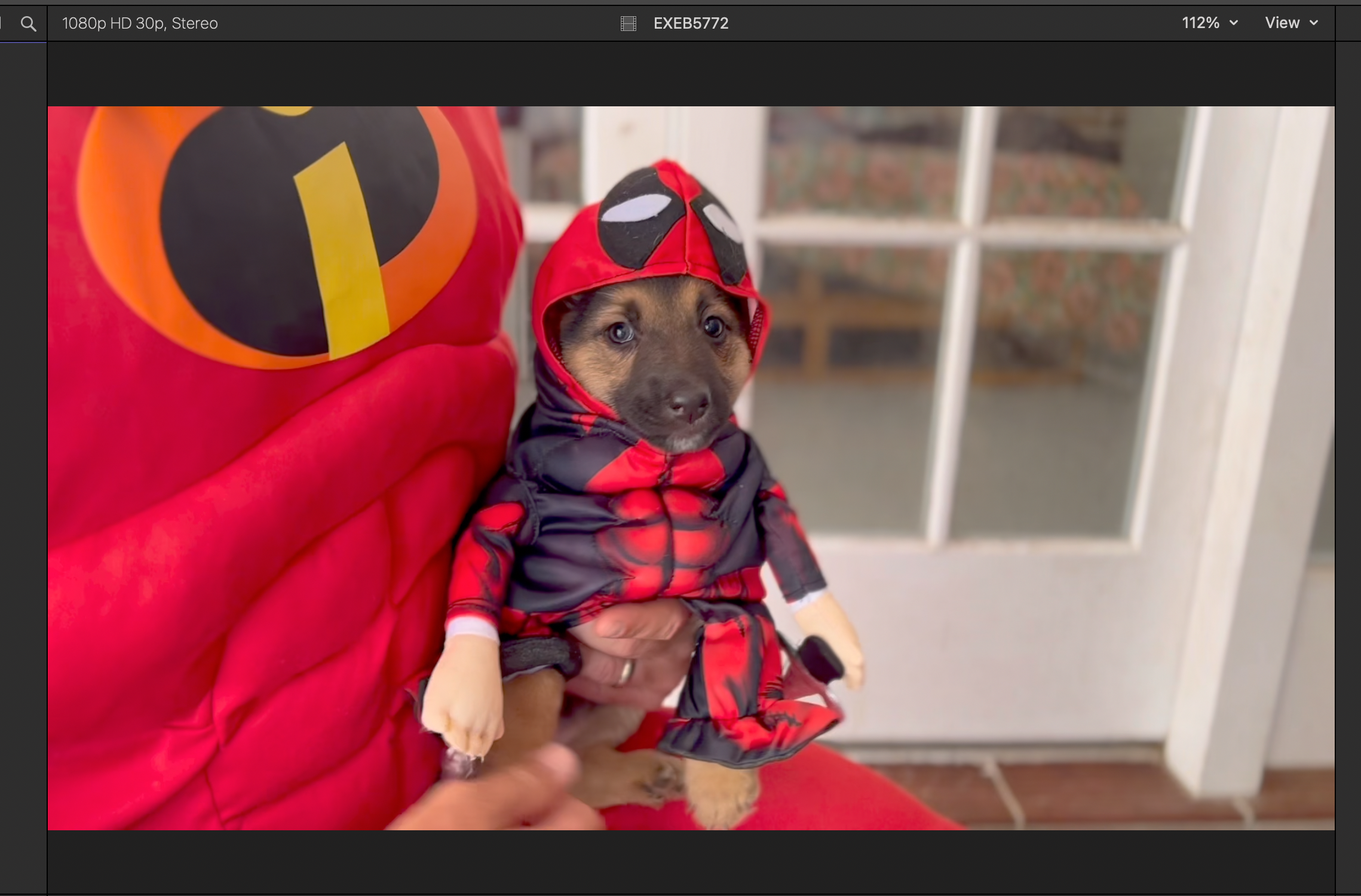
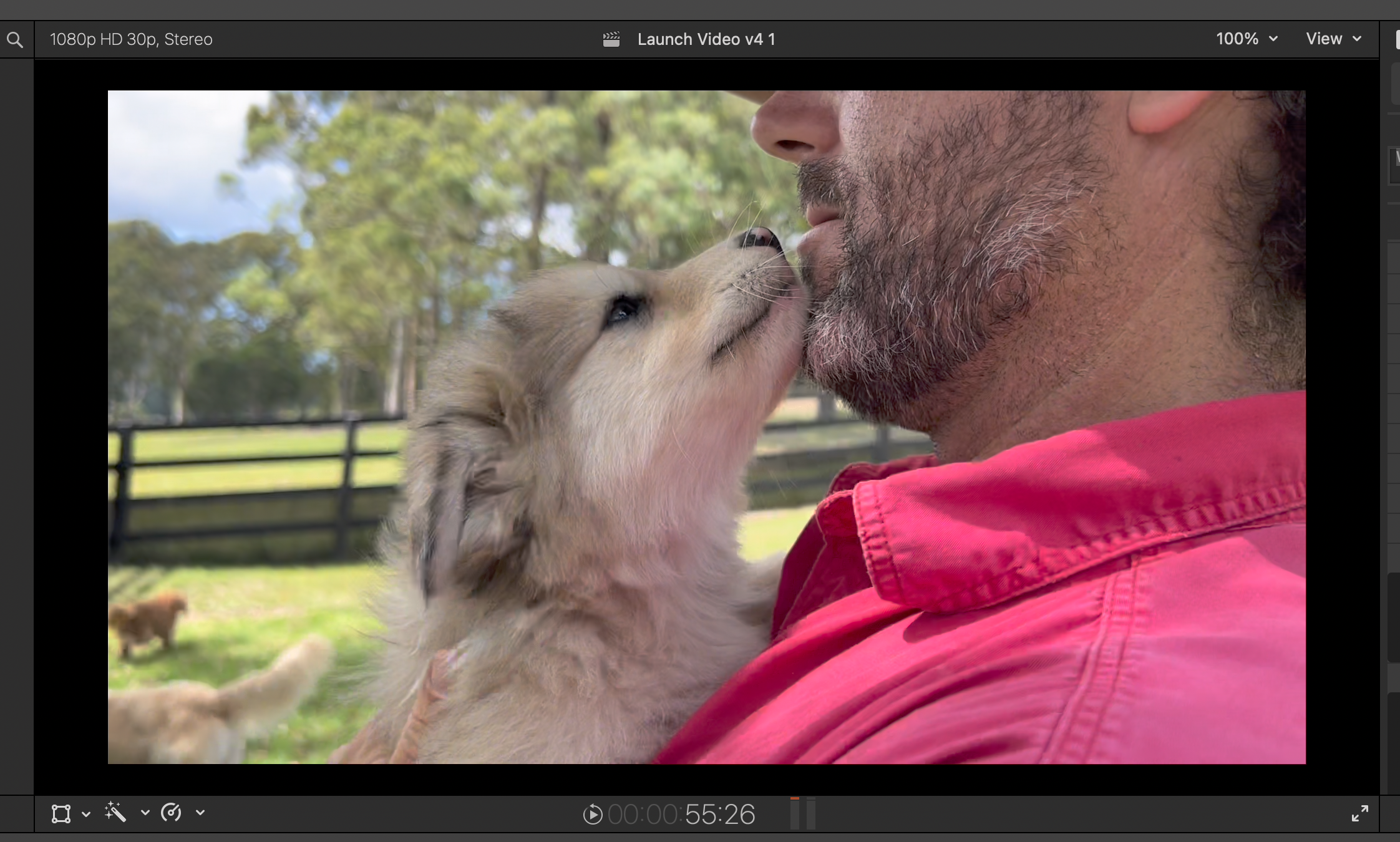
Please Log in to join the conversation.


12 May 2022 15:37 - 12 May 2022 15:39 #120501
by DaveM
Replied by DaveM on topic Outside of viewer not grey anymore in Wide Gamut HDR Library
Okay, I was able to reproduce the color shift in the viewer background outside of the clip image. Using the macOS Digital Color Meter application, the "normal" color is sRGB (22,22,22) on my displays. In some instances it changes temporarily to pure black, sRGB (0,0,0).
I was able to get the "shift to black" effect in both a standard and a wide gamut Library, as well as with a Rec. 709 or a Rec. 2020 Project.
I don't see a difference when viewing a clip in the Browser.
If I select a Project in the Browser, the background (outside of the video frame or image area) turns black in the Viewer. If I "command-2" to jump into that Project's timeline, the Viewer background turns back to dark gray.
I guess it's a bug, of sorts, as I don't know of a reason why the background of the Viewer should change color...
macOS 12.3.1, FCP 10.6.2, 2019 Intel Mac Pro
I was able to get the "shift to black" effect in both a standard and a wide gamut Library, as well as with a Rec. 709 or a Rec. 2020 Project.
I don't see a difference when viewing a clip in the Browser.
If I select a Project in the Browser, the background (outside of the video frame or image area) turns black in the Viewer. If I "command-2" to jump into that Project's timeline, the Viewer background turns back to dark gray.
I guess it's a bug, of sorts, as I don't know of a reason why the background of the Viewer should change color...
macOS 12.3.1, FCP 10.6.2, 2019 Intel Mac Pro
Last edit: 12 May 2022 15:39 by DaveM.
Please Log in to join the conversation.
