


- Posts: 137
- Thank you received: 1
3 Post Moderation Rule for New Boarders (25 Jan 2021)
New boarders will have their posts moderated - Don't worry if you cannot see your post immediately.
5.1 MXF Direct Output process
02 Apr 2022 17:16 #119758
by Wondering
5.1 MXF Direct Output process was created by Wondering
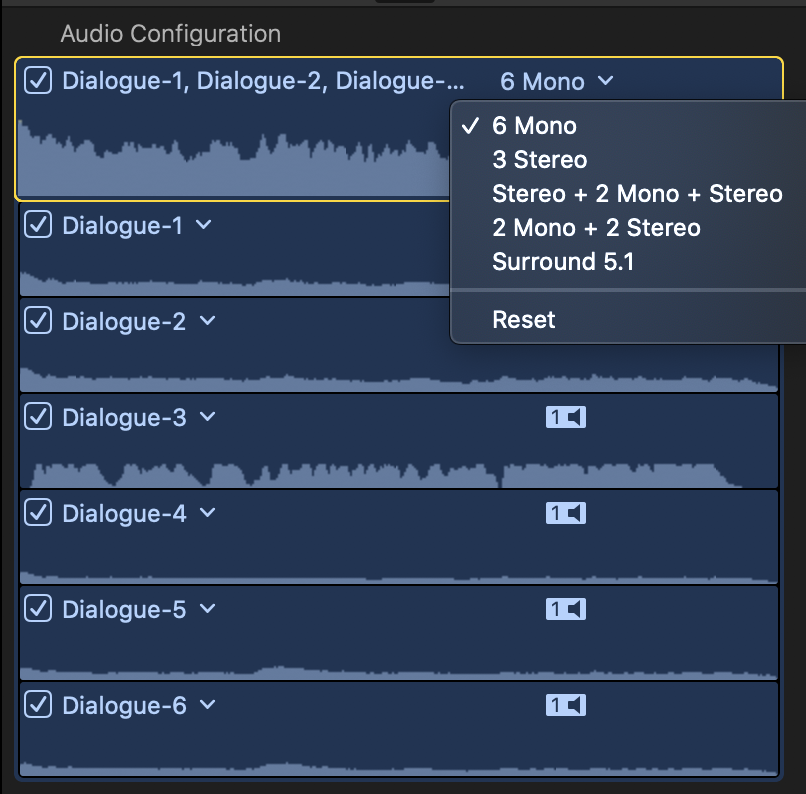
I recently had to do a project with 5.1 audio for the first time and was confused with the outputting process. First, I was given 5 "stems" from a ProTools project consisting of 1 aaf track, 1 music aif, 1 sfx aif, 1 VO aif, and 1 SOT aif. This was sent out of house to convert to a 5.1 wav. I then imported this 5.1 wav and married it to video in my FCP project. In the Inspector's Audio Config window, the 5.1 has 6 mono trax. I was told the finished piece needed to be output as an "MXF direct output" for broadcast.
Now my questions:
1. What should the pan mode be in the Inspector?
2. After I hit export (Master File) and select Format>MXF and then select Roles>Multitrack MXF File, are there any other steps I need to follow?
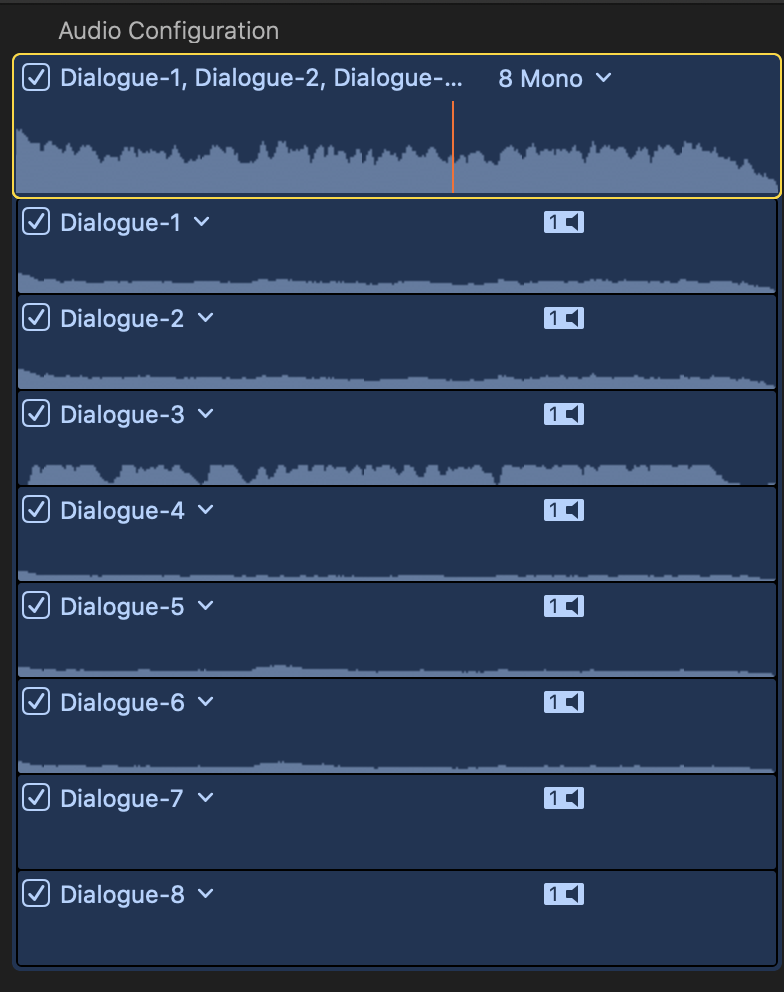
3. I ask because when I then imported the outputted piece to check it out, the Inspector>Audio Config now showed 8 tracks. Why is that?
Thanks!
Now my questions:
1. What should the pan mode be in the Inspector?
2. After I hit export (Master File) and select Format>MXF and then select Roles>Multitrack MXF File, are there any other steps I need to follow?
3. I ask because when I then imported the outputted piece to check it out, the Inspector>Audio Config now showed 8 tracks. Why is that?
Thanks!
Please Log in to join the conversation.
- Carsten Orlt
-

- Offline
- Platinum Member
-

Less
More
- Posts: 422
- Thank you received: 82
03 Apr 2022 23:45 #119766
by Carsten Orlt
Replied by Carsten Orlt on topic 5.1 MXF Direct Output process
To the best of my knowledge the file you got is not 5.1 audio but simple Mix stems for a master delivery.
So there is no panning to do and you should treat them as 5 mono and/or stereo tracks.
A 5.1 audio file would have tracks labeled as L, R, Ls, Rs, LF
So there is no panning to do and you should treat them as 5 mono and/or stereo tracks.
A 5.1 audio file would have tracks labeled as L, R, Ls, Rs, LF
Please Log in to join the conversation.
04 Apr 2022 00:22 #119769
by Wondering
Replied by Wondering on topic 5.1 MXF Direct Output process
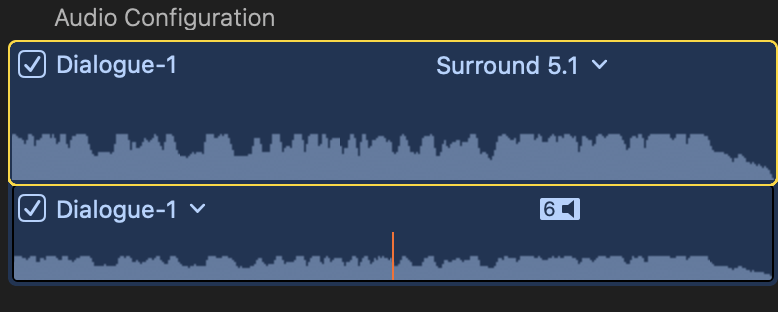
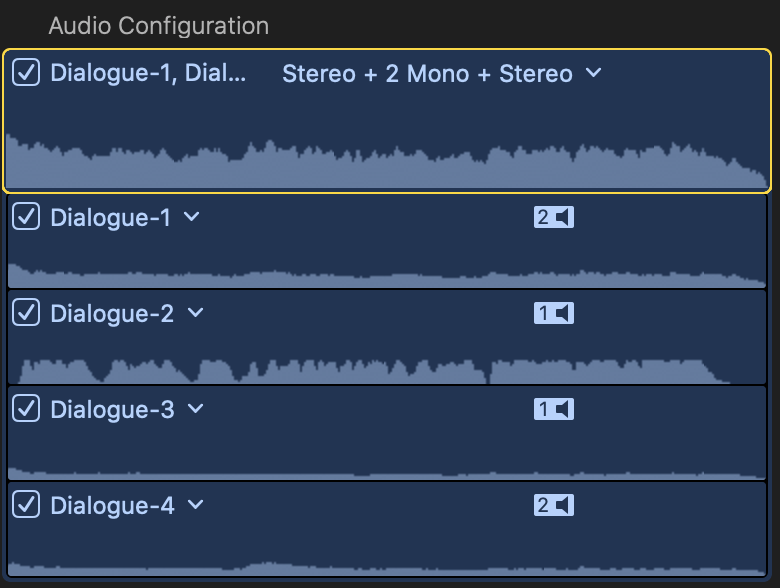
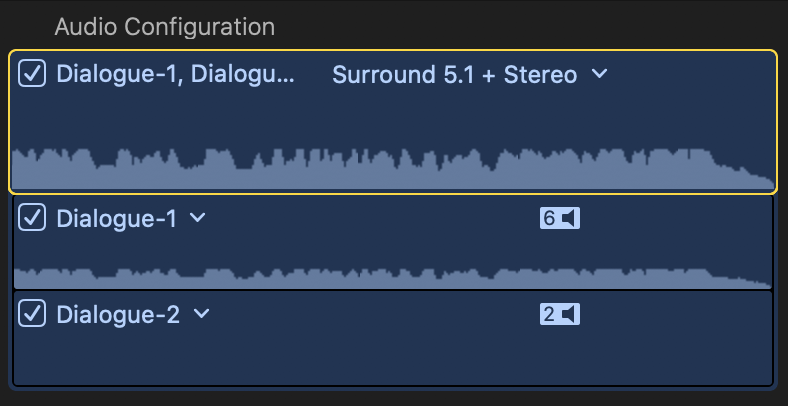
Thanks. Well, I don't see any tracks labeled as u describe for 5.1 tho the audio config lists 5.1 and "stereo+2mono+stereo" as a choice, among others (see pix). Confusing...
Do you have any insight into my question #3 (repeated below)?
"3...when I then imported the outputted piece to check it out, the Inspector>Audio Config now showed 8 tracks. Why is that? [see pics]
This same piece that I imported (after exporting out MXF) has 8 tracks and audio config also gives a choice of "surround 5.1+stereo".
Do you have any insight into my question #3 (repeated below)?
"3...when I then imported the outputted piece to check it out, the Inspector>Audio Config now showed 8 tracks. Why is that? [see pics]
This same piece that I imported (after exporting out MXF) has 8 tracks and audio config also gives a choice of "surround 5.1+stereo".
Please Log in to join the conversation.
- Carsten Orlt
-
- Offline
- Platinum Member
-
Less
More
- Posts: 422
- Thank you received: 82
04 Apr 2022 01:41 #119772
by Carsten Orlt
Replied by Carsten Orlt on topic 5.1 MXF Direct Output process
When the facility who did the 5.1 conversion send you the file what did they label it and what track layout did they say it was?
Track labels in FCP are automatic and do not necassarily represent what the tracks actually are. Only if readable metadata is attached to the audio file FCP could read that. If FCP labels tracks dialogue 1 to whatever it means the audio file didn't have metadata. So you need to know from the facility who send it what the tracks are supposed to be. This would then also explain what exactly those 'extra' tracks are.
If you can't figure out by just listening to the tracks individually the facility who send them needs to tell you what they are. No other way to solve this problem.
Track labels in FCP are automatic and do not necassarily represent what the tracks actually are. Only if readable metadata is attached to the audio file FCP could read that. If FCP labels tracks dialogue 1 to whatever it means the audio file didn't have metadata. So you need to know from the facility who send it what the tracks are supposed to be. This would then also explain what exactly those 'extra' tracks are.
If you can't figure out by just listening to the tracks individually the facility who send them needs to tell you what they are. No other way to solve this problem.
Please Log in to join the conversation.
