


- Posts: 5
- Thank you received: 0
3 Post Moderation Rule for New Boarders (25 Jan 2021)
New boarders will have their posts moderated - Don't worry if you cannot see your post immediately.
Text formatting
31 Mar 2022 22:21 #119739
by liviohans
Text formatting was created by liviohans
Hi,
I was wondering if there was a way to keep the text formating from a word document into the text of title in FCPX ?
See video below !
Thanks in advance,
I was wondering if there was a way to keep the text formating from a word document into the text of title in FCPX ?
See video below !
Thanks in advance,
Please Log in to join the conversation.
- Andreas Kiel
-

- Offline
- Platinum Member
-

Less
More
- Posts: 1077
- Thank you received: 189
01 Apr 2022 05:34 #119740
by Andreas Kiel
Replied by Andreas Kiel on topic Text formatting
Copy/Paste should work - I haven‘t used Word since at least 30 years though.
Please Log in to join the conversation.
01 Apr 2022 07:41 #119741
by liviohans
Replied by liviohans on topic Text formatting
Hi,
Thank you for your answer. It doesn't work. I had to put every name in bold and every function/name in italic....
Thank you for your answer. It doesn't work. I had to put every name in bold and every function/name in italic....
Please Log in to join the conversation.
- Andreas Kiel
-
- Offline
- Platinum Member
-
Less
More
- Posts: 1077
- Thank you received: 189
01 Apr 2022 07:49 - 01 Apr 2022 16:33 #119742
by Andreas Kiel
Replied by Andreas Kiel on topic Text formatting
Hmm,
I currently have no computer available and I can‘t see the video, but are you sure you can‘t paste styled text into the text box in the viewer?
Don’t use the Inspector text entry.
Now I got one
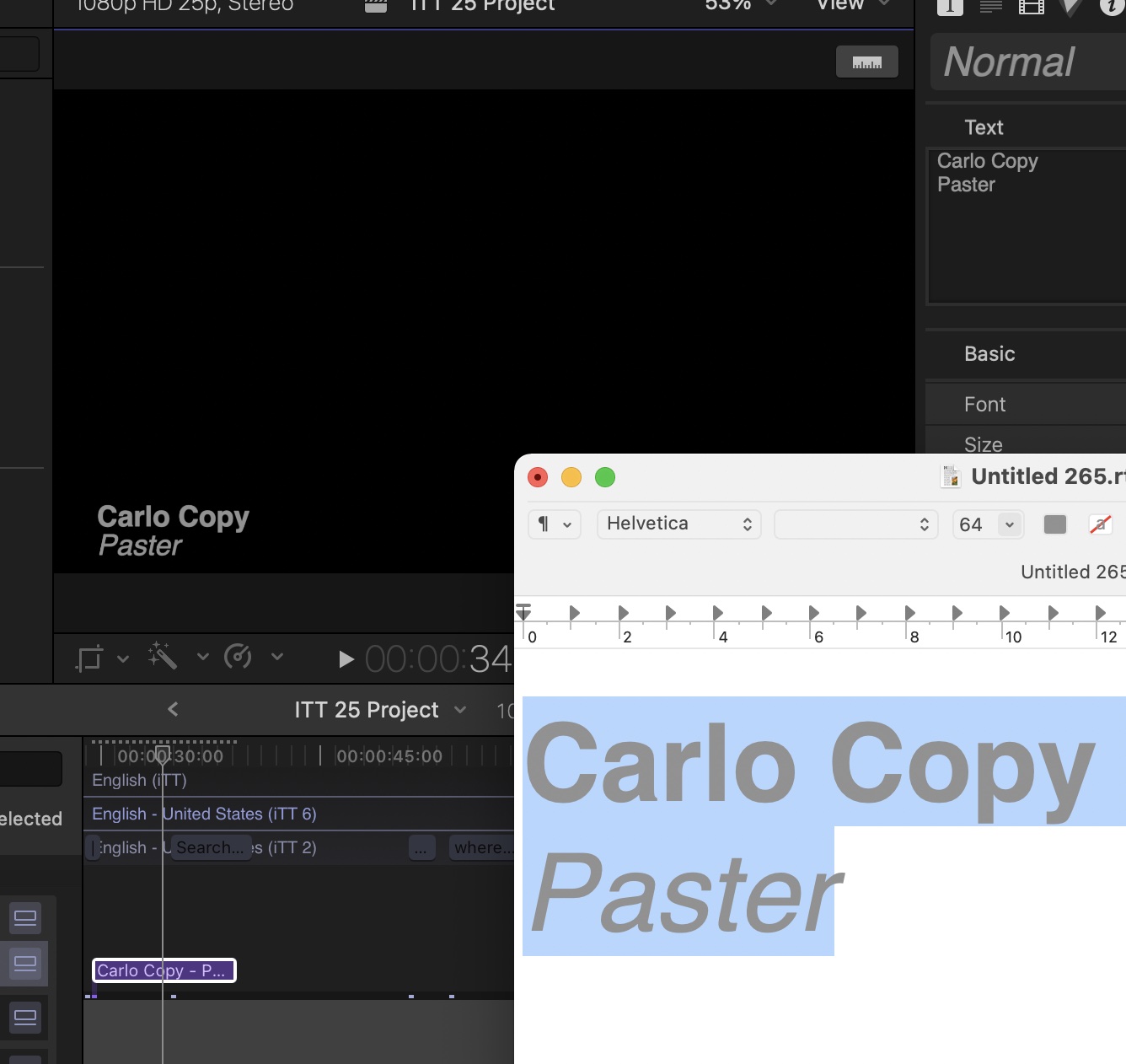
I currently have no computer available and I can‘t see the video, but are you sure you can‘t paste styled text into the text box in the viewer?
Don’t use the Inspector text entry.
Now I got one
Last edit: 01 Apr 2022 16:33 by Andreas Kiel.
Please Log in to join the conversation.


01 Apr 2022 18:03 #119750
by sc_fox
Replied by sc_fox on topic Text formatting
Copied text needs to be in RTF format. Word doesn't use RTF natively, but I think it will export it.
Open the RTF file in TextEdit or Pages and copy the text from there.
When you Paste the text, it is best to paste it into the Viewer if the Title is editable onscreen. Pasting into the inspector Text parameter seems to "flatten" features (varied colors become one, font sizes default to the same size, things like that.)
I recommend that you enlarge the text in whatever editor you used before copy/pasting as it will almost always look much smaller in FCPX.
HTH
Open the RTF file in TextEdit or Pages and copy the text from there.
When you Paste the text, it is best to paste it into the Viewer if the Title is editable onscreen. Pasting into the inspector Text parameter seems to "flatten" features (varied colors become one, font sizes default to the same size, things like that.)
I recommend that you enlarge the text in whatever editor you used before copy/pasting as it will almost always look much smaller in FCPX.
HTH
Please Log in to join the conversation.
