




- Posts: 16
- Thank you received: 0
3 Post Moderation Rule for New Boarders (25 Jan 2021)
New boarders will have their posts moderated - Don't worry if you cannot see your post immediately.
Inspector borders ?
05 Feb 2022 20:16 #118814
by Teris2212
Inspector borders ? was created by Teris2212
I am a new user and would like to know if there is an option to see some borders/frames around the video i am editing in inspector window.
Please Log in to join the conversation.


06 Feb 2022 12:25 #118822
by JoeEditor
Replied by JoeEditor on topic Inspector borders ?
If you go to a Browser (title, effect, etc) and select the ALL category at the time, then type into the search field at the bottom, you'll see what is available.
Stock, in the Stylized category of Effects is a basic border. There are lots of third-party border templates, also.
Stock, in the Stylized category of Effects is a basic border. There are lots of third-party border templates, also.
Please Log in to join the conversation.
06 Feb 2022 18:01 #118829
by Teris2212
Replied by Teris2212 on topic Inspector borders ?
Yes that is what i am looking for but not as effect . I want to see in the inspector window where my video is placed (center , left right or bottom) but to keep this border visible just to keep it aligned but permanent . So when i export my project i dont want this border to show. Maybe I didn’t express it clear.
Please Log in to join the conversation.
06 Feb 2022 20:42 #118830
by JoeEditor
Replied by JoeEditor on topic Inspector borders ?
You don't want it to show when you export? Then why have it? I'm confused.
Please Log in to join the conversation.
06 Feb 2022 20:47 #118832
by Teris2212
Replied by Teris2212 on topic Inspector borders ?
I just want to see the borders of the video as long as i prepare it. Because of the black background sometimes i dont know if the video is at the right alignment (left , right , top and bottom)
Please Log in to join the conversation.

07 Feb 2022 00:01 - 07 Feb 2022 00:06 #118834
by VTC
Replied by VTC on topic Inspector borders ?
You're confusing us.
To me a border means when you reduce a video to 36% then insert a solid behind it with the same parameters but make it 44% & white so that it 'separates' from whatever background it's overlaying.
Maybe you mean something like 'guides' so that you can have all the reduced videos in the same relative H/V locations.
(I didn't place all the slide notations identically because that creates catatonic boredom that's often fatal.)
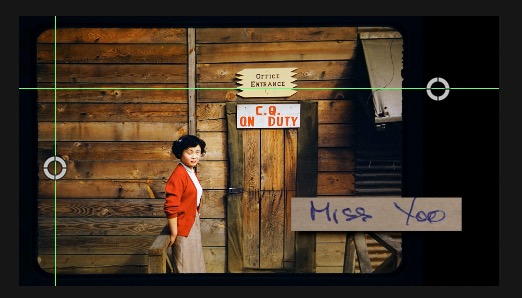
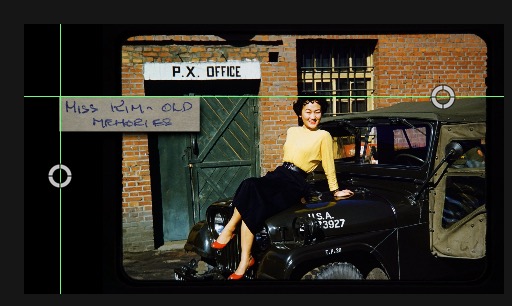
To me a border means when you reduce a video to 36% then insert a solid behind it with the same parameters but make it 44% & white so that it 'separates' from whatever background it's overlaying.
Maybe you mean something like 'guides' so that you can have all the reduced videos in the same relative H/V locations.
(I didn't place all the slide notations identically because that creates catatonic boredom that's often fatal.)
Last edit: 07 Feb 2022 00:06 by VTC.
Please Log in to join the conversation.


07 Feb 2022 01:12 #118837
by bjrE
Replied by bjrE on topic Inspector borders ?
I think I understand what you are saying. You want to know where the edge of your frame is for positing and scaling purposes? So if you move the position of the frame around, you know where the edges and middle are etc?
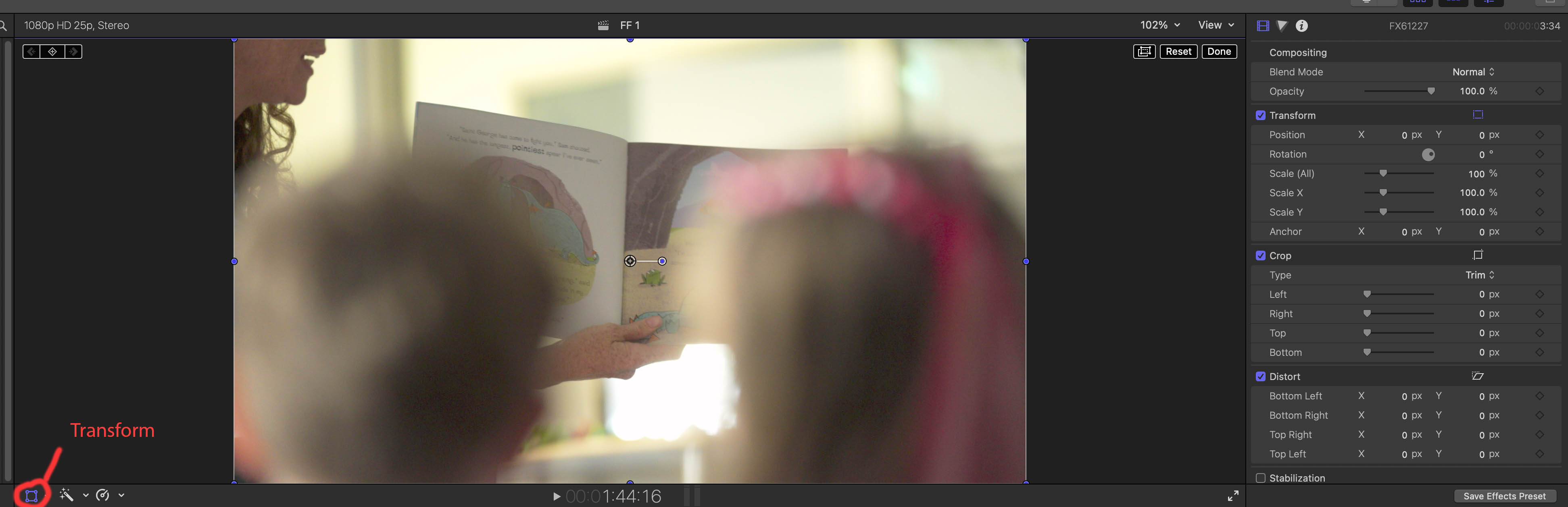
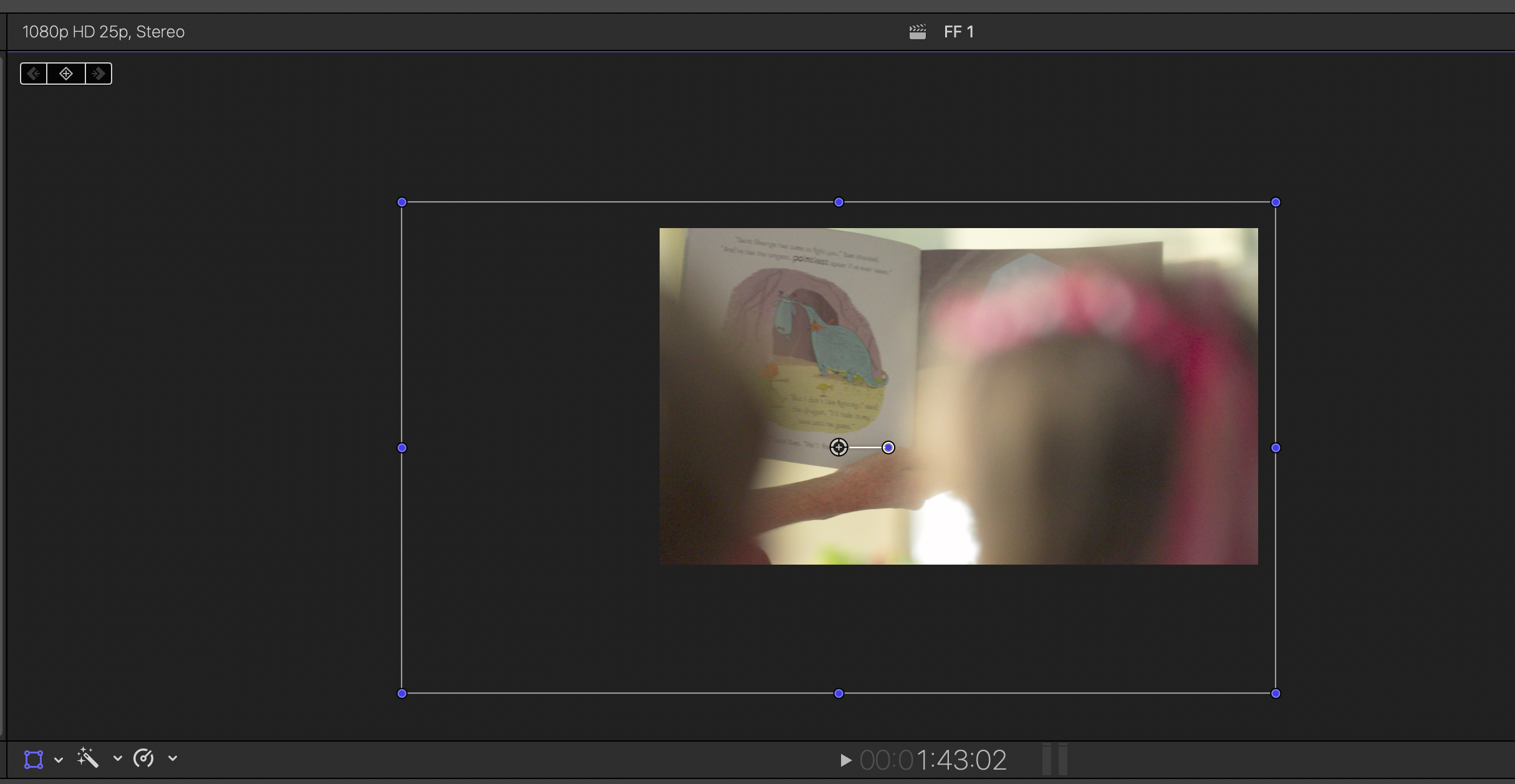
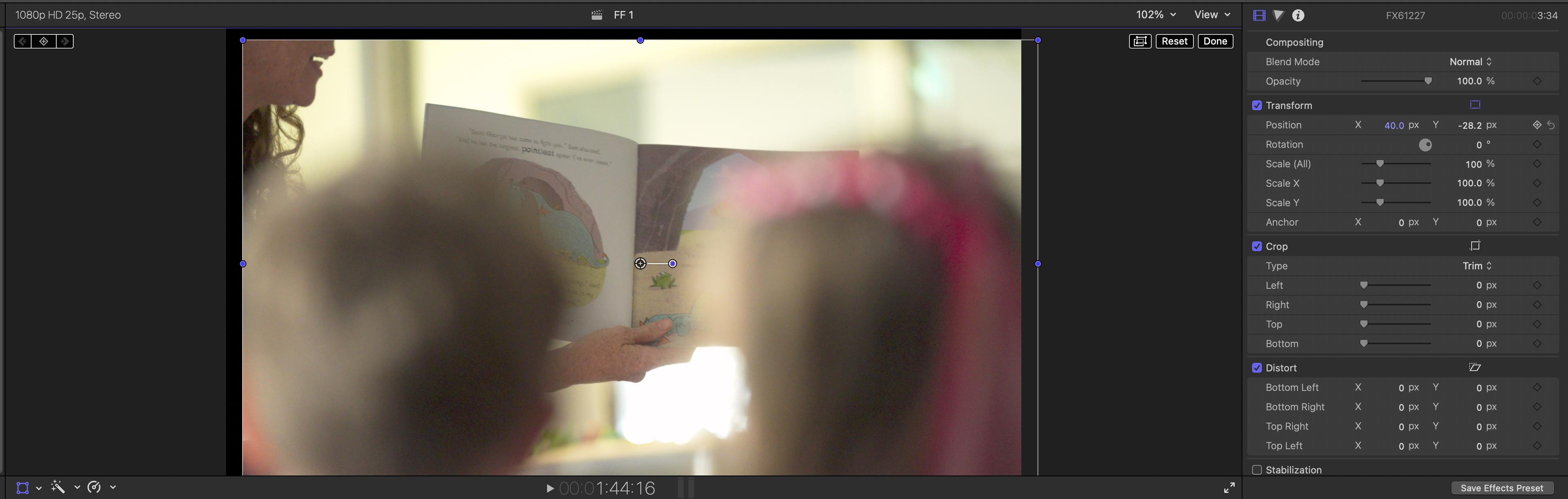
If that is what you mean, you can do that by pressing the 'transform' button. This will put a white box around your image with blue dots in the corners and middle of each edge and a blue dot in the centre. Showing you were the edge of the frame is. This will help you know if you have scaled in or out as well. This does not show up when exporting.
If that is what you mean, you can do that by pressing the 'transform' button. This will put a white box around your image with blue dots in the corners and middle of each edge and a blue dot in the centre. Showing you were the edge of the frame is. This will help you know if you have scaled in or out as well. This does not show up when exporting.
Please Log in to join the conversation.
07 Feb 2022 04:57 #118846
by Teris2212
Replied by Teris2212 on topic Inspector borders ?
Yes i am sorry , because i am new to fc i dont know much. BjrE understands what i want.Thanks anyway for your time.
Please Log in to join the conversation.
07 Feb 2022 04:59 #118847
by Teris2212
Replied by Teris2212 on topic Inspector borders ?
Yes exactly thats it. Thank you !!
Please Log in to join the conversation.
07 Feb 2022 05:00 #118848
by Teris2212
Replied by Teris2212 on topic Inspector borders ?
Hi. Yes I didn’t know how to express it. But thanks anyway , i meant the bjrE answer
Please Log in to join the conversation.
07 Feb 2022 11:48 #118854
by Teris2212
Replied by Teris2212 on topic Inspector borders ?
Just a last question. Do you know if there is an option like this white box that appears when i press the transform , can stay always visible so i will see where the edge of the frame is until i finish my project ?
Please Log in to join the conversation.
07 Feb 2022 15:53 #118856
by Teris2212
Replied by Teris2212 on topic Inspector borders ?
i think i found something. I went to preferences-playback -player background. There is an option to change the background color.
Please Log in to join the conversation.
