




- Posts: 19
- Thank you received: 0
3 Post Moderation Rule for New Boarders (25 Jan 2021)
New boarders will have their posts moderated - Don't worry if you cannot see your post immediately.
Frame ratio
21 Jan 2022 13:47 #118573
by peterc
Frame ratio was created by peterc
I have one clip in a project that is a different aspect ratio to the others. Can I change the ratio of this one clip and leave the others the same?
Please Log in to join the conversation.


21 Jan 2022 14:11 #118574
by JoeEditor
Replied by JoeEditor on topic Frame ratio
What you'd do is change the size of the clip to fill she frame, simple as that.
Please Log in to join the conversation.
- Tom Wolsky
-

- Offline
- Moderator
-

21 Jan 2022 14:16 #118575
by Tom Wolsky
Replied by Tom Wolsky on topic Frame ratio
Use Spatial conform in the Video inspector to either Fit out more likely Fill to adjust the size to match the project frame resolution.
Please Log in to join the conversation.
21 Jan 2022 14:25 #118577
by peterc
Replied by peterc on topic Frame ratio
I can see smart conform, but can't find spatial conform – is that the same tool ?
Please Log in to join the conversation.
- Tom Wolsky
-
- Offline
- Moderator
-
21 Jan 2022 14:27 #118578
by Tom Wolsky
Replied by Tom Wolsky on topic Frame ratio
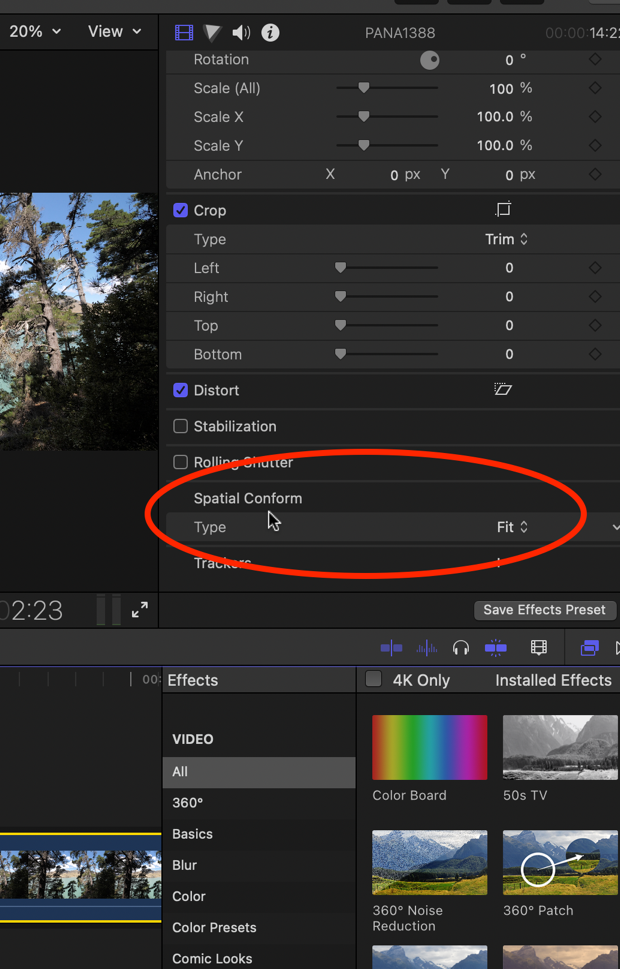
No. Select the clip in the project. In the Video inspector near the bottom you’ll see Spatial Confirm.
Please Log in to join the conversation.
21 Jan 2022 14:35 #118580
by peterc
Replied by peterc on topic Frame ratio
Sorry I cannot find this in the inspector – does it require any "preferences" I have not set?
Please Log in to join the conversation.
21 Jan 2022 14:49 #118583
by JoeEditor
Replied by JoeEditor on topic Frame ratio
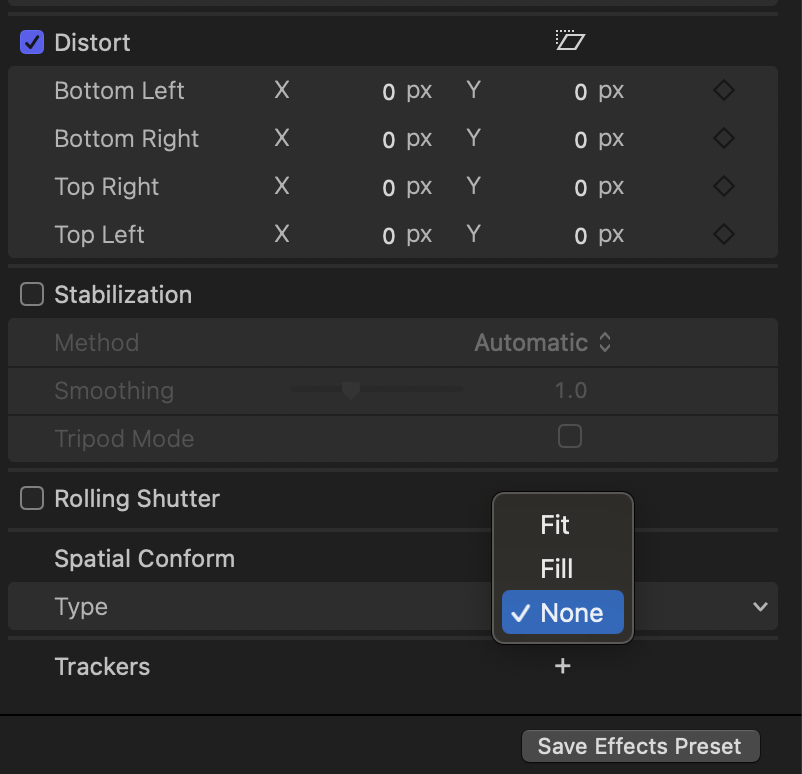
It is there at the bottom, scroll down. Here's a screen shot.
Please Log in to join the conversation.
- Tom Wolsky
-
- Offline
- Moderator
-
21 Jan 2022 14:55 #118585
by Tom Wolsky
Replied by Tom Wolsky on topic Frame ratio
What Ben showed, in this pane
Please Log in to join the conversation.
21 Jan 2022 15:00 #118586
by peterc
Replied by peterc on topic Frame ratio
Yes got it, I was looking at the wrong inspector window. I'm learning so the head is full of stuff – thank you for your help.
Please Log in to join the conversation.
