


- Posts: 10
- Thank you received: 0
3 Post Moderation Rule for New Boarders (25 Jan 2021)
New boarders will have their posts moderated - Don't worry if you cannot see your post immediately.
Change resolution of transitions?
17 Jan 2022 14:30 - 24 Jan 2022 00:16 #118483
by Joeri
Change resolution of transitions? was created by Joeri
Hey all!
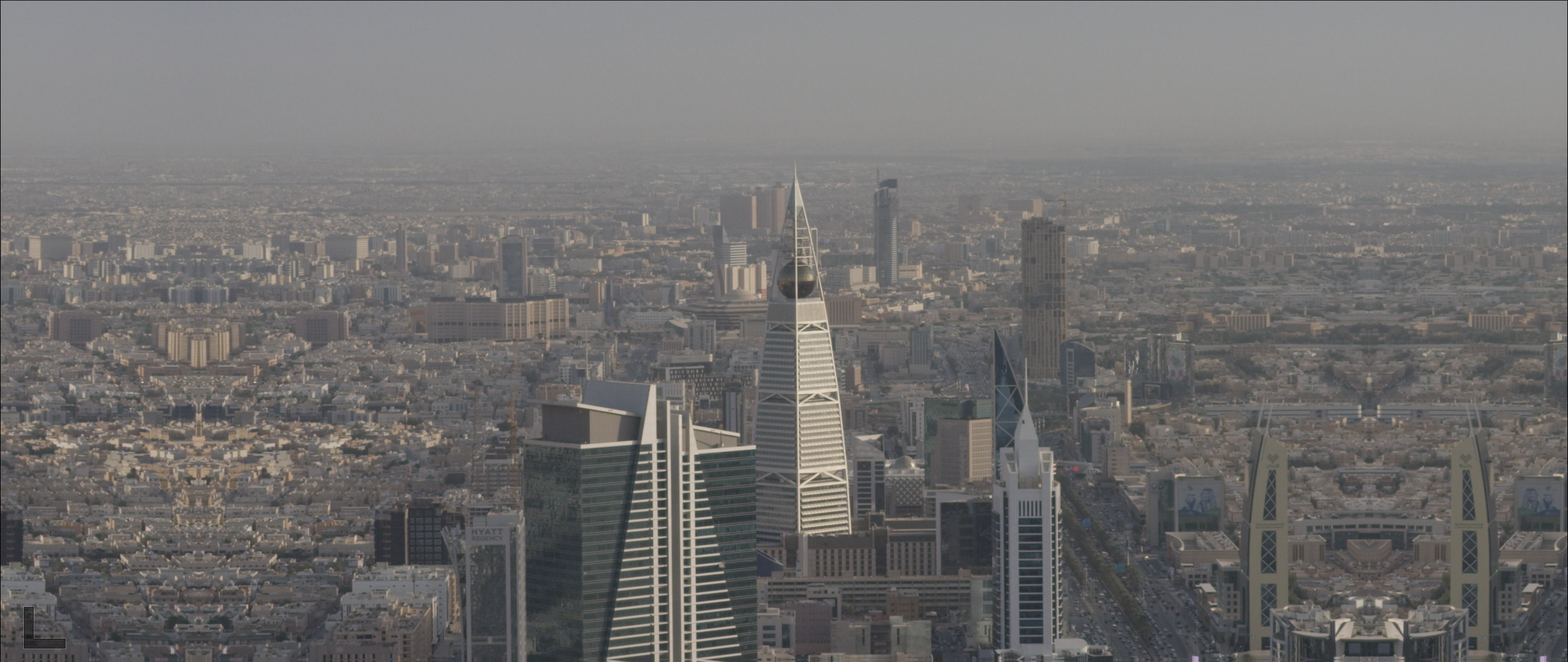
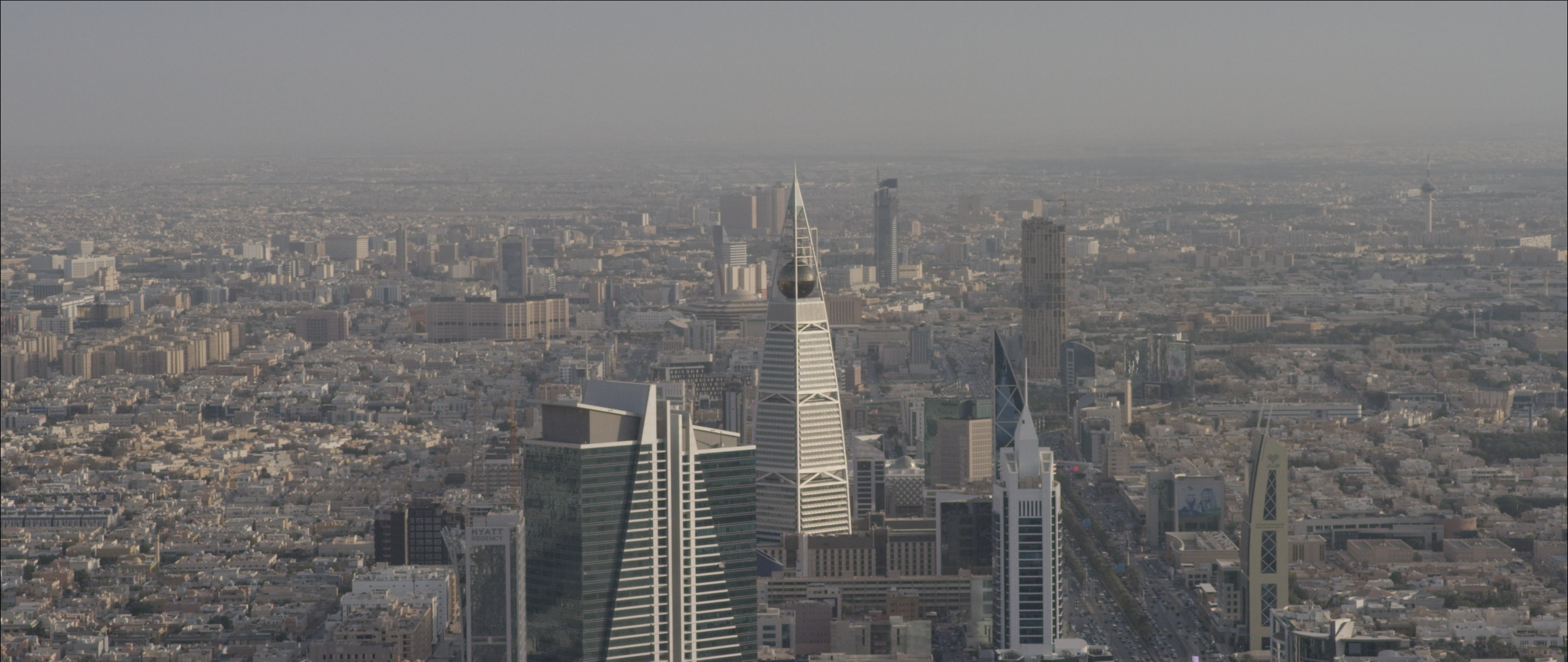
Is it possible to change the resolution of existing transition templates? Some transitions act funky when applied to widescreen footage in stead of normal 4K resolution footage. When using it on widescreen footage the sides of the images get mirrored. Is this possible in motion? Even when it is a purchased transition template?
Pic 1 without mirrored edges
Pic 2 with mirrored edges
Thanks in advance!
Is it possible to change the resolution of existing transition templates? Some transitions act funky when applied to widescreen footage in stead of normal 4K resolution footage. When using it on widescreen footage the sides of the images get mirrored. Is this possible in motion? Even when it is a purchased transition template?
Pic 1 without mirrored edges
Pic 2 with mirrored edges
Thanks in advance!
Last edit: 24 Jan 2022 00:16 by Joeri.
Please Log in to join the conversation.
- Carsten Orlt
-

- Offline
- Platinum Member
-

Less
More
- Posts: 422
- Thank you received: 82
18 Jan 2022 02:35 #118493
by Carsten Orlt
Replied by Carsten Orlt on topic Change resolution of transitions?
Not knowing your specific Project setting I would assume you can change transition project dimensions in Motion to match your FCP Project dimension.
Most like though not for bought ones as they prevent you from opening them in Motion (otherwise everybody could re-engineer them).
Most like though not for bought ones as they prevent you from opening them in Motion (otherwise everybody could re-engineer them).
Please Log in to join the conversation.

18 Jan 2022 14:52 - 18 Jan 2022 14:54 #118502
by JoeEditor
Replied by JoeEditor on topic Change resolution of transitions?
Simple Video Making, BretFX, FCPX Full Access, LenoFX, PremiumVFX, Stupid Raisins, XEffects, Ryan Nagle, industrial revolution, SugarFX, CoreMelt VFX Market, FxFactory, there's tons of quality developers to check out.
If they are made directly in Motion, you can right-click them and "Open A Copy In Motion" to modify yourself.
If they are coded with FxPlug and/or Xcode, you can't do that.
Most transitions should be resolution independent, though, but not all. I may only be a matter of change aspect ratio.
If they are made directly in Motion, you can right-click them and "Open A Copy In Motion" to modify yourself.
If they are coded with FxPlug and/or Xcode, you can't do that.
Most transitions should be resolution independent, though, but not all. I may only be a matter of change aspect ratio.
Last edit: 18 Jan 2022 14:54 by JoeEditor.
Please Log in to join the conversation.
24 Jan 2022 00:16 #118613
by Joeri
Apparently they have been made in Motion since I can open them. Will try to change the resolution there and see if it works, thanks!
Replied by Joeri on topic Change resolution of transitions?
If they are made directly in Motion, you can right-click them and "Open A Copy In Motion" to modify yourself.
If they are coded with FxPlug and/or Xcode, you can't do that.
Apparently they have been made in Motion since I can open them. Will try to change the resolution there and see if it works, thanks!
Please Log in to join the conversation.
