




- Posts: 6
- Thank you received: 0
3 Post Moderation Rule for New Boarders (25 Jan 2021)
New boarders will have their posts moderated - Don't worry if you cannot see your post immediately.
Timeline/project disappeared after installing plugin effects. Please help!
09 Jan 2022 19:08 #118333
by Jounes
Dear members,
As a beginner in editing video's it took me almost two years (didn't have a lot of time beacause of personal circumstances and work) to edit a travel video of a family vacation. I was very happy finally finishing the travel video yesterday. When I playbacked the travel video, the colors and effects didn't seem right to me. Instead of doing the color grading myself, I thought as a beginner I would buy a plugin and apply it to my shots. It's the plugin 'filmlook' from motionvfx.com. When I Installed it, the program said it couldn't install it while fcpx is open. So it gave me the option to quite fcpx to install the plugin. I did this. I had my automatic back up enabled. After the install, I opened fcpx and my project wasn't there. I have been looking online for a solution, but havn't found something that worked. I found the back up of the project, but when I open it, I can see the edited video's the view bar (left), but nothing on my timeline. I am desperate because it took me a lot of work and it truly hurts. Can someone PLEASE help me figure this out with a solution????
Thank you all very much.
Kind regards,
Jounes
As a beginner in editing video's it took me almost two years (didn't have a lot of time beacause of personal circumstances and work) to edit a travel video of a family vacation. I was very happy finally finishing the travel video yesterday. When I playbacked the travel video, the colors and effects didn't seem right to me. Instead of doing the color grading myself, I thought as a beginner I would buy a plugin and apply it to my shots. It's the plugin 'filmlook' from motionvfx.com. When I Installed it, the program said it couldn't install it while fcpx is open. So it gave me the option to quite fcpx to install the plugin. I did this. I had my automatic back up enabled. After the install, I opened fcpx and my project wasn't there. I have been looking online for a solution, but havn't found something that worked. I found the back up of the project, but when I open it, I can see the edited video's the view bar (left), but nothing on my timeline. I am desperate because it took me a lot of work and it truly hurts. Can someone PLEASE help me figure this out with a solution????
Thank you all very much.
Kind regards,
Jounes
Please Log in to join the conversation.


10 Jan 2022 10:55 #118347
by JoeEditor
Replied by JoeEditor on topic Timeline/project disappeared after installing plugin effects. Please help!
Where exactly on your hard drives did you save the Library you were editing in? Installing a plugin won't delete anything.
Please Log in to join the conversation.
10 Jan 2022 11:13 #118348
by Jounes
Replied by Jounes on topic Timeline/project disappeared after installing plugin effects. Please help!
Thank you very much for helping Ben!
That is exactly what i can't understand, it's just an install of plugins. But when I installed the plugin, it requered me to close fcpx. I just closed fcpx and installed it. Afterwards when I opened fcpx again, it dissappeared from my timeline.
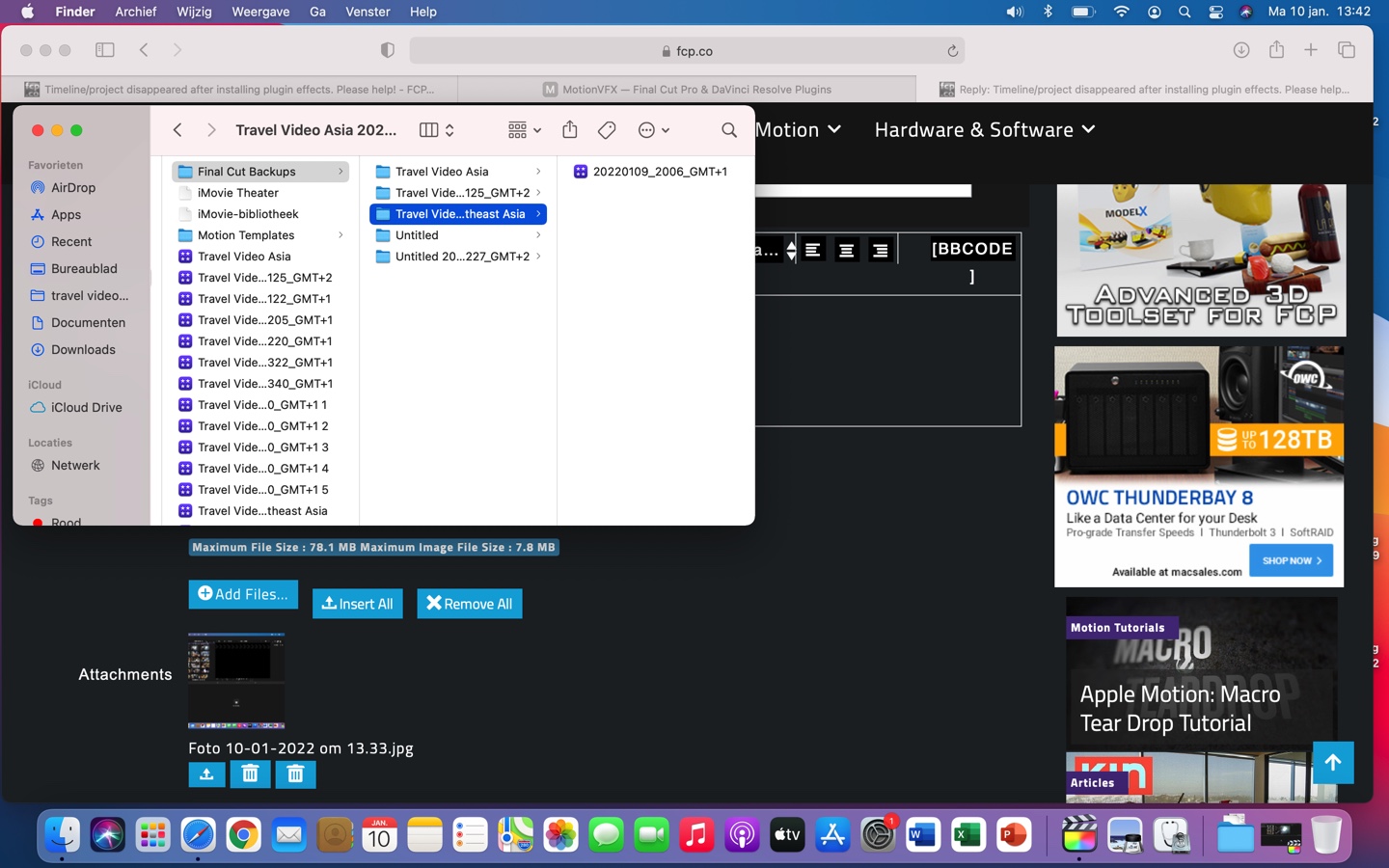
My macbook made back ups in 'movies'' in 'library' on my hard drive. The file is 39MB, so it tells me that it must be there, but i dont get why it doesnt appear on my timeline.
I tried deleting the plugins, but even that didn't work. At this point I am desperate and in panic.
That is exactly what i can't understand, it's just an install of plugins. But when I installed the plugin, it requered me to close fcpx. I just closed fcpx and installed it. Afterwards when I opened fcpx again, it dissappeared from my timeline.
My macbook made back ups in 'movies'' in 'library' on my hard drive. The file is 39MB, so it tells me that it must be there, but i dont get why it doesnt appear on my timeline.
I tried deleting the plugins, but even that didn't work. At this point I am desperate and in panic.
Please Log in to join the conversation.
- Tom Wolsky
-

- Offline
- Moderator
-

10 Jan 2022 11:18 #118349
by Tom Wolsky
Replied by Tom Wolsky on topic Timeline/project disappeared after installing plugin effects. Please help!
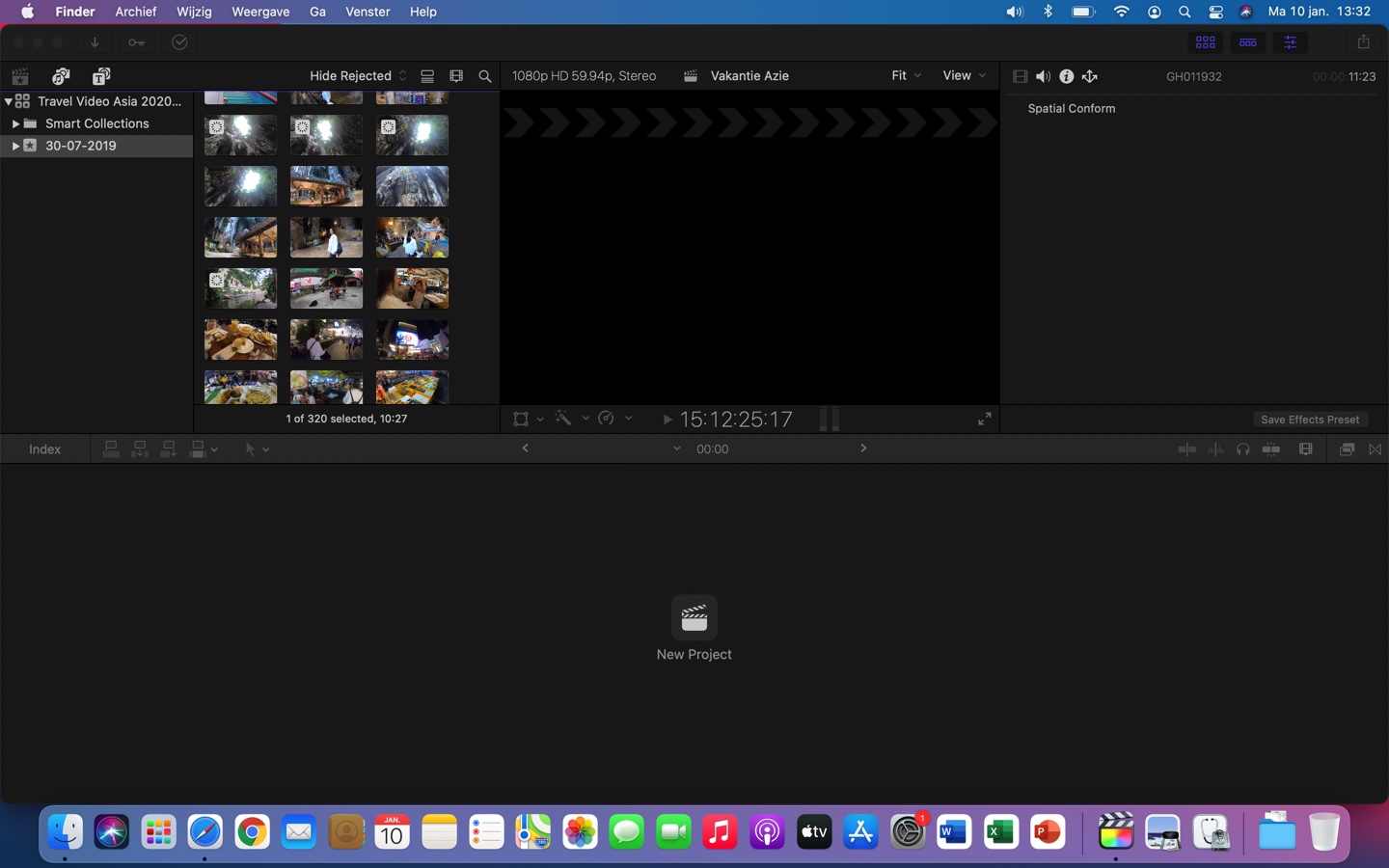
Post a screenshot of the browser that shows the event that should contain the project. How long is the project?
The same problem is happening when you open a backup?
The same problem is happening when you open a backup?
Please Log in to join the conversation.
10 Jan 2022 12:44 #118350
by Jounes
Replied by Jounes on topic Timeline/project disappeared after installing plugin effects. Please help!
This is what it now looks like. I also added the backup file and where it is in my MacBook.
Yes, the same problems occur when I try to restore it from my back up.
Yes, the same problems occur when I try to restore it from my back up.
Please Log in to join the conversation.
- Tom Wolsky
-
- Offline
- Moderator
-
10 Jan 2022 12:59 #118351
by Tom Wolsky
Replied by Tom Wolsky on topic Timeline/project disappeared after installing plugin effects. Please help!
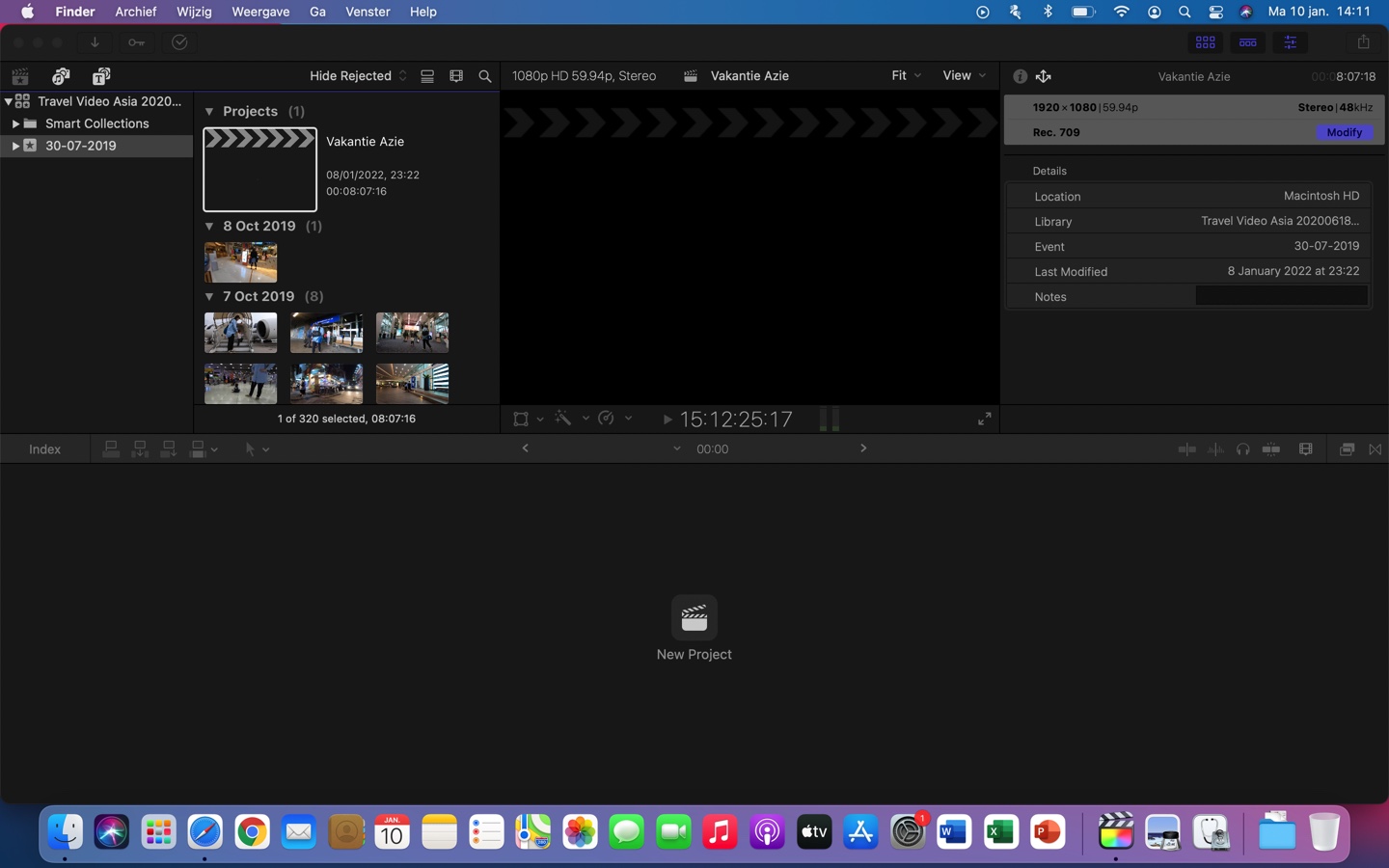
The project is at the top of the event. Switch to list view and post a screenshot of that. How long was the project? Check the duration of the clips in case you edited into a clip.
Please Log in to join the conversation.
10 Jan 2022 13:15 #118352
by Jounes
Replied by Jounes on topic Timeline/project disappeared after installing plugin effects. Please help!
Hi Tom,
I scroll above and made a screenshot. The duration of the video was the 8:07 as can be seen, so this is hopeful!
But I don't know how to switch to list view and search for it?
I scroll above and made a screenshot. The duration of the video was the 8:07 as can be seen, so this is hopeful!
But I don't know how to switch to list view and search for it?
Please Log in to join the conversation.
- Tom Wolsky
-
- Offline
- Moderator
-
10 Jan 2022 13:29 #118353
by Tom Wolsky
Replied by Tom Wolsky on topic Timeline/project disappeared after installing plugin effects. Please help!
Double click the project to open it into the Timeline.
The list view button is between Hide Rejected and the filmstrip icon.
The list view button is between Hide Rejected and the filmstrip icon.
Please Log in to join the conversation.
- Tom Wolsky
-
- Offline
- Moderator
-
10 Jan 2022 13:32 #118354
by Tom Wolsky
Replied by Tom Wolsky on topic Timeline/project disappeared after installing plugin effects. Please help!
Which plugins did you install BTW? Was it using an installer app?
Please Log in to join the conversation.
10 Jan 2022 13:36 #118355
by Jounes
Replied by Jounes on topic Timeline/project disappeared after installing plugin effects. Please help!
Tom, you are a absolute Legend! I love you! I can't thank you enough!!!!!
It worked!!!
It worked!!!
Please Log in to join the conversation.
10 Jan 2022 13:38 #118356
by Jounes
Replied by Jounes on topic Timeline/project disappeared after installing plugin effects. Please help!
I used the plugin 'filmlooks' from motionvfx.com. Yes I required a installer app.
Please Log in to join the conversation.
- Tom Wolsky
-
- Offline
- Moderator
-
10 Jan 2022 13:40 #118357
by Tom Wolsky
Replied by Tom Wolsky on topic Timeline/project disappeared after installing plugin effects. Please help!
Thanks.
Please Log in to join the conversation.
