


- Posts: 1
- Thank you received: 0
3 Post Moderation Rule for New Boarders (25 Jan 2021)
New boarders will have their posts moderated - Don't worry if you cannot see your post immediately.
Using HDR Tools and Keyer crops out bottom of video
- 1lamb1month
-
 Topic Author
- Offline
- New Member
-

Less
More
09 Jan 2022 10:05 #118319
by 1lamb1month
Using HDR Tools and Keyer crops out bottom of video was created by 1lamb1month
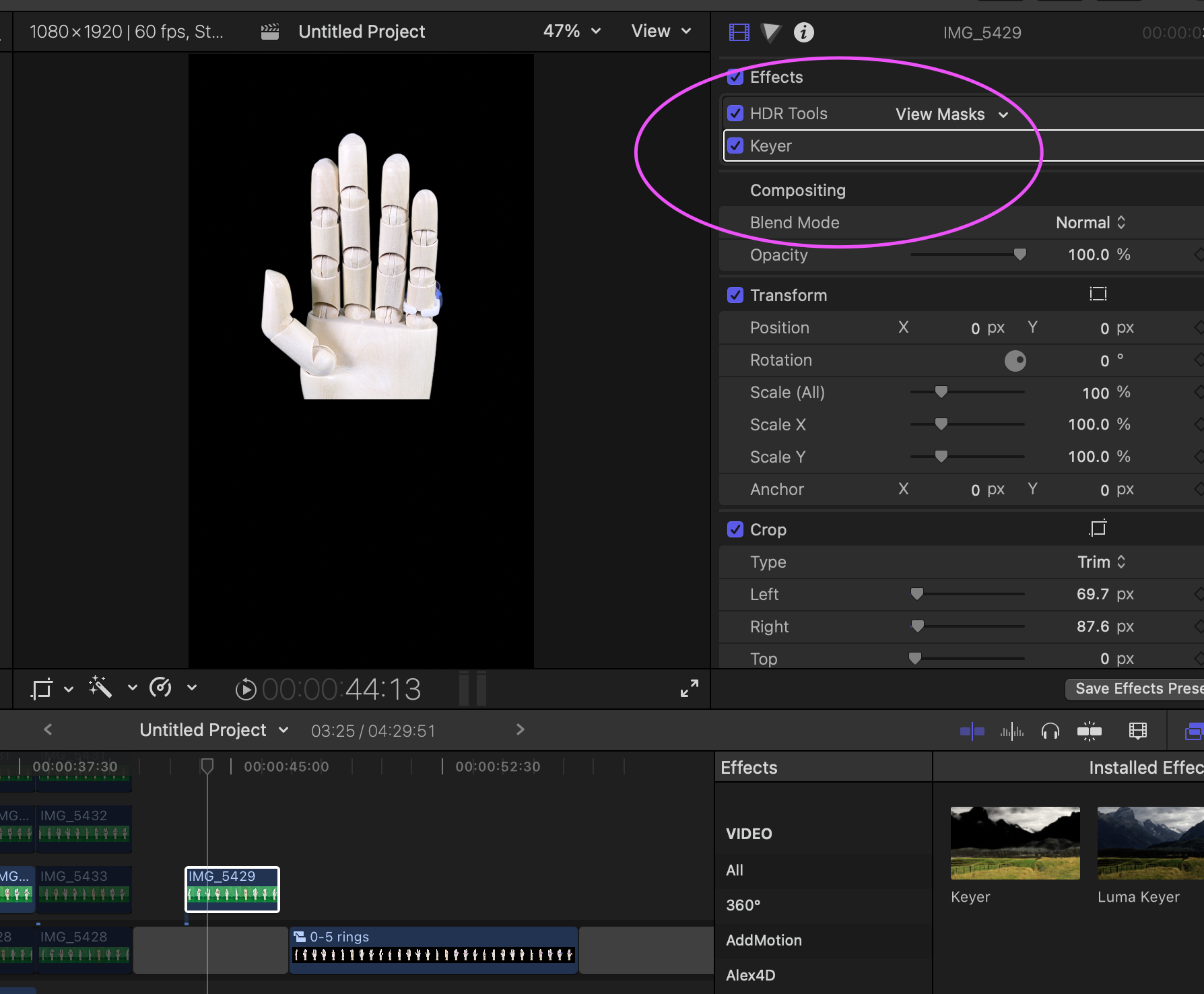
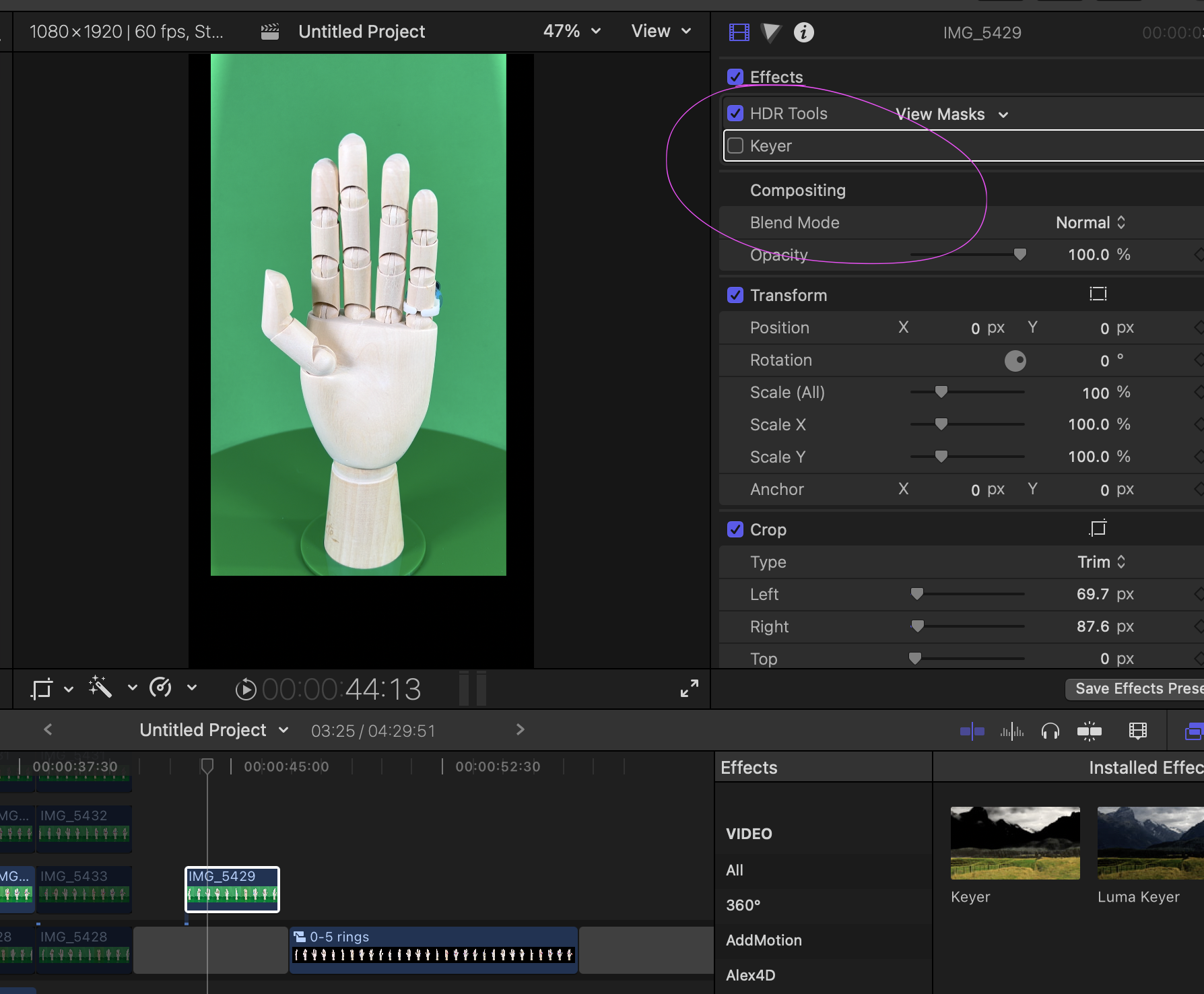
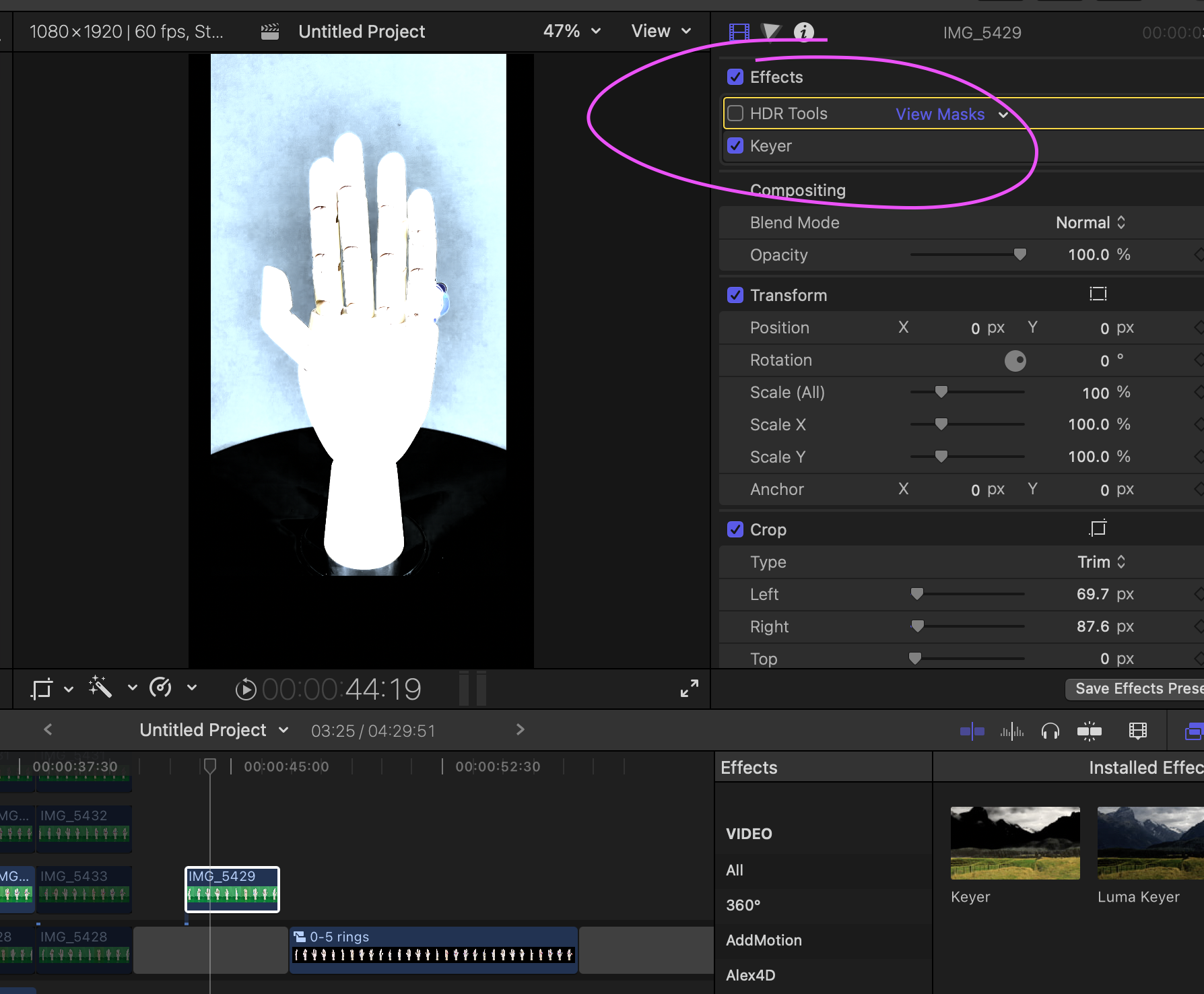
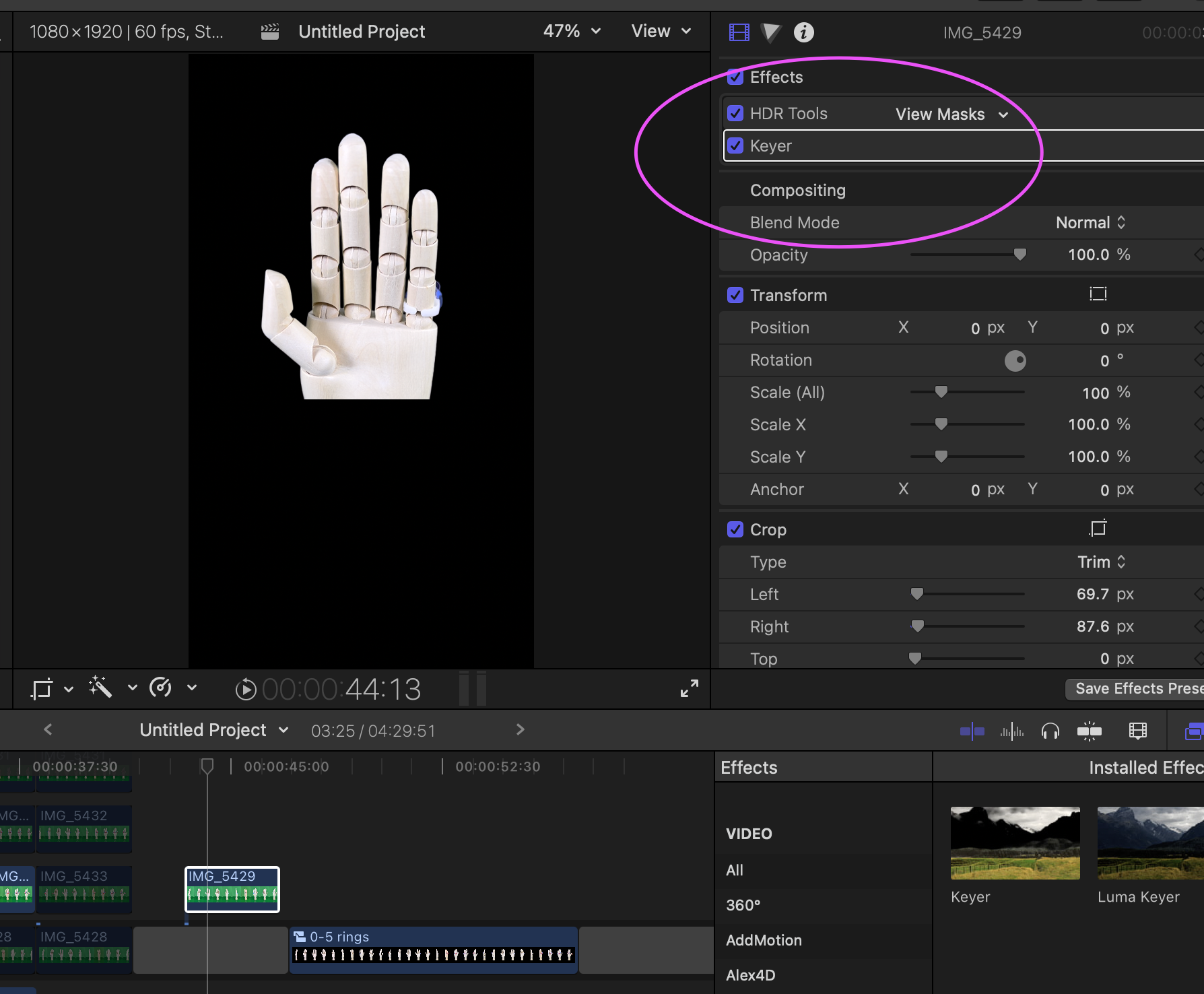
I'm having an issue using HDR iPhone 13 video with FCPX and was hoping someone could help. I'm trying to create a video using greenscreened/keyed HDR footage and I'm having a weird problem. When I use HDR Tools and Keyer together, it crops out the bottom ~40% of the video. I have no idea why. I've attached a few screengrabs to show what I'm talking about. I included grabs of:
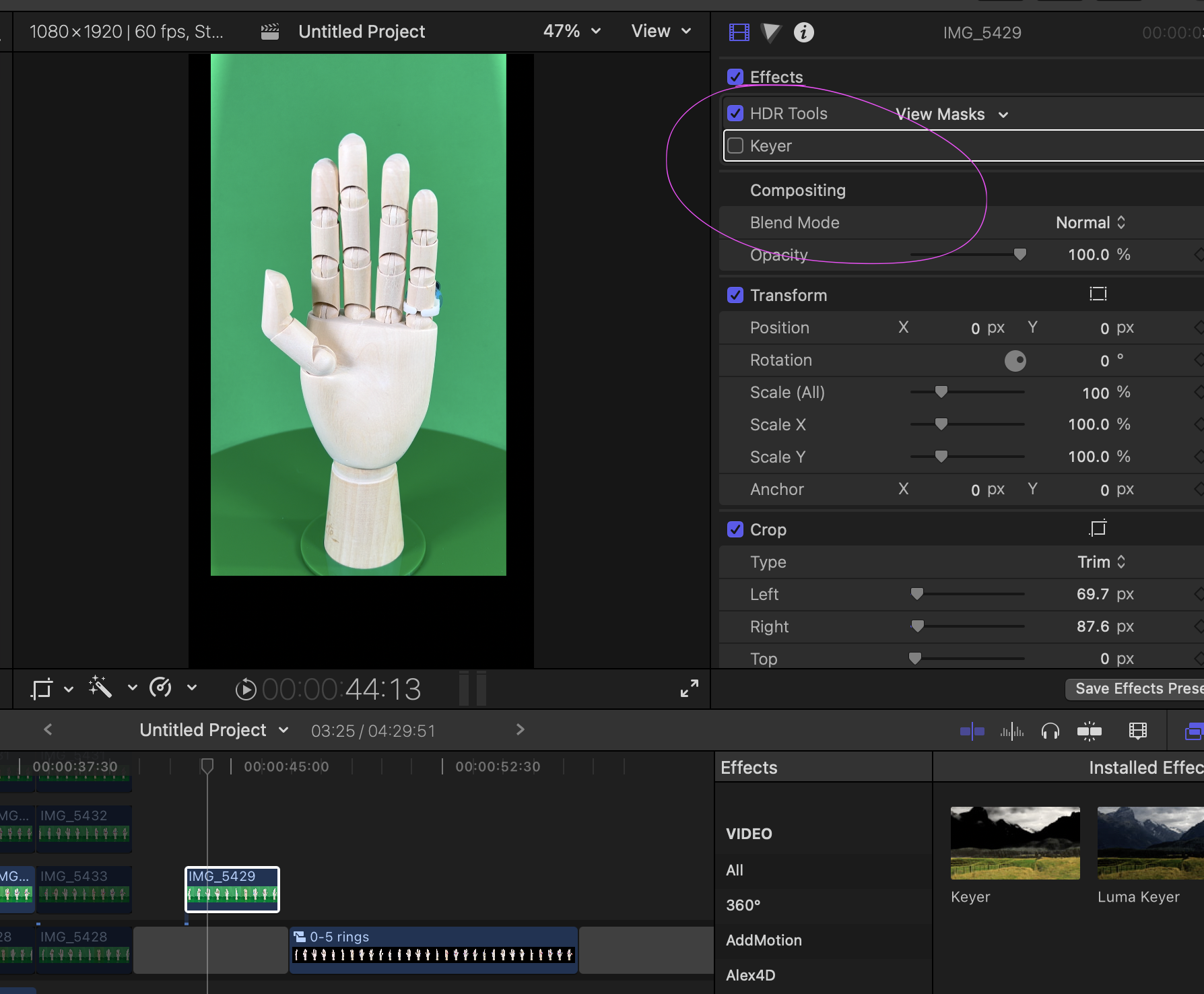
1) The raw video without HDR Tools or Keyer
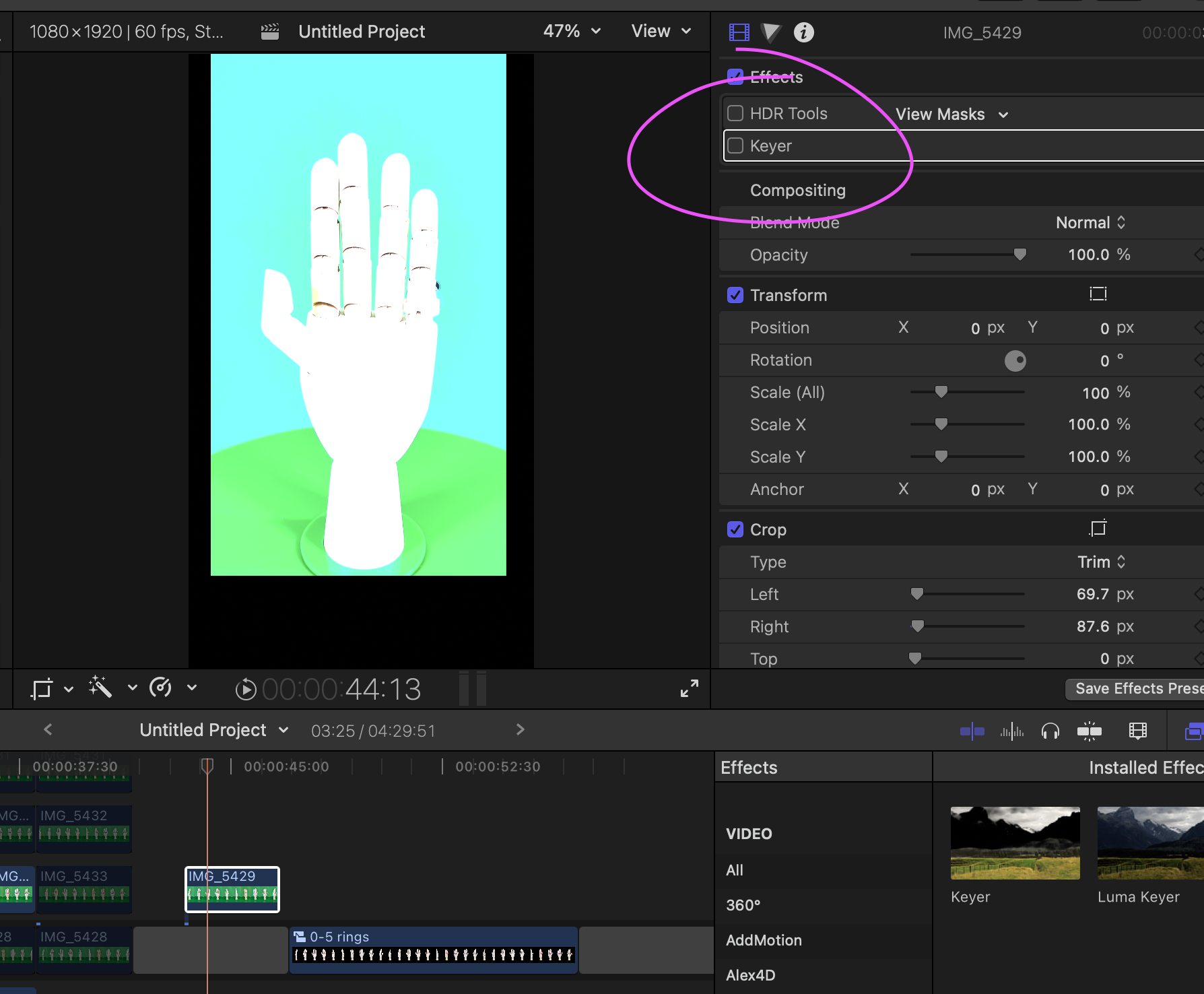
2) The video with HDR Tools only
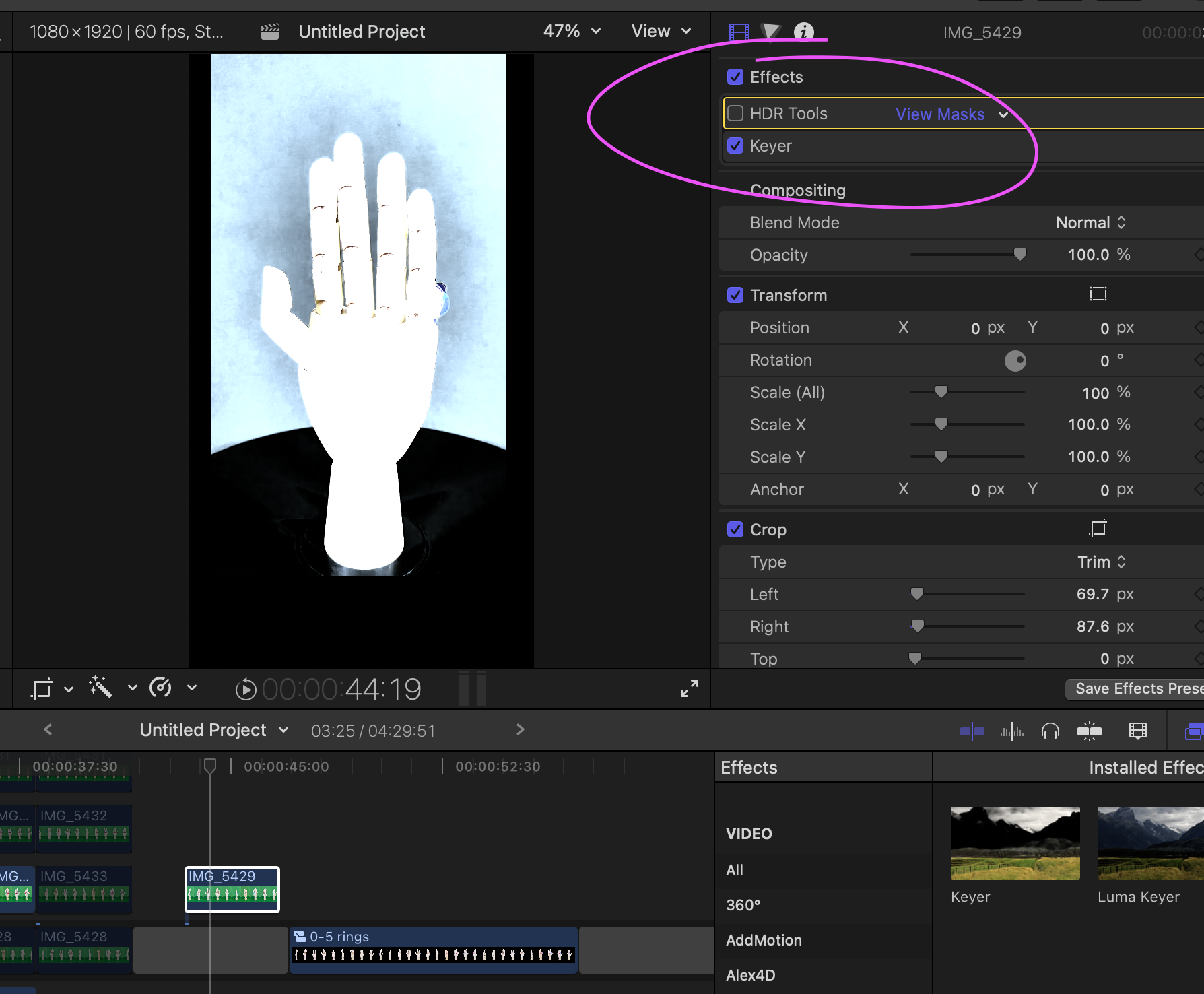
3) The video with Keyer only
4) The video with both HDR Tools and Keyer
I've looked everywhere (I think) for any accidental cropping but I can't find anything that seems wrong. I've tried this with multiple HDR videos from my iPhone 13 and the results are the same. Have I done something wrong? I'm very confused..
Details:
FCPX 10.6
Macbook Pro M1
MacOS 12.0.1
1) The raw video without HDR Tools or Keyer
2) The video with HDR Tools only
3) The video with Keyer only
4) The video with both HDR Tools and Keyer
I've looked everywhere (I think) for any accidental cropping but I can't find anything that seems wrong. I've tried this with multiple HDR videos from my iPhone 13 and the results are the same. Have I done something wrong? I'm very confused..
Details:
FCPX 10.6
Macbook Pro M1
MacOS 12.0.1

Please Log in to join the conversation.
- Tom Wolsky
-

- Offline
- Moderator
-

09 Jan 2022 12:32 #118321
by Tom Wolsky
Replied by Tom Wolsky on topic Using HDR Tools and Keyer crops out bottom of video
And if you put an image underneath it it becomes even smaller. It's much worse in standard 16:9. If you reverse the stack order in the Video inspector, Keyer first, then HDR Tools, it seems to work. Definitely report it to feedback because the behavior doesn't seem correct.
Please Log in to join the conversation.
- parkerwoodsx
-

- Offline
- New Member
-
Less
More
- Posts: 1
- Thank you received: 0
17 Nov 2022 01:33 #122926
by parkerwoodsx
Replied by parkerwoodsx on topic Using HDR Tools and Keyer crops out bottom of video
I was having this same issue and couldn't find any answers. I kept removing and playing with the HDR tool & Luma Keyer...
The solution (that actually worked for me) was to change the projects Color Space from Standard to Wide Gamut HDR Rec. 2020 HLG. Then i removed the HDR tool and was able to maintain the Luma Keyer. The bottom half of my video is no longer black/missing and i think ive resolved my error. Exporting now, render files look great. Fingers crossed 🤞
The solution (that actually worked for me) was to change the projects Color Space from Standard to Wide Gamut HDR Rec. 2020 HLG. Then i removed the HDR tool and was able to maintain the Luma Keyer. The bottom half of my video is no longer black/missing and i think ive resolved my error. Exporting now, render files look great. Fingers crossed 🤞
Please Log in to join the conversation.
