




- Posts: 2
- Thank you received: 0
3 Post Moderation Rule for New Boarders (25 Jan 2021)
New boarders will have their posts moderated - Don't worry if you cannot see your post immediately.
Importing/Publishing Effects with UI (Levels, Curves) from Motion to FCPX
08 Jan 2022 16:19 - 08 Jan 2022 16:40 #118305
by bdavid32
Hello, I am having trouble getting some .moef effects to work in FCPX.
When it comes to effects that only contain parameters (sliders and checkboxes) everything works fine. But now I need to import the Curves effect (with some modifications made to it in textedit – long story short, I need to edit the RGB Master Curves, added as "WHITE" in the .moef and the screenshots, not the LUMA that is available by default).
The modified effect works as intended in Motion, but opening it in FCPX results in only one checkbox that I can use to toggle the effect on and off, not the Curves that I need. If anyone can help me use this effect in FCPX, I'd be more than thankful
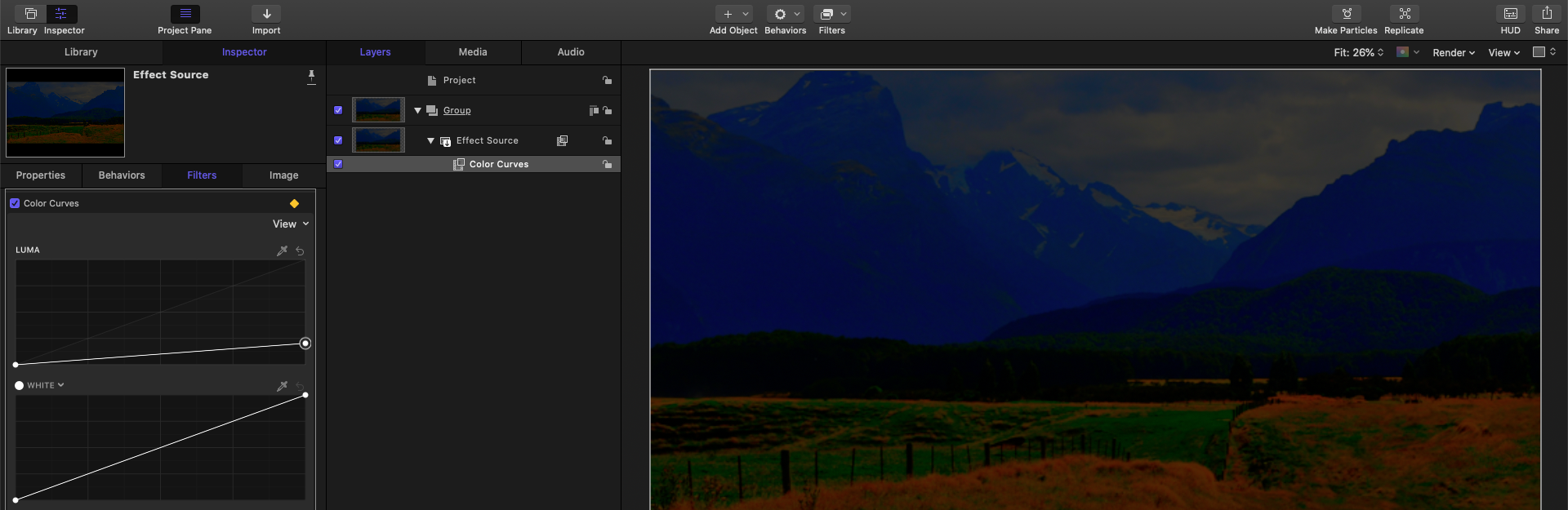
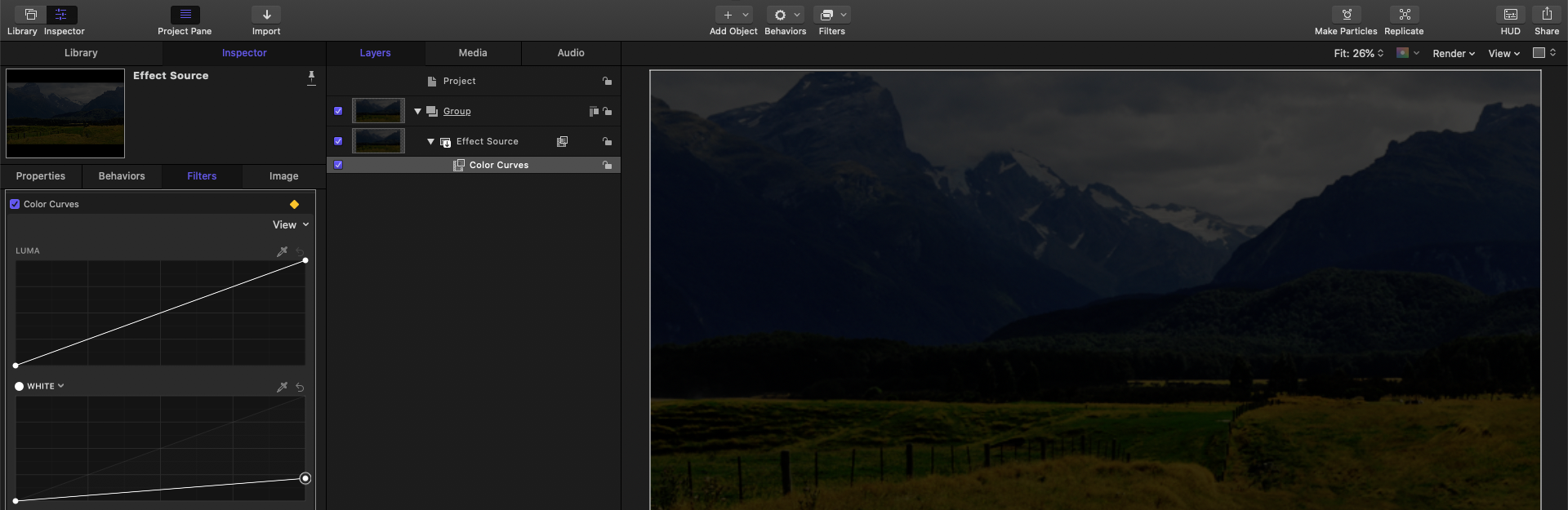
When it comes to effects that only contain parameters (sliders and checkboxes) everything works fine. But now I need to import the Curves effect (with some modifications made to it in textedit – long story short, I need to edit the RGB Master Curves, added as "WHITE" in the .moef and the screenshots, not the LUMA that is available by default).
The modified effect works as intended in Motion, but opening it in FCPX results in only one checkbox that I can use to toggle the effect on and off, not the Curves that I need. If anyone can help me use this effect in FCPX, I'd be more than thankful
Last edit: 08 Jan 2022 16:40 by bdavid32.
Please Log in to join the conversation.


08 Jan 2022 19:03 #118308
by JoeEditor
Replied by JoeEditor on topic Importing/Publishing Effects with UI (Levels, Curves) from Motion to FCPX
Are you doing something the curves in FCP don't do?
Also seems you've got keyframes assigned.
What is the goal of this effect?
Also seems you've got keyframes assigned.
What is the goal of this effect?
Please Log in to join the conversation.
08 Jan 2022 21:15 #118312
by bdavid32
Replied by bdavid32 on topic Importing/Publishing Effects with UI (Levels, Curves) from Motion to FCPX
Thank you for the reply, I sorted it out in the end
Yes, these curves are different – if you take a close look at the screenshots, the second curve, under "LUMA" is the master RGB, tagged as "WHITE". I found that the Luma curve would add unwanted saturation when darkening the image (dragging down any point of the curve adds saturation, or to speak more accurately, it preserves the saturation instead of decreasing it proportionally with the decrease in luma). Just compare it to the curves in DaVinci, PP or AE and it's easy to notice. Making the image brighter does the opposite, it gives the impression of decreasing saturation.
So I used the second curve to target R, G and B simultaneously, so it looks more natural.
The solution was to save an "Effects Preset" directly from FCPX and do the same modifications in TextEdit on that file.
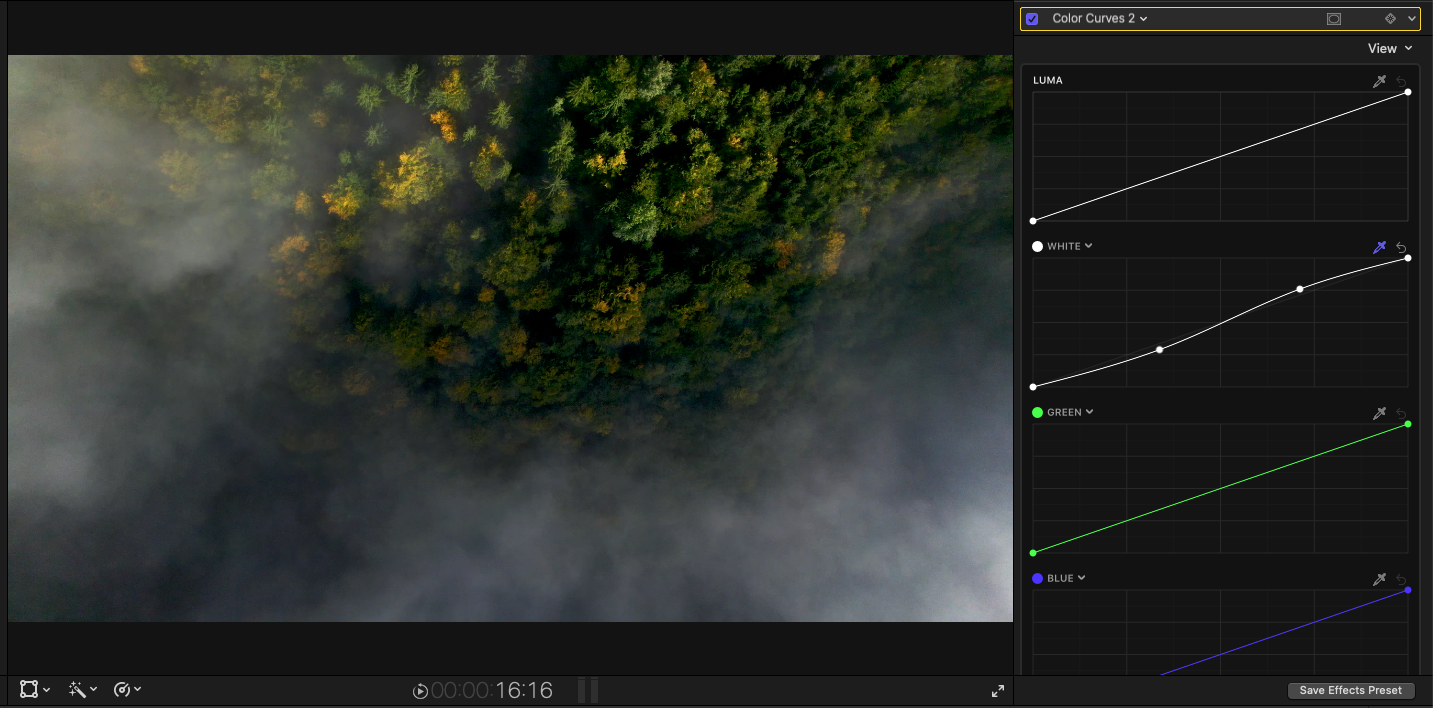
Yes, these curves are different – if you take a close look at the screenshots, the second curve, under "LUMA" is the master RGB, tagged as "WHITE". I found that the Luma curve would add unwanted saturation when darkening the image (dragging down any point of the curve adds saturation, or to speak more accurately, it preserves the saturation instead of decreasing it proportionally with the decrease in luma). Just compare it to the curves in DaVinci, PP or AE and it's easy to notice. Making the image brighter does the opposite, it gives the impression of decreasing saturation.
So I used the second curve to target R, G and B simultaneously, so it looks more natural.
The solution was to save an "Effects Preset" directly from FCPX and do the same modifications in TextEdit on that file.
Please Log in to join the conversation.
