


- Posts: 129
- Thank you received: 2
3 Post Moderation Rule for New Boarders (25 Jan 2021)
New boarders will have their posts moderated - Don't worry if you cannot see your post immediately.
Missing LUTs After Upgrade
29 Dec 2021 21:37 #118173
by Smesh
Missing LUTs After Upgrade was created by Smesh
A partner left a client's firm and they've asked us to recut the video we did earlier this year to remove the partner.
Unfortunately, FCPX seems to have changed the storage location for LUTs and the connection was somehow lost. I was able to reconnect several of the clips manually by adding the LUTs to the new folder and then had to turn off the LUT and browser to the new location inside the inspector for each clip. Grrrr...
That worked for a lot of the clips, but only after restarting FCPX several times and also the matchbook pro M1 Pro.
That didn't solve everything though. Most of the projects and multicam clips still show a missing LUT, and I cannot seem to fix that.
I'm reluctant to Strat fixing this film for the client until I know exactly what I'm getting into. Any ideas on how to fix these issues?
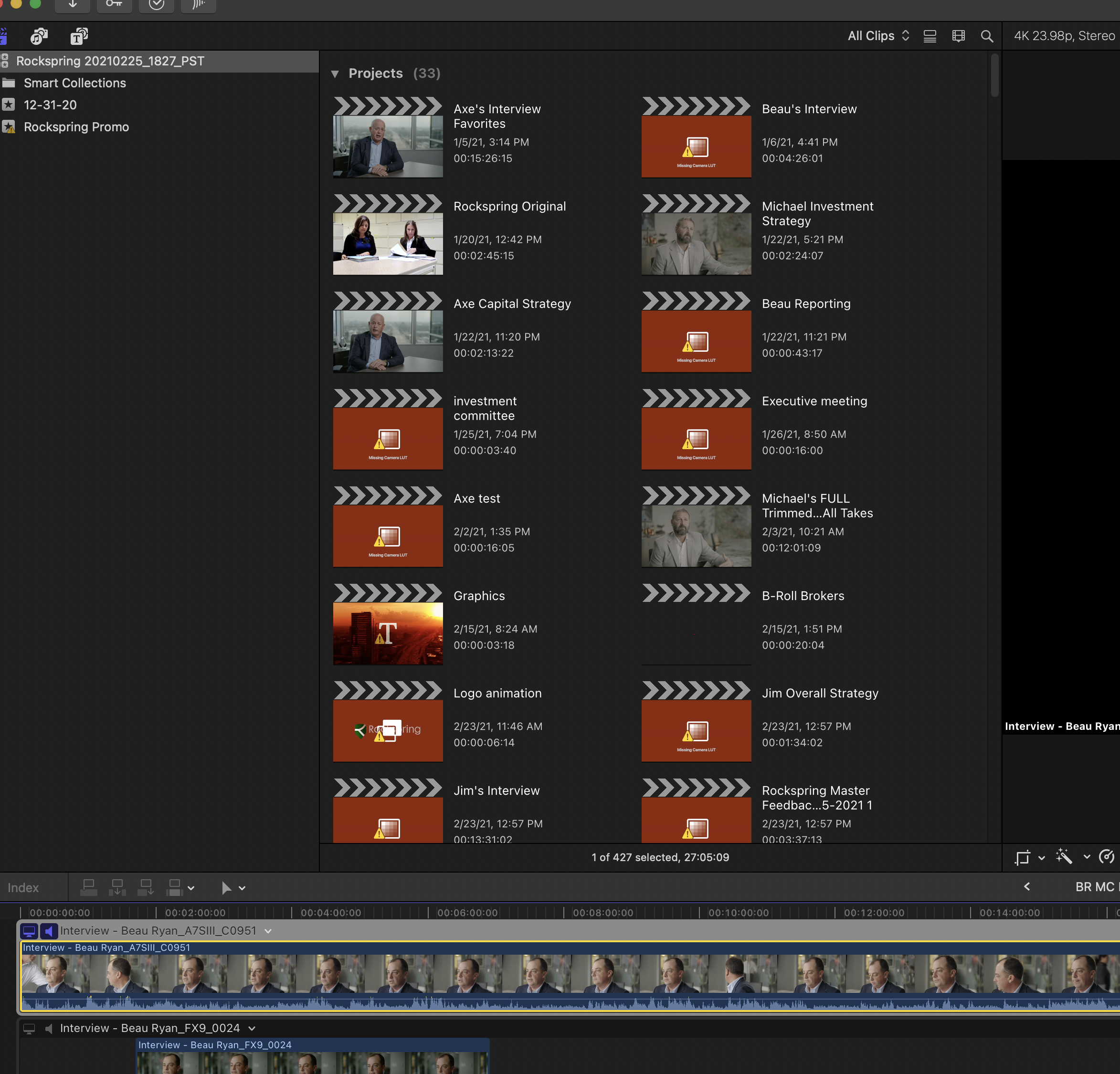
Unfortunately, FCPX seems to have changed the storage location for LUTs and the connection was somehow lost. I was able to reconnect several of the clips manually by adding the LUTs to the new folder and then had to turn off the LUT and browser to the new location inside the inspector for each clip. Grrrr...
That worked for a lot of the clips, but only after restarting FCPX several times and also the matchbook pro M1 Pro.
That didn't solve everything though. Most of the projects and multicam clips still show a missing LUT, and I cannot seem to fix that.
I'm reluctant to Strat fixing this film for the client until I know exactly what I'm getting into. Any ideas on how to fix these issues?
Please Log in to join the conversation.
