




- Posts: 5
- Thank you received: 0
3 Post Moderation Rule for New Boarders (25 Jan 2021)
New boarders will have their posts moderated - Don't worry if you cannot see your post immediately.
4K footage in FCP shows two layers of video
06 Sep 2021 17:26 #116135
by twin101
4K footage in FCP shows two layers of video was created by twin101
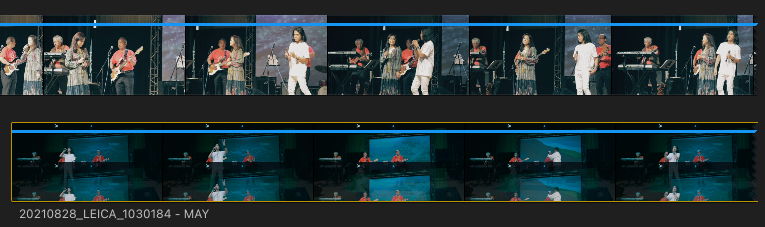
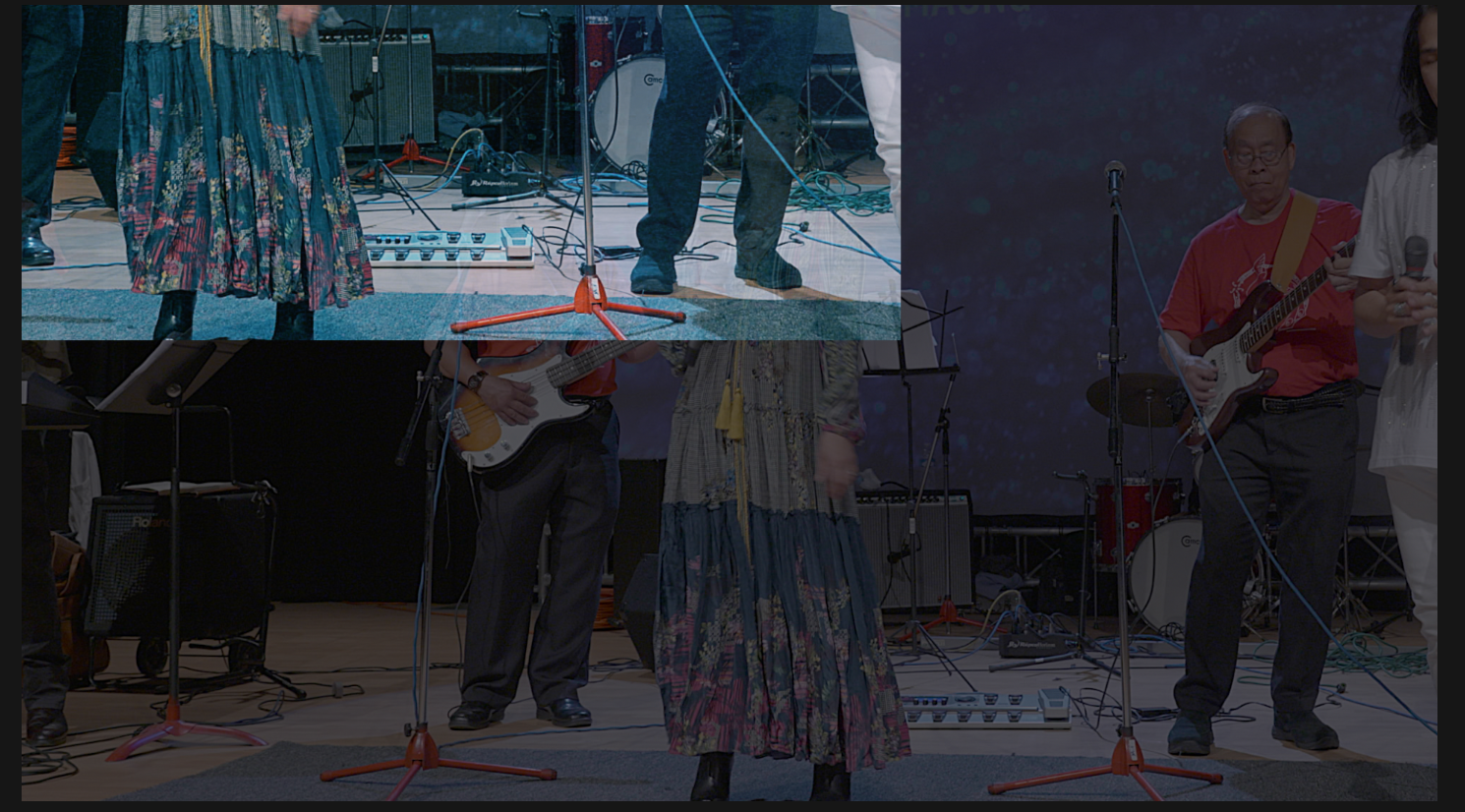
Leica 4K footage (Cine4K format in 4.2.2) is showing two layers of video. When you crop the video, the second layer is revealed. Any suggestions on how to work with this? Thanks much!
Two images are attached.
1) The top piece represents footage from Canon 7D MKII in HD, the bottom one is from Leica SL2-S
2) The image shows what you get when you crop the Leica footage
Two images are attached.
1) The top piece represents footage from Canon 7D MKII in HD, the bottom one is from Leica SL2-S
2) The image shows what you get when you crop the Leica footage
Please Log in to join the conversation.
- Tom Wolsky
-

- Offline
- Moderator
-

06 Sep 2021 17:30 #116136
by Tom Wolsky
Replied by Tom Wolsky on topic 4K footage in FCP shows two layers of video
What do you want you see when you crop the connected clip? Are you using the trim or the crop function?
Please Log in to join the conversation.
06 Sep 2021 17:31 #116137
by twin101
Replied by twin101 on topic 4K footage in FCP shows two layers of video
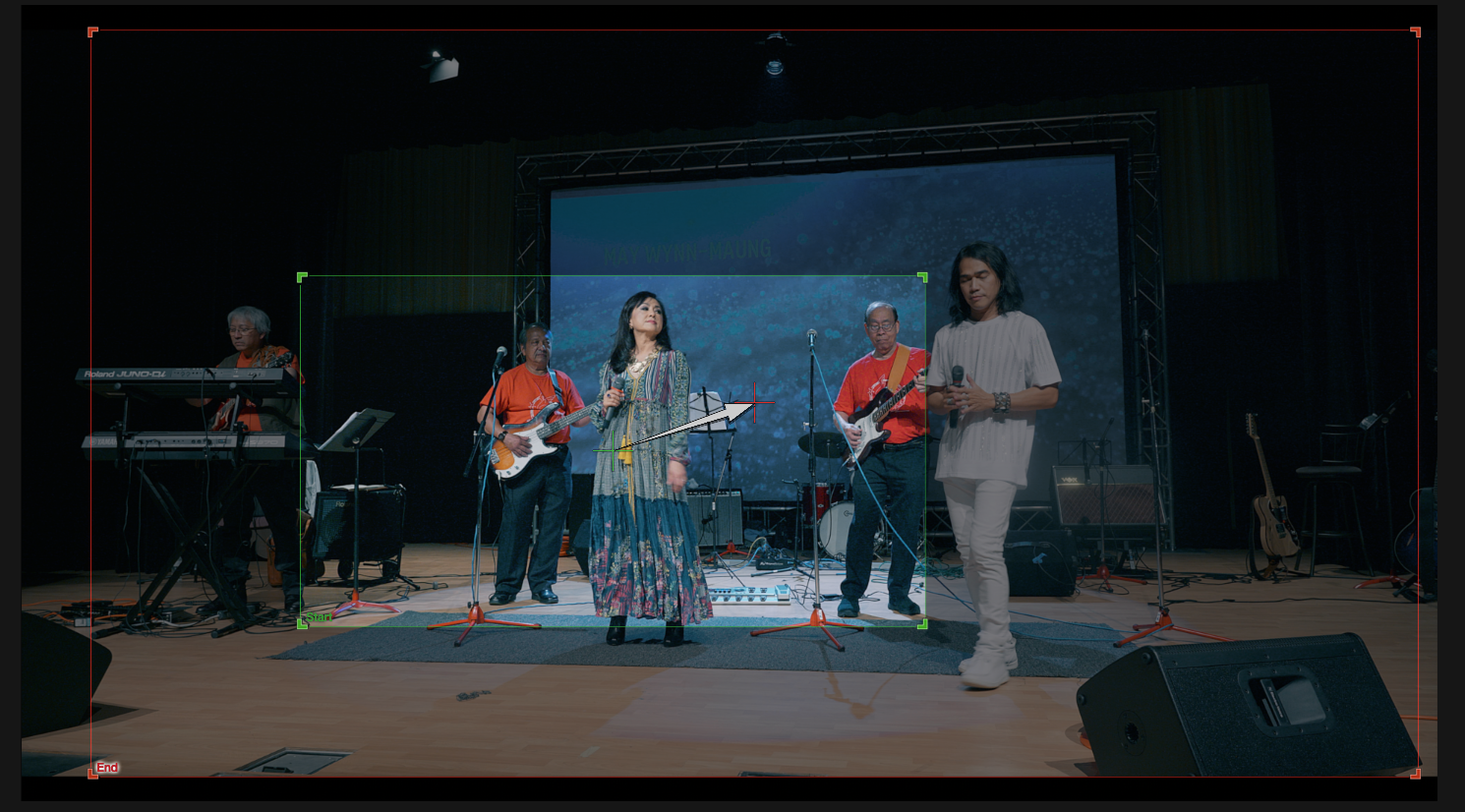
I've tried CROP as well as KEN BURNS. Same result.
Please Log in to join the conversation.
06 Sep 2021 17:37 #116138
by twin101
Replied by twin101 on topic 4K footage in FCP shows two layers of video
I've tried CROP as well as KEN BURNS. Same issue.
Please see screenshots showing KEN BURNS (during framing and end result after pressing DONE). Thanks.
Please see screenshots showing KEN BURNS (during framing and end result after pressing DONE). Thanks.
Please Log in to join the conversation.
- Tom Wolsky
-
- Offline
- Moderator
-
06 Sep 2021 17:42 #116139
by Tom Wolsky
Replied by Tom Wolsky on topic 4K footage in FCP shows two layers of video
It looks like you’ve reduced the size of the image. That will show the image underneath it.
Please Log in to join the conversation.
06 Sep 2021 17:48 #116140
by twin101
Replied by twin101 on topic 4K footage in FCP shows two layers of video
Exactly. The problem is there is nothing under this footage on the timeline. Please see attached.

Please Log in to join the conversation.
