




- Posts: 6
- Thank you received: 0
3 Post Moderation Rule for New Boarders (25 Jan 2021)
New boarders will have their posts moderated - Don't worry if you cannot see your post immediately.
How to convert my keyframes to linear?
30 Aug 2021 17:53 #116037
by El Versus
How to convert my keyframes to linear? was created by El Versus
Hi friends.
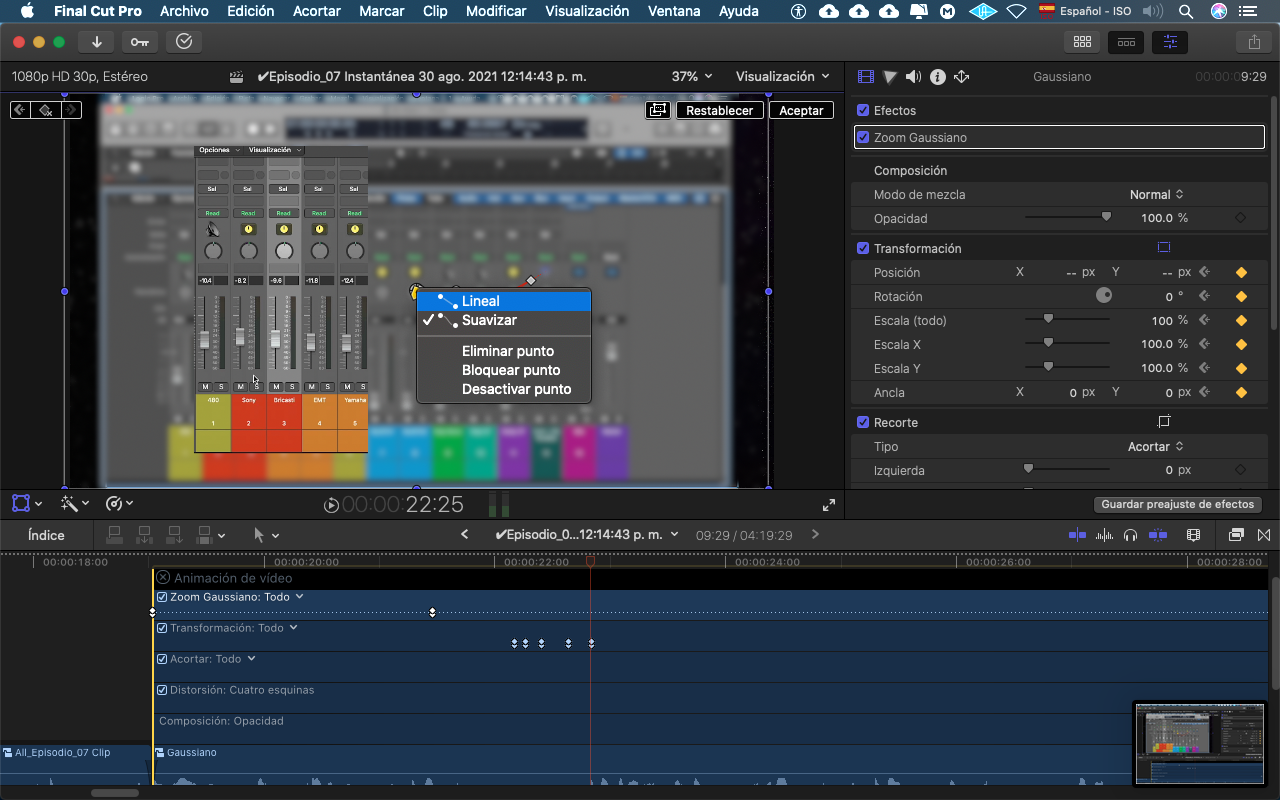
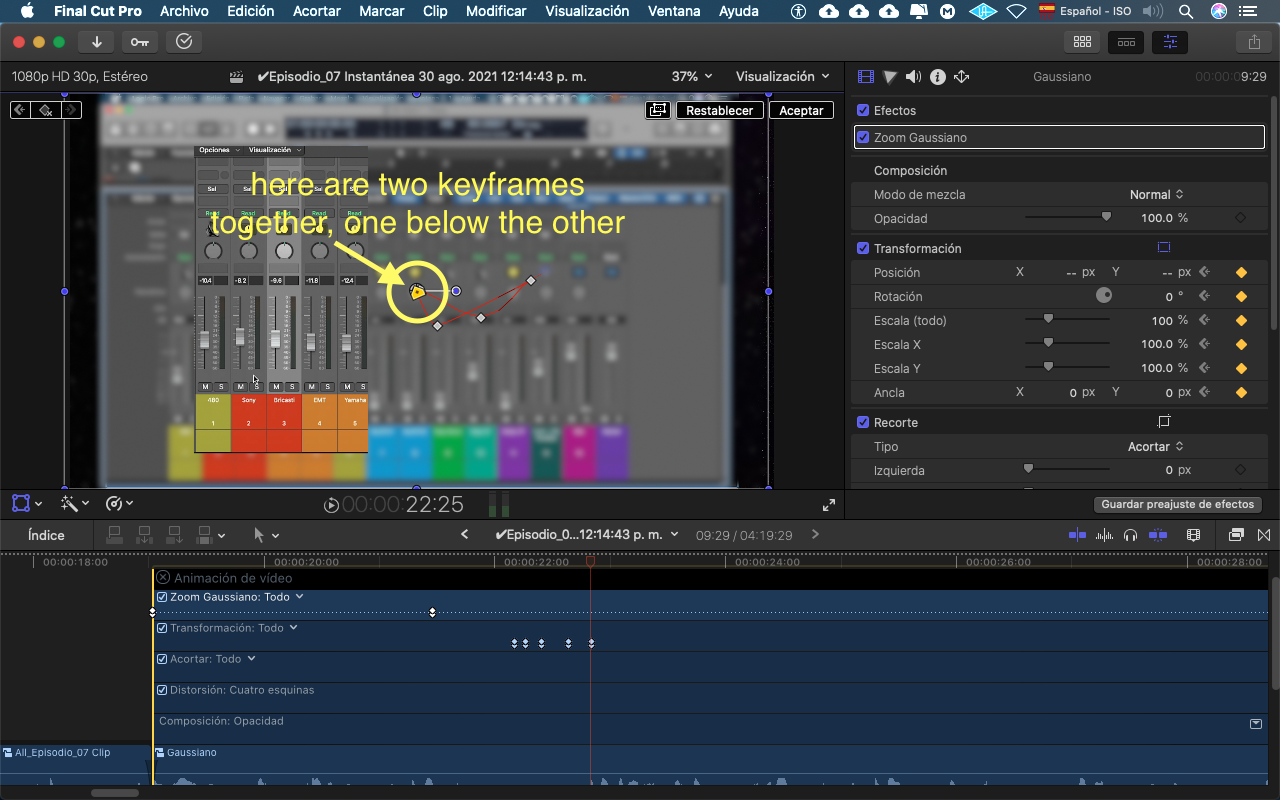
When I am animating, applying several keyframes in my project, I realize that there are several keyframes that are superimposed, and wanting to change their movement mode from (smooth to linear) it does not allow me to change the one of the keyframes that are by below others. I can only change the type of movement of the frame that is on top of the others.
Anyone knows how to solve this? How can I "linear" keyframes that are below others?
Thanks.
When I am animating, applying several keyframes in my project, I realize that there are several keyframes that are superimposed, and wanting to change their movement mode from (smooth to linear) it does not allow me to change the one of the keyframes that are by below others. I can only change the type of movement of the frame that is on top of the others.
Anyone knows how to solve this? How can I "linear" keyframes that are below others?
Thanks.
Please Log in to join the conversation.


30 Aug 2021 20:07 #116038
by TerryB
Replied by TerryB on topic How to convert my keyframes to linear?
Click the disclosure next to Todo (All) and choose one of transformations.
Please Log in to join the conversation.


31 Aug 2021 22:07 - 31 Aug 2021 22:07 #116065
by Redifer
Replied by Redifer on topic How to convert my keyframes to linear?
One thing to keep in mind about Final Cut Pro is that not all keyframes can be made linear and not all keyframes can have smoothing applied. Apple has no desire to fix this.
Last edit: 31 Aug 2021 22:07 by Redifer.
Please Log in to join the conversation.
