


- Posts: 86
- Thank you received: 1
3 Post Moderation Rule for New Boarders (25 Jan 2021)
New boarders will have their posts moderated - Don't worry if you cannot see your post immediately.
Modified clips notice - timeline clip?
- ETdroneHome
-
 Topic Author
- Offline
- Premium Member
-

Less
More
30 Aug 2021 15:40 #116031
by ETdroneHome
Modified clips notice - timeline clip? was created by ETdroneHome
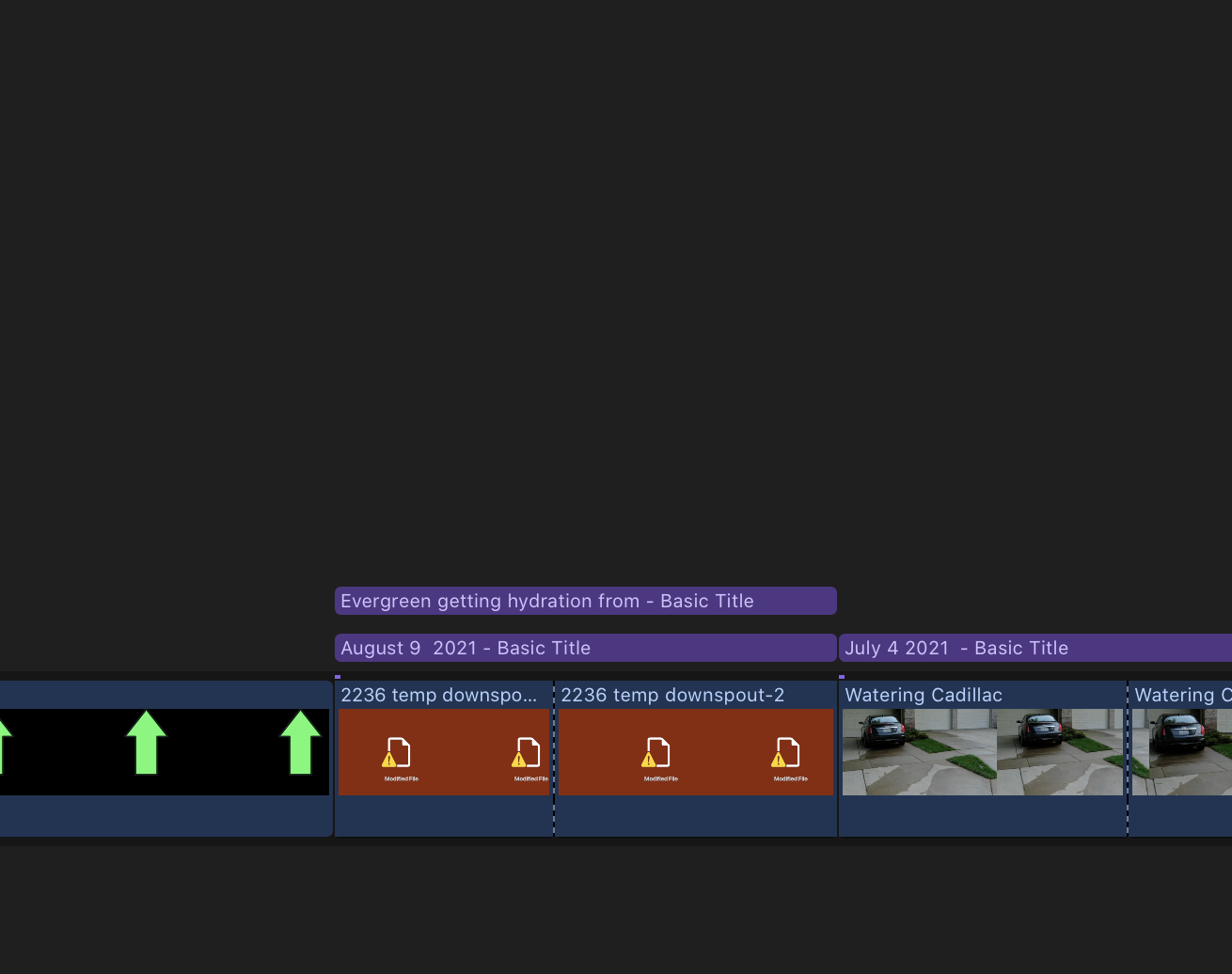
I am seeing this modified notice on certain clips in the time line. It seems to happen to clips that I have dragged
into the TL from Finder vs FCP import dialogue. I am not certain what is causing this to be displayed?
On some I cut the clip in the TL and apply a scale all to the second half of the clip - to emphasize a point. I don't get any error message but later this notice is in the timeline. I can drag the image from LR or finder and it is solved but I am not sure why it occurs.
I also see this applied to image clips brought in the same way but they are not cut but I get the same message.
If it helps some of the clips are screen capture of a LR image to include the EXIF data. They are automatically created as a PNG. They go to the DT and opened in Preview to reduce the size and exported as JPG to an external catalog.
I have rendering on with a short delay to start. So it runs constantly.
Any input will be appreciated.
Thanks.
Rich
into the TL from Finder vs FCP import dialogue. I am not certain what is causing this to be displayed?
On some I cut the clip in the TL and apply a scale all to the second half of the clip - to emphasize a point. I don't get any error message but later this notice is in the timeline. I can drag the image from LR or finder and it is solved but I am not sure why it occurs.
I also see this applied to image clips brought in the same way but they are not cut but I get the same message.
If it helps some of the clips are screen capture of a LR image to include the EXIF data. They are automatically created as a PNG. They go to the DT and opened in Preview to reduce the size and exported as JPG to an external catalog.
I have rendering on with a short delay to start. So it runs constantly.
Any input will be appreciated.
Thanks.
Rich
Please Log in to join the conversation.

30 Aug 2021 17:48 #116036
by TerryB
Replied by TerryB on topic Modified clips notice - timeline clip?
Support doc says, "Modified File: A media file has been changed by an app other than Final Cut Pro."
support.apple.com/guide/final-cut-pro/al...cons-verd1f977a7/mac
support.apple.com/guide/final-cut-pro/al...cons-verd1f977a7/mac
Please Log in to join the conversation.
