


- Posts: 18
- Thank you received: 0
3 Post Moderation Rule for New Boarders (25 Jan 2021)
New boarders will have their posts moderated - Don't worry if you cannot see your post immediately.
How to add "bass" to my voiceover post-production
- jakeleefcp
-
 Topic Author
- Offline
- New Member
-

Less
More
09 Aug 2021 12:44 #115703
by jakeleefcp
How to add "bass" to my voiceover post-production was created by jakeleefcp
Hi everyone - So I recently bought a Sennheiser MKH 416 second-hand for a decent price and to my surprise, this mic made my voice sound more "nasally" (with no gravity to the tone) vs. my Rode VideoMic NTG.

- Super curious to see if this has happened to anyone else
- Is there anything I can do post-production to add a bit more bass to it?
Please Log in to join the conversation.


09 Aug 2021 14:22 #115705
by VidGreg
Replied by VidGreg on topic How to add "bass" to my voiceover post-production
Hi Jake
EQ is your friend here. Could we see a screen shot of the Channel EQ graph and settings?
If using presets Channel EQ settings what preset are you using? Check what frequency ranges are attenuated (cut) and what is boosted. Inspect and try different presets and examine where the different presets set all the frequencies and roll off filters.
Check low and high pass filters.
Boost a little on the low end and mids and check and attenuate upper ranges if needed.
There are ways to measure the frequency response of the mic and create EQ correction settings. I have never worked with this shotgun mic, but it seems to have a good reputation. I would feed various known generated frequencies and look at the live view of the Mics response in the EQ viewer with no presets active. Does the mic record the correct frequencies? You can check how closely the mic aligns with the factory graphs given for the mic. This would help determine if the Mic is defective.
This mic also has built in bass rolloff and attenuates off axis bass, so you might want to check mic positioning at recording.
This is a 48v phantom powered mic. Check the voltage going to the mic. Low voltage will affect the frequency response.
Try a different cable. Use a different recording interface device. Either of these could be the issue.
Hopefully, it is just the wrong EQ preset or the issue can be corrected via EQ settings.
Best of Luck, Greg
EQ is your friend here. Could we see a screen shot of the Channel EQ graph and settings?
If using presets Channel EQ settings what preset are you using? Check what frequency ranges are attenuated (cut) and what is boosted. Inspect and try different presets and examine where the different presets set all the frequencies and roll off filters.
Check low and high pass filters.
Boost a little on the low end and mids and check and attenuate upper ranges if needed.
There are ways to measure the frequency response of the mic and create EQ correction settings. I have never worked with this shotgun mic, but it seems to have a good reputation. I would feed various known generated frequencies and look at the live view of the Mics response in the EQ viewer with no presets active. Does the mic record the correct frequencies? You can check how closely the mic aligns with the factory graphs given for the mic. This would help determine if the Mic is defective.
This mic also has built in bass rolloff and attenuates off axis bass, so you might want to check mic positioning at recording.
This is a 48v phantom powered mic. Check the voltage going to the mic. Low voltage will affect the frequency response.
Try a different cable. Use a different recording interface device. Either of these could be the issue.
Hopefully, it is just the wrong EQ preset or the issue can be corrected via EQ settings.
Best of Luck, Greg
Please Log in to join the conversation.
- jakeleefcp
-
Topic Author
- Offline
- New Member
-
Less
More
- Posts: 18
- Thank you received: 0
09 Aug 2021 14:57 #115707
by jakeleefcp
Replied by jakeleefcp on topic How to add "bass" to my voiceover post-production
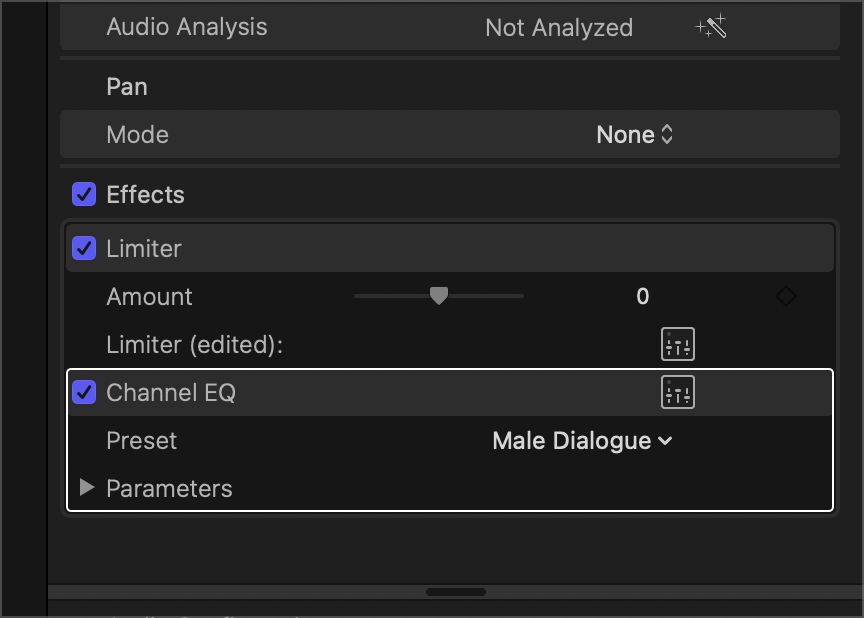
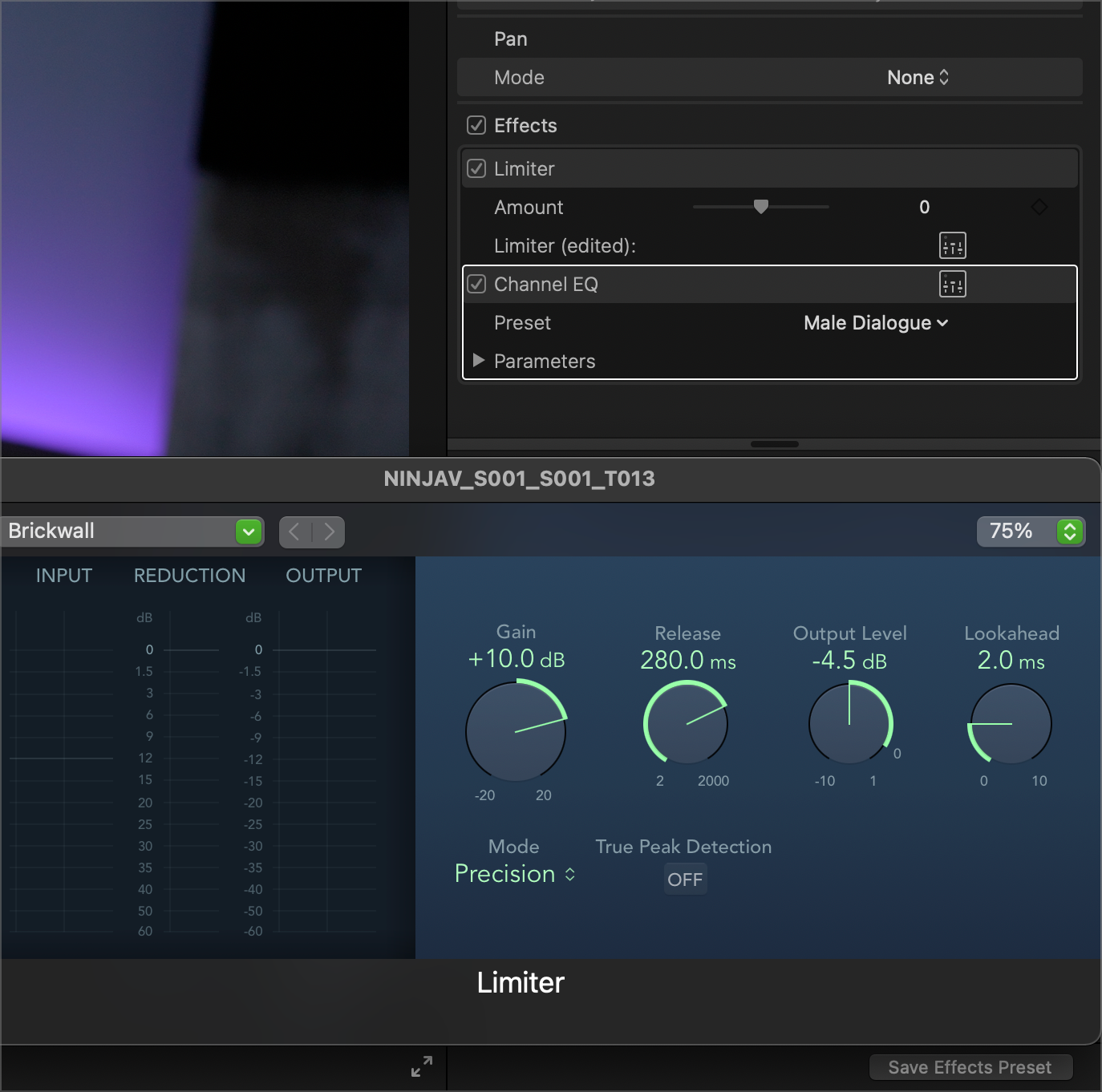
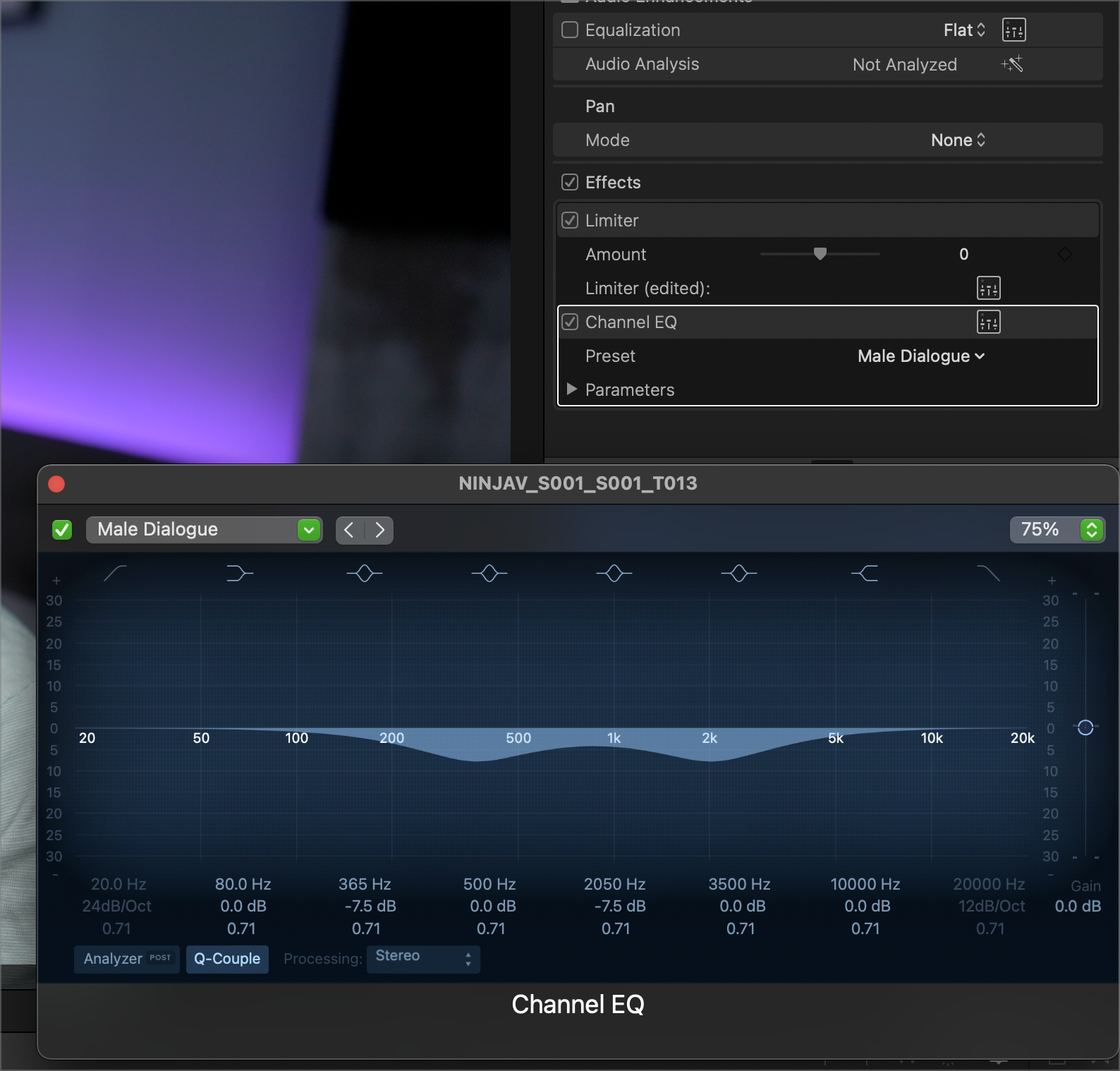
Wow, thank you so much for your comprehensive answer Greg, I really appreciate it! I will need to re-read it a few times to get your points but in the meantime, please see attached for screenshots.
Would love any advice you might have!
Would love any advice you might have!
Please Log in to join the conversation.
09 Aug 2021 17:55 #115710
by VidGreg
Replied by VidGreg on topic How to add "bass" to my voiceover post-production
You're Welcome JakeHere are a some tutorials on FCPX audio, using EQ and use of Roles and Subroles.Some Ripple Training vids. First up 5 mins of EQ…Does your Dialogue sound Muddy… take…https://www.youtube.com/watch?v=RAzL1hADcVgUnfortunately FCPX lacks dedicated audio mixer, so you can use Roles.RT on using Roles…https://www.youtube.com/watch?v=MBwBqCcGlmgThere are some great vids on using EQ, compressors, Limiters on YouTube. If you really want to go deep, check out tutorials on audio mixing for Logic Pro X. FCPX uses effects and audio components from LPX and tutorials that are more focussed on audio recordings(DAWS) are typically more indepth. ToolTechHelpGuy did this series on LPX and around esp 65-70 have some great info on EQ, compressors, limiters, etc…. This is an older series, but great for basic and comprehensive understanding.
www.youtube.com/playlist?list=PLXmi76euG...PAHJPyOSZy5w4CsV9All
of these and many more can explain better than I.Hope this Helps, Greg
Please Log in to join the conversation.

09 Aug 2021 23:41 #115712
by JoeEditor
Replied by JoeEditor on topic How to add "bass" to my voiceover post-production
Proximity effect, get close to the mic, use a quality pop filter (they're not all equal), that will give you as much low end to your voice as you will be able to record.
Then EQ it.
Then EQ it.
Please Log in to join the conversation.
