




- Posts: 6
- Thank you received: 0
3 Post Moderation Rule for New Boarders (25 Jan 2021)
New boarders will have their posts moderated - Don't worry if you cannot see your post immediately.
cannot open several libraries
05 Aug 2021 00:42 #115655
by jimconnor
cannot open several libraries was created by jimconnor
I migrated several libraries via FCP Library copy, to a new server, I tested the library open, all seemed to work well, it's been a few months and now when I go to open the library, I get media cannot be found. In the first library, I executed the re-link feature, which seem to work but then the Red Indicators of no linkage did not go away. hmmmm, I tried this several times, at one point, the relinking worked, and then a few minutes later, the red flags re-appeared.
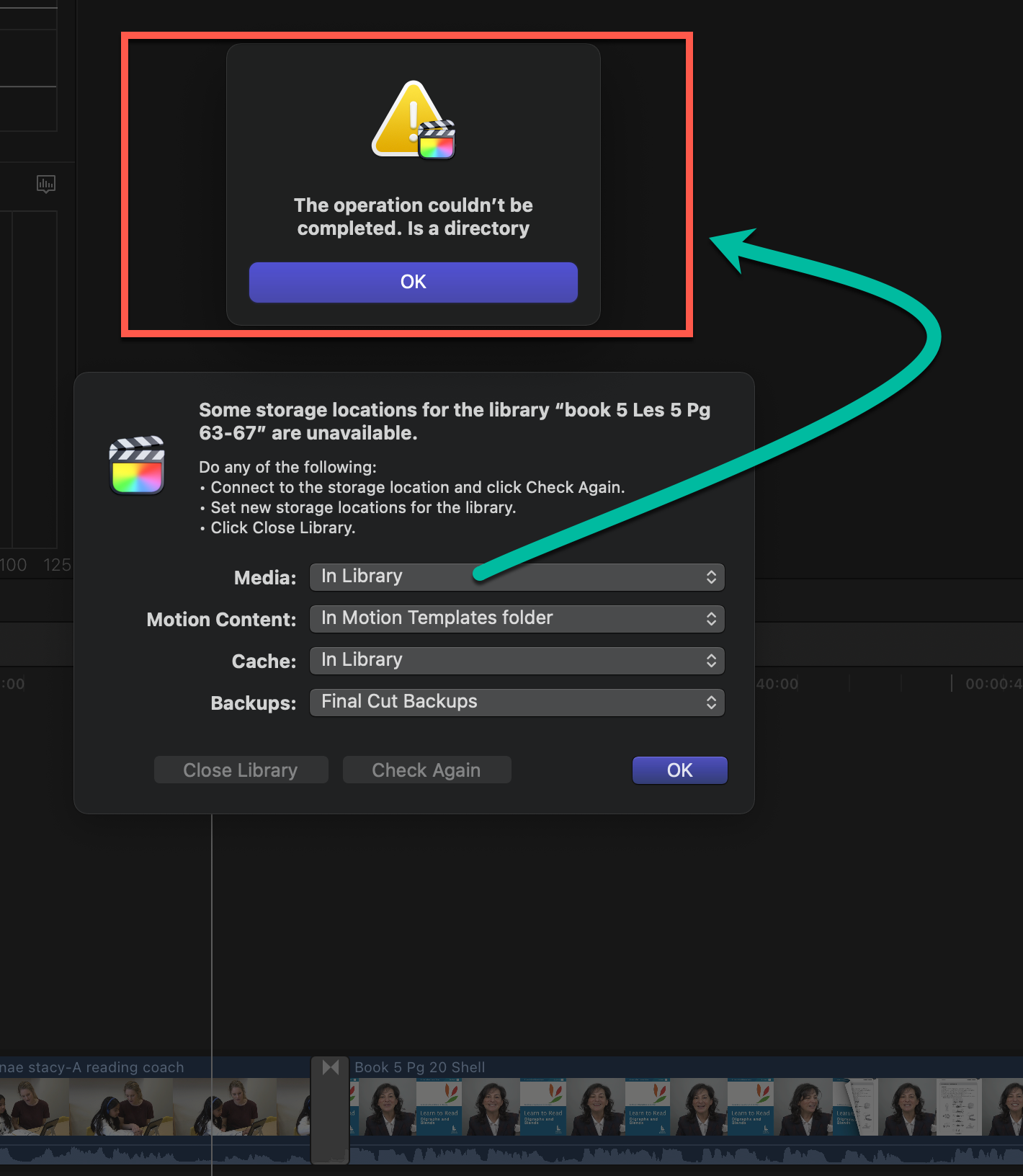
A second library has locked up my system as I cannot get out of the requirement to identify the new media location. Although I see the optimized media as well as the original media, I continually get the error that the media location is a directory. please take a look at the attached images.
Thank you,
Jim Connor
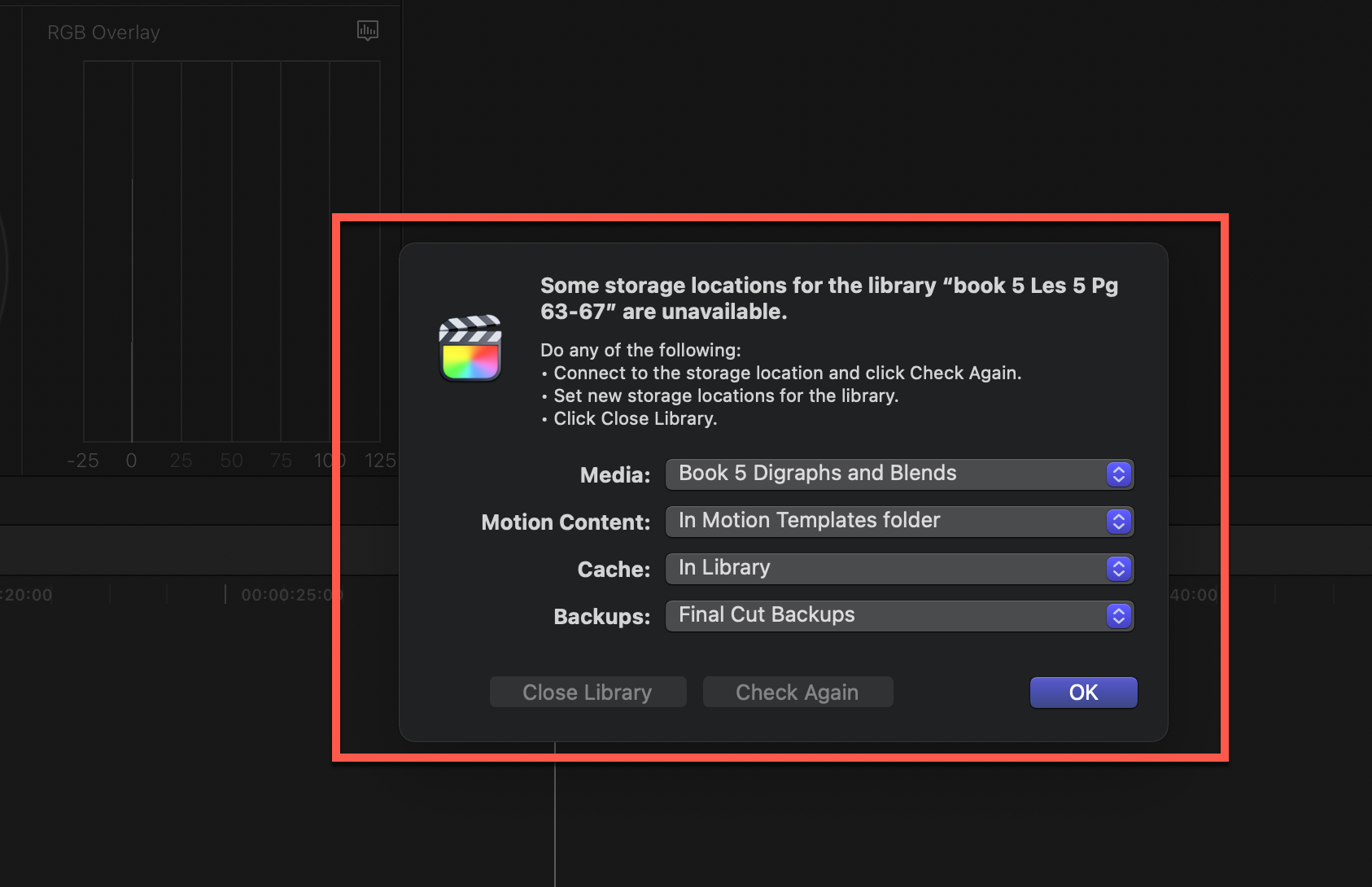
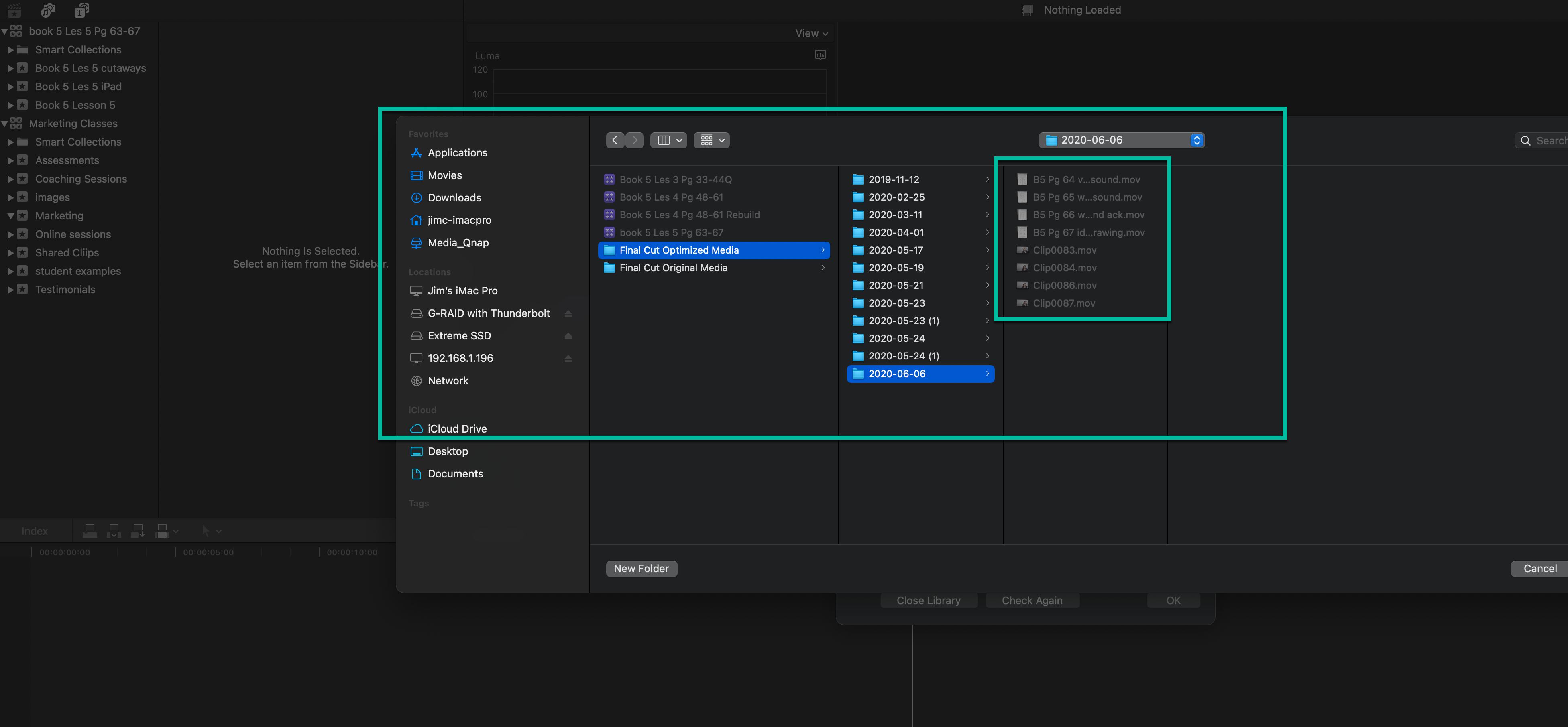
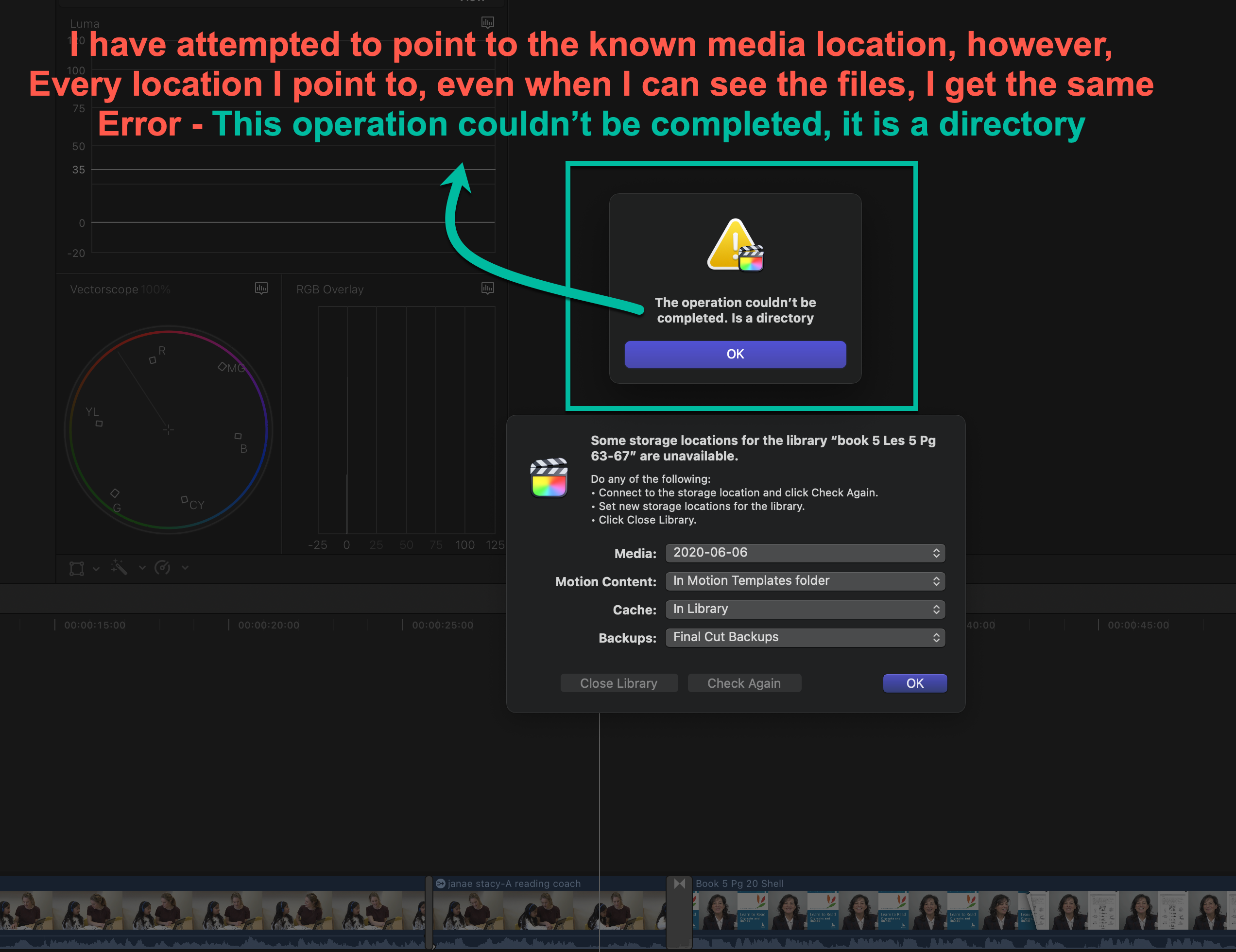
A second library has locked up my system as I cannot get out of the requirement to identify the new media location. Although I see the optimized media as well as the original media, I continually get the error that the media location is a directory. please take a look at the attached images.
Thank you,
Jim Connor
Please Log in to join the conversation.
- ronny courtens
-

- Offline
- Moderator
-

Less
More
- Posts: 4455
- Thank you received: 962
05 Aug 2021 15:33 #115661
by ronny courtens
Replied by ronny courtens on topic cannot open several libraries
Hi Jim!
What kind of server are you using? And how do you connect to that server (SMB,NFS...)? Finally, what OS are you running?
- Ronny
What kind of server are you using? And how do you connect to that server (SMB,NFS...)? Finally, what OS are you running?
- Ronny
Please Log in to join the conversation.


06 Aug 2021 13:12 - 06 Aug 2021 14:31 #115671
by joema
Replied by joema on topic cannot open several libraries
This looks similar to the problem you previously reported in this thread:
www.fcp.co/forum/4-final-cut-pro-x-fcpx/...rary-are-unavailable
The first step is compare the actual media pathnames (including volume name) are what FCP is expecting -- for both library media location, plus also the media files.
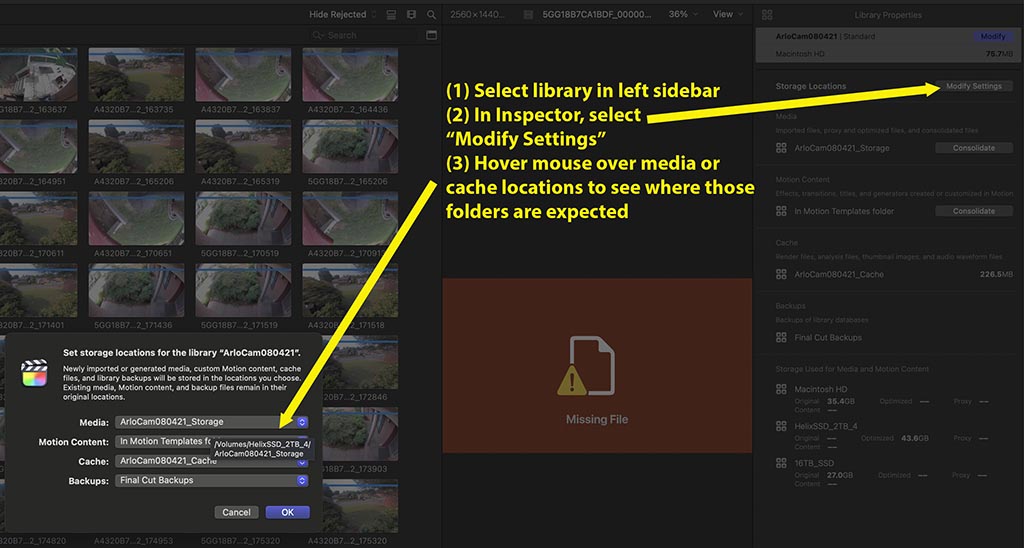
The library media and cache locations are simply top-level volume+folder names which are stored inside the library in a Settings.plist file, apparently in "bookmark" format. However you can examine those by hovering your mouse pointer over the media or cache names in Inspector>Storage>Modify Settings. See attached graphic.
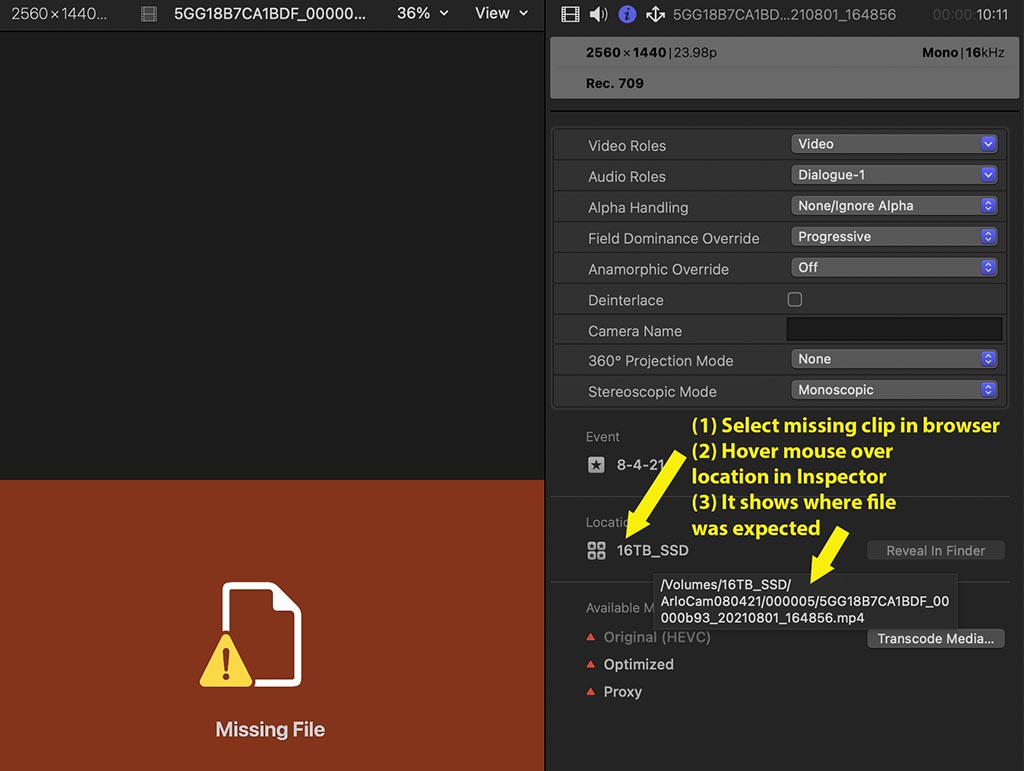
The next step is pick a red "missing media" clip, select that, and hover your mouse pointer over the location name in the Inspector. See attached graphic. That will tell you where FCP is looking for the media.
Those locations must exist, must have the expected volume name and full pathname, and access permissions must allow FCP to reach those. For either the folder location or the single media file, it should be possible to use the ls command in terminal and enter the exact path, and have it show the file info. If that gives an error, then the file or folder is not accessible to FCP.
Edit/Add: even if you can list that file using the terminal ls or ls -l command, that is using your personal file access privileges. Starting with Catalina, applications may have their own file/folder access privileges which you might need to grant to FCP in System Preferences>Security & Privacy>File and Folders or Full Disk Access. Normally on locally-attached storage it's not a big deal. But certain types of NAS storage might require more careful examination of this area.
See discussion on Apple Developer forum: developer.apple.com/forums/thread/124895...=391087022#391087022
If the media or libraries are stored in a NAS, there can be NAS-specific issues.
The first step is compare the actual media pathnames (including volume name) are what FCP is expecting -- for both library media location, plus also the media files.
The library media and cache locations are simply top-level volume+folder names which are stored inside the library in a Settings.plist file, apparently in "bookmark" format. However you can examine those by hovering your mouse pointer over the media or cache names in Inspector>Storage>Modify Settings. See attached graphic.
The next step is pick a red "missing media" clip, select that, and hover your mouse pointer over the location name in the Inspector. See attached graphic. That will tell you where FCP is looking for the media.
Those locations must exist, must have the expected volume name and full pathname, and access permissions must allow FCP to reach those. For either the folder location or the single media file, it should be possible to use the ls command in terminal and enter the exact path, and have it show the file info. If that gives an error, then the file or folder is not accessible to FCP.
Edit/Add: even if you can list that file using the terminal ls or ls -l command, that is using your personal file access privileges. Starting with Catalina, applications may have their own file/folder access privileges which you might need to grant to FCP in System Preferences>Security & Privacy>File and Folders or Full Disk Access. Normally on locally-attached storage it's not a big deal. But certain types of NAS storage might require more careful examination of this area.
See discussion on Apple Developer forum: developer.apple.com/forums/thread/124895...=391087022#391087022
If the media or libraries are stored in a NAS, there can be NAS-specific issues.
Last edit: 06 Aug 2021 14:31 by joema.
Please Log in to join the conversation.
