




- Posts: 2
- Thank you received: 0
3 Post Moderation Rule for New Boarders (25 Jan 2021)
New boarders will have their posts moderated - Don't worry if you cannot see your post immediately.
Applying built-in log LUT causes irrecoverable clipping
02 Jun 2021 09:54 #114787
by vsams
Applying built-in log LUT causes irrecoverable clipping was created by vsams
Howdy folks,
I've been trying out editing Clog footage, but I've been stumped by the built in LUTs in FCPX.
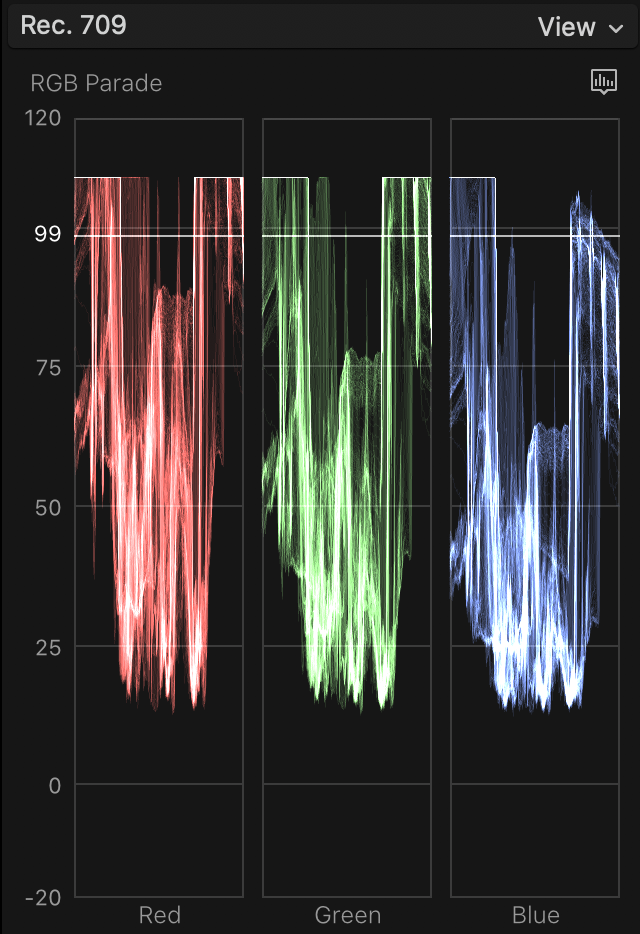
The RGB waveform of the original footage is shown in 1.
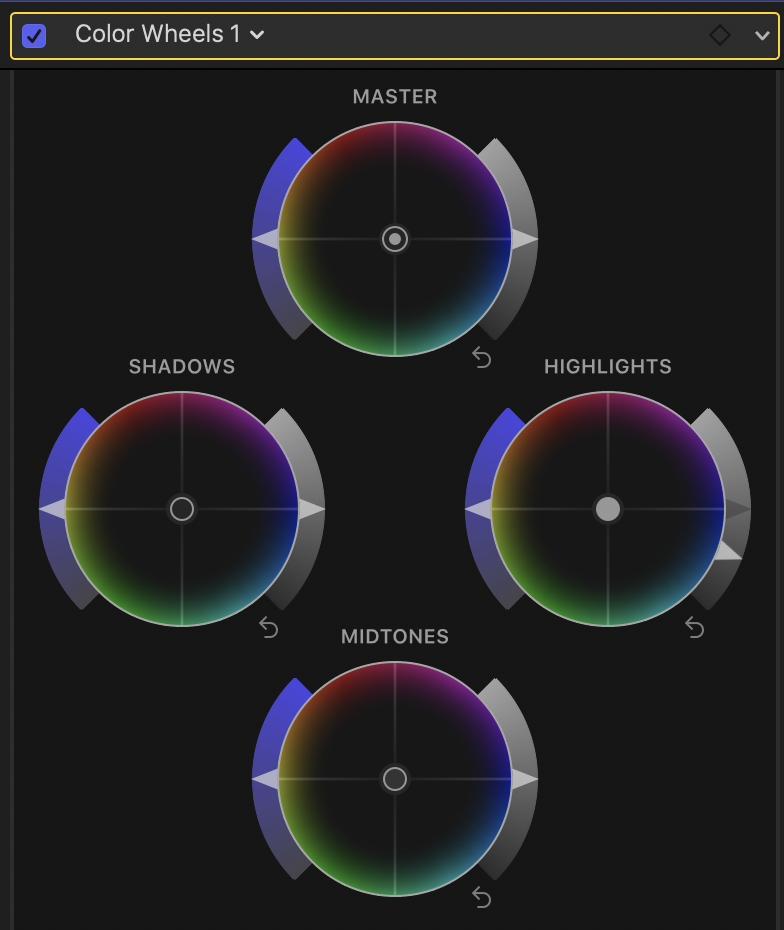
I then apply the built in Clog LUT in 2.
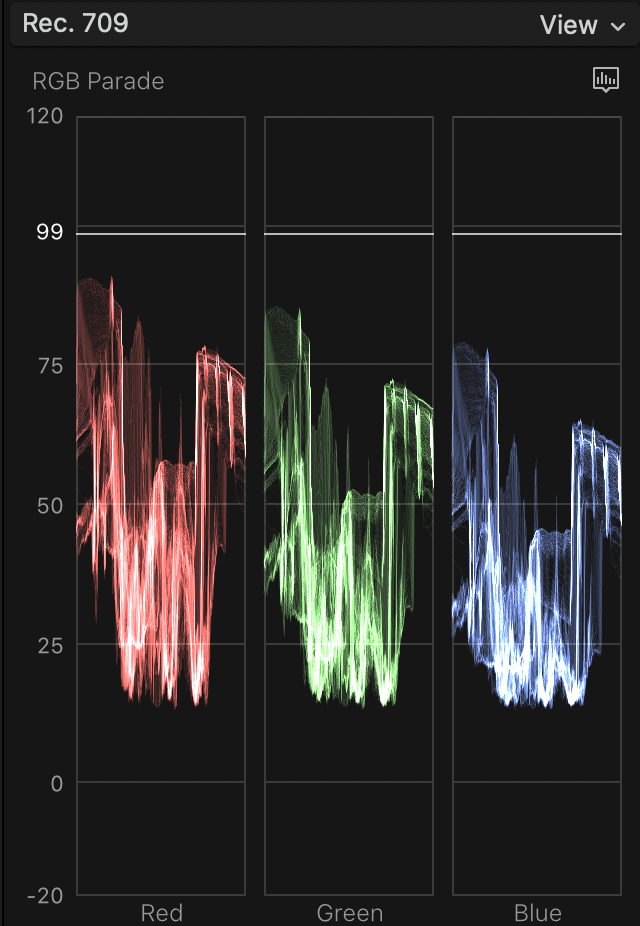
The resulting waveform is shown in 3, where the highlights are clipped.
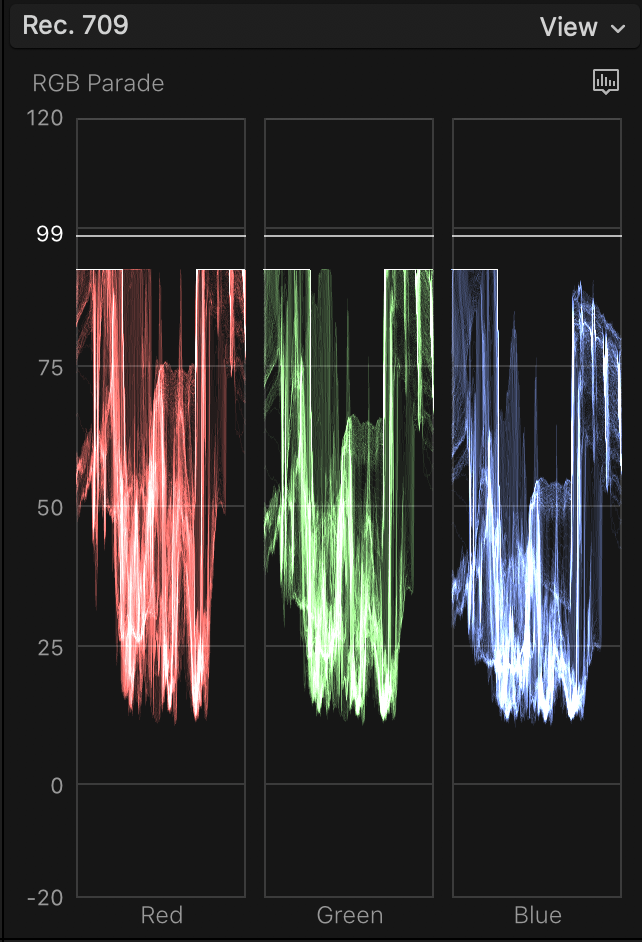
I try to bring down the highlights in 4.
The highlights are still blown out in 5.
I know effect orders can be rearranged, but not sure if this can be done with the built in LUTs.
I've been trying out editing Clog footage, but I've been stumped by the built in LUTs in FCPX.
The RGB waveform of the original footage is shown in 1.
I then apply the built in Clog LUT in 2.
The resulting waveform is shown in 3, where the highlights are clipped.
I try to bring down the highlights in 4.
The highlights are still blown out in 5.
I know effect orders can be rearranged, but not sure if this can be done with the built in LUTs.

Please Log in to join the conversation.


02 Jun 2021 12:53 #114789
by joema
Short answer: In FCP do Clip>Open Clip and make a global exposure adjustment to bring it within the expected input range of the FCP built-in camera LUT. Do this before the clip is edited into a timeline because a timeline clip will not inherit that change.
Details: Camera or "technical" LUTs are generally designed to work for a properly exposed shot. A LUT is simply a lookup table -- it has no way of knowing if the shot is under or overexposed.
There are valid reasons why a shot might intentionally be overexposed, such as to reduce shadow noise in a log profile. A 3rd-party LUT is typically added to a LUT effect such as the built-in "Custom LUT" effect, or a 3rd-party LUT manager such as mLUT by motionVFX.
If the LUT is in an effect, you can adjust the exposure in the effect stack above that LUT. Just add color wheels, curves, etc then in the Inspector drag that above the LUT effect.
Some 3rd-party camera LUTs are available with built-in exposure offsets. E.g, Alister Chapman's LUTs for Sony cameras have variable offsets up to +/- 3 stops. With those you simply use the offset version that fixes the exposure issue: www.xdcam-user.com/2018/08/new-venice-lo...fs5-fs7-f55-a7s-a7r/
If the shot is accidentally overexposed, it's good to try and recover that before the LUT. Doing it after the LUT may limit your latitude.
I don't know if the FCP built-in LUT is a true LUT or if it's an algorithm. Resolve has built-in LUTs but also Color Transform Effects which use 32-bit processing and often produce better results. There might be FCP plugins that do that.
Replied by joema on topic Applying built-in log LUT causes irrecoverable clipping
vsams wrote: ...editing Clog footage, but I've been stumped by the built in LUTs in FCPX....highlights are still blown out in 5....I know effect orders can be rearranged, but not sure if this can be done with the built in LUTs...
Short answer: In FCP do Clip>Open Clip and make a global exposure adjustment to bring it within the expected input range of the FCP built-in camera LUT. Do this before the clip is edited into a timeline because a timeline clip will not inherit that change.
Details: Camera or "technical" LUTs are generally designed to work for a properly exposed shot. A LUT is simply a lookup table -- it has no way of knowing if the shot is under or overexposed.
There are valid reasons why a shot might intentionally be overexposed, such as to reduce shadow noise in a log profile. A 3rd-party LUT is typically added to a LUT effect such as the built-in "Custom LUT" effect, or a 3rd-party LUT manager such as mLUT by motionVFX.
If the LUT is in an effect, you can adjust the exposure in the effect stack above that LUT. Just add color wheels, curves, etc then in the Inspector drag that above the LUT effect.
Some 3rd-party camera LUTs are available with built-in exposure offsets. E.g, Alister Chapman's LUTs for Sony cameras have variable offsets up to +/- 3 stops. With those you simply use the offset version that fixes the exposure issue: www.xdcam-user.com/2018/08/new-venice-lo...fs5-fs7-f55-a7s-a7r/
If the shot is accidentally overexposed, it's good to try and recover that before the LUT. Doing it after the LUT may limit your latitude.
I don't know if the FCP built-in LUT is a true LUT or if it's an algorithm. Resolve has built-in LUTs but also Color Transform Effects which use 32-bit processing and often produce better results. There might be FCP plugins that do that.
Please Log in to join the conversation.
02 Jun 2021 14:29 #114790
by vsams
Replied by vsams on topic Applying built-in log LUT causes irrecoverable clipping
Thanks, that makes sense.
I took your suggestion of opening the individual clip and bringing down the exposure. I then imported the darkened clip and applied the built in Clog LUT.
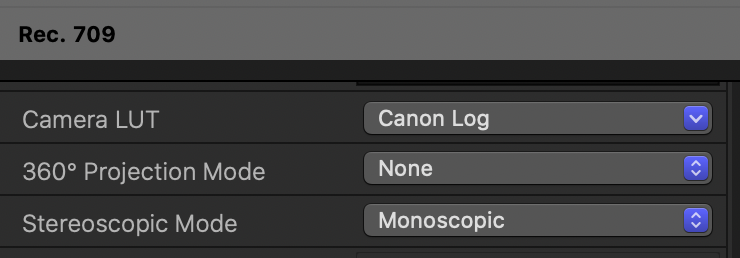
Unfortunately, this resulted in the same clipping seen before. When I went back to the original clip and opened it, the Clog LUT was applied automatically as shown below, so I believe the LUT setting propagates back to the original clip.
I guess an alternative would be to use a third party LUT that compensates for the overexposure.
I took your suggestion of opening the individual clip and bringing down the exposure. I then imported the darkened clip and applied the built in Clog LUT.
Unfortunately, this resulted in the same clipping seen before. When I went back to the original clip and opened it, the Clog LUT was applied automatically as shown below, so I believe the LUT setting propagates back to the original clip.
I guess an alternative would be to use a third party LUT that compensates for the overexposure.
Please Log in to join the conversation.
