


- Posts: 116
- Thank you received: 21
3 Post Moderation Rule for New Boarders (25 Jan 2021)
New boarders will have their posts moderated - Don't worry if you cannot see your post immediately.
A Problem I'm having with Compound Clips
23 May 2021 21:32 #114630
by Doug
A Problem I'm having with Compound Clips was created by Doug
Hey everyone,
I must be missing something in my completely burned out state, but I'm trying to put together a choir video and I'm having trouble with a compound clip.
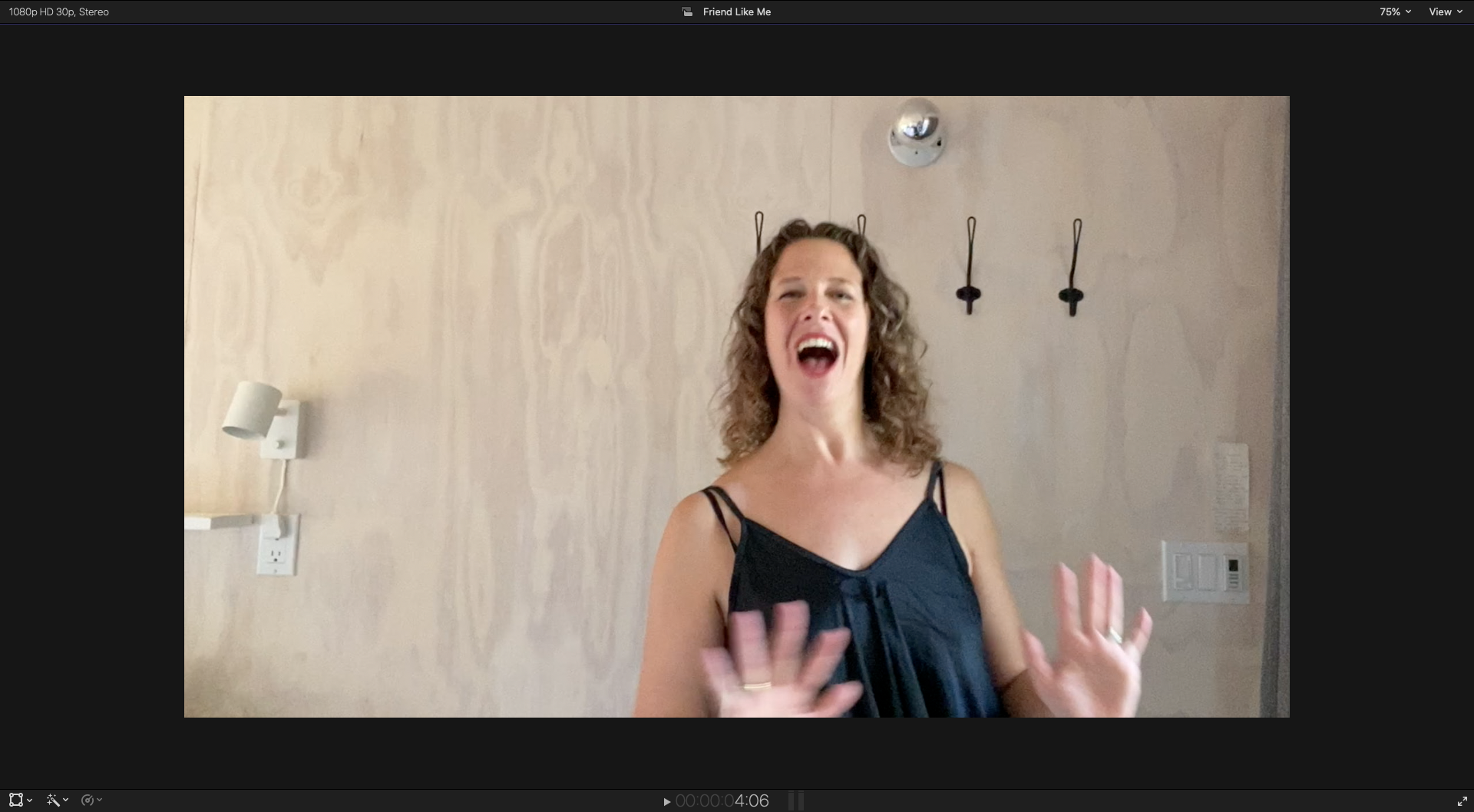
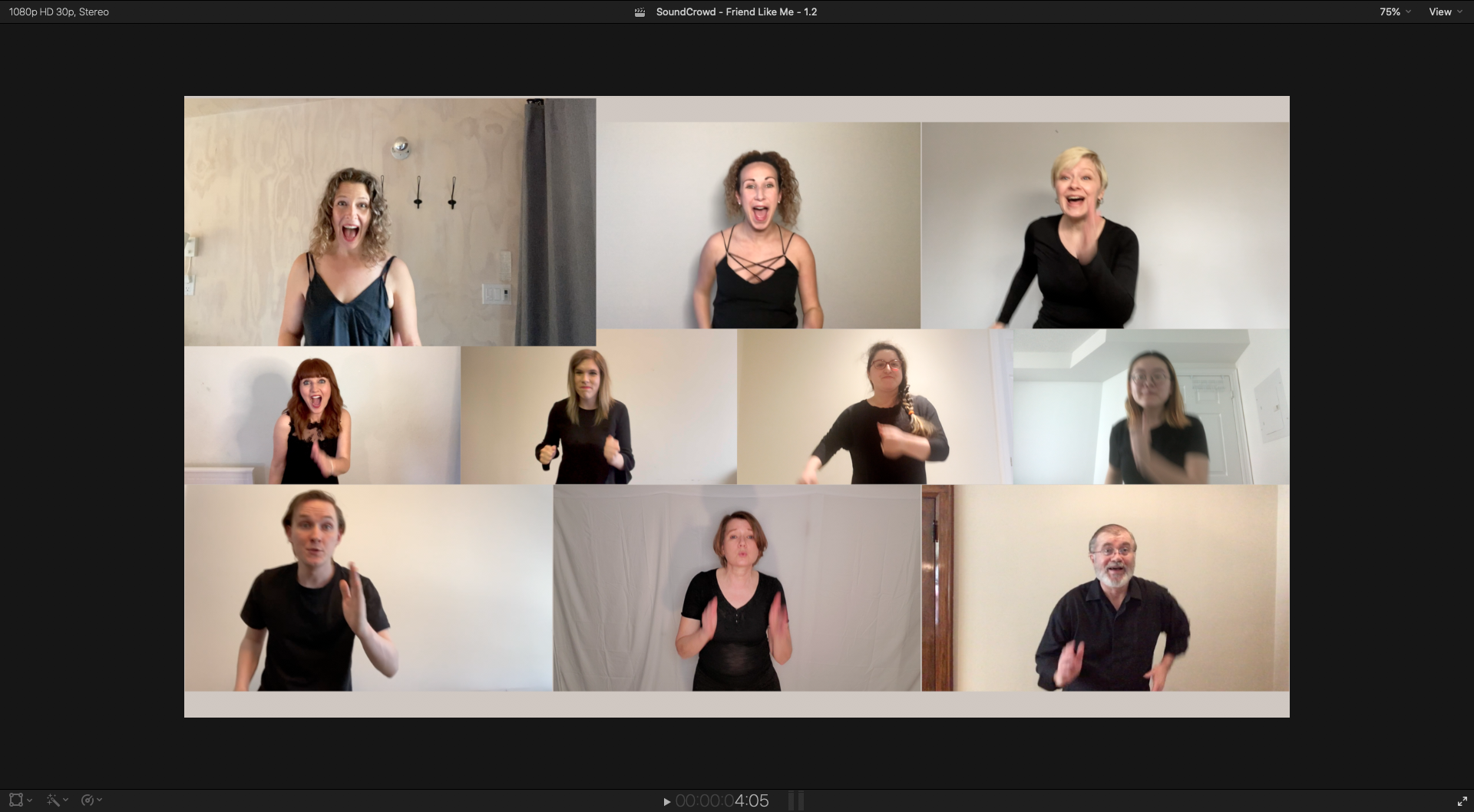
I'm trying to get rid of the extra space around one of the performers (a curtain and some headroom) - so my plan is to take her clip, put it in a compound clip, paste the original position attributes to the compound clip, then within the compound clip, I would scale her up and reposition as I please. -- The problem is that when I go back to the original timeline outside of the compound clip, it's showing everything outside of the frame that was inside the compound clip.
I've attached a couple of pictures: One of them shows what she looks like inside the compound clip, the other shows what I'm seeing when I go back to the regular timeline.
Didn't this used to be a thing? Where the boundary of what was inside a compound clip would be all you could see outside of it?
Thanks for any insight you might have!
I must be missing something in my completely burned out state, but I'm trying to put together a choir video and I'm having trouble with a compound clip.
I'm trying to get rid of the extra space around one of the performers (a curtain and some headroom) - so my plan is to take her clip, put it in a compound clip, paste the original position attributes to the compound clip, then within the compound clip, I would scale her up and reposition as I please. -- The problem is that when I go back to the original timeline outside of the compound clip, it's showing everything outside of the frame that was inside the compound clip.
I've attached a couple of pictures: One of them shows what she looks like inside the compound clip, the other shows what I'm seeing when I go back to the regular timeline.
Didn't this used to be a thing? Where the boundary of what was inside a compound clip would be all you could see outside of it?
Thanks for any insight you might have!
Please Log in to join the conversation.
23 May 2021 21:39 #114631
by Doug
Replied by Doug on topic A Problem I'm having with Compound Clips
Update: If I start to crop any part of the compound clip, like even by .1, all of a sudden the frame boundaries snap into place. So it looks like it's a weird bug. But luckily I'm able to use this work around, but not ideal for sure. Hopefully it gets fixed soon.
Please Log in to join the conversation.


23 May 2021 23:31 #114632
by JoeEditor
Replied by JoeEditor on topic A Problem I'm having with Compound Clips
I'd not use a Compound for that, I'd select the original clip in the Browser, Clip > Open Clip, then adjust it there, inside of the clip's own timeline.
Please Log in to join the conversation.


25 May 2021 13:50 #114656
by Doug
I have other places in the project where I need it to have its original properties so I don't want to mess with the clip itself, plus I'm generally very hesitant to make clip level adjustments overall, but that might just be a personal hang up.
Replied by Doug on topic A Problem I'm having with Compound Clips
Ben Balser wrote: I'd not use a Compound for that, I'd select the original clip in the Browser, Clip > Open Clip, then adjust it there, inside of the clip's own timeline.
I have other places in the project where I need it to have its original properties so I don't want to mess with the clip itself, plus I'm generally very hesitant to make clip level adjustments overall, but that might just be a personal hang up.
Please Log in to join the conversation.
25 May 2021 13:52 #114657
by Doug
It doesn't matter what the spatial conform is set to, I've tried every possible combination. The fact that it immediately adheres to the boundaries of the frame if I put even a .1 into any of the crop parameters really makes me think that this is a bug and not a misunderstanding on my end.
Replied by Doug on topic A Problem I'm having with Compound Clips
knesaren wrote: Is spatial conform set to None on both Compund clip and the footage?
It doesn't matter what the spatial conform is set to, I've tried every possible combination. The fact that it immediately adheres to the boundaries of the frame if I put even a .1 into any of the crop parameters really makes me think that this is a bug and not a misunderstanding on my end.
Please Log in to join the conversation.
25 May 2021 14:02 #114659
by JoeEditor
Replied by JoeEditor on topic A Problem I'm having with Compound Clips
I'm not totally clear on what you're doing, I'm going to experiment with this later. You could just resize and crop the original clip there in the project timeline.
Please Log in to join the conversation.
25 May 2021 17:32 #114664
by Doug
Normally I would, but I need to keep the same 16x9 aspect ratio as the other clips and since I'm adjust the overall size it would be a huge pain to try and crop the video each time I use it in the timeline which is why I'm opting to resize it in a compound clip, then have that compound clip be what I use in the project.
Replied by Doug on topic A Problem I'm having with Compound Clips
Ben Balser wrote: I'm not totally clear on what you're doing, I'm going to experiment with this later. You could just resize and crop the original clip there in the project timeline.
Normally I would, but I need to keep the same 16x9 aspect ratio as the other clips and since I'm adjust the overall size it would be a huge pain to try and crop the video each time I use it in the timeline which is why I'm opting to resize it in a compound clip, then have that compound clip be what I use in the project.
Please Log in to join the conversation.

26 May 2021 02:07 - 26 May 2021 02:09 #114667
by VTC
Replied by VTC on topic A Problem I'm having with Compound Clips
Make a new REFERENCE PARENT compound clip? Adjusting that leaves all other instances of the original compound clip alone I believe.
Last edit: 26 May 2021 02:09 by VTC.
Please Log in to join the conversation.
