


- Posts: 45
- Thank you received: 0
3 Post Moderation Rule for New Boarders (25 Jan 2021)
New boarders will have their posts moderated - Don't worry if you cannot see your post immediately.
Finder location of effects?
27 Apr 2021 13:33 - 27 Apr 2021 13:34 #114170
by cog2803
Finder location of effects? was created by cog2803
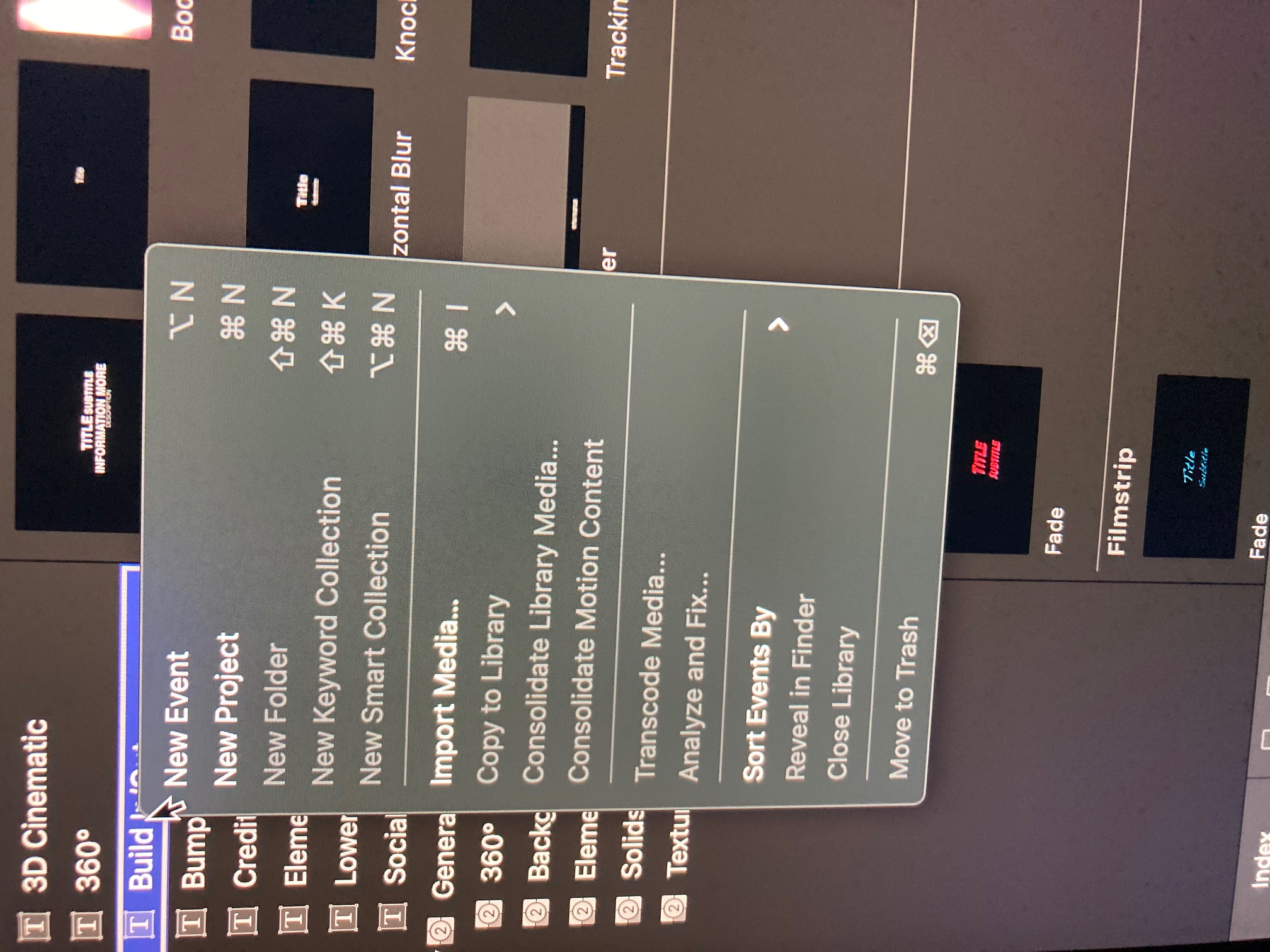
Greetings - I have a friend with a new iMac (not the M1 version) and a current FCPX install. I was trying to track down an out of date third party plug in to disable. I followed the normal path of User>Movies>Motion Templates>effects to find the errant plugin - but the folder was empty. In fact all of the other folders, Generators, Titles, and Transitions were empty. Also, when I right click on an effect in the effect browser, the "find in library" option is grayed out. I've attached screenshots. Any ideas? Am I missing something?

Last edit: 27 Apr 2021 13:34 by cog2803. Reason: add another attachment.
Please Log in to join the conversation.

27 Apr 2021 17:44 - 27 Apr 2021 17:45 #114172
by JoeEditor
Replied by JoeEditor on topic Finder location of effects?
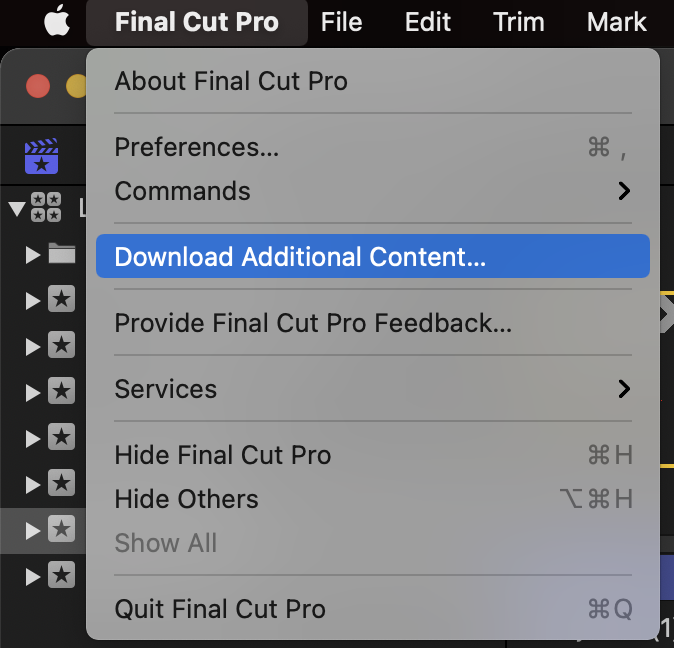
First, he hasn't downloaded the extra content.
Second, you can't "Open In Motion" any of the built-in or other "coded" templates, only templates made with Motion (yes, you can build with Motion or code them with FxPlug).
Second, you can't "Open In Motion" any of the built-in or other "coded" templates, only templates made with Motion (yes, you can build with Motion or code them with FxPlug).
Last edit: 27 Apr 2021 17:45 by JoeEditor.
Please Log in to join the conversation.
27 Apr 2021 23:35 #114175
by cog2803
Replied by cog2803 on topic Finder location of effects?
Thanks. I will make sure that the additional is downloaded.
Please Log in to join the conversation.
28 Apr 2021 15:29 #114188
by cog2803
Replied by cog2803 on topic Finder location of effects?
Typically, for 3rd party plug-ins, you can select one in the browser, right click and select reveal in finder. As stated that is not the case for the "coded" templates. In my friends scenario, even for the 3rd party plug-ins that option is grayed out and not available. As I mentioned above also, that the effects folder where the 3rd party plug-ins should reside are totally empty, even though the plug ins are visible in the effects browser.
Please Log in to join the conversation.
28 Apr 2021 21:48 #114199
by JoeEditor
Replied by JoeEditor on topic Finder location of effects?
3rd party plugins can be coded, also. Can you name a specific plugin and from what developer?
Please Log in to join the conversation.
- Andreas Kiel
-

- Offline
- Platinum Member
-

Less
More
- Posts: 1077
- Thank you received: 189
29 Apr 2021 15:54 - 29 Apr 2021 16:07 #114224
by Andreas Kiel
Replied by Andreas Kiel on topic Finder location of effects?
Looking at your screenshot: you haven't selected an effect (or alike) but a category!
So the popup menu will show something useless in this case.
Also "Motion relevant 3rd party things" can be stored at several main locations:
Also keep in mind that those 3 main location only keep the "Motion relevant 3rd party things" means the things which are needed for FCP to "communicate" with the plugin. The actual plugin/code might be stored somewhere else.
The RippleTraining Episode 72: Find Missing Plugins shows how to use my X-Library Check
""
Another option to find the plugin path is to export an XML. Then open the XML in a text editor like BBEdit and do a regular expression search, like:
<effect .* name="The Name Of The Plug
The part starting with < and ending with " is the needed phrase and must include the "
It will show the first text line in the XML which cares about your effect. This line should contain uid="somePath/ The Name Of The Plug".
This somePath is the filepath of "Motion relevant" file. Path starting with .../ are effects embedded in the FCP application package.
You can do regular expression search in TextEdit as well but XML formating in TextEdit isn't that nice
So the popup menu will show something useless in this case.
Also "Motion relevant 3rd party things" can be stored at several main locations:
- /Library/Application Support/Final Cut Pro/Templates.localized/
- ~/Library/Application Support/Final Cut Pro/Templates.localized/
- ~/Movies/Motion Templates.localized/
Also keep in mind that those 3 main location only keep the "Motion relevant 3rd party things" means the things which are needed for FCP to "communicate" with the plugin. The actual plugin/code might be stored somewhere else.
The RippleTraining Episode 72: Find Missing Plugins shows how to use my X-Library Check
""
Another option to find the plugin path is to export an XML. Then open the XML in a text editor like BBEdit and do a regular expression search, like:
<effect .* name="The Name Of The Plug
The part starting with < and ending with " is the needed phrase and must include the "
It will show the first text line in the XML which cares about your effect. This line should contain uid="somePath/ The Name Of The Plug".
This somePath is the filepath of "Motion relevant" file. Path starting with .../ are effects embedded in the FCP application package.
You can do regular expression search in TextEdit as well but XML formating in TextEdit isn't that nice
Last edit: 29 Apr 2021 16:07 by Andreas Kiel.
Please Log in to join the conversation.
