




- Posts: 3
- Thank you received: 0
3 Post Moderation Rule for New Boarders (25 Jan 2021)
New boarders will have their posts moderated - Don't worry if you cannot see your post immediately.
My Libraries have turned into folders! HELP!!
09 Apr 2021 03:32 #113866
by Slang89
My Libraries have turned into folders! HELP!! was created by Slang89
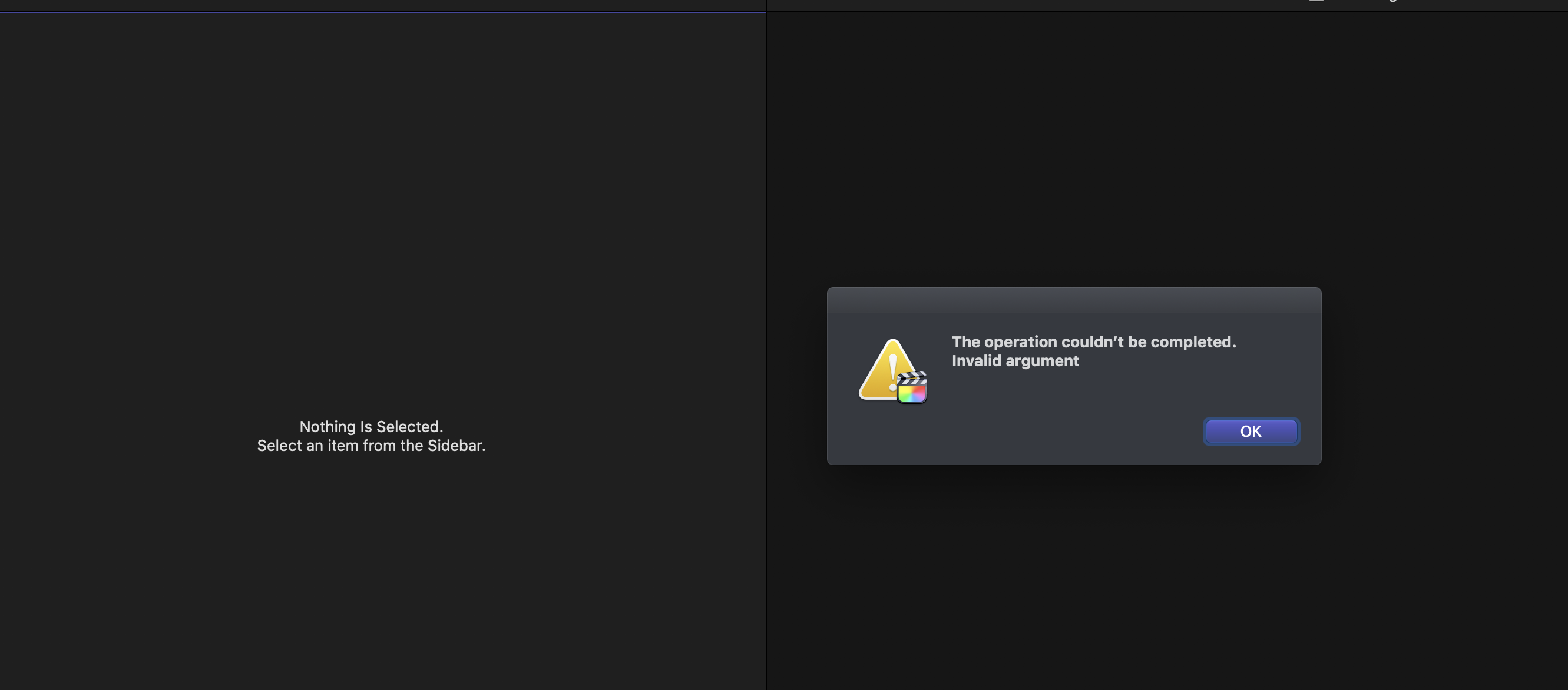
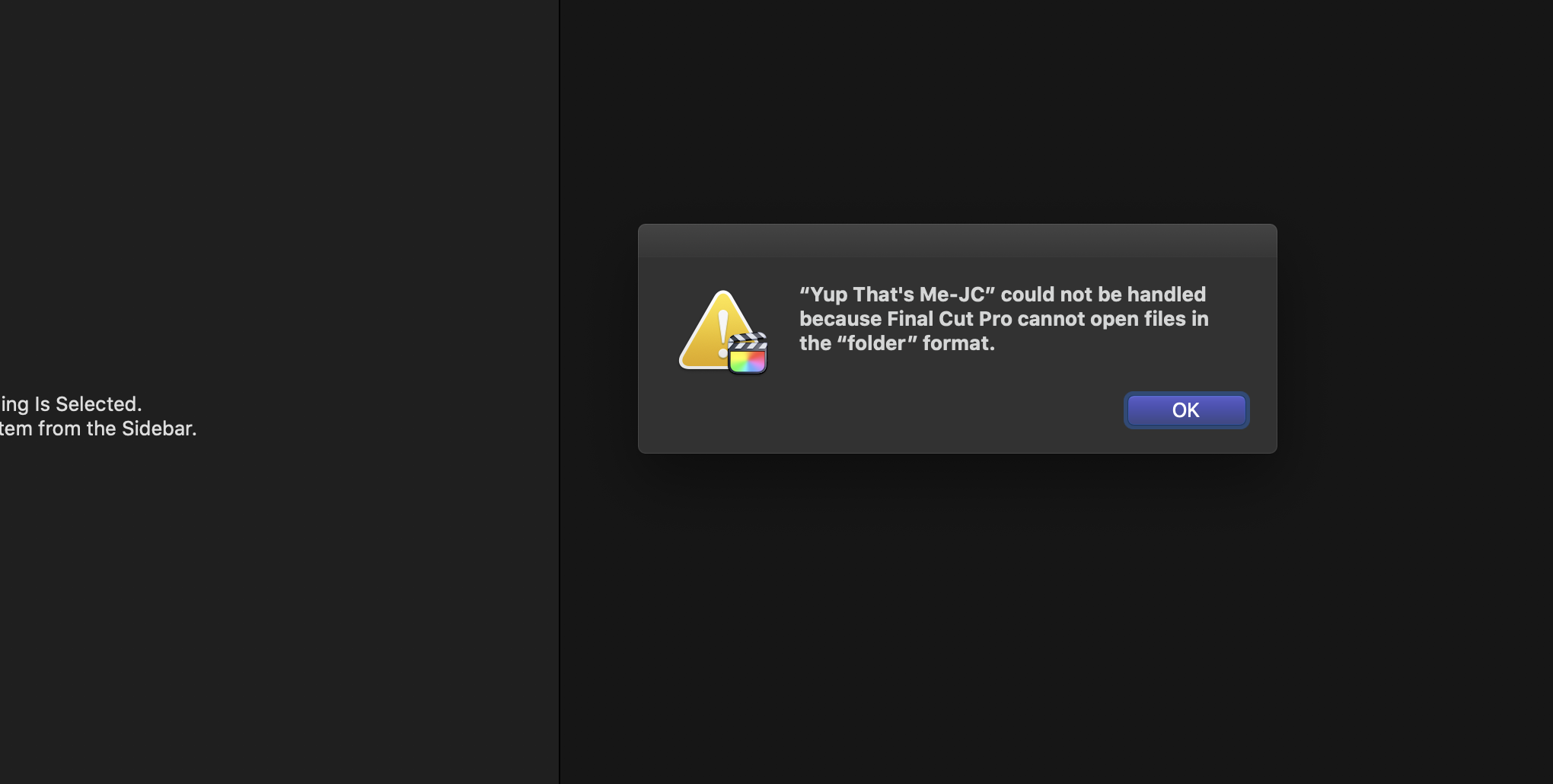
I opened up FCPX (10.5.2) for the ifrst time in a week or two and all my librarie icons have suddenly turned to folder icons! I can't even create new libraries ("invalid argument???) rendering the NLE effectively useless!
I cleaned out a bunch of old files on my my mac last week so maybe I accidentally deleted something essential? Got a call with Apple Support scheduled for tomorrow morning, but any help someone here could offer would be much appreciated. Thanks!
I cleaned out a bunch of old files on my my mac last week so maybe I accidentally deleted something essential? Got a call with Apple Support scheduled for tomorrow morning, but any help someone here could offer would be much appreciated. Thanks!
Please Log in to join the conversation.


09 Apr 2021 22:57 - 09 Apr 2021 22:58 #113877
by JoeEditor
Replied by JoeEditor on topic My Libraries have turned into folders! HELP!!
You could launch FCP holding Cmd+Opt to delete the pref files.
But personally, the first thing I'd do is put the FCP application itself into the trash and reinstall it.
Then I'd run Disk Utility to repair all my drives.
Then see what happens.
But personally, the first thing I'd do is put the FCP application itself into the trash and reinstall it.
Then I'd run Disk Utility to repair all my drives.
Then see what happens.
Last edit: 09 Apr 2021 22:58 by JoeEditor.
Please Log in to join the conversation.
09 Apr 2021 23:03 #113878
by Slang89
Replied by Slang89 on topic My Libraries have turned into folders! HELP!!
After a phone support session with Apple, we tried the deleting prefs and re-installing to no avail.
HOWEVER, we discovered that if I tried opening FCPX in a different user profile, it worked just fine. In that new test profile, FCP was able to open and create libraries and the library icons on my external drive went back to the
normal four square icon. He figured it's something in the user settings so they kicked it to the engineering guys and I'm waiting to hear back.
Any other ideas in the meatntime are appreciated.
HOWEVER, we discovered that if I tried opening FCPX in a different user profile, it worked just fine. In that new test profile, FCP was able to open and create libraries and the library icons on my external drive went back to the
normal four square icon. He figured it's something in the user settings so they kicked it to the engineering guys and I'm waiting to hear back.
Any other ideas in the meatntime are appreciated.
Please Log in to join the conversation.


10 Apr 2021 01:05 - 10 Apr 2021 01:13 #113879
by Francois
Replied by Francois on topic My Libraries have turned into folders! HELP!!
Good advice from Ben ... but did you by any chance strip the "fcpbundle" extension from the end of the library name ?
Any folder can become a "package" if it has the proper extension and even have a library icon if it has the “.fcpbundle” at the end of the name.
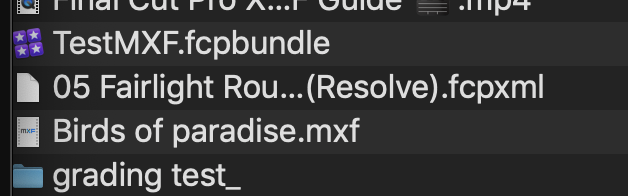
Any folder can become a "package" if it has the proper extension and even have a library icon if it has the “.fcpbundle” at the end of the name.
Last edit: 10 Apr 2021 01:13 by Francois.
Please Log in to join the conversation.
10 Apr 2021 03:58 #113880
by Slang89
Replied by Slang89 on topic My Libraries have turned into folders! HELP!!
After talking with Apple Support, it appears to be something in my user settings. Tried making a new user profile and FCPX and libraries worked fine over there. Got kicked up to engineering and will have another call with them tomorrow.
Please Log in to join the conversation.

10 Apr 2021 11:44 #113882
by joema
Replied by joema on topic My Libraries have turned into folders! HELP!!
Make sure during the re-organization, you did not copy libraries to/from a non-Apple disk format, e.g, ExFAT, etc. A library is a MacOS "bundle", but in reality it is a folder tree. The thing that maintains the bundle appearance is the Mac HFS+ or APFS file systems and how MacOS interprets that. If you copy an FCP library to certain non-Mac storage types, it's conceivable that could be lost, and if copied back it might not be reinstated. I don't recollect seeing this, only mentioning it as a possibility.
This can also happen when copying Finder-tagged files to/from certain non-Mac storage. E.g, if you upload files with Finder tags to DropBox using the DropBox web interface, those tags will be lost, even if later copied back down to a Mac.
This can also happen when copying Finder-tagged files to/from certain non-Mac storage. E.g, if you upload files with Finder tags to DropBox using the DropBox web interface, those tags will be lost, even if later copied back down to a Mac.
Please Log in to join the conversation.
