


- Posts: 144
- Thank you received: 3
3 Post Moderation Rule for New Boarders (25 Jan 2021)
New boarders will have their posts moderated - Don't worry if you cannot see your post immediately.
Green Screen, Blurred Background or BackDrop for explainer videos?
- Cameron Jake
-
 Topic Author
- Offline
- Premium Member
-

Less
More
26 Mar 2021 11:39 #113683
by Cameron Jake
Which do you think would look best for a talent on screen explainer for a corporate?
Green Screen - To hide this being filmed at home -
Backdrop - As above but to light with LEDs for a nice wash background.
Blurred background - To hide some studio imperfections / equipment and so on.
I wondered if there was a plug in that could act like a TV screen which could also block out some of the background? At the moment I have used the excellent 3dVideo Walls
Plug in fxfactory.com/info/xeffects3dvideowalls/
Which of the above options would be the least stress full to film and most cost efficient.
I have seen very few youtube green screen examples that don't look dreadfully bad.
That said - I could just use another room in my house and stand away from the green screen and try and do it more of a weather man thing, but lighting can be a nightmare and I have zero lights at the moment
This though seems to be a cheap lighting and green screen / backdrop set that might work?
amzn.to/39hx3tI
Which would you say looks the cleanest and most pro???
Green Screen - To hide this being filmed at home -
Backdrop - As above but to light with LEDs for a nice wash background.
Blurred background - To hide some studio imperfections / equipment and so on.
I wondered if there was a plug in that could act like a TV screen which could also block out some of the background? At the moment I have used the excellent 3dVideo Walls
Plug in fxfactory.com/info/xeffects3dvideowalls/
Which of the above options would be the least stress full to film and most cost efficient.
I have seen very few youtube green screen examples that don't look dreadfully bad.
That said - I could just use another room in my house and stand away from the green screen and try and do it more of a weather man thing, but lighting can be a nightmare and I have zero lights at the moment
This though seems to be a cheap lighting and green screen / backdrop set that might work?
amzn.to/39hx3tI
Which would you say looks the cleanest and most pro???
Please Log in to join the conversation.


26 Mar 2021 22:18 #113693
by JoeEditor
Replied by JoeEditor on topic Green Screen, Blurred Background or BackDrop for explainer videos?
You always want your green screen to be evenly lit softly and without wrinkles.
You always want to be at least 10 feet from the screen itself.
You always want to be at least 10 feet from the screen itself.
Please Log in to join the conversation.
- Karsten Schlüter
-

- Offline
- Moderator
-

Less
More
- Posts: 3790
- Thank you received: 718
27 Mar 2021 04:33 #113699
by Karsten Schlüter
Replied by Karsten Schlüter on topic Green Screen, Blurred Background or BackDrop for explainer videos?
follow Ben's advice.
And:
This is no good start for a professional look
We speak of two 'levels' of green-screen: Do you want to create the illusion of being at the keyed location? Then you have to mimic light situation, keyword 'compositing' … Imagine, you use a night-scene with colorful, blinking neon-lights as bg, – which should create reflections on the talent! plus perspective, lens length, yaddayadda.
Or, do you want to 'just a second, imposed level' (weatherman)? Which also asks for a well-lit green, but also a well-lit talent, for a clean key AND a pro-look (three-point lighting, yaddayadda)
FCP is very forgiving conc. 'even, wrinkle free bg' (for some no-budget projects I demand the title 'worse green screen ever" LOL!… Even ultra cheap solutions give good looking results (by my standards)
oh, and to mention: you don't need a full size green studio, apply a quick 'dirt-mask, covers unwanted parts…
And:
Cameron Jake wrote: … and I have zero lights at the moment …
This is no good start for a professional look
We speak of two 'levels' of green-screen: Do you want to create the illusion of being at the keyed location? Then you have to mimic light situation, keyword 'compositing' … Imagine, you use a night-scene with colorful, blinking neon-lights as bg, – which should create reflections on the talent! plus perspective, lens length, yaddayadda.
Or, do you want to 'just a second, imposed level' (weatherman)? Which also asks for a well-lit green, but also a well-lit talent, for a clean key AND a pro-look (three-point lighting, yaddayadda)
FCP is very forgiving conc. 'even, wrinkle free bg' (for some no-budget projects I demand the title 'worse green screen ever" LOL!… Even ultra cheap solutions give good looking results (by my standards)
oh, and to mention: you don't need a full size green studio, apply a quick 'dirt-mask, covers unwanted parts…
Please Log in to join the conversation.
- Cameron Jake
-
Topic Author
- Offline
- Premium Member
-
Less
More
- Posts: 144
- Thank you received: 3
27 Mar 2021 12:07 #113705
by Cameron Jake
Replied by Cameron Jake on topic Green Screen, Blurred Background or BackDrop for explainer videos?
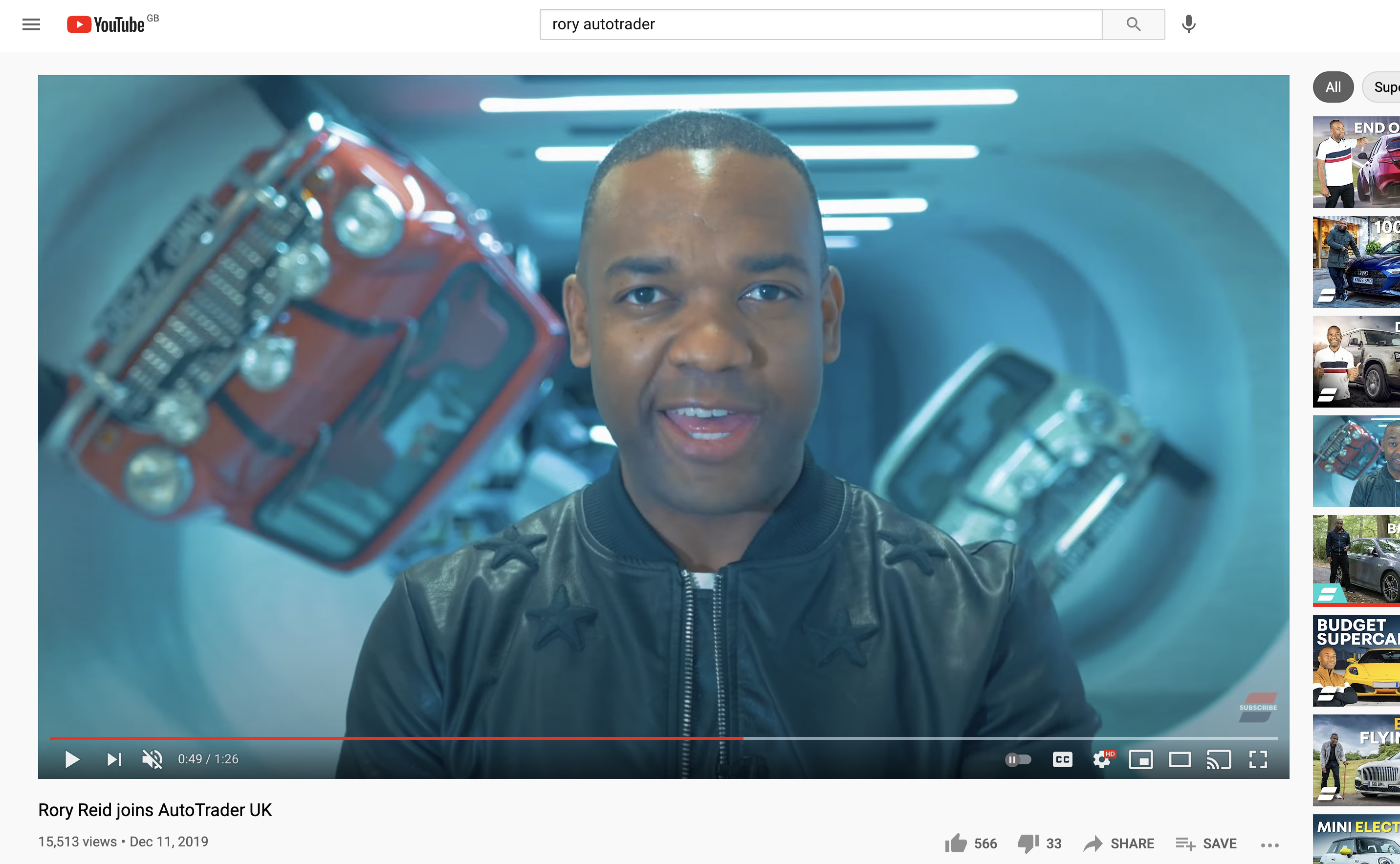
I like the dude with the motors behind. Not sure if that is green or a murial?
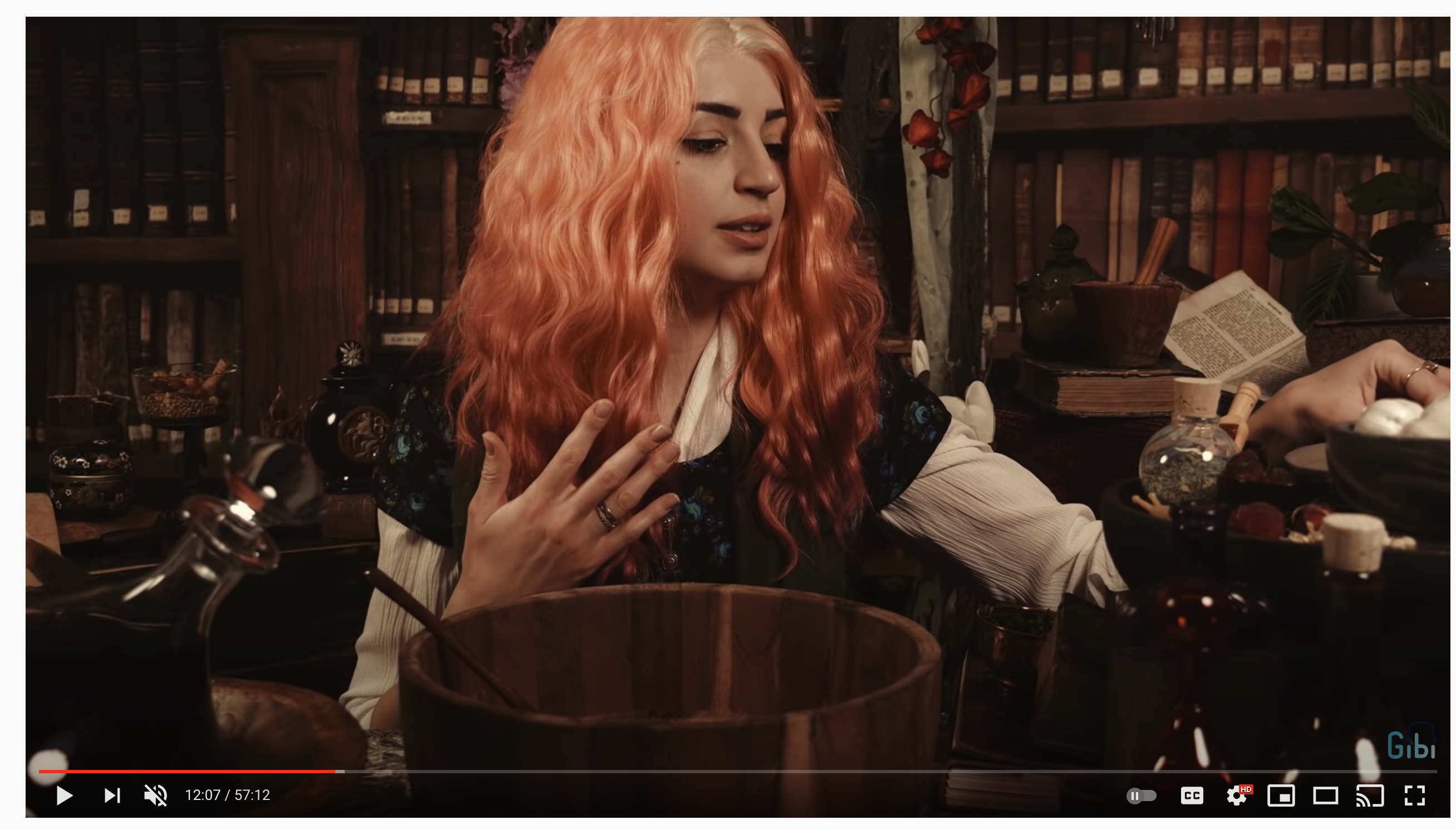
The girl is using green screen and matching objects in the fore ground.
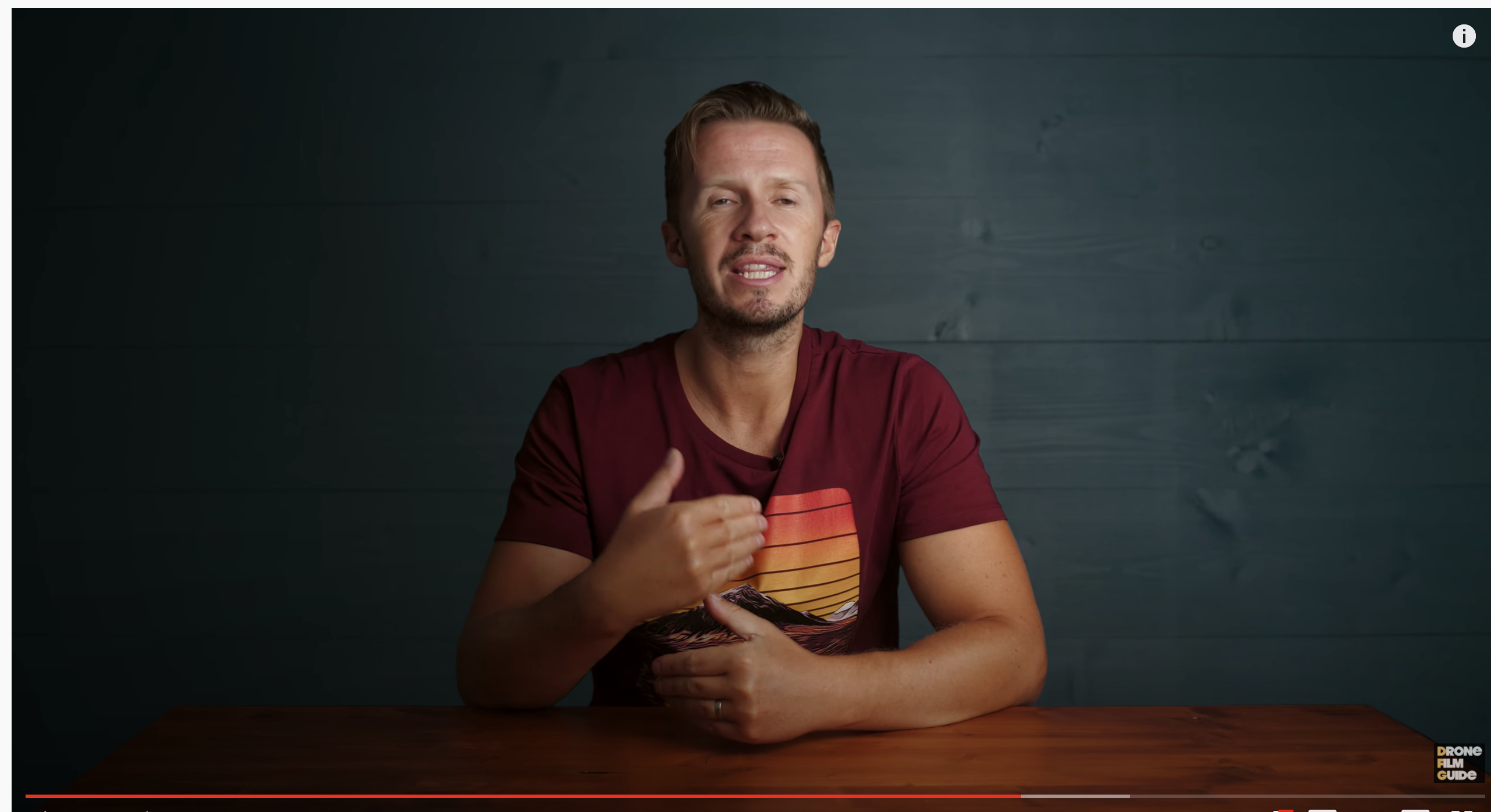
The guy at the table is a clean look green screen again with clever lighting.
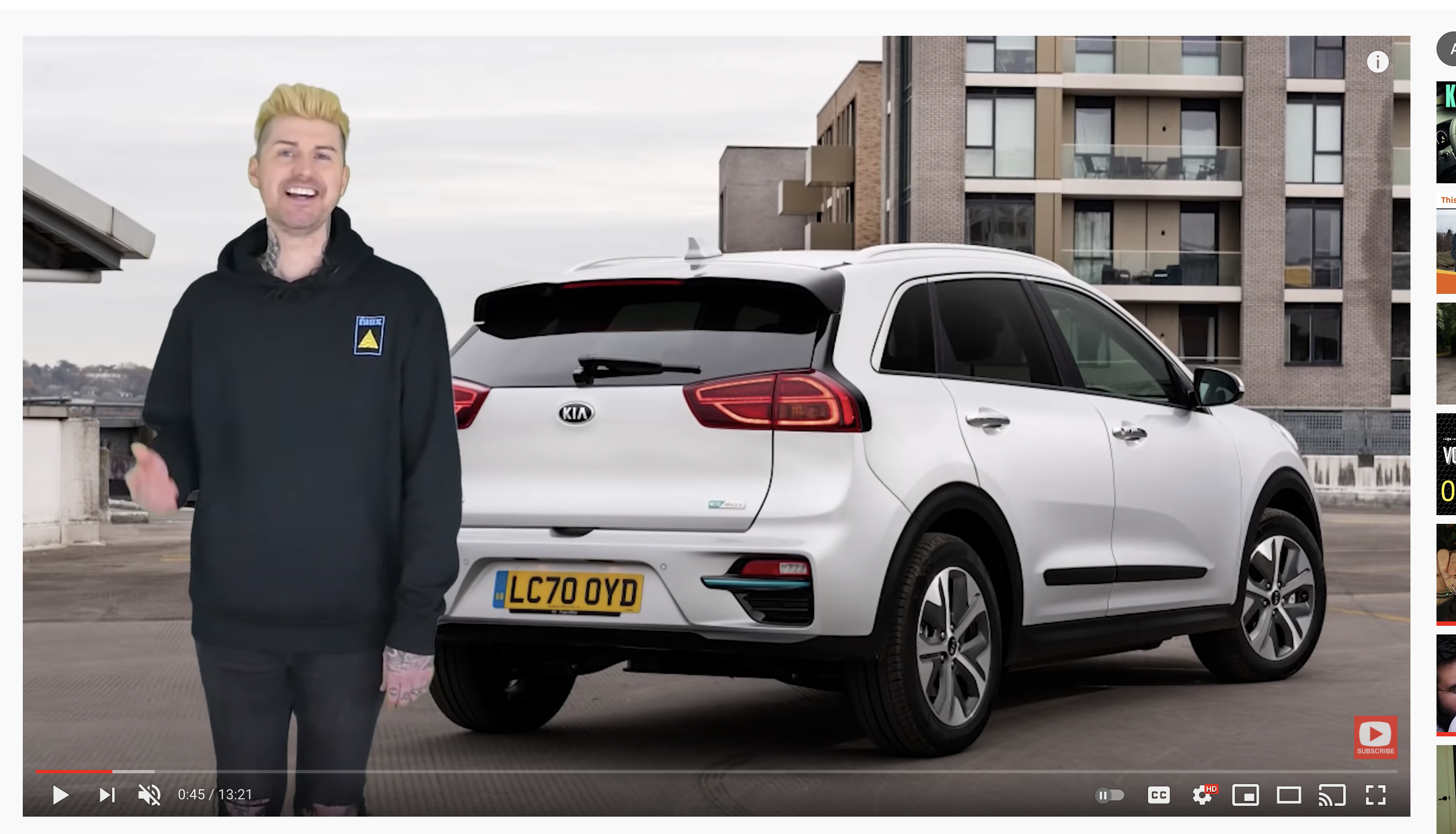
The guy with the white car is not the look I want!
I don't have ten feet unfortunately - I could if really needed
The girl is using green screen and matching objects in the fore ground.
The guy at the table is a clean look green screen again with clever lighting.
The guy with the white car is not the look I want!
I don't have ten feet unfortunately - I could if really needed
Please Log in to join the conversation.
