


- Posts: 3
- Thank you received: 0
3 Post Moderation Rule for New Boarders (25 Jan 2021)
New boarders will have their posts moderated - Don't worry if you cannot see your post immediately.
Tracking Matte in FCPx
15 Feb 2021 13:24 #112703
by lbwiener
Tracking Matte in FCPx was created by lbwiener
Good Morning! I am trying to place dust particles which is an overlay (layer 3) ONLY in a beam of light (layer 2) that sits on top of the BG (layer 3). In Premiere, I do this by creating a Tracking Matte but in FCPx I am not sure how to do this as I have struggled for days. Any help would be appreciated. Thanks!
Please Log in to join the conversation.
- Buhardilla
-

- Offline
- Premium Member
-

Less
More
- Posts: 105
- Thank you received: 16
16 Feb 2021 17:12 #112720
by Buhardilla
Replied by Buhardilla on topic Tracking Matte in FCPx
1: export the layer to Motion. Try Motions tracking tools (located in behaviours) and fantastic (fun) particle emitters.
2: I you want do the job within FCPX get some Coremelts Mocha powered plugins, i.e: Drive X . Visit their website and have a look to video tutorials.
2: I you want do the job within FCPX get some Coremelts Mocha powered plugins, i.e: Drive X . Visit their website and have a look to video tutorials.
Please Log in to join the conversation.


16 Feb 2021 23:52 #112729
by JoeEditor
Replied by JoeEditor on topic Tracking Matte in FCPx
I believe you asked me this in a private message on Linkdin. You mentioned something about setting the Blend Mode to luma stencil. If your using something like MotionFVX's dust particle clips, what you want to do is set Blend Mode to Screen.
Motion's own tracking tools are actually pretty good with the right content.
support.apple.com/guide/motion/intro-to-...ing-motn18191fa3/mac
Motion's own tracking tools are actually pretty good with the right content.
support.apple.com/guide/motion/intro-to-...ing-motn18191fa3/mac
Please Log in to join the conversation.
17 Feb 2021 04:08 #112734
by lbwiener
Replied by lbwiener on topic Tracking Matte in FCPx
This is what I am trying to do in FCP.
Please Log in to join the conversation.
17 Feb 2021 06:24 - 17 Feb 2021 06:26 #112736
by JoeEditor
Replied by JoeEditor on topic Tracking Matte in FCPx
I am not familiar with that product, but I use similar overlay clips from MotionVFX, and it's the same process. Set the Blend Mode (Add, Overly, Screen, etc) to get the effect you want. What I'm used to working with is a clip of dust or light rays, on a black background, with no alpha channel.
Last edit: 17 Feb 2021 06:26 by JoeEditor.
Please Log in to join the conversation.
17 Feb 2021 12:51 - 17 Feb 2021 14:43 #112741
by lbwiener
Replied by lbwiener on topic Tracking Matte in FCPx
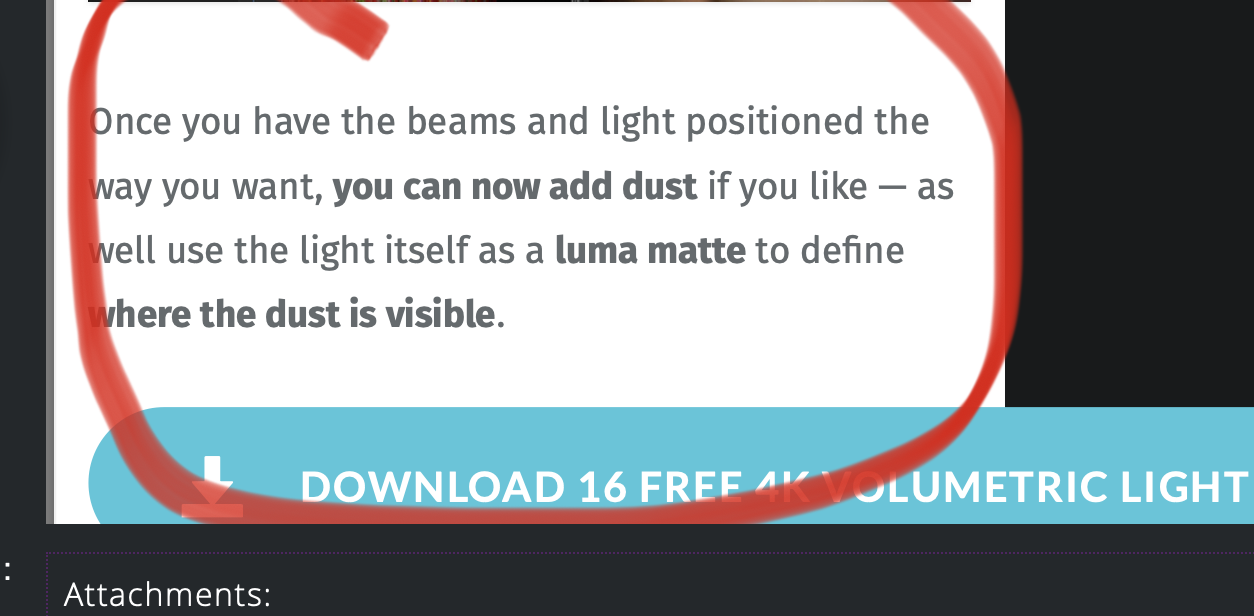
Good Morning! Ben thanks for taking the time to help me. I really appreciate that. So I have attached exactly what I am trying to understand. Is there a way in FCP to use the light from the light rays layer as a luma matte to define where the dust particles should go.
Layer 1 - BG
Layer 2 - Light Rays on black BG and blend mode set to screen
Layer 3 - Dust Particles on a black BG blend mode set to screen
In this set up, the dust particles cover the whole frame. I understand that I can mask in the dust particles but is there a way similar to Premiere Pro of using a Luma Matte Track effect to accomplish the same.
I probably am making this more complicated than I need to but that is what I am asking. That way do not have to worry about creating a tracking mask as the position of the light rays changes.
Hope this helps.
Layer 1 - BG
Layer 2 - Light Rays on black BG and blend mode set to screen
Layer 3 - Dust Particles on a black BG blend mode set to screen
In this set up, the dust particles cover the whole frame. I understand that I can mask in the dust particles but is there a way similar to Premiere Pro of using a Luma Matte Track effect to accomplish the same.
I probably am making this more complicated than I need to but that is what I am asking. That way do not have to worry about creating a tracking mask as the position of the light rays changes.
Hope this helps.
Last edit: 17 Feb 2021 14:43 by peteramwiggins.
Please Log in to join the conversation.
