




- Posts: 1
- Thank you received: 0
3 Post Moderation Rule for New Boarders (25 Jan 2021)
New boarders will have their posts moderated - Don't worry if you cannot see your post immediately.
Random Clips Disappear in Timeline Upon Opening Project Weeks Later
29 Jan 2021 02:33 #112407
by JMFilms
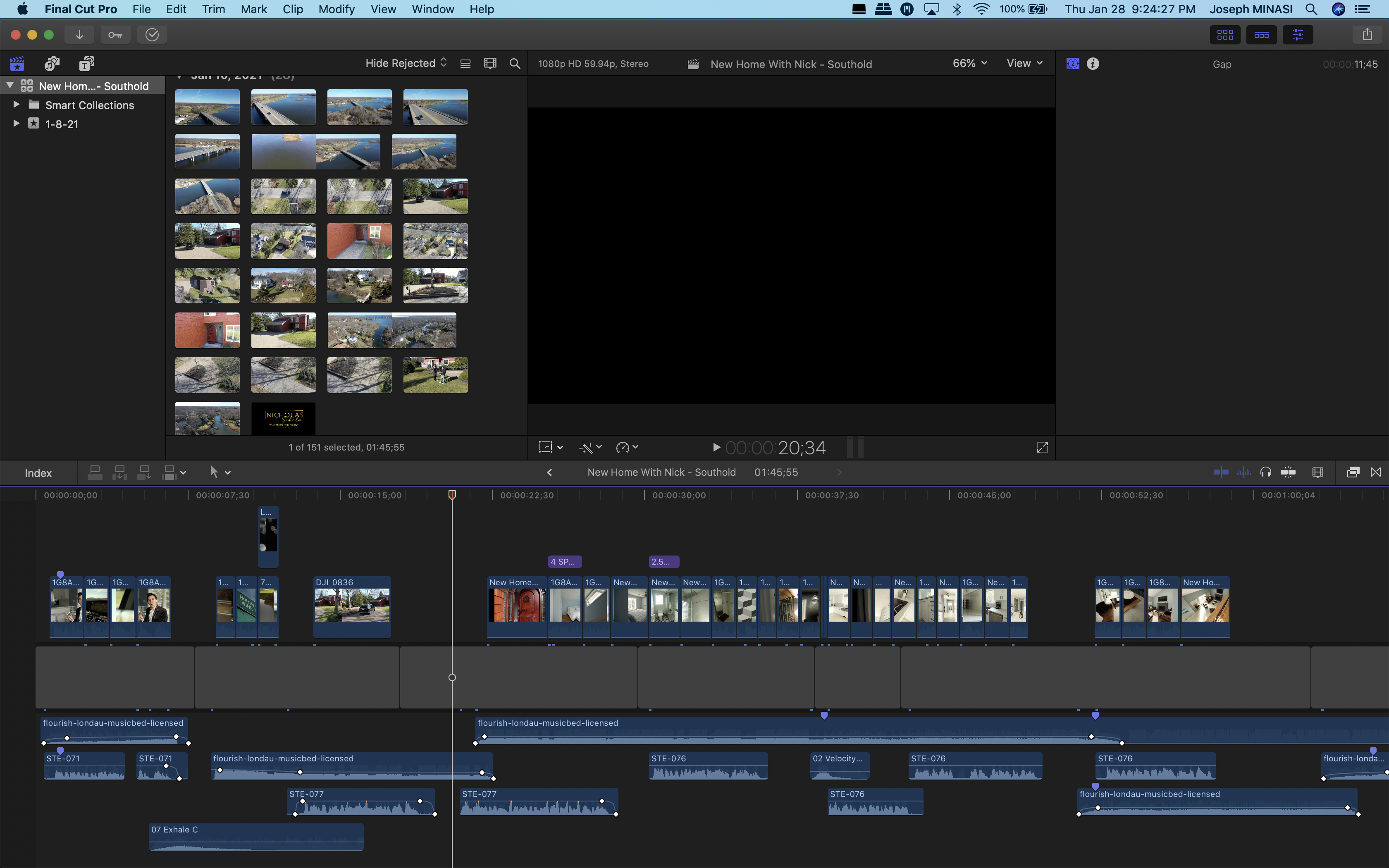
Upon opening multiple projects weeks or even months after finishing them, random clips are gone from the timeline. FCPX does not have any errors or warnings saying clips are missing and the clips are still present and working in my library. The pic I attached shows all the black/blank spaces where clips should be. No clips have been moved or deleted from my computer or hard drives. I thank you in advance for any thoughts/resolutions and please forgive me if this is posted in the wrong place. I signed up because of this issue and am new here. Thank you!
Please Log in to join the conversation.


29 Jan 2021 12:58 #112420
by JoeEditor
Replied by JoeEditor on topic Random Clips Disappear in Timeline Upon Opening Project Weeks Later
I'd go to your Movies folder, to the Final Cut Backups folder, and try opening some of the most recent backups.
Please Log in to join the conversation.
