




- Posts: 2
- Thank you received: 0
3 Post Moderation Rule for New Boarders (25 Jan 2021)
New boarders will have their posts moderated - Don't worry if you cannot see your post immediately.
Crop Horizontal Clip in Vertical
28 Jan 2021 23:13 - 29 Jan 2021 11:32 #112402
by MIkXpert
Crop Horizontal Clip in Vertical was created by MIkXpert
Hey FCP.CO-community,
I have a problem and just can't up with a solution. I am creating videos in vertical format consisting of 3 horizontal clips above each other.
I usually "pre-edit" the horizontal clips in a horizontal project 4k-timeline. There I do some time remapping, key framing and other stuff. When finished I create a compound clip and copy & paste the edit to my vertical 4k-timeline project.
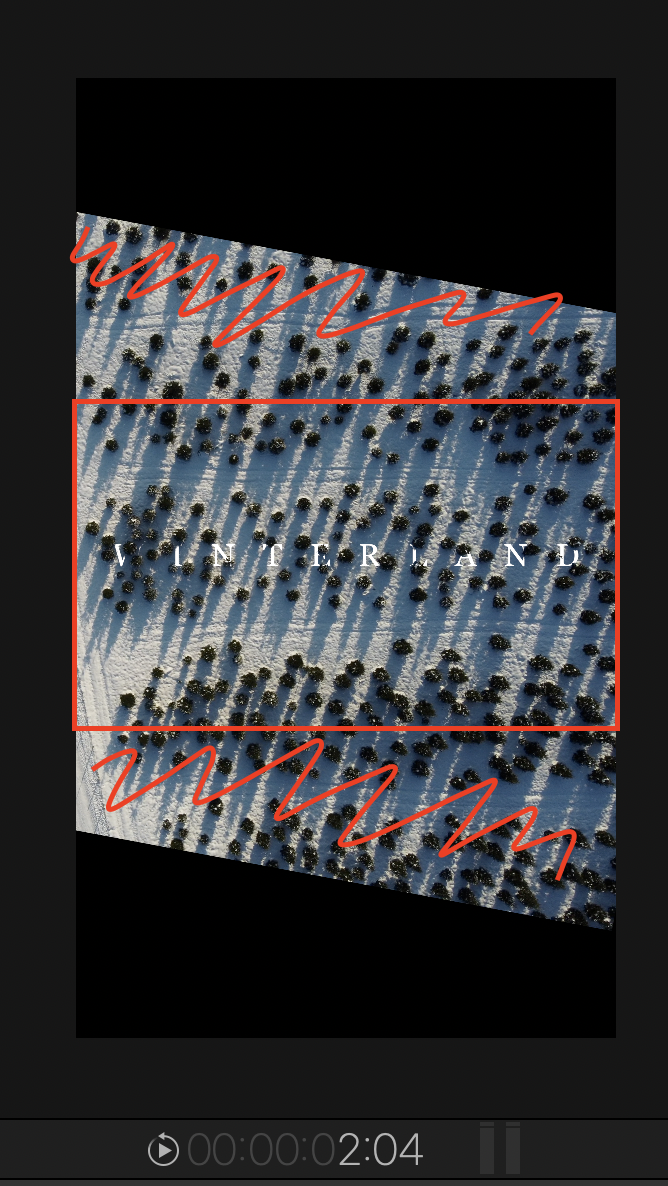
When I insert the compound clip and it's somewhat rotated it's not "even" in the vertical project (see picture).
Can I/How can I cut this rotated clip in a way so that it's parallel to the top/bottom again?
I hope there is an easy fix which I simply didn't come up with.
Thank you so much!
I have a problem and just can't up with a solution. I am creating videos in vertical format consisting of 3 horizontal clips above each other.
I usually "pre-edit" the horizontal clips in a horizontal project 4k-timeline. There I do some time remapping, key framing and other stuff. When finished I create a compound clip and copy & paste the edit to my vertical 4k-timeline project.
When I insert the compound clip and it's somewhat rotated it's not "even" in the vertical project (see picture).
Can I/How can I cut this rotated clip in a way so that it's parallel to the top/bottom again?
I hope there is an easy fix which I simply didn't come up with.
Thank you so much!
Last edit: 29 Jan 2021 11:32 by peteramwiggins.
Please Log in to join the conversation.
- peteramwiggins
-

- Offline
- Administrator
-

- The Administrator :)
Less
More
- Posts: 1049
- Thank you received: 404
29 Jan 2021 11:34 #112412
by peteramwiggins
Administrator
Replied by peteramwiggins on topic Crop Horizontal Clip in Vertical
Can you put this in another compound clip and then crop that? Or a bit more fuss, overlay a black generator, crop that and invert or use two of this cropped top and bottom? Or maybe the letterbox effect?
Administrator
Please Log in to join the conversation.
29 Jan 2021 11:39 #112413
by MIkXpert
Replied by MIkXpert on topic Crop Horizontal Clip in Vertical
Up til now I worked my way around with creating a layout in Photoshop that has a black box above/below and transparent middle part but I wanted to know if there's a way to crop this clip. The other way felt somewhat like "unprofessional" fiddling my way around. But it worked so I guess I just keep on doing this.
Thanks a lot for the answer though !
!
Thanks a lot for the answer though
! Please Log in to join the conversation.


29 Jan 2021 16:08 - 29 Jan 2021 16:24 #112425
by VTC
Replied by VTC on topic Crop Horizontal Clip in Vertical
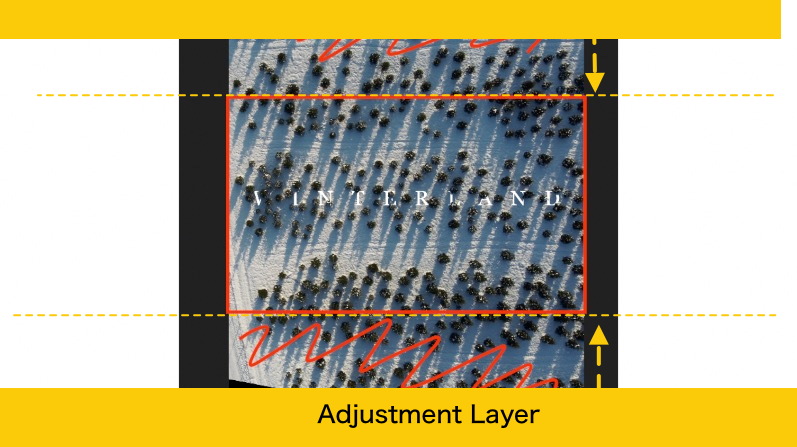
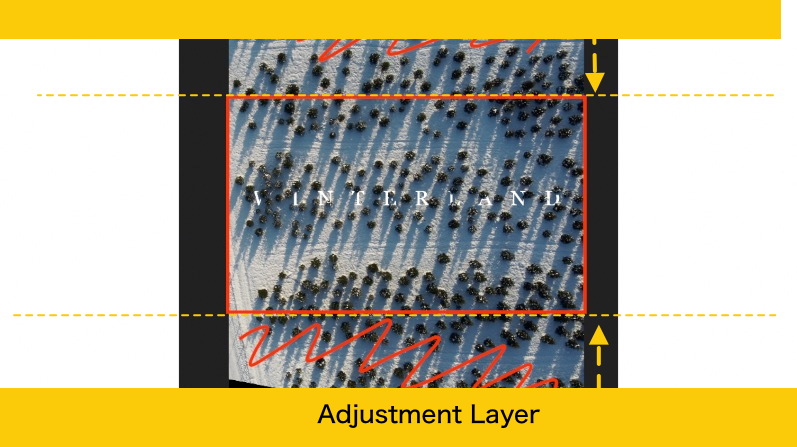
I believe this is what you're trying to do. Apply Adjustment Layer the length of the clip. Crop top & bot.
Last edit: 29 Jan 2021 16:24 by peteramwiggins.
Please Log in to join the conversation.
