


- Posts: 15
- Thank you received: 4
3 Post Moderation Rule for New Boarders (25 Jan 2021)
New boarders will have their posts moderated - Don't worry if you cannot see your post immediately.
luma keyer makes the alpha channel footage look grey(ash)
24 Dec 2020 08:30 #111697
by lchung678
Hi. This question may sound stupid but I tried and can't figure out a solution for ages.
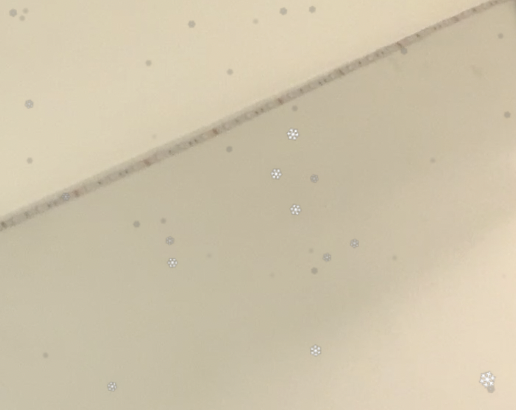
I downloaded a alpha channel snow footage which has all the snows in it in white. When I applied luma keyer, the snow looks grey in colour. I tried adjusting the settings but it doesn't seem to help.
Does anyone know how come this may be? Thank you.
I downloaded a alpha channel snow footage which has all the snows in it in white. When I applied luma keyer, the snow looks grey in colour. I tried adjusting the settings but it doesn't seem to help.
Does anyone know how come this may be? Thank you.

Please Log in to join the conversation.


24 Dec 2020 15:16 #111703
by JoeEditor
Replied by JoeEditor on topic luma keyer makes the alpha channel footage look grey(ash)
If it has an alpha channel, you should not really need to do anything. But yeah, sometimes you need to set Blend Mode to stencil or silhouette Alpha. You should not be using a Luma Key for an alpha channel.
Please Log in to join the conversation.
24 Dec 2020 15:34 - 24 Dec 2020 15:36 #111705
by lchung678
Replied by lchung678 on topic luma keyer makes the alpha channel footage look grey(ash)
thanks for the reply. The snow footage stated that it has an alpha channel to it, but without a luma keyer, it covers up the main clip. perhaps somehow when I got the footage, the alpha channel was lost.
I will try the blend modes, I haven't thought about that.
Update 1: I tried using hard mix blend mode. It worked and the snow turned back to white. The other 2 that was suggested didn't work. Thank you again!
I will try the blend modes, I haven't thought about that.
Update 1: I tried using hard mix blend mode. It worked and the snow turned back to white. The other 2 that was suggested didn't work. Thank you again!
Last edit: 24 Dec 2020 15:36 by lchung678.
Please Log in to join the conversation.
24 Dec 2020 19:59 #111706
by JoeEditor
Replied by JoeEditor on topic luma keyer makes the alpha channel footage look grey(ash)
I suspect that clip doesn't have an alpha channel. What format is it?
Please Log in to join the conversation.
24 Dec 2020 23:04 #111710
by lchung678
Replied by lchung678 on topic luma keyer makes the alpha channel footage look grey(ash)
I had another look at the clip. It has an alpha channel indeed. I removed the luma keyer effect and changed the blend mode to add and it worked fine! Thank you.
The file is in .mp4.
The file is in .mp4.
Please Log in to join the conversation.
24 Dec 2020 23:17 #111711
by JoeEditor
Replied by JoeEditor on topic luma keyer makes the alpha channel footage look grey(ash)
MP4 does not support the alpha channel, that's why you had to use something to make the dark part transparent. If it had an actual alpha channel you'd need not do anything, pretty much. So no, you do not have an alpha channel in that file. What gives you the impression it has one?
Please Log in to join the conversation.
25 Dec 2020 19:12 #111725
by lchung678
Replied by lchung678 on topic luma keyer makes the alpha channel footage look grey(ash)
I thought it had an alpha channel because changing the blend mode removed the black background.
what file format would a video be in if it has an alpha channel in it? (I don't know as I only just found out that mp4 files can't have alpha channel)
what file format would a video be in if it has an alpha channel in it? (I don't know as I only just found out that mp4 files can't have alpha channel)
Please Log in to join the conversation.
25 Dec 2020 21:01 #111727
by JoeEditor
Replied by JoeEditor on topic luma keyer makes the alpha channel footage look grey(ash)
With FCP users, it would be ProRes 4444. But long-GOP formats like mp4 normally don't support alpha channels.
Blend Mode has nothing to do with alpha channels but mathematically manipulating the chroma and luma value differences of the pixels of two images. A Blend Mode works on the selected image and the image just below it.
Blend Mode has nothing to do with alpha channels but mathematically manipulating the chroma and luma value differences of the pixels of two images. A Blend Mode works on the selected image and the image just below it.
Please Log in to join the conversation.
