


- Posts: 3
- Thank you received: 0
3 Post Moderation Rule for New Boarders (25 Jan 2021)
New boarders will have their posts moderated - Don't worry if you cannot see your post immediately.
scrollbar in inspector window in FCP macOS Big Sur
- chrzaszczcz
-
 Topic Author
- Offline
- New Member
-

Less
More
14 Dec 2020 13:56 - 14 Dec 2020 15:38 #111476
by chrzaszczcz
scrollbar in inspector window in FCP macOS Big Sur was created by chrzaszczcz
How to fix scrollbar in inspector window in Fcp10.5 (macOS Big Sur)?
System preferences is set to show Always.
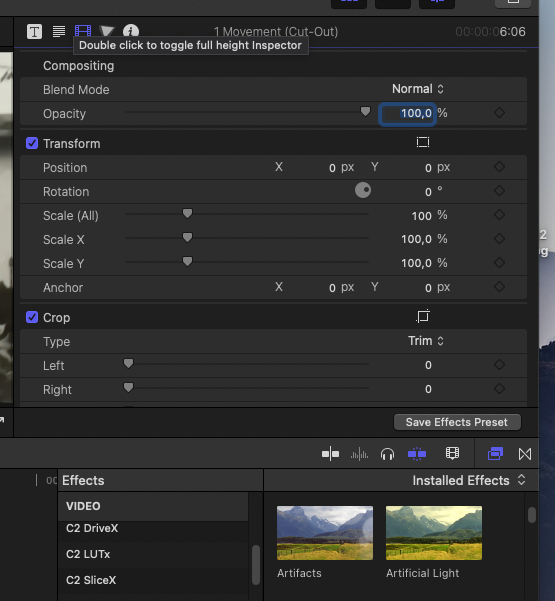
System preferences is set to show Always.
Last edit: 14 Dec 2020 15:38 by peteramwiggins.
Please Log in to join the conversation.


14 Dec 2020 14:52 #111477
by JoeEditor
Replied by JoeEditor on topic scrollbar in inspector window in FCP macOS Big Sur
Why do you need the scroll bar anyway?
It will appear always if System Settings (General) is set to either "Automatically based on..." or "Always". When set to "When Scrolling" it'll disappear. Works properly on my system.
It will appear always if System Settings (General) is set to either "Automatically based on..." or "Always". When set to "When Scrolling" it'll disappear. Works properly on my system.
Please Log in to join the conversation.
- chrzaszczcz
-
Topic Author
- Offline
- New Member
-
Less
More
- Posts: 3
- Thank you received: 0
14 Dec 2020 15:19 #111479
by chrzaszczcz
Replied by chrzaszczcz on topic scrollbar in inspector window in FCP macOS Big Sur
Thank you for your reply. I am not sure if I explained this problem properly as you asked about the need of the scroll bar. I do not know, if there
is any other possibility to see all the functions in inspector window. Yes in system settings it is set to ALWAYS, but in inspector window it does not show. In all others scrollbar is showing. (please forgive me my English)
is any other possibility to see all the functions in inspector window. Yes in system settings it is set to ALWAYS, but in inspector window it does not show. In all others scrollbar is showing. (please forgive me my English)
Please Log in to join the conversation.
14 Dec 2020 18:43 #111482
by JoeEditor
Replied by JoeEditor on topic scrollbar in inspector window in FCP macOS Big Sur
You don't need the scroll bar to actually do anything. You don't need it to scroll up and down the Inspector, use your mouse or trackpad to do that. Also, double-click the title bar of the Inspector and it will open up the full height of your screen.
Please Log in to join the conversation.
- chrzaszczcz
-
Topic Author
- Offline
- New Member
-
Less
More
- Posts: 3
- Thank you received: 0
14 Dec 2020 19:01 - 14 Dec 2020 19:16 #111483
by chrzaszczcz
Replied by chrzaszczcz on topic scrollbar in inspector window in FCP macOS Big Sur
Yes. Thank you. I am using the mouse, but I can not scroll. I double- clicked the title bar and it opened up, but still its is not enough for some plugins.
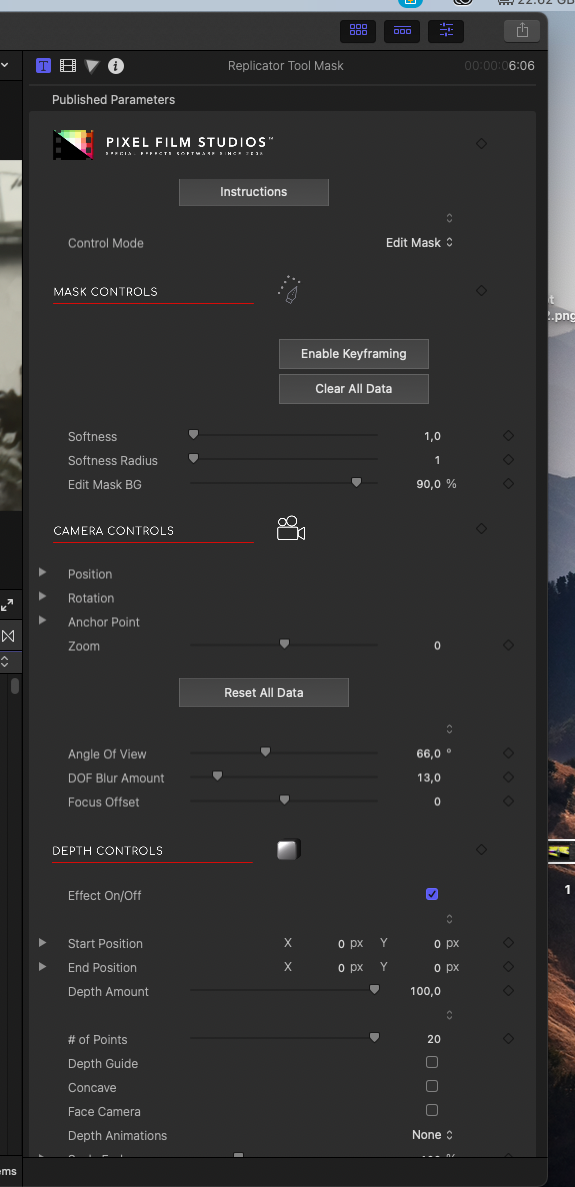
Last edit: 14 Dec 2020 19:16 by chrzaszczcz.
Please Log in to join the conversation.
15 Dec 2020 01:43 #111496
by JoeEditor
Replied by JoeEditor on topic scrollbar in inspector window in FCP macOS Big Sur
You can, in System Preferences, set your mouse to scroll. If you don't, you're slowing yourself down. Yes, a few rare plugins take up tremendous real estate in the Inspector, and there's not much to do about it. Every editor I've taught or worked with scrolls using a mouse or trackpad. How do you scroll the Timeline? Clicking the scroll bar? Very slow, my friend.
Again, even if I were to use the scroll bar directly, it works properly on my system. But I'd never do that, wastes so much time.
Again, even if I were to use the scroll bar directly, it works properly on my system. But I'd never do that, wastes so much time.
Please Log in to join the conversation.

15 Dec 2020 14:12 #111505
by jkmusser
Replied by jkmusser on topic scrollbar in inspector window in FCP macOS Big Sur
Ben, the man posting is correct. It simply doesn't work for a lot of us. I've toggled the general prefs back and forth and the scrollbar comes back. But, if I open another parameter and return to the first one, it disappears again. You may not prefer working with the scrollbar but I'm used to it. And, besides, it is supposed to be there. I just downloaded a new version moments ago (15 December 2020) and the problem is still there.
Please Log in to join the conversation.
- Tom Wolsky
-

- Offline
- Moderator
-

15 Dec 2020 14:20 #111507
by Tom Wolsky
Replied by Tom Wolsky on topic scrollbar in inspector window in FCP macOS Big Sur
Yes, the problem is there when switching tabs in the Inspector. You should report it to feedback.
Please Log in to join the conversation.
17 Dec 2020 13:46 #111552
by JoeEditor
Replied by JoeEditor on topic scrollbar in inspector window in FCP macOS Big Sur
To be honest, this is the first time I even noticed there was a scroll bar there. Works fine here so was not all that apparent to me at first. And yes, does sound like a bug. Feedback page time!
Please Log in to join the conversation.
