


- Posts: 265
- Thank you received: 7
3 Post Moderation Rule for New Boarders (25 Jan 2021)
New boarders will have their posts moderated - Don't worry if you cannot see your post immediately.
Help with Animating Cursive Text on with a Mask
- bradywurtz
-
 Topic Author
- Offline
- Elite Member
-

Less
More
17 Aug 2020 01:54 #109316
by bradywurtz
Help with Animating Cursive Text on with a Mask was created by bradywurtz
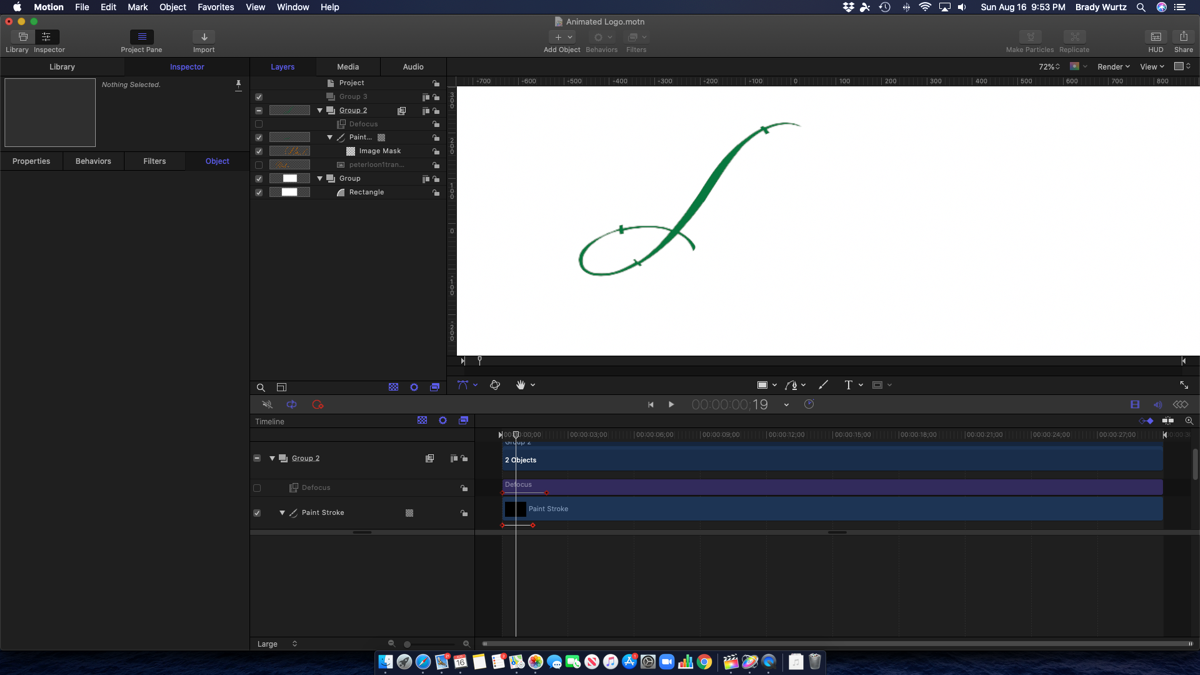
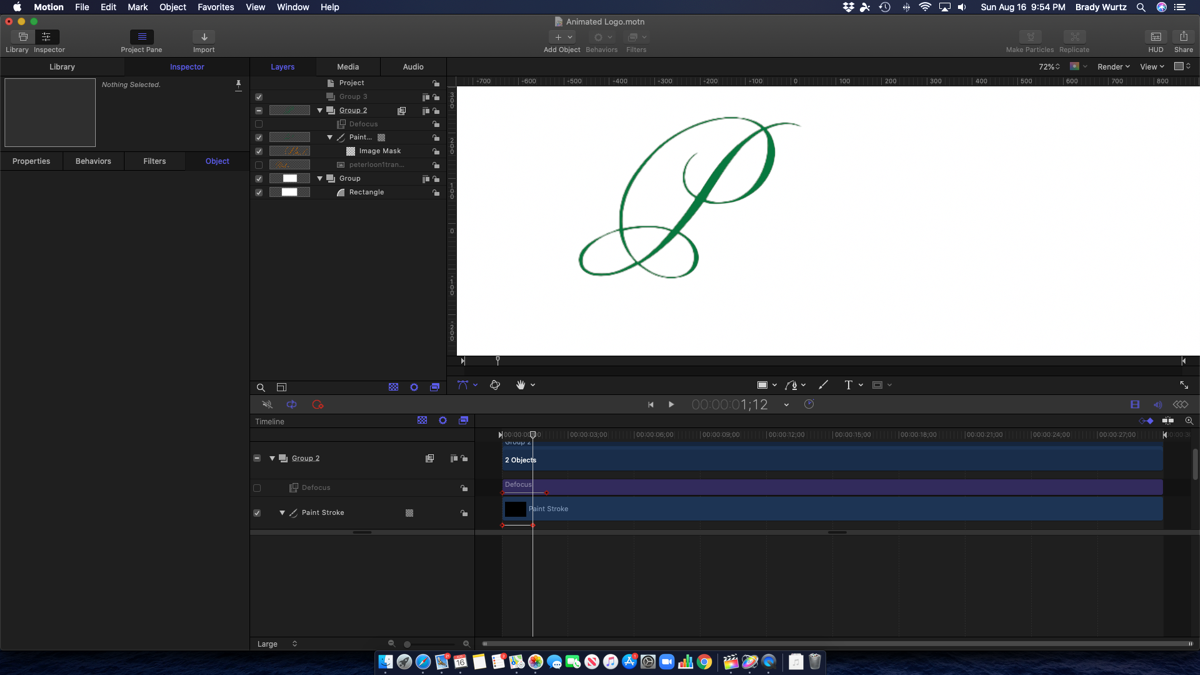
So I'm trying to animate some text. It's a logo from a company I'm doing work for, and they just gave me a .png file of their logo, which is their organizations name in a fancy cursive font. I want to make it look like the letters and being written onto the screen. My idea, use the pen tool to make a mask over the letters, then key frame the start and end point of the line to reveal the letters being drawn on. The problem, when the lines of the letter overlap themselves, they leave some of the intersection lines to be seen before they've been drawn. I've attached a video to demonstrate the issue. If I'm doing something wrong let me know, if there's a BETTER way, let me know! Thanks!
Please Log in to join the conversation.

17 Aug 2020 13:14 - 17 Aug 2020 14:09 #109320
by VTC
Replied by VTC on topic Help with Animating Cursive Text on with a Mask
Looks complicated. Looks time consuming. Looks tiring. Me, I look for the quick way of doing things. Here's how I solve all my scripting text needs and avoid the time suck that is Motion.
Using 23 letters spelling out 5 words. Wrote scripted title. Saved as png. Made 110 copies of the art. Working backwards I erased a portion of each letter from the tail to the head back tracking the way it would actually be written. Throw into timeline with each png being 1 frame. Title spells out in 5 seconds.
Animation is really action played out single frame over a given number of frames. My way produces the same results without all the that time consuming masking and key framing and overlap worries. A 2 frame cross dissolve will smooth the frames out but happens so fast it's unnoticeable.
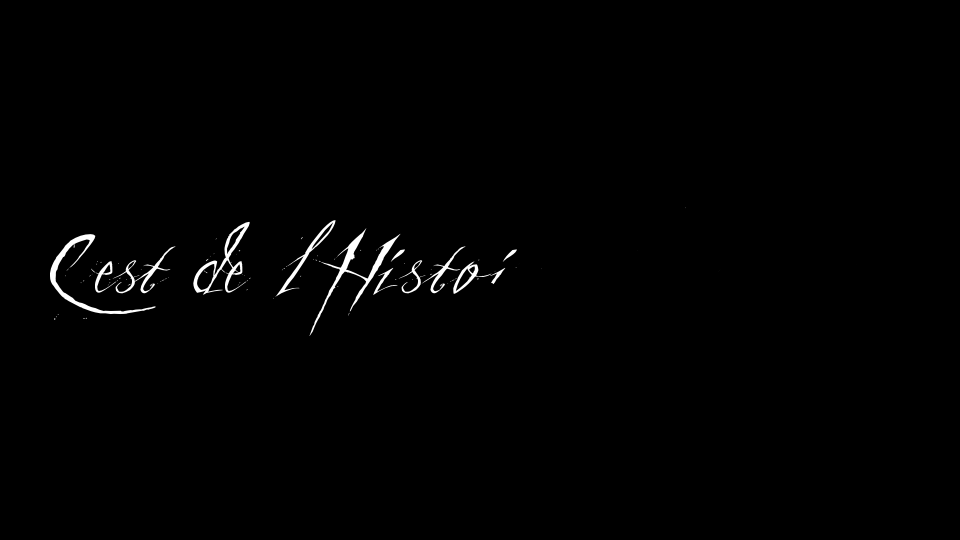
Using 23 letters spelling out 5 words. Wrote scripted title. Saved as png. Made 110 copies of the art. Working backwards I erased a portion of each letter from the tail to the head back tracking the way it would actually be written. Throw into timeline with each png being 1 frame. Title spells out in 5 seconds.
Animation is really action played out single frame over a given number of frames. My way produces the same results without all the that time consuming masking and key framing and overlap worries. A 2 frame cross dissolve will smooth the frames out but happens so fast it's unnoticeable.
Last edit: 17 Aug 2020 14:09 by VTC.
Please Log in to join the conversation.

17 Aug 2020 14:04 #109326
by JoeEditor
Replied by JoeEditor on topic Help with Animating Cursive Text on with a Mask
Use the Bezier drawing tool, trace the shape, then use the Write-On behavior.
Please Log in to join the conversation.
- bradywurtz
-
Topic Author
- Offline
- Elite Member
-
Less
More
- Posts: 265
- Thank you received: 7
17 Aug 2020 14:56 #109328
by bradywurtz
Replied by bradywurtz on topic Help with Animating Cursive Text on with a Mask
VTCMedia, i'm not sure I follow. If sounds like you're just having one letter come on at a time per frame, correct? I'm looking to have it elegantly being written onto the screen, since it's a very fancy cursive font that looks like it was written with a fountain pen. I want that large 'P' to be drawn on slowly so it fits the theme and feel of the video.
Please Log in to join the conversation.
- bradywurtz
-
Topic Author
- Offline
- Elite Member
-
Less
More
- Posts: 265
- Thank you received: 7
17 Aug 2020 14:58 #109329
by bradywurtz
Replied by bradywurtz on topic Help with Animating Cursive Text on with a Mask
Just tried that and here's my issue. The font looks like it was drawn on with a fountain pen. it has parts that are thicker than others. So if i just use the bezier tool to trace it as a single line, it won't match because some parts of the pen stroke on the letter are thicker than others, and i can't find a way to make a line where some parts are thicker than other parts.
My other issue is, if i do use the bezier tool to trace it, but this time actually trace it as a closed object and not a line, using the 'fill' color option to make it a solid line, i can trace it much better, but then the Write On behavior doesn't work because that works with lines, not closed shapes.
My other issue is, if i do use the bezier tool to trace it, but this time actually trace it as a closed object and not a line, using the 'fill' color option to make it a solid line, i can trace it much better, but then the Write On behavior doesn't work because that works with lines, not closed shapes.
Please Log in to join the conversation.
17 Aug 2020 23:26 #109340
by JoeEditor
Replied by JoeEditor on topic Help with Animating Cursive Text on with a Mask
Turn the line into an airbrush, then you can adjust line thickness. But it sounds like you are using airbrush already if the line thickness varies.
Please Log in to join the conversation.
- bradywurtz
-
Topic Author
- Offline
- Elite Member
-
Less
More
- Posts: 265
- Thank you received: 7
18 Aug 2020 00:17 #109342
by bradywurtz
Replied by bradywurtz on topic Help with Animating Cursive Text on with a Mask
How do you turn it into an air brush?
Please Log in to join the conversation.
18 Aug 2020 20:05 #109365
by JoeEditor
Replied by JoeEditor on topic Help with Animating Cursive Text on with a Mask
Check the user manual for the difference between drawing a shape and using a paintbrush (airbrush).
A bezier line is even, same thickness all around.
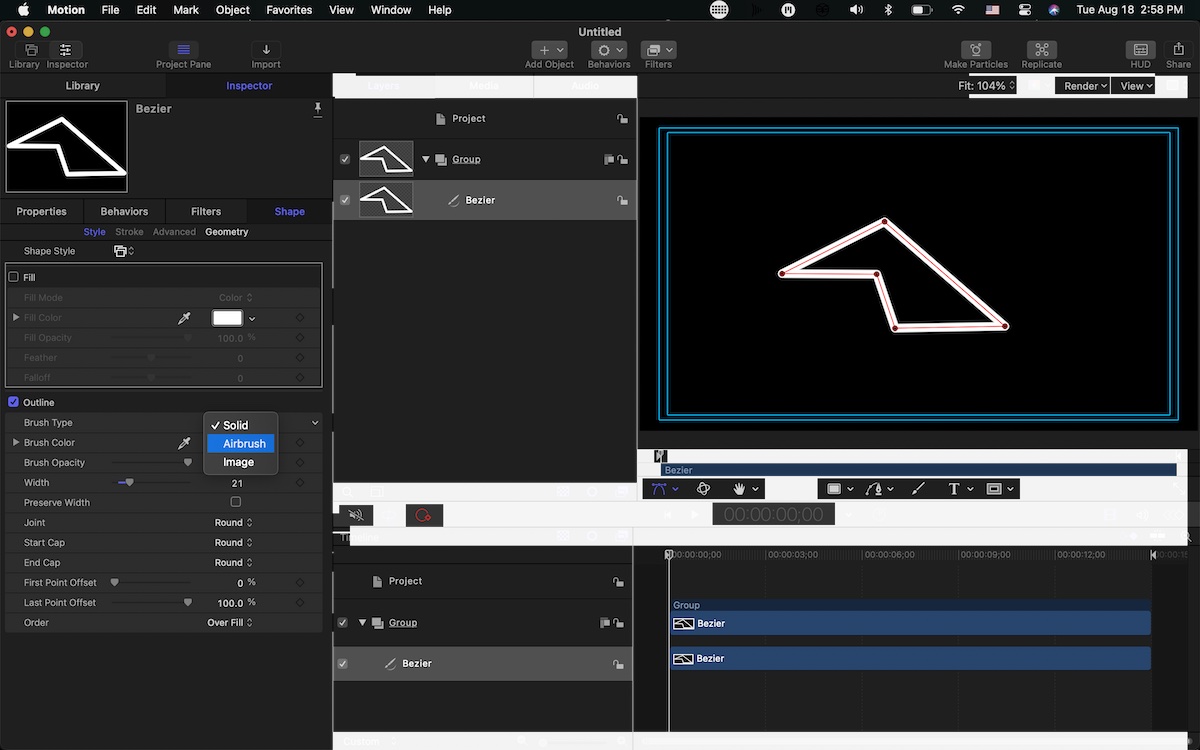
An airbrush (paint) line can vary in width.
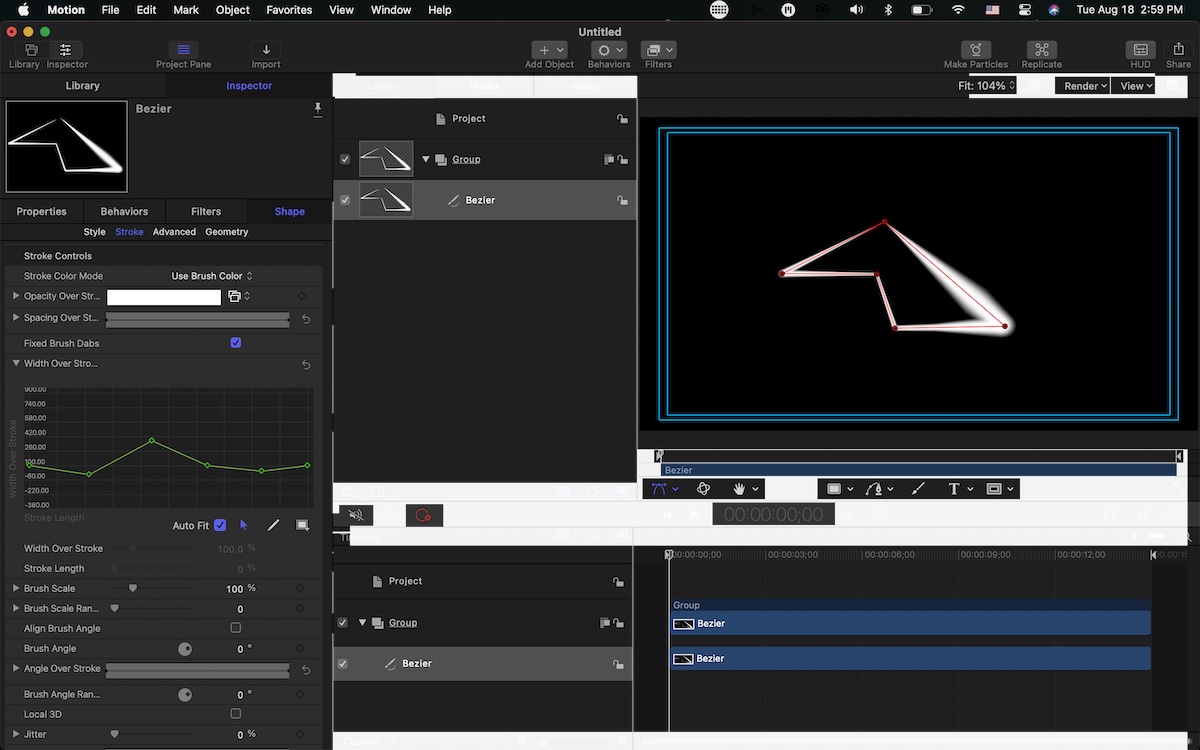
A bezier line is even, same thickness all around.
An airbrush (paint) line can vary in width.
Please Log in to join the conversation.

19 Aug 2020 01:54 #109373
by Francois
Replied by Francois on topic Help with Animating Cursive Text on with a Mask
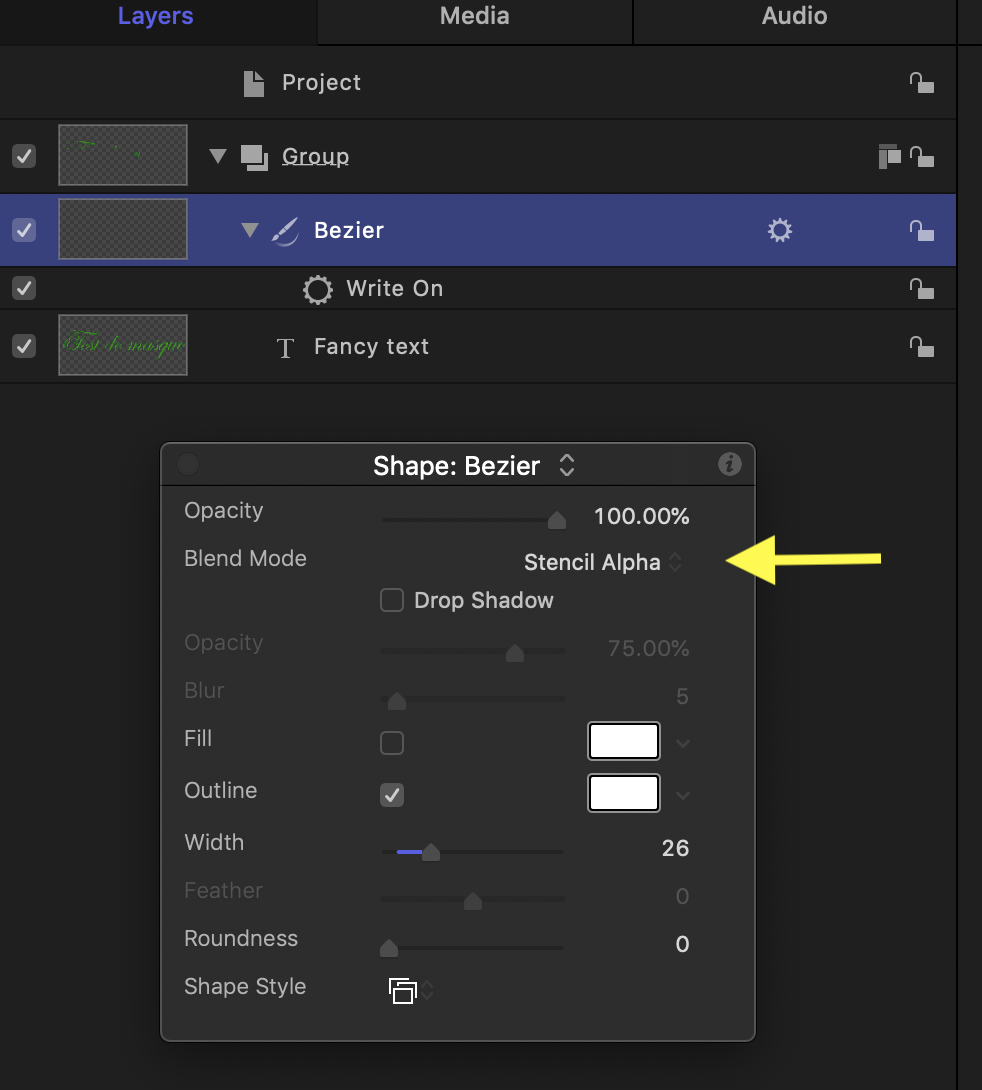
I hope this can help, I tried something quite simple. I have just drawn over using an ordinary bezier no fill, but stencil alpha + "write on" behaviour and it worked fine on a transparent text...
Please Log in to join the conversation.
- Andreas Kiel
-
- Offline
- Platinum Member
-

Less
More
- Posts: 1077
- Thank you received: 189
19 Aug 2020 19:32 #109384
by Andreas Kiel
Replied by Andreas Kiel on topic Help with Animating Cursive Text on with a Mask
Ben showed the way to go,
Don't draw masks for the letters but the letters itself. Use the letters as template.
A piece of paper and a pen could be a good friend to make notes at what percentage of path which width is needed. But I'm not a Motion expert, there might be an easier way.

Don't draw masks for the letters but the letters itself. Use the letters as template.
A piece of paper and a pen could be a good friend to make notes at what percentage of path which width is needed. But I'm not a Motion expert, there might be an easier way.
Please Log in to join the conversation.
