


- Posts: 12
- Thank you received: 0
3 Post Moderation Rule for New Boarders (25 Jan 2021)
New boarders will have their posts moderated - Don't worry if you cannot see your post immediately.
Saving transition and effects in project?
- sasamedovarski
-
 Topic Author
- Offline
- New Member
-

Less
More
22 Jun 2020 14:20 - 22 Jun 2020 14:24 #108088
by sasamedovarski
Saving transition and effects in project? was created by sasamedovarski
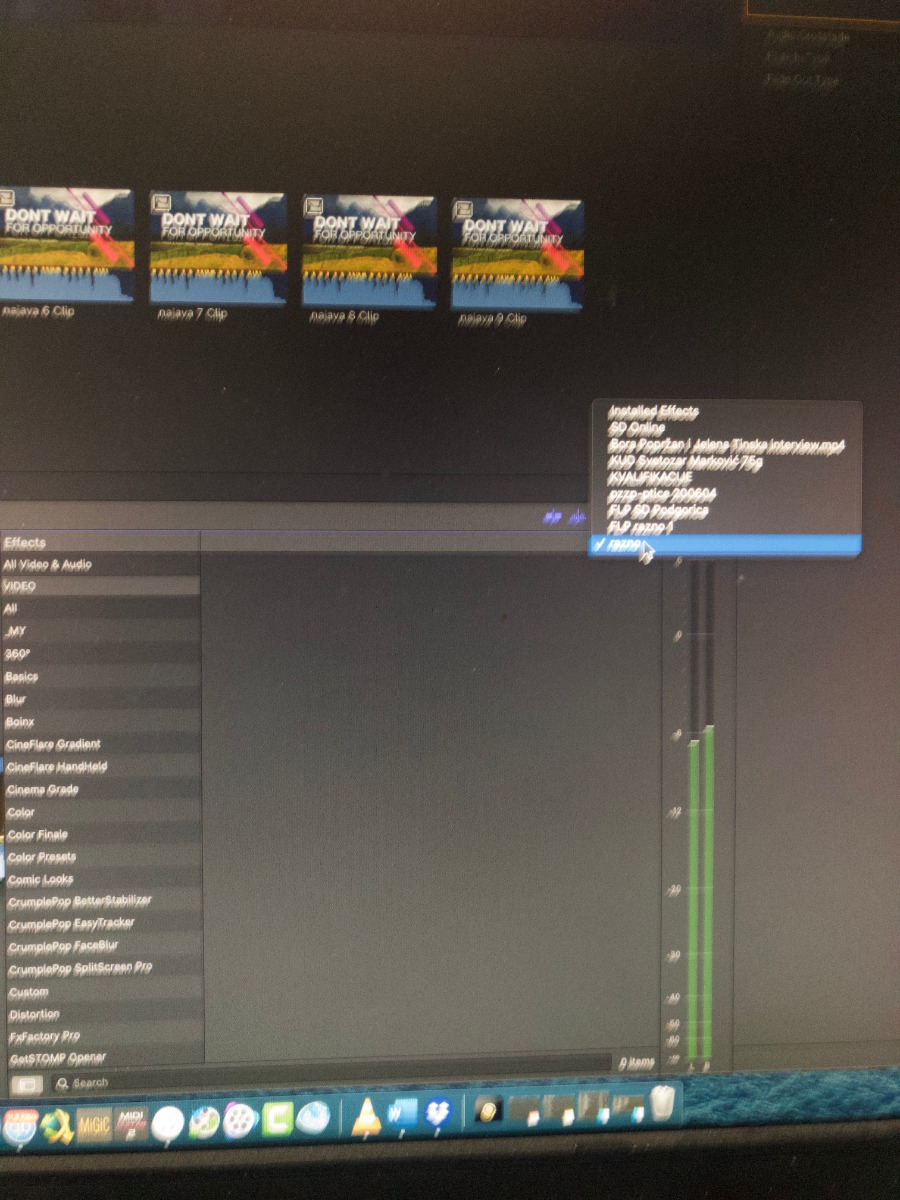
I noticed in effects and transitions window, popup menu with options: "installed" and names of my libraries. When I select "installed", a I see full list of effects/transitions, but if I sellect some library, list is empty. I expected that I can save some effects under name of library, but I don‘t knowhow to do it. Is it possible to save used effects and transitions under name of library?
Last edit: 22 Jun 2020 14:24 by sasamedovarski.
Please Log in to join the conversation.
- Tom Wolsky
-

- Offline
- Moderator
-

22 Jun 2020 14:29 #108089
by Tom Wolsky
Replied by Tom Wolsky on topic Saving transition and effects in project?
If you have custom transitions and effects you have the option to store them in the Motion Templates folder or in the library. You select this in library properties. This allows you to transfer or copy the library from location to location or send to someone with the custom content included.

Please Log in to join the conversation.
- sasamedovarski
-
Topic Author
- Offline
- New Member
-
Less
More
- Posts: 12
- Thank you received: 0
22 Jun 2020 16:18 #108093
by sasamedovarski
Replied by sasamedovarski on topic Saving transition and effects in project?
Only If I make transition or effect in motion, I can save this in library?
Please Log in to join the conversation.
- sasamedovarski
-
Topic Author
- Offline
- New Member
-
Less
More
- Posts: 12
- Thank you received: 0
22 Jun 2020 16:29 #108094
by sasamedovarski
Replied by sasamedovarski on topic Saving transition and effects in project?
I just tried to make custom transition, but in motion "save as" dialog, I don‘t see that options.
Please Log in to join the conversation.
- Tom Wolsky
-
- Offline
- Moderator
-
22 Jun 2020 16:48 #108096
by Tom Wolsky
Replied by Tom Wolsky on topic Saving transition and effects in project?
Third party effects and transitions that install in Motion Templates can also be added.
Please Log in to join the conversation.
- Tom Wolsky
-
- Offline
- Moderator
-
22 Jun 2020 16:51 #108097
by Tom Wolsky
Replied by Tom Wolsky on topic Saving transition and effects in project?
You save the transition into the Motion Template folder and it will appear in FCPX with the other transitions. If you select in the library properties to save the transitions in the library and then use the consolidate function, the transition will be saved in the library and will appear in that popup area.
Please Log in to join the conversation.
- sasamedovarski
-
Topic Author
- Offline
- New Member
-
Less
More
- Posts: 12
- Thank you received: 0
22 Jun 2020 18:27 #108100
by sasamedovarski
Replied by sasamedovarski on topic Saving transition and effects in project?
Thank you very much! Finaly, I found the way. 
Please Log in to join the conversation.
