


- Posts: 7
- Thank you received: 0
3 Post Moderation Rule for New Boarders (25 Jan 2021)
New boarders will have their posts moderated - Don't worry if you cannot see your post immediately.
After updating Final Cut to 10.4.8, preview screen doesn't work its just blank.
01 Jun 2020 21:13 #107611
by ASAGOM
After updating Final Cut to 10.4.8, preview screen doesn't work its just blank. was created by ASAGOM
Hi friends
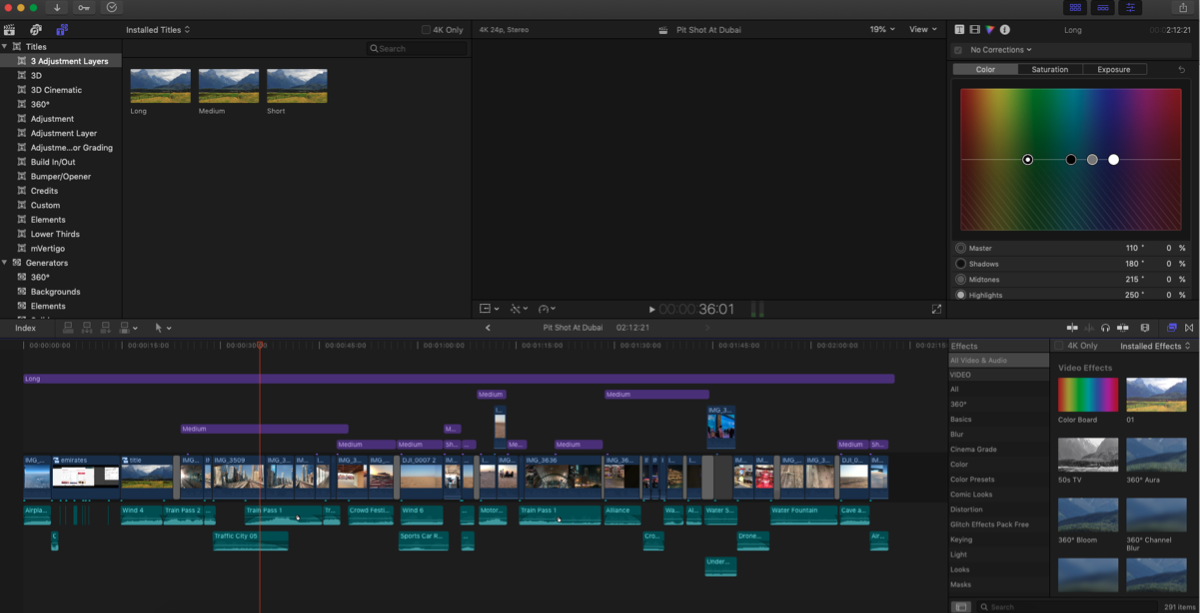
After updating Final Cut to 10.4.8, preview screen doesn't work its just blank. Cant see what
am editing. Tried reinstalling, preferences reset, new project, new library none worked.
After updating Final Cut to 10.4.8, preview screen doesn't work its just blank. Cant see what
am editing. Tried reinstalling, preferences reset, new project, new library none worked.
Please Log in to join the conversation.


02 Jun 2020 05:24 #107612
by JoeEditor
Replied by JoeEditor on topic After updating Final Cut to 10.4.8, preview screen doesn't work its just blank.
Did you delete render files?
I'd boot your Mac into recovery mode, run disk first aid on all drives, reboot.
I'd boot your Mac into recovery mode, run disk first aid on all drives, reboot.
Please Log in to join the conversation.
- Karsten Schlüter
-

- Offline
- Moderator
-

Less
More
- Posts: 3790
- Thank you received: 718
02 Jun 2020 07:12 #107613
by Karsten Schlüter
Replied by Karsten Schlüter on topic After updating Final Cut to 10.4.8, preview screen doesn't work its just blank.
What happens when you mute (keyboard shortcut: V) the AdjustmentLayer 'Long'?
Please Log in to join the conversation.
03 Jun 2020 18:26 #107649
by ASAGOM
Replied by ASAGOM on topic After updating Final Cut to 10.4.8, preview screen doesn't work its just blank.
Yes, but it didn't work.
Please Log in to join the conversation.
03 Jun 2020 18:34 #107650
by ASAGOM
Replied by ASAGOM on topic After updating Final Cut to 10.4.8, preview screen doesn't work its just blank.
All commands work but clips are not visible
Please Log in to join the conversation.
04 Jun 2020 10:51 #107657
by RODRIGUE
Replied by RODRIGUE on topic After updating Final Cut to 10.4.8, preview screen doesn't work its just blank.
ASAGOM wrote: All commands work but clips are not visible[/quote
hello everyone, I'm delighted to join you and I have the same problem, I updated to 10.4.8 and just have sound when i upload video, the preview screen remains black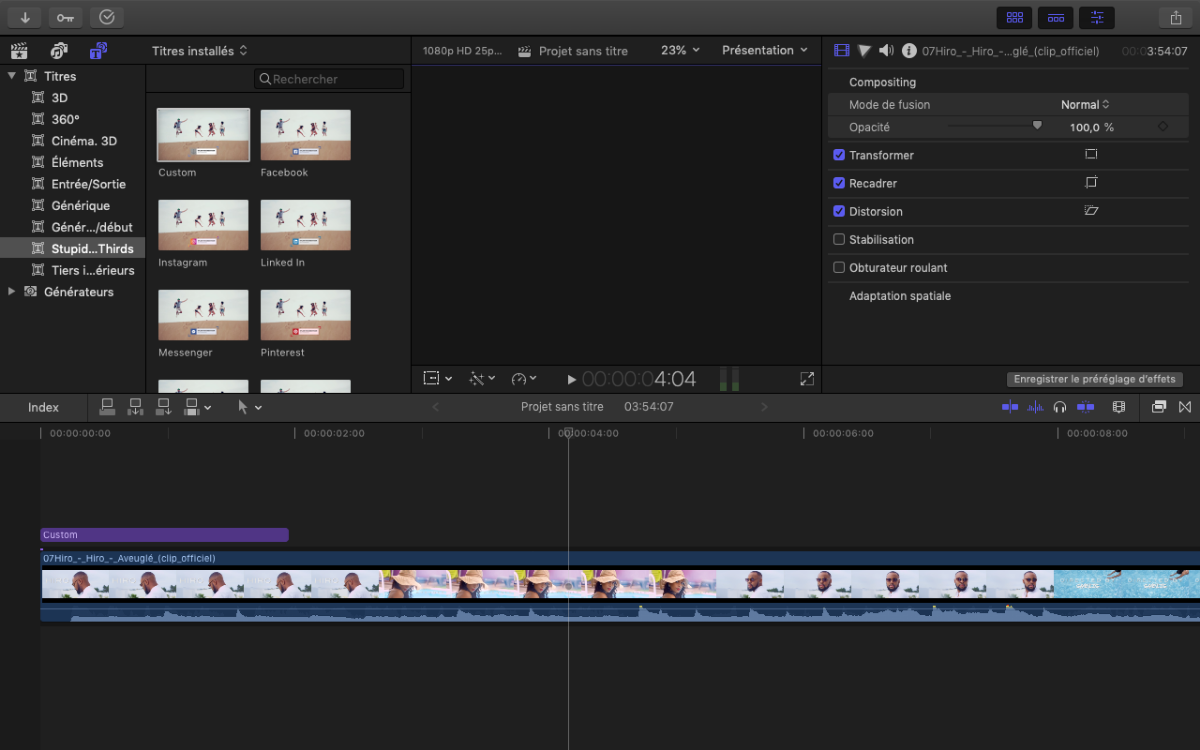
Please Log in to join the conversation.

04 Jun 2020 22:51 #107671
by dgwvideo
Creating history....one edit at a time !
Replied by dgwvideo on topic After updating Final Cut to 10.4.8, preview screen doesn't work its just blank.
Try creating a new admin user on your machine and log into that account. Then try FCPX and see if the issue is still there. If that solves the problem, post back. There are procedures for restoring your user account.
Creating history....one edit at a time !
Please Log in to join the conversation.
05 Jun 2020 17:29 #107696
by ASAGOM
Replied by ASAGOM on topic After updating Final Cut to 10.4.8, preview screen doesn't work its just blank.
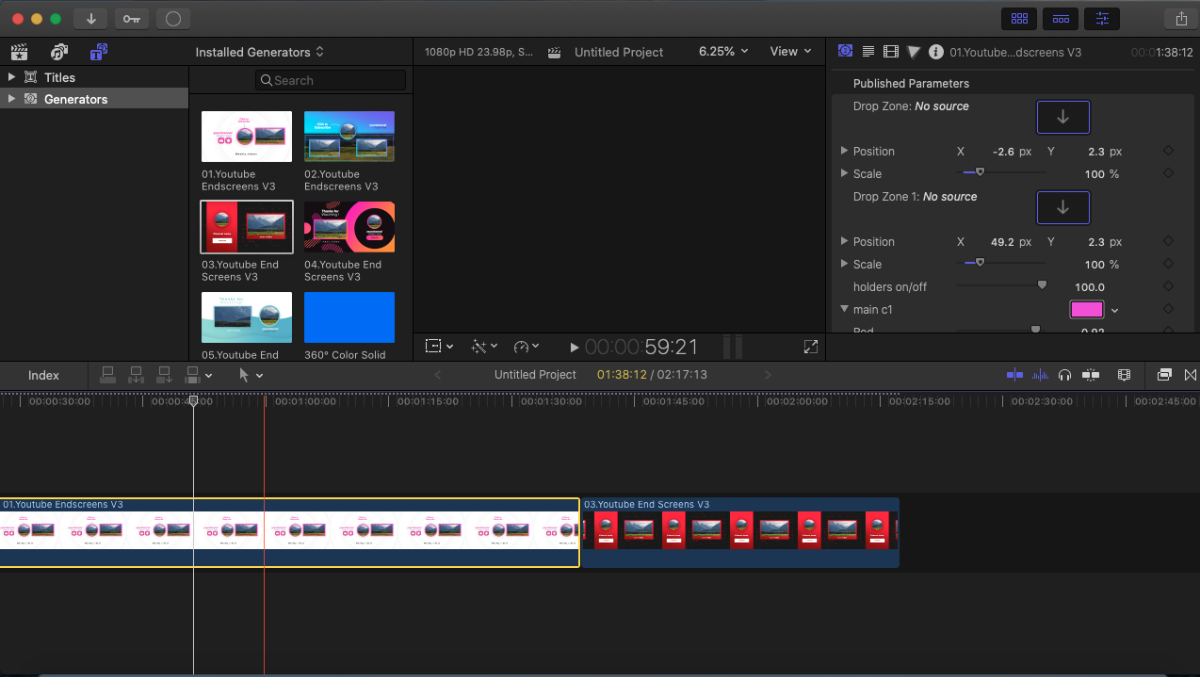
I created a new account and unfortunately it did not work
Please Log in to join the conversation.
05 Jun 2020 17:35 #107697
by ASAGOM
Replied by ASAGOM on topic After updating Final Cut to 10.4.8, preview screen doesn't work its just blank.
I created a new account and unfortunately it did not work:( 
Please Log in to join the conversation.

05 Jun 2020 21:37 #107700
by joema
Replied by joema on topic After updating Final Cut to 10.4.8, preview screen doesn't work its just blank.
There is a media management bug during a cross-library copy whereby if proxies or optimized media exist on the source clips and you don't select the proxy/optimized checkboxes during the copy to the new library, upon landing in the destination library the clips may be black. You cannot re-create proxies or optimized media because the transcode options are greyed out. To fix this, delete proxy/optimized media in the destination library (even though none exist).
Were these clips, the project or event EVER copied between libraries?
Were these clips, the project or event EVER copied between libraries?
Please Log in to join the conversation.
06 Jun 2020 13:03 #107714
by ASAGOM
Replied by ASAGOM on topic After updating Final Cut to 10.4.8, preview screen doesn't work its just blank.
But when I install version 10.4.4 it works really well!!!!
Please Log in to join the conversation.
06 Jun 2020 13:19 - 06 Jun 2020 13:21 #107715
by joema
Make a snapshot duplicate of the timeline, open that, strip all effects with Edit>Remove Effects, disable background rendering in FCPX preferences, delete all render files with File>Delete Generated Library Files>Delete Render Files>All. Then select all files in duplicate timeline with CMD+A and do a one-time render with CTRL+R.
If that works on 10.4.8 then the problem could be an effect. Just because something doesn't work on 10.4.8 doesn't mean that's an FCPX bug. It could easily be a problem with a plugin or effect. Verify all plugins and effects are upgraded to the latest version.
Any code error in any plugin or effect developed with the Fx Plug 3 framework can crash or destabilize FCPX because it all runs within the same process address space. This will hopefully be corrected in the future with Fx Plug 4 which runs plugins in a separate "sandboxed" address space. But for now we must maintain constant vigilance for plugin and effect issues. That means only use plugins from well-regarded companies with good support, and always keep plugins updated.
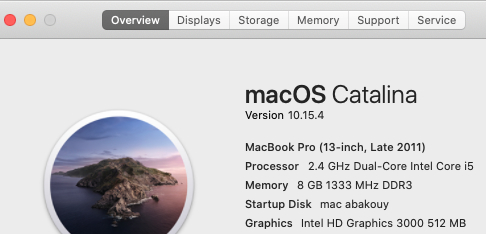
Separately, FCPX 10.4.8 is Metal-optimized and 10.4.4 is not. This could also be a GPU or graphics-related issue. What year and model of Mac do you have, what version of MacOS and what GPU is it using?
Replied by joema on topic After updating Final Cut to 10.4.8, preview screen doesn't work its just blank.
ASAGOM wrote: But when I install version 10.4.4 it works really well!!!!
Make a snapshot duplicate of the timeline, open that, strip all effects with Edit>Remove Effects, disable background rendering in FCPX preferences, delete all render files with File>Delete Generated Library Files>Delete Render Files>All. Then select all files in duplicate timeline with CMD+A and do a one-time render with CTRL+R.
If that works on 10.4.8 then the problem could be an effect. Just because something doesn't work on 10.4.8 doesn't mean that's an FCPX bug. It could easily be a problem with a plugin or effect. Verify all plugins and effects are upgraded to the latest version.
Any code error in any plugin or effect developed with the Fx Plug 3 framework can crash or destabilize FCPX because it all runs within the same process address space. This will hopefully be corrected in the future with Fx Plug 4 which runs plugins in a separate "sandboxed" address space. But for now we must maintain constant vigilance for plugin and effect issues. That means only use plugins from well-regarded companies with good support, and always keep plugins updated.
Separately, FCPX 10.4.8 is Metal-optimized and 10.4.4 is not. This could also be a GPU or graphics-related issue. What year and model of Mac do you have, what version of MacOS and what GPU is it using?
Last edit: 06 Jun 2020 13:21 by joema.
Please Log in to join the conversation.
06 Jun 2020 13:58 #107716
by ASAGOM
Replied by ASAGOM on topic After updating Final Cut to 10.4.8, preview screen doesn't work its just blank.
Thanks, I will try all of this.
Please Log in to join the conversation.
