


- Posts: 2
- Thank you received: 0
3 Post Moderation Rule for New Boarders (25 Jan 2021)
New boarders will have their posts moderated - Don't worry if you cannot see your post immediately.
Strange flicking of color
16 May 2020 13:14 #107213
by pamir
Strange flicking of color was created by pamir
There were strange flicking of color in result video. (This also occurs when viewing in editing). I can't figure out when or what it's related to. I didn't catch it when it suddenly appeared. Look like this:
- it's with flicking. The flicking of the color are visible at the 2nd second, the 7th, and somewhere at the end on the 15th.
The same project is rendered again and everything is OK
If there is a difference in rendering, it is only in where the cursor was on the timeline.
What can affect the result so strangely?
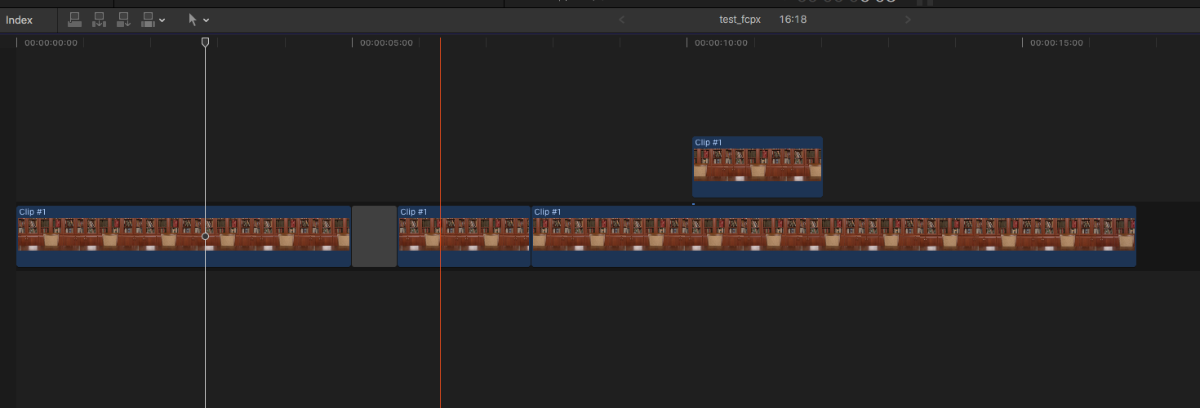
Attachment is timeline of project.
- it's with flicking. The flicking of the color are visible at the 2nd second, the 7th, and somewhere at the end on the 15th.
The same project is rendered again and everything is OK
If there is a difference in rendering, it is only in where the cursor was on the timeline.
What can affect the result so strangely?
Attachment is timeline of project.
Please Log in to join the conversation.


17 May 2020 11:59 - 17 May 2020 12:01 #107255
by joema
Replied by joema on topic Strange flicking of color
It looks like a color-space identification problem. A workaround is simply selecting all clips in the Event Browser and re-flagging them Rec 709. At the bottom of the Inspector pane, click "Settings". You must change from "Basic" to "Settings" to expose the option for color space override.
It does not require re-import or transcoding. However if proxies have been generated, those might require rebuilding, also all new render files may be needed. This is because the flicker gets encoded into those generated files, even if the original imported material has been re-flagged REC 709.
I believe this is fixed on recent versions of FCPX. If you are running an old version you might consider upgrading. If you are on the latest version yet have still encountered this, please let us know.
It does not require re-import or transcoding. However if proxies have been generated, those might require rebuilding, also all new render files may be needed. This is because the flicker gets encoded into those generated files, even if the original imported material has been re-flagged REC 709.
I believe this is fixed on recent versions of FCPX. If you are running an old version you might consider upgrading. If you are on the latest version yet have still encountered this, please let us know.
Last edit: 17 May 2020 12:01 by joema.
Please Log in to join the conversation.
17 May 2020 17:21 #107262
by pamir
Replied by pamir on topic Strange flicking of color
Thank you very much. I have done several rengering and all results is OK.
I use macOS High Sierra 10.13.6
Final Cut Pro X 10.4.6
I use macOS High Sierra 10.13.6
Final Cut Pro X 10.4.6
Please Log in to join the conversation.
