


- Posts: 145
- Thank you received: 1
3 Post Moderation Rule for New Boarders (25 Jan 2021)
New boarders will have their posts moderated - Don't worry if you cannot see your post immediately.
best way to adjust the speed change when you using transform tool
14 May 2020 11:58 #107160
by owenpga
I'm flying a drone over golf course holes. when i get the hole i hover the drone for a few seconds.
Since the lens is so wide, I'm creating a slight zoom effect with transform, however when i do this the speed of the zoom doesn't match the original speed of the drone. I've been playing around with ramping speed but didn't' know if there was a quicker fix to this?
thanks
Since the lens is so wide, I'm creating a slight zoom effect with transform, however when i do this the speed of the zoom doesn't match the original speed of the drone. I've been playing around with ramping speed but didn't' know if there was a quicker fix to this?
thanks
Please Log in to join the conversation.


14 May 2020 14:35 #107165
by JoeEditor
Replied by JoeEditor on topic best way to adjust the speed change when you using transform tool
Not sure what you mean by the zoom doesn't match the speed of the drone. Zooming in (keyframing scale) and Retiming (clip speed) are very different things. You can adjust when keyframes happen easily by right-clicking the clip in the Timeline, chose "Show Video Animation". Then you can pull your Scale keyframes left/rigth to adjust when they occur in time. Retiming a clip has nothing to do with this.
Please Log in to join the conversation.
15 May 2020 13:07 - 15 May 2020 13:08 #107184
by owenpga
Replied by owenpga on topic best way to adjust the speed change when you using transform tool
Here is the part of the video that changes speed after using the transform tool to create a zoom effect. it happens roughly 3 seconds into clip. Looking for the easiest way to keep the flying speed of the drone consistent so it doesn't look like it been edited in post.
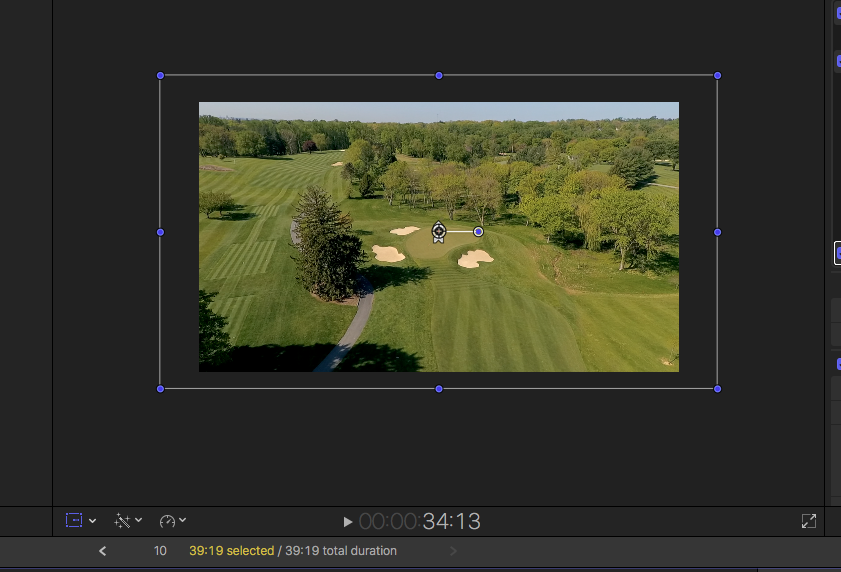
Last edit: 15 May 2020 13:08 by owenpga.
Please Log in to join the conversation.
15 May 2020 14:51 #107191
by JoeEditor
Replied by JoeEditor on topic best way to adjust the speed change when you using transform tool
You need to make the zoom last longer by moving the ending keyframes to the right more in the Timeline.
It's very easy to do with the Video Animation view in the Timeline; right-click the clip, View Video Animation, drag Scale keyframes for the end of the zoom to the right. The bad news is, FCPX won't let you set the Interpolation of Scale keyframes, so you can smooth it out to remove the jerkiness of the speed change. We've been begging for better keyframe tools for many years now.

It's very easy to do with the Video Animation view in the Timeline; right-click the clip, View Video Animation, drag Scale keyframes for the end of the zoom to the right. The bad news is, FCPX won't let you set the Interpolation of Scale keyframes, so you can smooth it out to remove the jerkiness of the speed change. We've been begging for better keyframe tools for many years now.
Please Log in to join the conversation.
15 May 2020 15:01 #107192
by owenpga
Replied by owenpga on topic best way to adjust the speed change when you using transform tool
thank you for the reply.
Unfortunately I can't make the zoom longer as the drone needs to hover for a few second on the green in a fixed position for a few seconds before fading out. My temp solution is the take the period between the two keyframes and reduce speed by 50%. That seems to make timeline all one speed through the zoom.
Unfortunately I can't make the zoom longer as the drone needs to hover for a few second on the green in a fixed position for a few seconds before fading out. My temp solution is the take the period between the two keyframes and reduce speed by 50%. That seems to make timeline all one speed through the zoom.
Please Log in to join the conversation.
