


- Posts: 2
- Thank you received: 0
3 Post Moderation Rule for New Boarders (25 Jan 2021)
New boarders will have their posts moderated - Don't worry if you cannot see your post immediately.
Changing the size of captions for burning in
02 May 2020 06:37 #106785
by Mibobjerg
Changing the size of captions for burning in was created by Mibobjerg
I am making videos for facebook using captions that are burned in.
This is primarily for people to read, when they watch the video without sound.
However, the captions come out very small - at least for watching on a smartphone.
I cannot find where to change the size of the captions.
Is this function missing? Is there any known workaround?
This is primarily for people to read, when they watch the video without sound.
However, the captions come out very small - at least for watching on a smartphone.
I cannot find where to change the size of the captions.
Is this function missing? Is there any known workaround?
Please Log in to join the conversation.

03 May 2020 15:00 - 03 May 2020 15:05 #106818
by JoeEditor
Replied by JoeEditor on topic Changing the size of captions for burning in
Closed Captioning? Select the caption section in the Timeline, the Inspector brings up the controls.
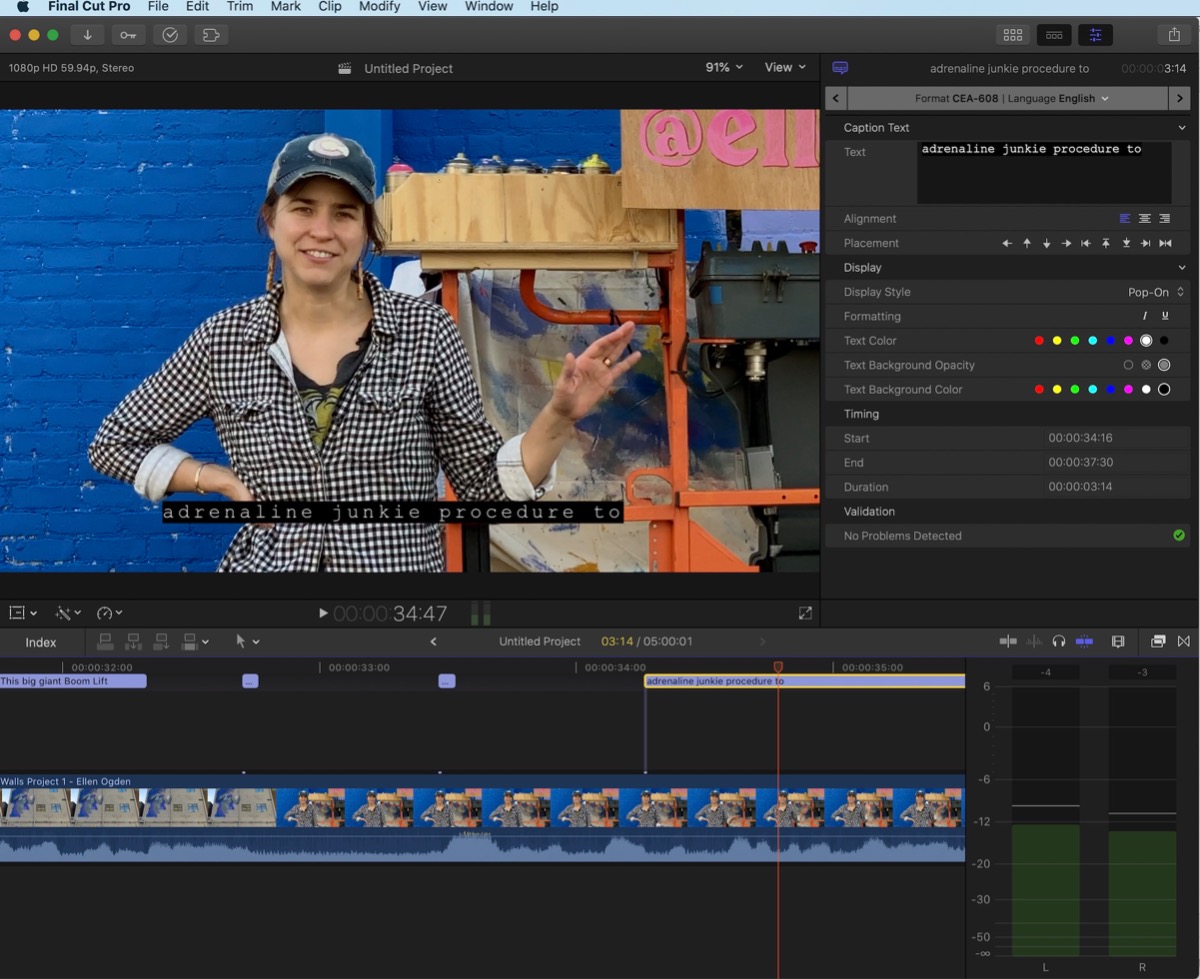
If you're burning them in, that's sub-titles, and you'd select the title template you're using, again go to the Inspector to adjust.
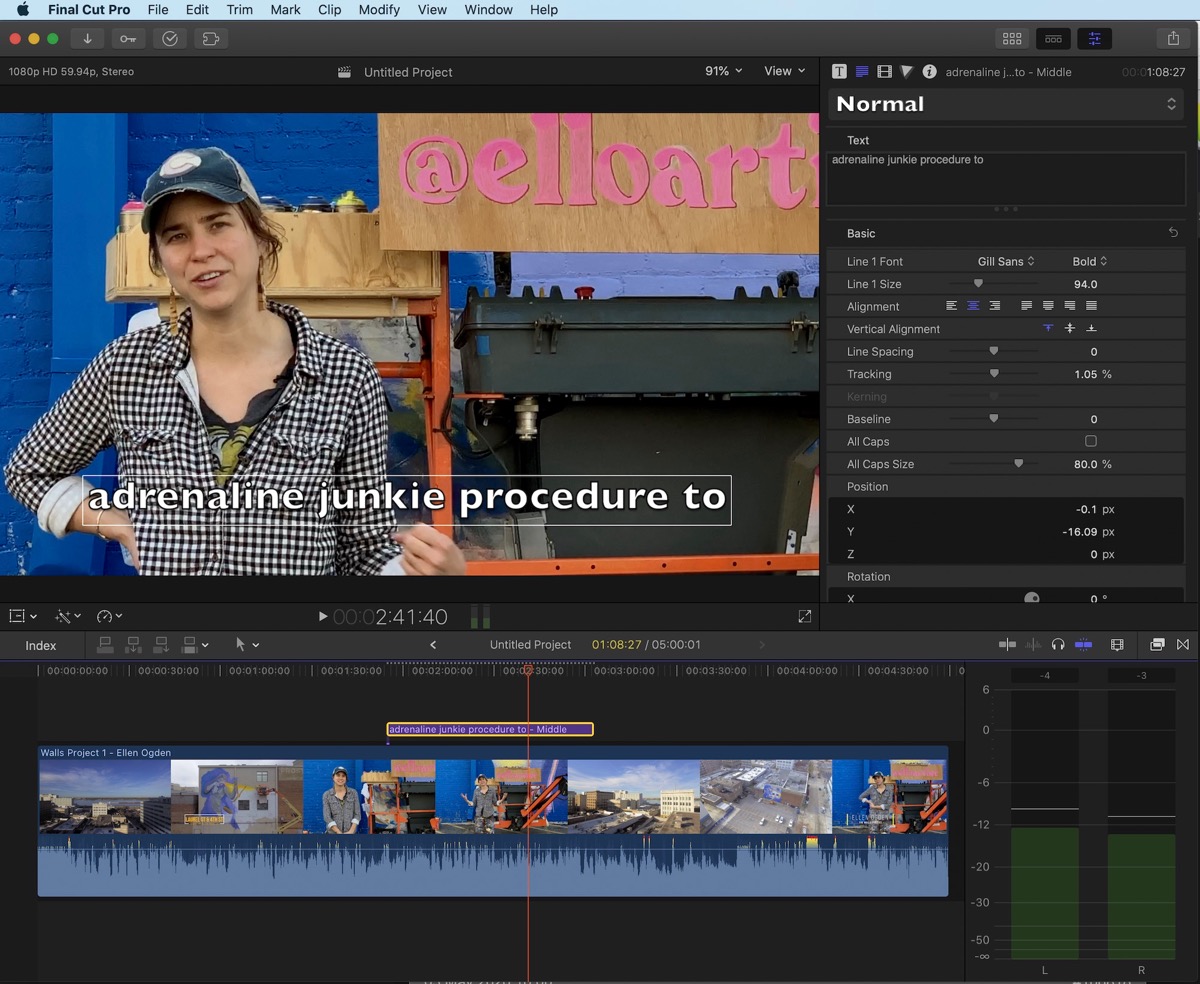
If you're burning them in, that's sub-titles, and you'd select the title template you're using, again go to the Inspector to adjust.
Last edit: 03 May 2020 15:05 by JoeEditor.
Please Log in to join the conversation.
- Carsten Orlt
-

- Offline
- Platinum Member
-

Less
More
- Posts: 422
- Thank you received: 82
03 May 2020 23:59 - 04 May 2020 00:05 #106825
by Carsten Orlt
Replied by Carsten Orlt on topic Changing the size of captions for burning in
Captions are regulated by rules set by broadcast authorities, that's why they have a certain size and have very limited formatting options. So in FCPx, you can't just say make them bigger (or smaller).
To have full control you have to convert your captions into titles (as FCPX.guru hinted)
If you already entered all your captions, the quickest way to convert them to titles is to export the captions as an srt file and use a utility called X-title import from spherico. It's donationware so you can try before you decide to pay, www.spherico.com/filmtools/TitleExchange/XTI/index.html
You have options within X-title import to choose different styles, but once the created XML file, containing the titles, is back in Final Cut you have all the options a normal title has for styling.
I use this method to burn in subtitles (Captions) and make them the size I want.
But I only actually burn them for Instagram or Twitter because those platforms do not allow caption to be delivered as a separate file.
In FB I add captions via an SRT file exported from FCP. This way FB turns on captions when the viewer has the audio off, but turns the captions off once the viewer turns on the audio.
To have full control you have to convert your captions into titles (as FCPX.guru hinted)
If you already entered all your captions, the quickest way to convert them to titles is to export the captions as an srt file and use a utility called X-title import from spherico. It's donationware so you can try before you decide to pay, www.spherico.com/filmtools/TitleExchange/XTI/index.html
You have options within X-title import to choose different styles, but once the created XML file, containing the titles, is back in Final Cut you have all the options a normal title has for styling.
I use this method to burn in subtitles (Captions) and make them the size I want.
But I only actually burn them for Instagram or Twitter because those platforms do not allow caption to be delivered as a separate file.
In FB I add captions via an SRT file exported from FCP. This way FB turns on captions when the viewer has the audio off, but turns the captions off once the viewer turns on the audio.
Last edit: 04 May 2020 00:05 by Carsten Orlt. Reason: added info
Please Log in to join the conversation.
04 May 2020 06:11 #106827
by Mibobjerg
Replied by Mibobjerg on topic Changing the size of captions for burning in
Thank you.
I will try the TitleExchange.
Regarding facebook I have the challenge, that when uploading to a page I get the option to include a SRT-file, but when I upload to a group I don't. Thats why I need this option for facebook as well.
I will try the TitleExchange.
Regarding facebook I have the challenge, that when uploading to a page I get the option to include a SRT-file, but when I upload to a group I don't. Thats why I need this option for facebook as well.
Please Log in to join the conversation.
- Andreas Kiel
-

- Offline
- Platinum Member
-
Less
More
- Posts: 1077
- Thank you received: 189
04 May 2020 08:56 #106833
by Andreas Kiel
Replied by Andreas Kiel on topic Changing the size of captions for burning in
While cofe mentions XTI (X-Title Importer):
There is even an easier way using X-Title Extractor (XTE).
It uses the fcpxml and converts all found captions into Motion Titles
www.spherico.com/filmtools/TitleExchange/XTE/index.html
There is even an easier way using X-Title Extractor (XTE).
It uses the fcpxml and converts all found captions into Motion Titles
www.spherico.com/filmtools/TitleExchange/XTE/index.html
Please Log in to join the conversation.
