


- Posts: 4
- Thank you received: 0
3 Post Moderation Rule for New Boarders (25 Jan 2021)
New boarders will have their posts moderated - Don't worry if you cannot see your post immediately.
Prores Raw and Chroma keying
- chronopsis
-
 Topic Author
- Offline
- New Member
-

Less
More
11 Apr 2020 15:08 #106075
by chronopsis
Prores Raw and Chroma keying was created by chronopsis
Hello,
I've run into a strange problem with FCPx, Prores Raw 4k and chroma keying with green screen. I had thought that prores raw would be an improvement for keying, but it's turned out to be the opposite. When I bring in 4K prores raw footage, remove the raw-to-log conversion and the LUT, perform a basic color correction with color wheels, the green screen becomes intensely noisy and essentially un-keyable, and objects in front of the screen also become noisy. If I compare simultaneously shot AVC HD footage, it keys perfectly with little or no noise. I'm shooting an FS5II, recording to an Atomos to get the prores Raw footage while also recording AVC hd to the camera's card. The screen is lit very evenly and like I said works great with footage other than Prores Raw. Is there some color depth thing that happens when color-correcting raw?
I've run into a strange problem with FCPx, Prores Raw 4k and chroma keying with green screen. I had thought that prores raw would be an improvement for keying, but it's turned out to be the opposite. When I bring in 4K prores raw footage, remove the raw-to-log conversion and the LUT, perform a basic color correction with color wheels, the green screen becomes intensely noisy and essentially un-keyable, and objects in front of the screen also become noisy. If I compare simultaneously shot AVC HD footage, it keys perfectly with little or no noise. I'm shooting an FS5II, recording to an Atomos to get the prores Raw footage while also recording AVC hd to the camera's card. The screen is lit very evenly and like I said works great with footage other than Prores Raw. Is there some color depth thing that happens when color-correcting raw?
Please Log in to join the conversation.


12 Apr 2020 07:11 #106097
by JoeEditor
Replied by JoeEditor on topic Prores Raw and Chroma keying
Is the noise still there if you remove the keyer? Or do you mean noisy before adding the keyer? Noise after color grading usually means you've pushed the color tools too far for what you're working with. Screenshots of before and after?
Please Log in to join the conversation.
- chronopsis
-
Topic Author
- Offline
- New Member
-
Less
More
- Posts: 4
- Thank you received: 0
12 Apr 2020 19:29 #106108
by chronopsis
Replied by chronopsis on topic Prores Raw and Chroma keying
Thanks for the message. The noise becomes obvious after adding the Key.
Regarding the Color Correction, When shooting I completely max the exposure for the Prores Raw, shooting so the whites just make it. Which means leaves a minimum of crunching down overall color in FCP, minimizing noise creation. It seems to me that Prores Raw is inherently noisy and essentially unusable for keying.
I've attached several screen shots, showing:
1) Waveform / Image after color correcting
2) Image after dropping Keyer onto that - terrible key and noise
3) Mask mode of that key, even more revealing
4) Image after adding a hue/saturation adjustment to maximize green isolation and saturation
5) Image after keying that - better key, but still unusably noisy
6) Mask mode, again, more revealing
Regarding the Color Correction, When shooting I completely max the exposure for the Prores Raw, shooting so the whites just make it. Which means leaves a minimum of crunching down overall color in FCP, minimizing noise creation. It seems to me that Prores Raw is inherently noisy and essentially unusable for keying.
I've attached several screen shots, showing:
1) Waveform / Image after color correcting
2) Image after dropping Keyer onto that - terrible key and noise
3) Mask mode of that key, even more revealing
4) Image after adding a hue/saturation adjustment to maximize green isolation and saturation
5) Image after keying that - better key, but still unusably noisy
6) Mask mode, again, more revealing
Please Log in to join the conversation.
13 Apr 2020 04:27 #106118
by JoeEditor
Replied by JoeEditor on topic Prores Raw and Chroma keying
Don't see any images. Be sure you're following the image guidelines.
Maximum File Size: 78.1 MB Maximum Image File Size : 0.5 MB.
Allowed file extensions: jpg, jpeg, png, txt, rtf, pdf, zip, tar.gz, tgz, tar.bz2
Maximum File Size: 78.1 MB Maximum Image File Size : 0.5 MB.
Allowed file extensions: jpg, jpeg, png, txt, rtf, pdf, zip, tar.gz, tgz, tar.bz2
Please Log in to join the conversation.

13 Apr 2020 11:00 #106129
by joema
I think ProRes RAW on the FS5 is 12 bit 4:4:4 vs 10 bit 4:2:2 on XAVC-L vs 8 bit 4:2:0 on XAVC-S. I have done excellent quality green screens on XAVC-S so it's not severely handicapped by that.
ProRes RAW should have 16 times the luma resolution and even greater color resolution than 8 bit 4:2:0, so in theory it should be better. OTOH the nature of RAW is there is no noise reduction. Non-RAW image pipelines on many cameras may use some noise reduction, and there's often no menu setting or documentation about this. That is one of the definitions or RAW - except for compression, it is direct Bayer-pattern sensor data.
You could try running Neat Video de-noise on a short sample of the footage before doing the chroma key, and see if that improves things. High quality denoise software like Neat Video is compute-intensive and takes a while to run, but that is one of the tradeoffs of using RAW.
Replied by joema on topic Prores Raw and Chroma keying
chronopsis wrote: ...It seems to me that Prores Raw is inherently noisy and essentially unusable for keying....
I think ProRes RAW on the FS5 is 12 bit 4:4:4 vs 10 bit 4:2:2 on XAVC-L vs 8 bit 4:2:0 on XAVC-S. I have done excellent quality green screens on XAVC-S so it's not severely handicapped by that.
ProRes RAW should have 16 times the luma resolution and even greater color resolution than 8 bit 4:2:0, so in theory it should be better. OTOH the nature of RAW is there is no noise reduction. Non-RAW image pipelines on many cameras may use some noise reduction, and there's often no menu setting or documentation about this. That is one of the definitions or RAW - except for compression, it is direct Bayer-pattern sensor data.
You could try running Neat Video de-noise on a short sample of the footage before doing the chroma key, and see if that improves things. High quality denoise software like Neat Video is compute-intensive and takes a while to run, but that is one of the tradeoffs of using RAW.
Please Log in to join the conversation.
- chronopsis
-
Topic Author
- Offline
- New Member
-
Less
More
- Posts: 4
- Thank you received: 0
13 Apr 2020 14:32 #106133
by chronopsis
Replied by chronopsis on topic Prores Raw and Chroma keying
I'll try again with the images, they're all ~100k jpegs.
1) Waveform / Image after color correcting
2) Image after dropping Keyer onto that - terrible key and noise
3) Mask mode of that key, more revealing
4) Image after adding a hue/saturation adjustment to maximize green isolation and saturation
5) Image after keying that - better key, but does not help the noise
6) Mask mode, again, more revealing

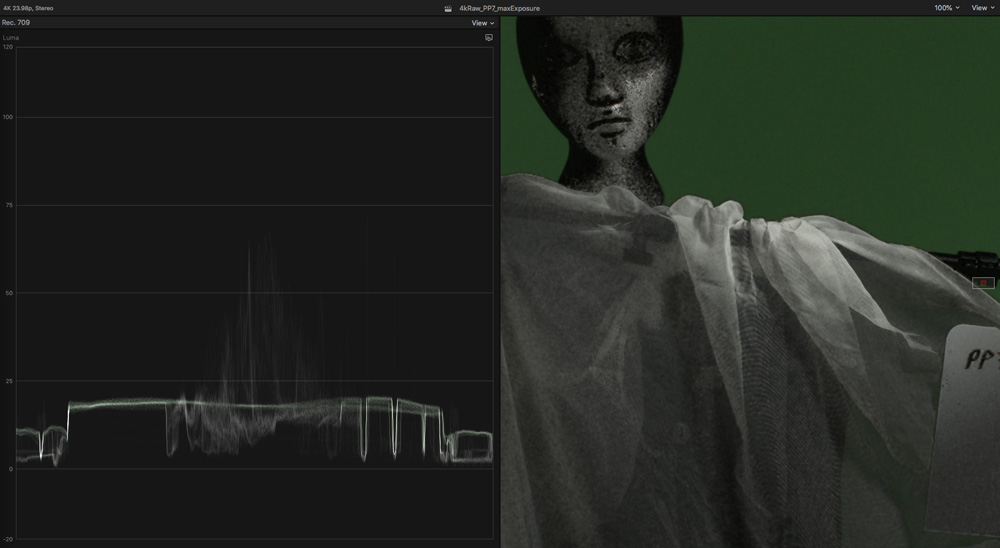

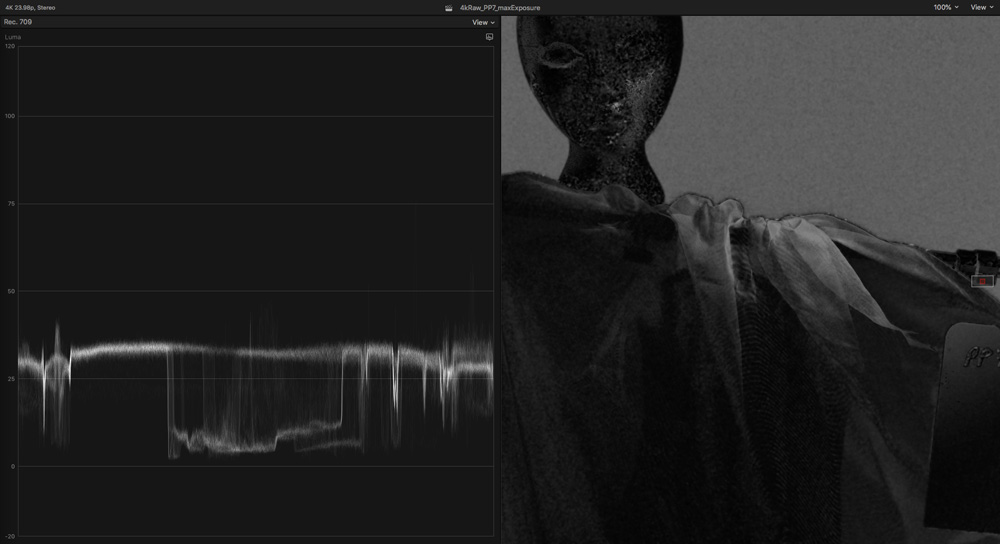
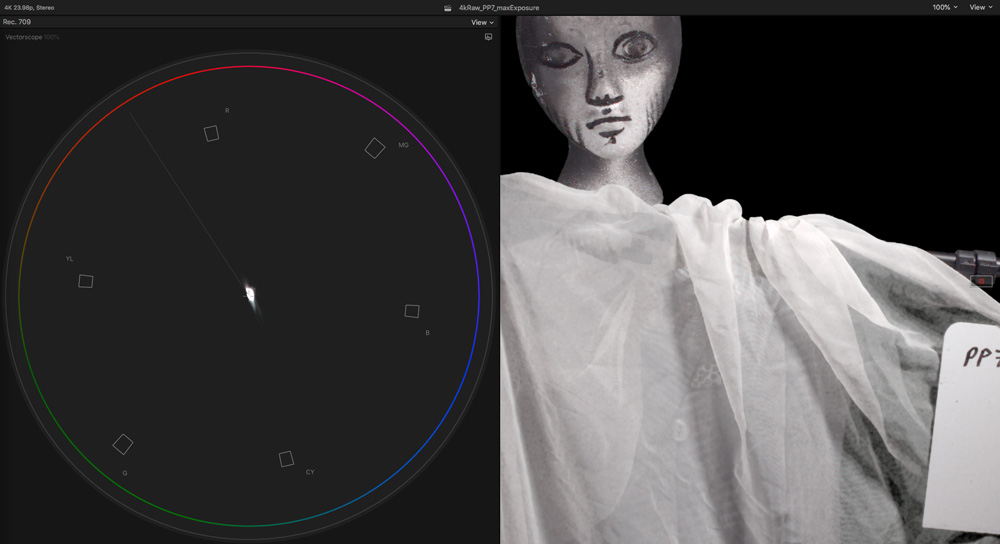
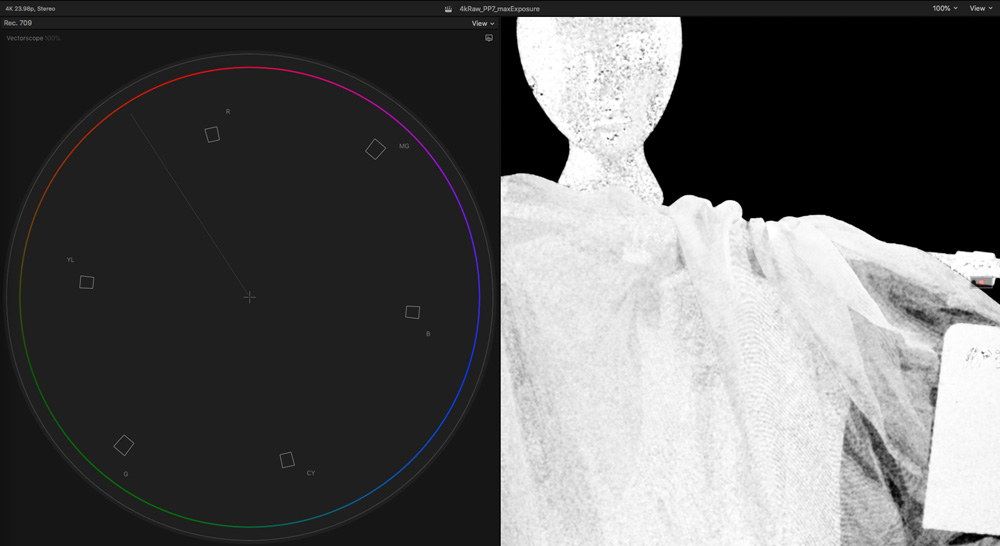
1) Waveform / Image after color correcting
2) Image after dropping Keyer onto that - terrible key and noise
3) Mask mode of that key, more revealing
4) Image after adding a hue/saturation adjustment to maximize green isolation and saturation
5) Image after keying that - better key, but does not help the noise
6) Mask mode, again, more revealing
Please Log in to join the conversation.
- chronopsis
-
Topic Author
- Offline
- New Member
-
Less
More
- Posts: 4
- Thank you received: 0
13 Apr 2020 14:33 #106134
by chronopsis
Replied by chronopsis on topic Prores Raw and Chroma keying
Thanks for the reply. I had read elsewhere about the raw and noise, was hoping this wasn't the case. I'll give neat video a try.
Please Log in to join the conversation.
14 Apr 2020 13:54 #106177
by JoeEditor
Replied by JoeEditor on topic Prores Raw and Chroma keying
l'd apply the Keyer effect FIRST. And use the Sample Color tool to isolate the green screen FIRST. You shouldn't have to color correct for keying that image. Stick to the tools inside the Keyer effect to make corrections to the key.
Please Log in to join the conversation.
