


- Posts: 1
- Thank you received: 0
3 Post Moderation Rule for New Boarders (25 Jan 2021)
New boarders will have their posts moderated - Don't worry if you cannot see your post immediately.
Multicam Failure / "Original Clip could not be found or reconsturctued"
- Scousemouse
-
 Topic Author
- Offline
- New Member
-

Less
More
28 Dec 2019 16:09 #103615
by Scousemouse
Hi all,
So I am editing a piece that includes a number of Multicam clips (2 cameras only) and everything was working fine.
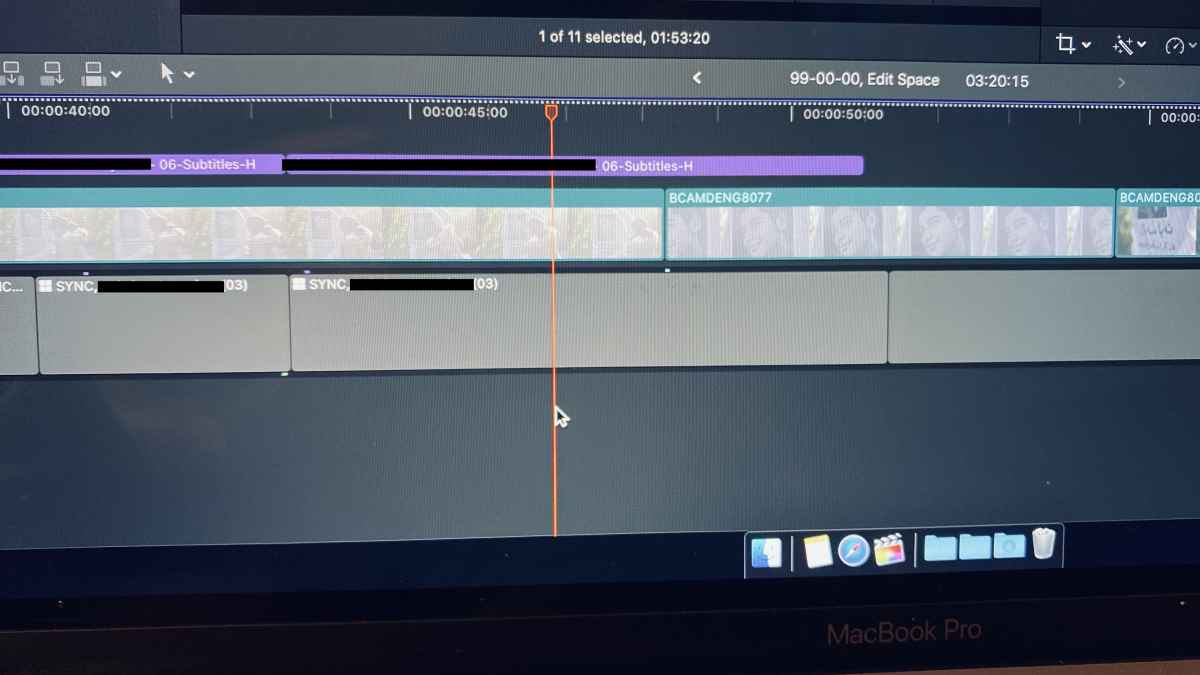
But when I just re opened FCPX (running the latest .8 software) the Multicam clips on the timeline were greyed out and not playing.
They kept their place in the timeline as a grey box with the correct names, they have the clips above and linked audio (effects etc.) but they have no video content and there own audio has gone.
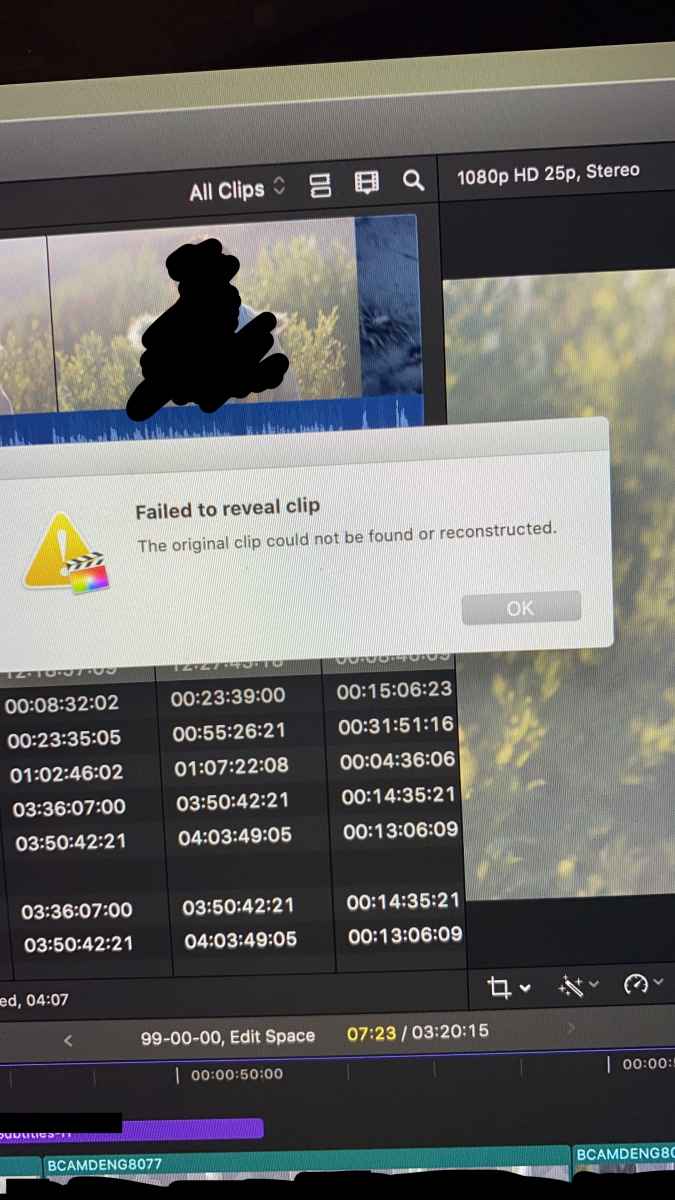
When I try to ' find in browser' it says "Failure to reveal clip. The original clip could not be found or reconstructed".
It has done this to every Multicam interview on the timeline (over 5 of them, all made up of different files).
But in the browser itself the Multicam clips are fine and work as normal - but as there appears to be no link between the two anymore (the 'dead' clips and the working originals) I can't just find and replace.
Have tried opening a backup (made before the problem) but bizarrely is showing the same issue.
Any advice greatly appreciated!
Cheers,
George.
(pics annotated for privacy)
So I am editing a piece that includes a number of Multicam clips (2 cameras only) and everything was working fine.
But when I just re opened FCPX (running the latest .8 software) the Multicam clips on the timeline were greyed out and not playing.
They kept their place in the timeline as a grey box with the correct names, they have the clips above and linked audio (effects etc.) but they have no video content and there own audio has gone.
When I try to ' find in browser' it says "Failure to reveal clip. The original clip could not be found or reconstructed".
It has done this to every Multicam interview on the timeline (over 5 of them, all made up of different files).
But in the browser itself the Multicam clips are fine and work as normal - but as there appears to be no link between the two anymore (the 'dead' clips and the working originals) I can't just find and replace.
Have tried opening a backup (made before the problem) but bizarrely is showing the same issue.
Any advice greatly appreciated!
Cheers,
George.
(pics annotated for privacy)
Please Log in to join the conversation.


30 Dec 2019 06:01 #103632
by JoeEditor
Replied by JoeEditor on topic Multicam Failure / "Original Clip could not be found or reconsturctued"
Double-click the Multicams in the Timeline to open them into the Angle Editor. What do you see?
Please Log in to join the conversation.
