


- Posts: 57
- Thank you received: 2
3 Post Moderation Rule for New Boarders (25 Jan 2021)
New boarders will have their posts moderated - Don't worry if you cannot see your post immediately.
Is this an interlace Problem?
- randychesbro
-
 Topic Author
- Offline
- Senior Member
-

Less
More
06 Jan 2012 09:27 - 06 Jan 2012 09:32 #2990
by randychesbro
Is this an interlace Problem? was created by randychesbro
Iv had this problem from the beginning with FCPX. I import my avchd files from a
Panasonic ag-hmc150 I shoot it in 1920x1080 60i When i set up the project i use "same as source" looks fine through all this being on the Computer monitor. when I'm done and want to export , i export media in the share menu as apple ProRes 422 .mov
when i play it back on an lcd tv i have hooked up to my Mac it looks like the scan lines are out of whack ,, Iv attached a photo of it. all i want to be able to do is get it into Adobe Encore for my DVD menus. I think if i export it right to a dvd from FCPx it doesn't have the problem but that dvd stuff is nothing to use for a finished DVD with menus and chapters.
let me know if you have any ideas, beside interlacing it, id like to keep the quality up. Thanks
Panasonic ag-hmc150 I shoot it in 1920x1080 60i When i set up the project i use "same as source" looks fine through all this being on the Computer monitor. when I'm done and want to export , i export media in the share menu as apple ProRes 422 .mov
when i play it back on an lcd tv i have hooked up to my Mac it looks like the scan lines are out of whack ,, Iv attached a photo of it. all i want to be able to do is get it into Adobe Encore for my DVD menus. I think if i export it right to a dvd from FCPx it doesn't have the problem but that dvd stuff is nothing to use for a finished DVD with menus and chapters.
let me know if you have any ideas, beside interlacing it, id like to keep the quality up. Thanks
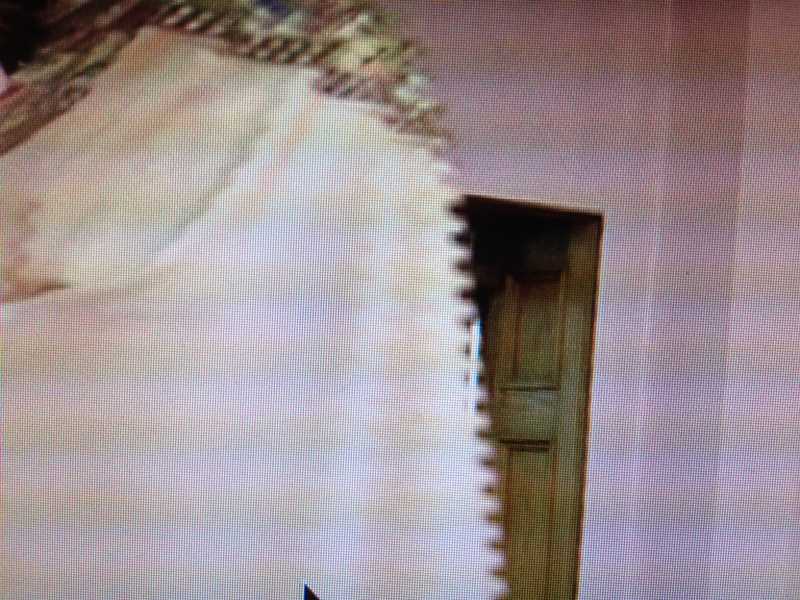
Last edit: 06 Jan 2012 09:32 by randychesbro. Reason: took out line
Please Log in to join the conversation.
- Mikeybouchereau
-
- Offline
- Elite Member
-

Less
More
- Posts: 201
- Thank you received: 81
07 Jan 2012 09:17 #3006
by Mikeybouchereau
Replied by Mikeybouchereau on topic Re: Is this an interlace Problem?
Yes this is an interlace issue with your footage. Try adding a de-interlace filter in compressor when you encode for DVD.
Please Log in to join the conversation.

07 Jan 2012 23:54 #3017
by BenB
Replied by BenB on topic Re: Is this an interlace Problem?
If you make a DVD, the interacting shouldn't be a problem if the original footage is interlaced. I may make a difference when playing it back from your Mac, depending on how your Mac is connected to your TV. How are you connecting the two specifically? It could be an incompatibility between the resolutions and scan rates of the TV and the Mac, but that depends on how you've got the two connected.
You could also try this.
In the Project library, highlight the Project, go to the Inspector, Properties tab, click the wrench icon at the bottom right. For the "Properties" setting there, switch from 1080i to 1080p. As long as there is a "p" in the Format of Video Properties there, you're rendering it as progressive instead of interlaced.
But I'd bet if the original video is interlace, keep it that way all the way to the DVD. The DVD will be handled properly by a set top player and look just fine on a TV. Direct computer playback can be wonky sometimes depending on "how" you're connected to it.
But, first thing we need to know is if your original footage is interlaced or not. That tells us how to export for DVD. Are you authoring SD or Blu Ray DVD?
You could also try this.
In the Project library, highlight the Project, go to the Inspector, Properties tab, click the wrench icon at the bottom right. For the "Properties" setting there, switch from 1080i to 1080p. As long as there is a "p" in the Format of Video Properties there, you're rendering it as progressive instead of interlaced.
But I'd bet if the original video is interlace, keep it that way all the way to the DVD. The DVD will be handled properly by a set top player and look just fine on a TV. Direct computer playback can be wonky sometimes depending on "how" you're connected to it.
But, first thing we need to know is if your original footage is interlaced or not. That tells us how to export for DVD. Are you authoring SD or Blu Ray DVD?
Please Log in to join the conversation.
- randychesbro
-
Topic Author
- Offline
- Senior Member
-
Less
More
- Posts: 57
- Thank you received: 2
08 Jan 2012 00:24 #3020
by randychesbro
Replied by randychesbro on topic Re: Is this an interlace Problem?
I am shooting 1080i. editing goes fine. if i export it out as a .mov file or .264 it will playback on the tv with the lagging scan lines. The LCD tv is connected to an extra video card converted to hdmi.
Please Log in to join the conversation.
- Tom Wolsky
-

- Offline
- Moderator
-

08 Jan 2012 00:42 #3021
by Tom Wolsky
Replied by Tom Wolsky on topic Re: Is this an interlace Problem?
In the viewer set the viewer options, upper right switch, to show both fields. How does it look? What size are you exporting to and exactly how are you exporting? Sounds like you need to deinterlace your footage. Where and how to do it depends on how you're exporting.
Please Log in to join the conversation.
- randychesbro
-
Topic Author
- Offline
- Senior Member
-
Less
More
- Posts: 57
- Thank you received: 2
10 Jan 2012 03:06 #3069
by randychesbro
Replied by randychesbro on topic Re: Is this an interlace Problem?
I did find out that my LCD 40" tv Monitor was set to 1080P that changed it. I just have to experiment to see if its just hiding the problem and have it still show up after i make a dvd and play on another tv. I didn't like the idea of deinterlacing, taking away the quality didn't sound good to me. Thanks to all that gave me ideas to try.
Please Log in to join the conversation.
