


- Posts: 2
- Thank you received: 0
3 Post Moderation Rule for New Boarders (25 Jan 2021)
New boarders will have their posts moderated - Don't worry if you cannot see your post immediately.
FCPX 10.4.3 Insert a frame during editing
- leochen185
-
 Topic Author
- Offline
- New Member
-

Less
More
17 Mar 2019 03:20 - 17 Mar 2019 07:24 #99341
by leochen185
FCPX 10.4.3 Insert a frame during editing was created by leochen185
During the video editing, my video was inserted many frames everywhere, here is an example, at 16:27:47 and 16:27:49, it should be a continues video, but suddenly a frame (16:27:48) inserted into it, which make my video has a "twinkle" at that time, I need to manually delete all of them one by one.
Any one know the reason for it?
Any one know the reason for it?
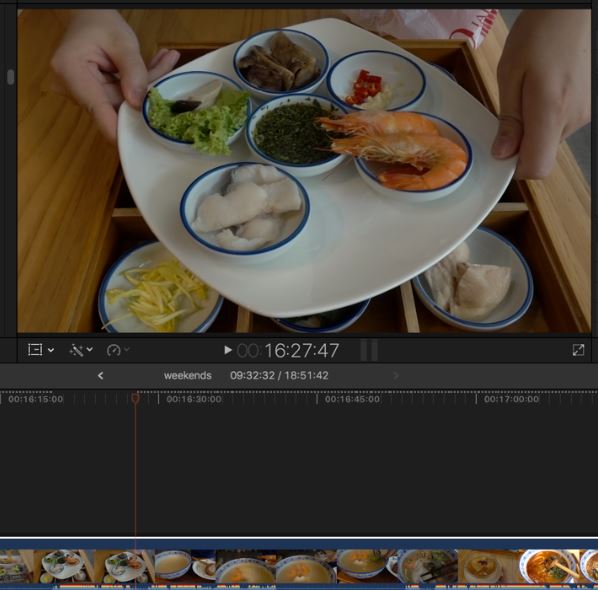
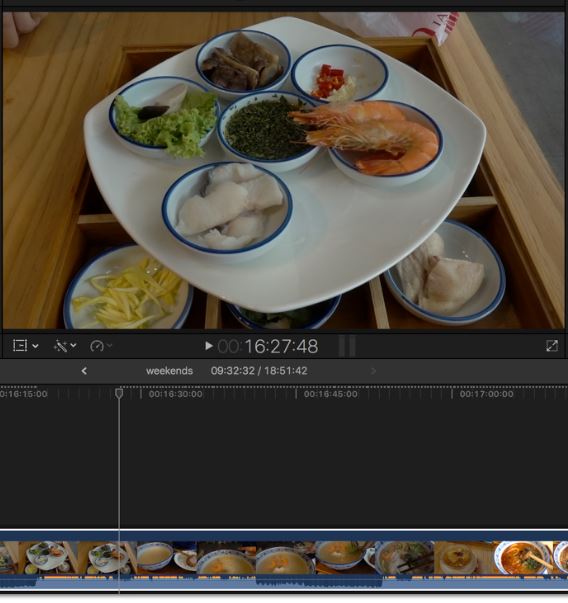
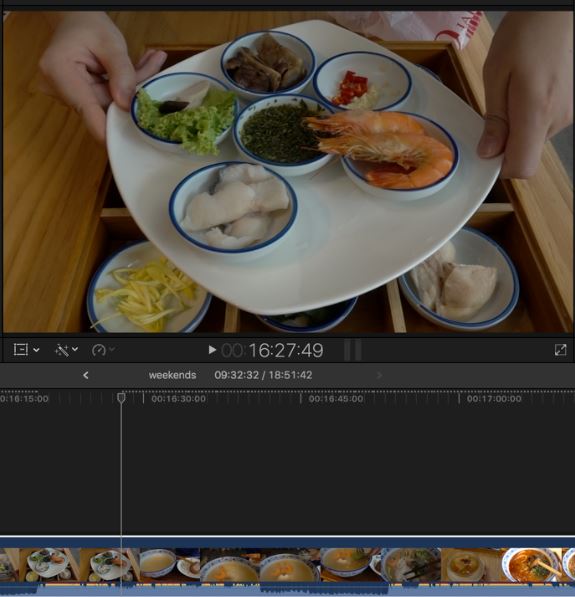
Last edit: 17 Mar 2019 07:24 by leochen185. Reason: add pic
Please Log in to join the conversation.


17 Mar 2019 04:32 #99342
by dgwvideo
Creating history....one edit at a time !
Replied by dgwvideo on topic FCPX 10.4.3 Insert a frame during editing
There is no video example attached to your post. At what point during your editing did this odd behavior occur, and specifically what editing commands were you using?
Creating history....one edit at a time !
Please Log in to join the conversation.
- leochen185
-
Topic Author
- Offline
- New Member
-
Less
More
- Posts: 2
- Thank you received: 0
17 Mar 2019 07:25 #99343
by leochen185
Replied by leochen185 on topic FCPX 10.4.3 Insert a frame during editing
Hi, thank you for the help. I just added new pic for your reference.
There is no odd behavior, just cut, add effects and combine.
There is no odd behavior, just cut, add effects and combine.
Please Log in to join the conversation.

17 Mar 2019 14:13 #99345
by JoeEditor
Replied by JoeEditor on topic FCPX 10.4.3 Insert a frame during editing
I see what you mean, that middle frame doesn't belong there. I'd suggest the first thing you do, place the playhead at that frame, zoom in (Cmd-+) a LOT, as much as you can, see if you accidentally have one stray frame stuck in there. Then you can simply delete it. You'll end up with a Through-Edit edit point, which you can then safely Delete.
Please Log in to join the conversation.
