


3 Post Moderation Rule for New Boarders (25 Jan 2021)
New boarders will have their posts moderated - Don't worry if you cannot see your post immediately.
10.4.5 cutting tail of audio from H.264 clips


Context
Every weekday we show a 5 minute local news segment, inserted into our 24/7 news network we broadcast on one of our four channels. I get the green screen clip from the reporter, drop it into my pre-made timeline that already has bumpers, fill out lower third text, retime to meet our 5:00 TRT, apply video and audio custom effects presets, export out to Master Control, DONE! A full 10 minute workflow total.
Issue
Since the 10.4.5 update, the last 2 seconds and 48 frames of audio go dead when playing the clip inside of FCPX. Video is fine, but the waveform and the audible content go dead at the end, consistently, every day.
Details
This only happens on my iMac Pro (maxed out) in my home studio. At the station, my 2015 rMBP (maxed out) doesn't have this issue. Same OSX and FCPX versions on both, same plugins, same custom effects presets, they are identical software wise.
The reporter shoots this segment on green screen with his iPad every morning, so it's H.264 from an iPad. When working from home, I now have the extra step of having to convert the clip to ProRes 422 so that the audio stays in tact.
What is really interesting, is if I perform "Reveal In Finder" from the FCPX Browser, in the Finder, inside the Original Media folder, inside the FCPX library bundle, the audio is fine when playing it with QuickView or in QT7 or QTX. The audio seems to only get cut off inside of FCPX itself.
Having trouble figuring out what the difference it that would cause this on the iMacPro, besides something inherent in its hardware, which I find unlikely. Or is this an FCPX bug? Have reported it to Apple already.
Please Log in to join the conversation.


If you have any, try disabling them, or any other audio related effects; See if the issue is still present.
Please Log in to join the conversation.

Also Apple has a tool for reporting software bugs. You can either do this in the app by selecting Final Cut Pro > Provide Final Cut Pro Feedback (hint: working internet service required) or by going straight to www.apple.com/feedback/finalcutpro.html in your favorite web browser, just as long as it isn't Netscape 4. Usually they have reported bugs fixed within a timeframe of 24 hours to 12 years.
Please Log in to join the conversation.
I stated I had already reported it to Apple.
Please Log in to join the conversation.
Please Log in to join the conversation.
Please Log in to join the conversation.
Please Log in to join the conversation.
Please Log in to join the conversation.

Redifer wrote: Wait wait wait.... Finder encoder? How do I access this mysterious Finder ability?
Find your audio clip in the finder and control-click to open a menu. Then select "quick actions - TRIM"
Creating history....one edit at a time !
Please Log in to join the conversation.
For the Quick Actions, don't even need the menu, space bar for QuickView, icons for the in the upper right. But that's not encoding.
Please Log in to join the conversation.
Please Log in to join the conversation.
Please Log in to join the conversation.
- Karsten Schlüter
-

- Offline
- Moderator
-

- Posts: 3790
- Thank you received: 718
Redifer wrote: My Finder contextual menu does not have an "encode" option …
You'll find it under 'Quick Actions':
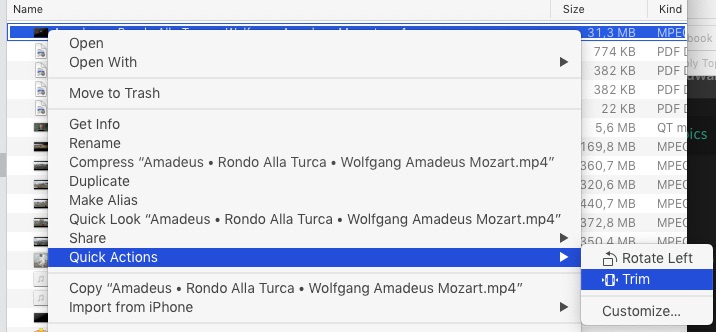
or, double-click the file, to open it in QuicktimePlayer.app and hit cmd-T …
Please Log in to join the conversation.
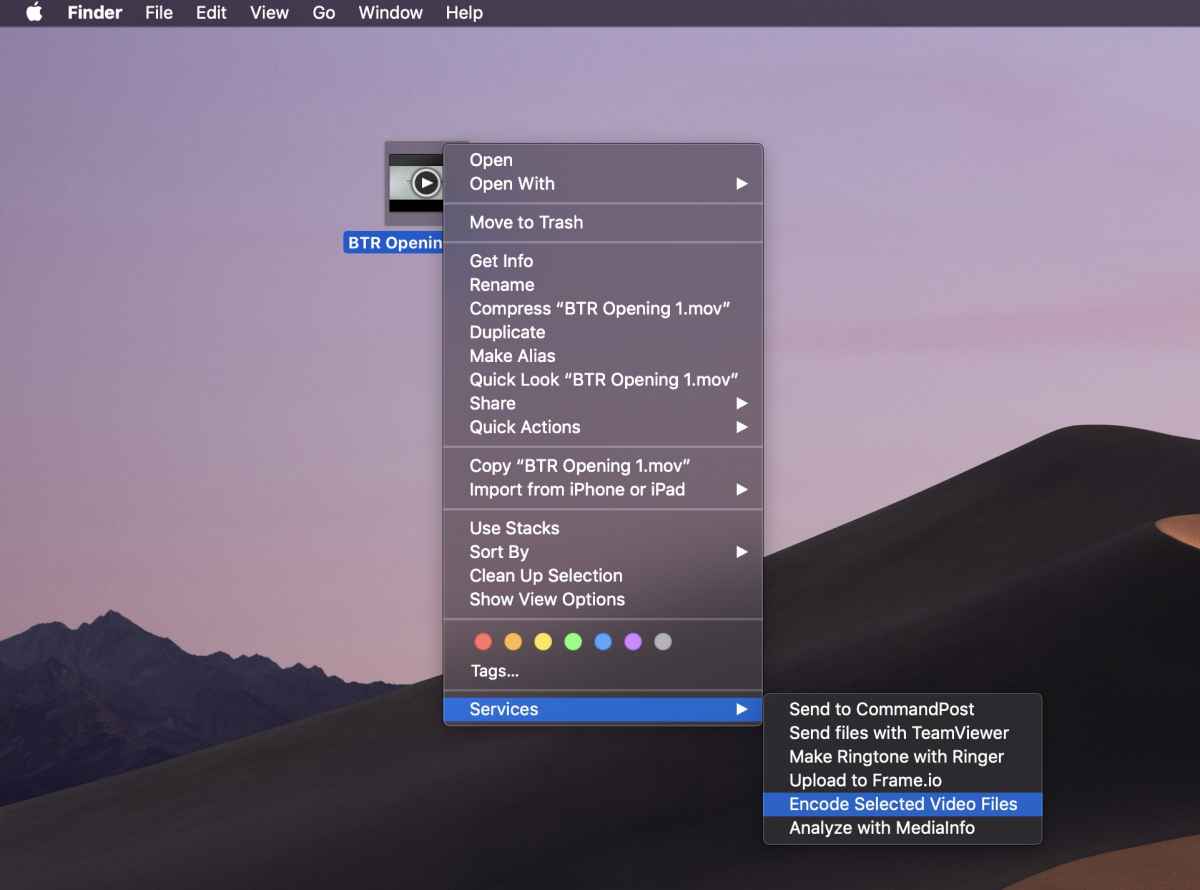
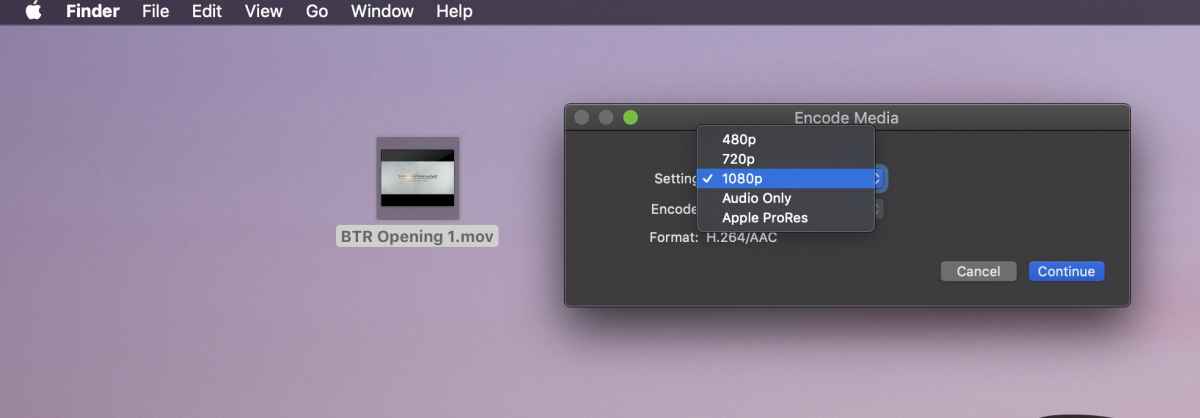
Please Log in to join the conversation.
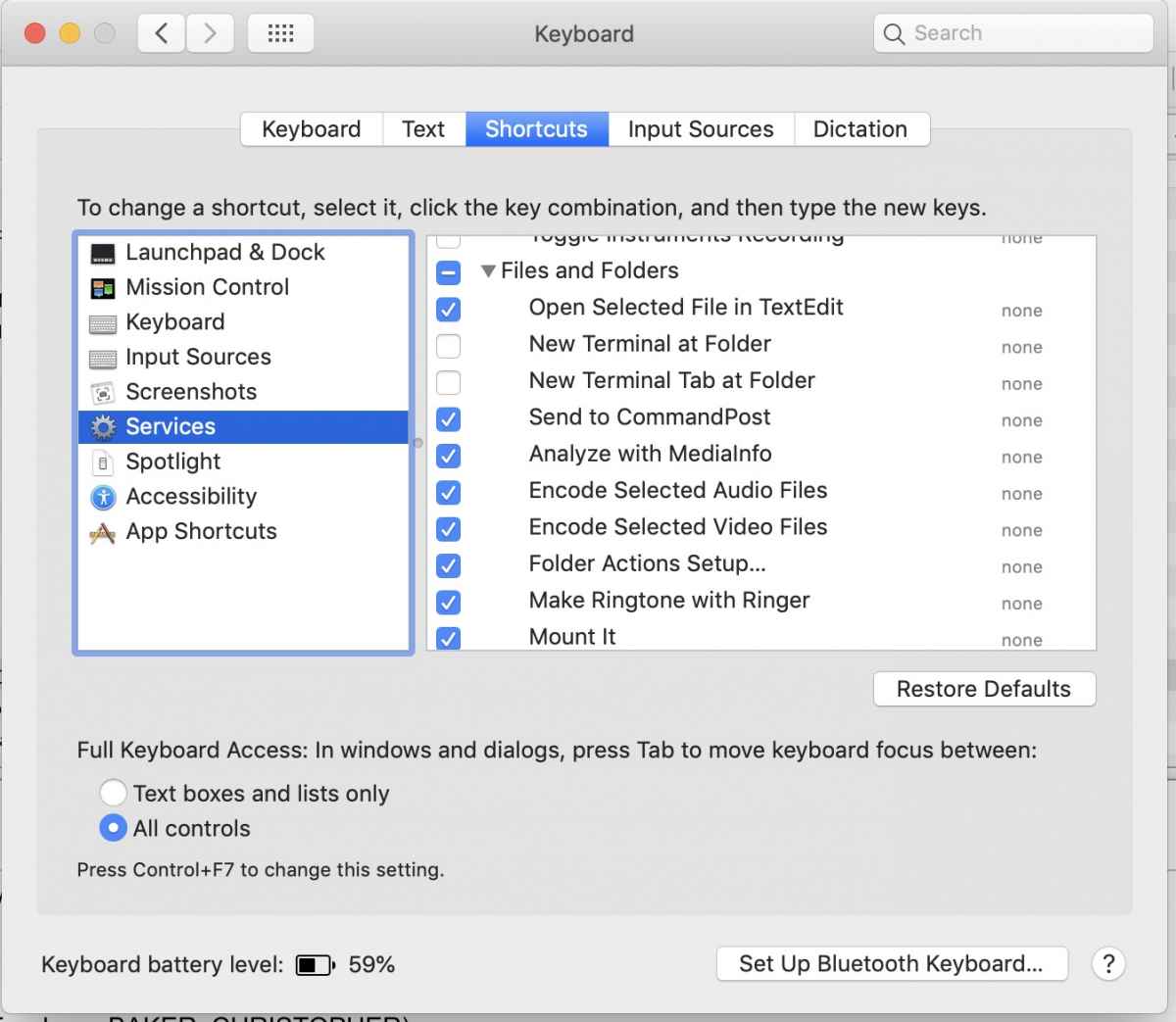
Please Log in to join the conversation.
- Roadswitcher
-

- Offline
- Senior Member
-

- Posts: 56
- Thank you received: 4
Wouldn't this rather be a Mojave only perk ?
Please Log in to join the conversation.
Please Log in to join the conversation.
