


- Posts: 44
- Thank you received: 0
3 Post Moderation Rule for New Boarders (25 Jan 2021)
New boarders will have their posts moderated - Don't worry if you cannot see your post immediately.
Reducing library size following switch to proxy media
- kindomalay
-
 Topic Author
- Offline
- Senior Member
-

Less
More
25 Jul 2018 21:39 - 25 Jul 2018 21:44 #96491
by kindomalay
Hi,
This is such a newbie question, but it's not going to stop me asking it.
I'm learning at a rate of knots while editing my most ambitious project to date, albeit relatively small. I've now gone through all the media on my timeline and created a proxy for it, whereas before I added each original clip to the library rather than leaving the original where it is. So the proxy is pointing to the clip in the library. I'd like to re-point the proxy to where the original file is.
Is there a neat way to do this without losing everything I've done to the clip in the edit?
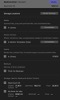
I've attached a screen shot of the distribution of gigs.
Many thanks
Colin
Reducing library size following switch to proxy media was created by kindomalay
Hi,
This is such a newbie question, but it's not going to stop me asking it.
I'm learning at a rate of knots while editing my most ambitious project to date, albeit relatively small. I've now gone through all the media on my timeline and created a proxy for it, whereas before I added each original clip to the library rather than leaving the original where it is. So the proxy is pointing to the clip in the library. I'd like to re-point the proxy to where the original file is.
Is there a neat way to do this without losing everything I've done to the clip in the edit?
I've attached a screen shot of the distribution of gigs.
Many thanks
Colin
Last edit: 25 Jul 2018 21:44 by kindomalay.
Please Log in to join the conversation.
- kindomalay
-
Topic Author
- Offline
- Senior Member
-
Less
More
- Posts: 44
- Thank you received: 0
25 Jul 2018 22:39 #96494
by kindomalay
Replied by kindomalay on topic Reducing library size following switch to proxy media
OK, so I figured it out, or a way to do it.
1. Find the original file from where the timeline clip comes from on my external drive.
2. Shift-F on timeline clip
3. Shift Cmd R to reveal in finder - reveals it in Original Media
4. Delete it from there
5. Now timeline and browser clips show Missing File alert.
6. File - Relink Files - select clip from external drive location.
This works and reduces the over bloating of the library.
I'm not sure there's another way. Why didn't I try this before asking? Well I'll inspect and adapt on this learning and do better next time.
Thanks
1. Find the original file from where the timeline clip comes from on my external drive.
2. Shift-F on timeline clip
3. Shift Cmd R to reveal in finder - reveals it in Original Media
4. Delete it from there
5. Now timeline and browser clips show Missing File alert.
6. File - Relink Files - select clip from external drive location.
This works and reduces the over bloating of the library.
I'm not sure there's another way. Why didn't I try this before asking? Well I'll inspect and adapt on this learning and do better next time.
Thanks
Please Log in to join the conversation.


25 Jul 2018 23:04 #96496
by Doug
Replied by Doug on topic Reducing library size following switch to proxy media
It's pretty dangerous to be digging around inside a Library and deleting files. You will get away with it sometimes but you can cause quite a bit of trouble for yourself. The other option is to change your media location to where you want it to be outside the library then once everything is set how you like it, click 'Consolidate Media' and it will move out of the Library to the new specified location. That way you're not accidentally deleting something that you really want to keep!
Please Log in to join the conversation.
- kindomalay
-
Topic Author
- Offline
- Senior Member
-
Less
More
- Posts: 44
- Thank you received: 0
25 Jul 2018 23:12 #96498
by kindomalay
Replied by kindomalay on topic Reducing library size following switch to proxy media
Thanks Doug,
I did take a copy of it first. As a software dev of 25 years I've fallen foul to both my own dangerous play swell as others. I worked at one place where the penalty was a rubber chicken left on the offender's desk. It spent most of the time on this one guy's desk, and thankfully not mine.
I'll give your suggestion a go, it sounds much safer.
Thanks again.
I did take a copy of it first. As a software dev of 25 years I've fallen foul to both my own dangerous play swell as others. I worked at one place where the penalty was a rubber chicken left on the offender's desk. It spent most of the time on this one guy's desk, and thankfully not mine.
I'll give your suggestion a go, it sounds much safer.
Thanks again.
Please Log in to join the conversation.
- Tom Wolsky
-

- Offline
- Moderator
-

26 Jul 2018 00:26 #96506
by Tom Wolsky
Replied by Tom Wolsky on topic Reducing library size following switch to proxy media
This is completely unnecessary, The proxy doesn't point to anything. The proxy is a media file of its own. I think what you're trying to do is point the library media to the external files rather than the managed files inside the library. Why? What are you trying to achieve?
Please Log in to join the conversation.
- kindomalay
-
Topic Author
- Offline
- Senior Member
-
Less
More
- Posts: 44
- Thank you received: 0
26 Jul 2018 01:38 #96508
by kindomalay
Replied by kindomalay on topic Reducing library size following switch to proxy media
Hi Tom,
Thank you for your response. My understanding of a proxy is that it's acting on behalf of the real thing. I understood from watching a couple of videos (can be misleading, I'll grant you) that editing is better using proxies. The video showed the differences of file size Original file vs Proxy file. It did this by showing the package contents, and stated the little arrows next to the proxy files are indicators of reference to what they are acting on behalf of. Whether the library itself manages that reference or the proxy file itself is probably semantics.
I started this wanting to start following good practices so switched to proxies to speed up editing. That's the starting point.
As you suggest, yes I am trying to point the library media to the external files so that the library would be more of a lightweight entity which at 186megs, it now is compared to 129gigs. My sense was that performance might be affected by large library files, but it seems from reading the forums etc that it may not make much difference.
I get the rainbow pinwheel more and more and I'm trying to find ways to stop this. Another person said compound clips can also affect this, which as I'm also learning about colour grading I've dropped the clips into one storyline - I think using option-cmd down arrow.
So what am I trying to achieve?
1. Better understand the way fcp x works, so I can work with it, rather than against it.
2. Find effective ways to avoid performance issues and the dreaded pinwheel.
3. Get better as an editor, i.e. more effective and quicker
If you can point me to ways of finding out more about what FCP x is using in terms of memory, of which I have 16gigs, plus a 500gig SSD. The mac is a late 2013. Or any other apps on the mac, that would be awesome!
Many thanks again for your thoughts and pointers
Cheers
Colin
Thank you for your response. My understanding of a proxy is that it's acting on behalf of the real thing. I understood from watching a couple of videos (can be misleading, I'll grant you) that editing is better using proxies. The video showed the differences of file size Original file vs Proxy file. It did this by showing the package contents, and stated the little arrows next to the proxy files are indicators of reference to what they are acting on behalf of. Whether the library itself manages that reference or the proxy file itself is probably semantics.
I started this wanting to start following good practices so switched to proxies to speed up editing. That's the starting point.
As you suggest, yes I am trying to point the library media to the external files so that the library would be more of a lightweight entity which at 186megs, it now is compared to 129gigs. My sense was that performance might be affected by large library files, but it seems from reading the forums etc that it may not make much difference.
I get the rainbow pinwheel more and more and I'm trying to find ways to stop this. Another person said compound clips can also affect this, which as I'm also learning about colour grading I've dropped the clips into one storyline - I think using option-cmd down arrow.
So what am I trying to achieve?
1. Better understand the way fcp x works, so I can work with it, rather than against it.
2. Find effective ways to avoid performance issues and the dreaded pinwheel.
3. Get better as an editor, i.e. more effective and quicker
If you can point me to ways of finding out more about what FCP x is using in terms of memory, of which I have 16gigs, plus a 500gig SSD. The mac is a late 2013. Or any other apps on the mac, that would be awesome!
Many thanks again for your thoughts and pointers
Cheers
Colin
Please Log in to join the conversation.

26 Jul 2018 06:11 - 26 Jul 2018 06:21 #96519
by Axel
Replied by Axel on topic Reducing library size following switch to proxy media
I must admit that I'm constantly changing my own workflows in order to improve them, so my comments here are not to be seen as 'advice' but rather as public reasoning.
Regarding the may ways to organize media, as well for ease of use and clean arrangement as for safety and cost reduction, you could think about the following. It takes into account that you said your projects were of relatively small size (I regard 120 GB as mini) and that you're probably a one-man-band:
1. Store footage (that is 'Original Media') inside or outside of the Library? Here I'd say inside, because then it's a compact package that contains all you need.
2. Have the Library (with media) on your system drive? If it's not too expensive to use a *fast enough* external drive (Thunderbolt SSD or TB HDD raid), this would have some advantages - i.e. if you want to make a 'fresh install' . Otherwise, I hear that fragmentation is no longer an issue with SSDs.
3. This one is for safety/redundance: make an 'FCP X archive' (import window, bottom left) of your camera cards . Assign a cheap external USB drive for that. Name the archive 'project whatever card 1'. Import your clips from that archive. Make a new event for each card, named 'project whatever card 1'.
Why? Because events are just folders, and you can always search and filter content on the overriding Library level (do that!). If you ever need to restore a Library (broken SSD), you can reconnect the offline clips with your archives. To be able to do that almost fullyautomatically, the corresponding event needs to be highlighted in Browser.
4. Save your backups in the Cloud (Library settings). These are tiny files, but they contain a description of your whole Library. With a backup and the archives, everything can be fully restored. Better than Timemachine, imho.
7 ways to speed up FCP X is still the classic. A very general tip is to avoid a completely overstuffed Browser (always filter in such a way that you only see around 80 clips there - the less the better - , that's a number found through own experience). Don't skim rapidly through a very long timeline, this often evokes the beachball (use shortcuts instead to navigate, see below). You seem to be mixing connected clips (no influence on performance) with compound clips (can slow things down if not used with reason).
Look for shortcuts. Every time you use the mouse, look for a way to do the same thing with the keyboard, do that a couple of times for each edit and make it a habit. Start with i,o,q,w,e,j,k,l,c,x and the cursor keys. You best learn these shortcuts by actually performing the edits. I made myself a cheat sheet, and from that I know that I use 60 shortcuts from memory. For inspiration, see this .
kindomalay wrote: 1. Better understand the way fcp x works, so I can work with it, rather than against it.
Regarding the may ways to organize media, as well for ease of use and clean arrangement as for safety and cost reduction, you could think about the following. It takes into account that you said your projects were of relatively small size (I regard 120 GB as mini) and that you're probably a one-man-band:
1. Store footage (that is 'Original Media') inside or outside of the Library? Here I'd say inside, because then it's a compact package that contains all you need.
2. Have the Library (with media) on your system drive? If it's not too expensive to use a *fast enough* external drive (Thunderbolt SSD or TB HDD raid), this would have some advantages - i.e. if you want to make a 'fresh install' . Otherwise, I hear that fragmentation is no longer an issue with SSDs.
3. This one is for safety/redundance: make an 'FCP X archive' (import window, bottom left) of your camera cards . Assign a cheap external USB drive for that. Name the archive 'project whatever card 1'. Import your clips from that archive. Make a new event for each card, named 'project whatever card 1'.
Why? Because events are just folders, and you can always search and filter content on the overriding Library level (do that!). If you ever need to restore a Library (broken SSD), you can reconnect the offline clips with your archives. To be able to do that almost fullyautomatically, the corresponding event needs to be highlighted in Browser.
4. Save your backups in the Cloud (Library settings). These are tiny files, but they contain a description of your whole Library. With a backup and the archives, everything can be fully restored. Better than Timemachine, imho.
kindomalay wrote: 2. Find effective ways to avoid performance issues and the dreaded pinwheel.
7 ways to speed up FCP X is still the classic. A very general tip is to avoid a completely overstuffed Browser (always filter in such a way that you only see around 80 clips there - the less the better - , that's a number found through own experience). Don't skim rapidly through a very long timeline, this often evokes the beachball (use shortcuts instead to navigate, see below). You seem to be mixing connected clips (no influence on performance) with compound clips (can slow things down if not used with reason).
kindomalay wrote: 3. Get better as an editor, i.e. more effective and quicker
Look for shortcuts. Every time you use the mouse, look for a way to do the same thing with the keyboard, do that a couple of times for each edit and make it a habit. Start with i,o,q,w,e,j,k,l,c,x and the cursor keys. You best learn these shortcuts by actually performing the edits. I made myself a cheat sheet, and from that I know that I use 60 shortcuts from memory. For inspiration, see this .
Last edit: 26 Jul 2018 06:21 by Axel.
Please Log in to join the conversation.
- kindomalay
-
Topic Author
- Offline
- Senior Member
-
Less
More
- Posts: 44
- Thank you received: 0
26 Jul 2018 07:10 #96521
by kindomalay
Replied by kindomalay on topic Reducing library size following switch to proxy media
Thank you so much for such a wonderfully detailed response.
Hats off to you for your generosity.
Hats off to you for your generosity.
Please Log in to join the conversation.
