


- Posts: 102
- Thank you received: 4
3 Post Moderation Rule for New Boarders (25 Jan 2021)
New boarders will have their posts moderated - Don't worry if you cannot see your post immediately.
Drawing a box for 3d effect help.
05 Jul 2018 11:55 #96225
by dfphoto
Drawing a box for 3d effect help. was created by dfphoto
Hi group, I need to learn what methods I can use to create a box in fcpx and animate it to flip over sort of like a clear credit card that animates to flip over as per my picture.
I thought I could create a box in photoshop save as a png (transparent layer) but fcpx shows the invisible background. After I create the box I thought I could use a 3d perspective plugin I own to flip and rotate, but I am not sure. If anyone can offer some advice I'd appreciate it. I think this is a generic topic that could help other people as well.
Thanks DF
I thought I could create a box in photoshop save as a png (transparent layer) but fcpx shows the invisible background. After I create the box I thought I could use a 3d perspective plugin I own to flip and rotate, but I am not sure. If anyone can offer some advice I'd appreciate it. I think this is a generic topic that could help other people as well.
Thanks DF

Please Log in to join the conversation.
05 Jul 2018 12:16 - 05 Jul 2018 12:17 #96226
by dfphoto
Replied by dfphoto on topic Drawing a box for 3d effect help.
Hi again, I just learned a technique that works but not sure if this is the best solution. I learned I could take my png box from Photoshop and use the luma plugin to isolate the outline and then my 3d plugin rotated the outline but would love to know if anyone else has another method.
Thanks DF
Thanks DF
Last edit: 05 Jul 2018 12:17 by dfphoto.
Please Log in to join the conversation.
- Karsten Schlüter
-

- Offline
- Moderator
-

Less
More
- Posts: 3790
- Thank you received: 718
05 Jul 2018 15:27 #96228
by Karsten Schlüter
Replied by Karsten Schlüter on topic Drawing a box for 3d effect help.
if your png contains any transparency, FCPX will use that alpha - no need for a keyer:
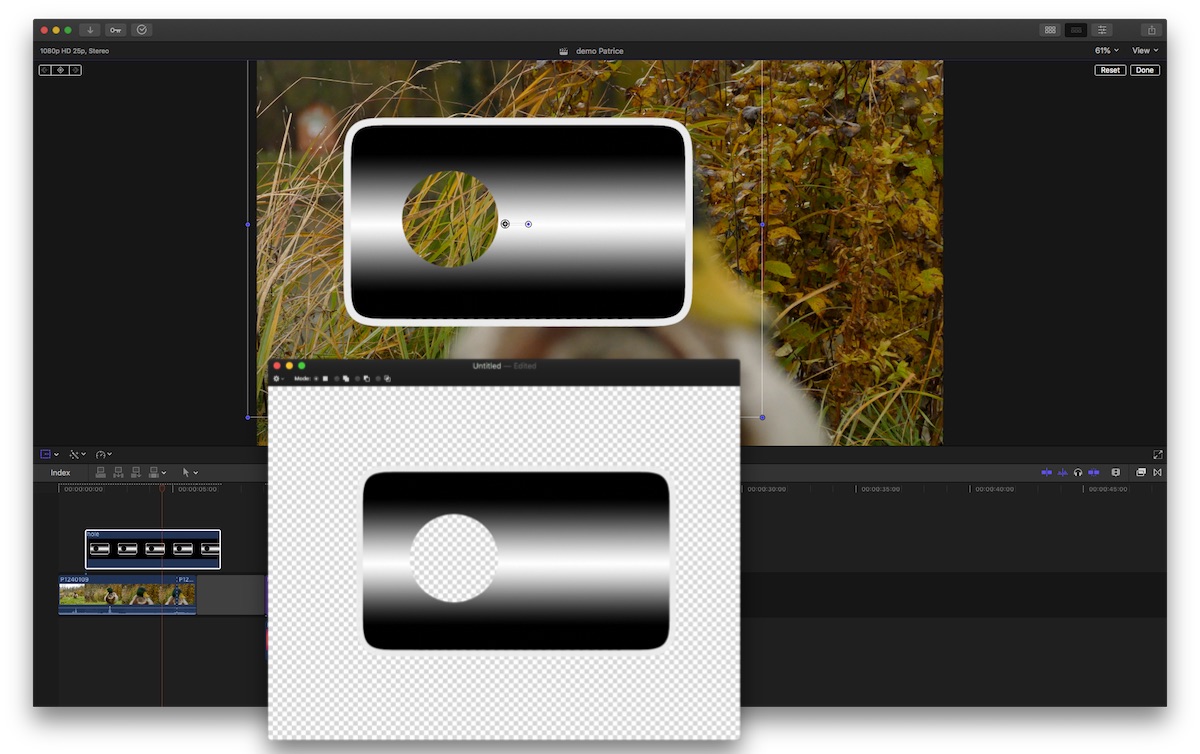
… so, I'm not sure, what you're doing… :huh:
… so, I'm not sure, what you're doing… :huh:
Please Log in to join the conversation.


05 Jul 2018 18:16 #96230
by JoeEditor
Replied by JoeEditor on topic Drawing a box for 3d effect help.
Or convert to a font, and have real 3D. There's threads here about how that's done. Pretty easy actually.
Please Log in to join the conversation.
