


- Posts: 145
- Thank you received: 1
3 Post Moderation Rule for New Boarders (25 Jan 2021)
New boarders will have their posts moderated - Don't worry if you cannot see your post immediately.
how to shorten a shape (arrow) in timeline.
03 Jun 2018 18:11 #95801
by owenpga
how to shorten a shape (arrow) in timeline. was created by owenpga
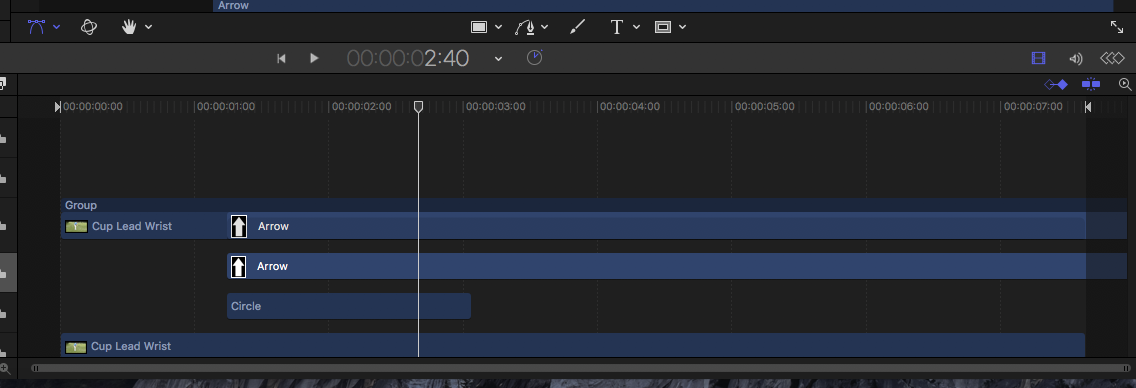
unless i attach an emitter, i can't seem to get the handles to be able to drag the right end of clip to shorten.
is there a workaround?
thanks
owen
is there a workaround?
thanks
owen
Please Log in to join the conversation.
- Tom Wolsky
-

- Offline
- Moderator
-

03 Jun 2018 18:31 #95802
by Tom Wolsky
Replied by Tom Wolsky on topic how to shorten a shape (arrow) in timeline.
I don't know, which is why I suggested the Motion forum. There's probably others here you know.
Please Log in to join the conversation.
03 Jun 2018 18:54 #95803
by owenpga
Replied by owenpga on topic how to shorten a shape (arrow) in timeline.
ok so if i use the line tool and add arrow to end, i get my arrow that i can shorten or lengthen in timeline.
in adjusting the first and last point offsets i get a tiny blue line. is there a way to get rid of that small line?
thanks
in adjusting the first and last point offsets i get a tiny blue line. is there a way to get rid of that small line?
thanks
Please Log in to join the conversation.


04 Jun 2018 01:17 #95806
by JoeEditor
Replied by JoeEditor on topic how to shorten a shape (arrow) in timeline.
Blue line? Zoom it, it may be a tiny section of something.
Please Log in to join the conversation.
- Karsten Schlüter
-

- Offline
- Moderator
-
Less
More
- Posts: 3790
- Thank you received: 718
04 Jun 2018 05:08 #95809
by Karsten Schlüter
like this one?
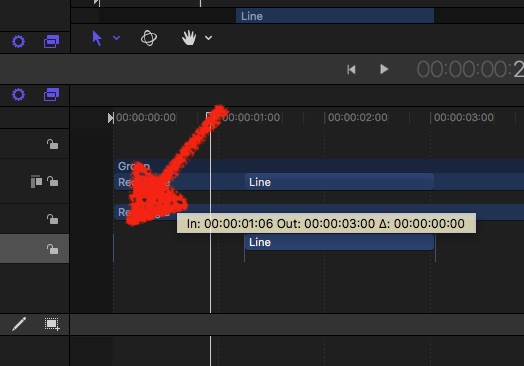
if persistent, a 'left over', no complete refresh of GUI … ignore it …
Replied by Karsten Schlüter on topic how to shorten a shape (arrow) in timeline.
owenpga wrote: …get a tiny blue line. is there a way to get rid of that small line?
like this one?
if persistent, a 'left over', no complete refresh of GUI … ignore it …
Please Log in to join the conversation.
04 Jun 2018 13:29 #95815
by owenpga
Replied by owenpga on topic how to shorten a shape (arrow) in timeline.
I’m referring to the blue line coming out of back of arrow.
I actually went back in and re-created another arrow and didn’t get the line.
I actually went back in and re-created another arrow and didn’t get the line.
Please Log in to join the conversation.
