


- Posts: 13
- Thank you received: 0
3 Post Moderation Rule for New Boarders (25 Jan 2021)
New boarders will have their posts moderated - Don't worry if you cannot see your post immediately.
Final Cut Pro X 10.4.2. Damaged library.
29 May 2018 01:28 - 29 May 2018 01:29 #95716
by xtra
Final Cut Pro X 10.4.2. Damaged library. was created by xtra
Hi guys. I am at the end of a project and of all of a sudden fcpx crashed and the computer restarted itself.after reboot,i launched fcpx and got this message {Library appears to be damaged} open a backup version or continue working,fcpx will no longer back up this library.
I chose to use a back up and same thing happened again.after a couple tries, i got it to work but ,it seems that i have to create optimized and proxy all over again.any help??
My external drive still have plenty of space in case you're wondering.
I chose to use a back up and same thing happened again.after a couple tries, i got it to work but ,it seems that i have to create optimized and proxy all over again.any help??
My external drive still have plenty of space in case you're wondering.
Last edit: 29 May 2018 01:29 by xtra.
Please Log in to join the conversation.


29 May 2018 10:32 #95725
by JoeEditor
Replied by JoeEditor on topic Final Cut Pro X 10.4.2. Damaged library.
Go to your Movies folder, to the Final Cut Backups folder. Find a copy of the backup that's not corrupted.
Yes, you may have to recreate proxies if the crash was bad, but that can happen in the background, and shouldn't be too huge of a problem, compared to losing everything completely.
Yes, you may have to recreate proxies if the crash was bad, but that can happen in the background, and shouldn't be too huge of a problem, compared to losing everything completely.
Please Log in to join the conversation.
30 May 2018 04:47 #95740
by xtra
Replied by xtra on topic Final Cut Pro X 10.4.2. Damaged library.
thanks.I guess that's my only option Huh.My next question is , what to do to prevent this from happening in the future? is it even avoidable?
Please Log in to join the conversation.
30 May 2018 11:10 #95744
by JoeEditor
Replied by JoeEditor on topic Final Cut Pro X 10.4.2. Damaged library.
Regulare maintenance. I don't think I've ever seen FCPX crash and cause a Mac to reboot. I suspect something is not right there. But here's my recommendations.
Every night I run automated backups.
Once a week I run First Aid in the Disk Utility app, and verify that all my drives, especially the system drive has at least 20% free space. I also use Final Cut Library Manager from ArcticWhitness to trash all render files from all of my Libraries.
Once a month I run Disk Warrior, although we're still waiting for it to be updated for macOS High Sierra AFS drives.
But I'm suspicious of an app causing a system to reboot, that's highly unusual, and could be a symptom of some other issue. We'll have to wait and see at this point.
Every night I run automated backups.
Once a week I run First Aid in the Disk Utility app, and verify that all my drives, especially the system drive has at least 20% free space. I also use Final Cut Library Manager from ArcticWhitness to trash all render files from all of my Libraries.
Once a month I run Disk Warrior, although we're still waiting for it to be updated for macOS High Sierra AFS drives.
But I'm suspicious of an app causing a system to reboot, that's highly unusual, and could be a symptom of some other issue. We'll have to wait and see at this point.
Please Log in to join the conversation.
30 May 2018 11:31 #95746
by xtra
Replied by xtra on topic Final Cut Pro X 10.4.2. Damaged library.
All these problems have started since i updated to HIG SIERRA. I kinda blame myself for not doing a clean install despite all the warnings.
I will follow your advice and do just that. thx.
For the past two weeks ,my MAC crashes and reboot at least 5 times only when i am using FCPX tho.
I will follow your advice and do just that. thx.
For the past two weeks ,my MAC crashes and reboot at least 5 times only when i am using FCPX tho.
Please Log in to join the conversation.
30 May 2018 14:43 - 30 May 2018 14:46 #95750
by VidGreg
Replied by VidGreg on topic Final Cut Pro X 10.4.2. Damaged library.
Hi xtra
Sorry to hear about your issues, but you really need to get to the bottom and fix the issue if it is causing kernel panics (full shut down and reboot) Not good
Fortunately, Apple provides help here via crash log files. It can get complicated to understand what the Crash Reporter logs mean, but it may point to a simple fix for the issue. It will provide the info on where to look.
Instead of me writing each step, see these articles…
This one is very good step by step to finding/opening log files and some interpretation.
www.maketecheasier.com/read-macos-crash-...ts-troubleshoot-mac/
This is a simple explanation of what to look for.
www.macissues.com/2016/04/12/using-the-o...e-a-program-failure/
And here is Apple's developer take on reading files (I think this link is open to non-developers)
developer.apple.com/library/content/tech...s/tn2151/_index.html
Little harder to decipher, but more complete.
Once you see what is causing the crash, you can try to remove the file, plug-in, cache, etc… that is causing the issue.
I suspect that you have some corrupted file or maybe a (FCPX) plug-in that is incompatible with the OS. Make sure to update plug-ins and apps.
You might also download and run EtreCheck for possible problems/solutions. This helps interpret system diagnostics. You can use it free for 5 times per download. Decent tool.
etrecheck.com
If you still can't figure it out, copy the portions of the log files showing the crash thread and I or someone else might be able to suggest a fix.
Anyway, Hope this Helps, Greg
edit: I personally recommend to always do a "Clean Install" when doing a major OS update. Cleans out the crud. I never use Migration Assistant.
Sorry to hear about your issues, but you really need to get to the bottom and fix the issue if it is causing kernel panics (full shut down and reboot) Not good
Fortunately, Apple provides help here via crash log files. It can get complicated to understand what the Crash Reporter logs mean, but it may point to a simple fix for the issue. It will provide the info on where to look.
Instead of me writing each step, see these articles…
This one is very good step by step to finding/opening log files and some interpretation.
www.maketecheasier.com/read-macos-crash-...ts-troubleshoot-mac/
This is a simple explanation of what to look for.
www.macissues.com/2016/04/12/using-the-o...e-a-program-failure/
And here is Apple's developer take on reading files (I think this link is open to non-developers)
developer.apple.com/library/content/tech...s/tn2151/_index.html
Little harder to decipher, but more complete.
Once you see what is causing the crash, you can try to remove the file, plug-in, cache, etc… that is causing the issue.
I suspect that you have some corrupted file or maybe a (FCPX) plug-in that is incompatible with the OS. Make sure to update plug-ins and apps.
You might also download and run EtreCheck for possible problems/solutions. This helps interpret system diagnostics. You can use it free for 5 times per download. Decent tool.
etrecheck.com
If you still can't figure it out, copy the portions of the log files showing the crash thread and I or someone else might be able to suggest a fix.
Anyway, Hope this Helps, Greg
edit: I personally recommend to always do a "Clean Install" when doing a major OS update. Cleans out the crud. I never use Migration Assistant.
Last edit: 30 May 2018 14:46 by VidGreg. Reason: Left out Clean Install
Please Log in to join the conversation.
31 May 2018 03:51 #95764
by xtra
Replied by xtra on topic Final Cut Pro X 10.4.2. Damaged library.
Thank you for your helps.I'll try everything suggested and hopefully the problems will be fixed.
Please Log in to join the conversation.
04 Jun 2018 11:12 #95812
by xtra
Replied by xtra on topic Final Cut Pro X 10.4.2. Damaged library.
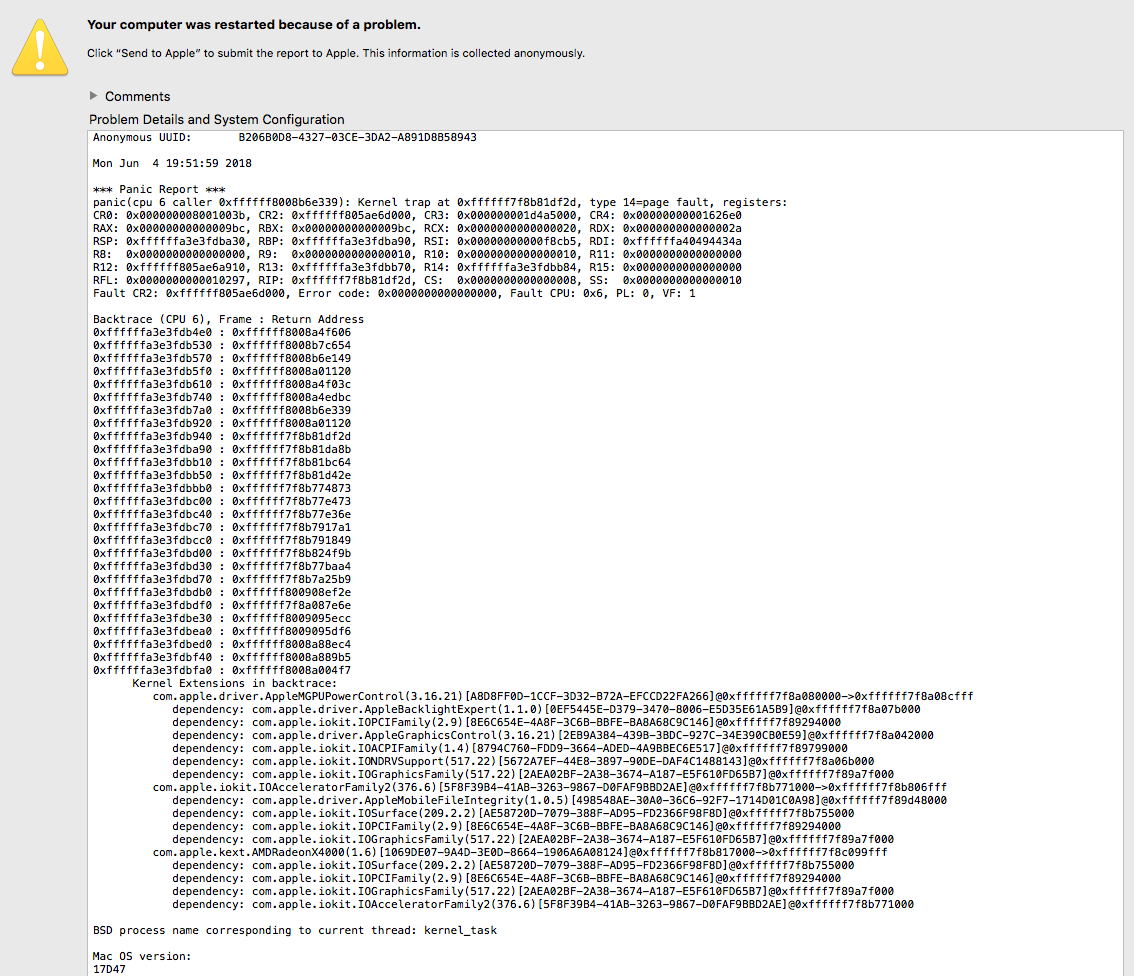
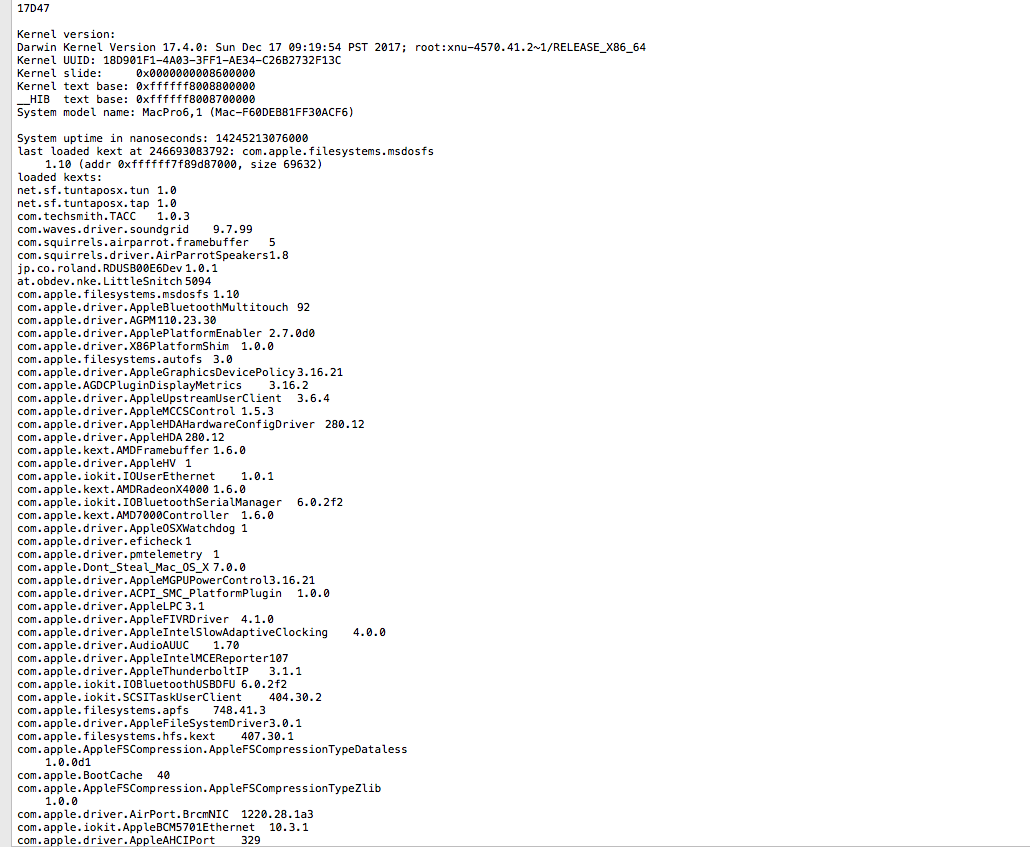
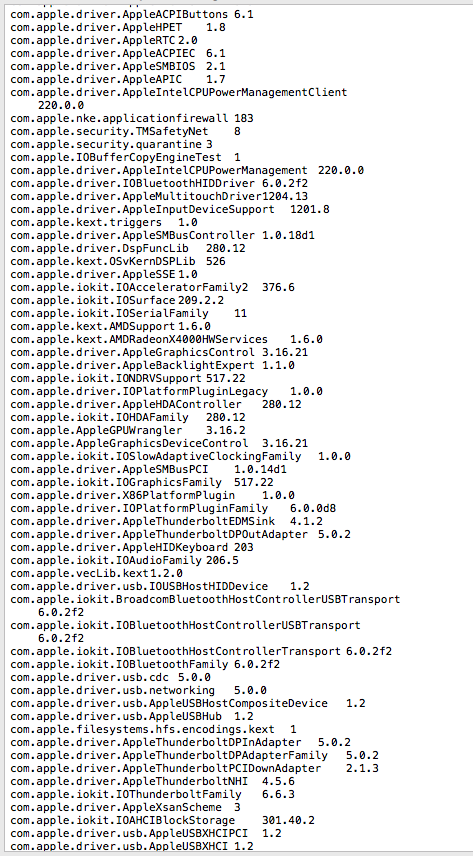
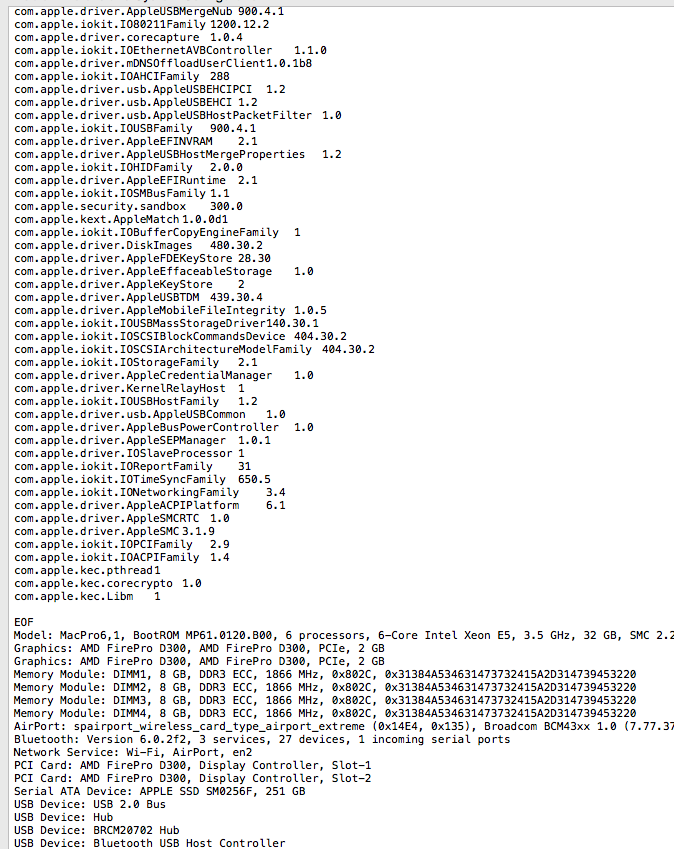
Same problem Happened again using FCPX. Here is the crash report. I don't know what to look for in the crash log and was hoping if anybody in here can take a look at it and please tell me what do? I"d greatly appreciate it..thx in advance.
Please Log in to join the conversation.
