


- Posts: 1
- Thank you received: 0
3 Post Moderation Rule for New Boarders (25 Jan 2021)
New boarders will have their posts moderated - Don't worry if you cannot see your post immediately.
Audio Track Mixer + Effects
- thom.moore
-
 Topic Author
- Offline
- New Member
-

Less
More
10 May 2018 10:35 #95452
by thom.moore
Audio Track Mixer + Effects was created by thom.moore
Hey 
New to FCPX, looking to just get into it more basically and have an alternative to PP etc.
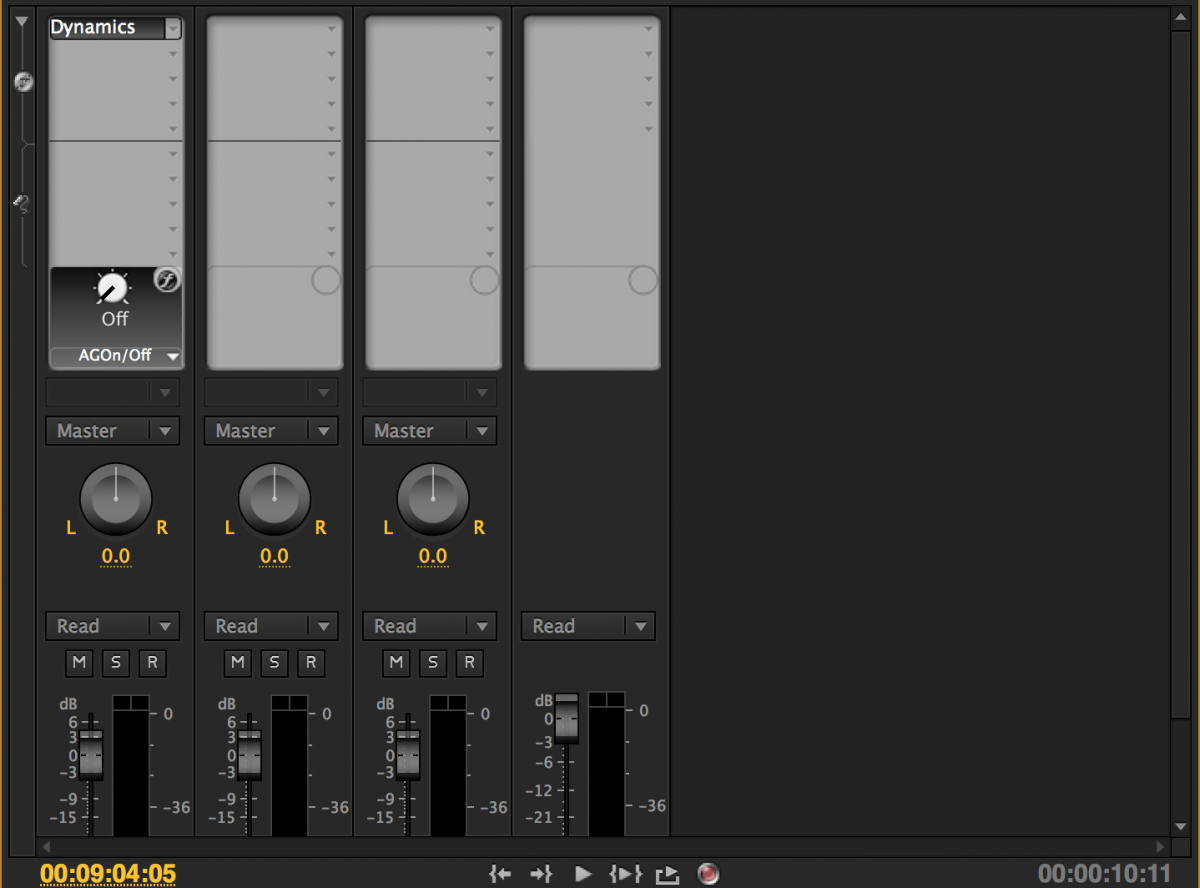
One thing though, is there an audio track mixer or equivalent in FCPX. Heres an example of what I mean.
When using PP I can put on a blanket effect on audio track 1 where it will stop the audio going over -8db (putting a limiter on) and also raise levels of the volume for anything in that audio track, instead of doing them individually. Yeah this might sound lazy but its really handy for having a music track and making nothing in the music section goes about xdb etc. Does FCP have this functionality or a way to get it to behave in this way ?
-Thom
New to FCPX, looking to just get into it more basically and have an alternative to PP etc.
One thing though, is there an audio track mixer or equivalent in FCPX. Heres an example of what I mean.
When using PP I can put on a blanket effect on audio track 1 where it will stop the audio going over -8db (putting a limiter on) and also raise levels of the volume for anything in that audio track, instead of doing them individually. Yeah this might sound lazy but its really handy for having a music track and making nothing in the music section goes about xdb etc. Does FCP have this functionality or a way to get it to behave in this way ?
-Thom
Please Log in to join the conversation.


10 May 2018 11:58 #95454
by JoeEditor
Replied by JoeEditor on topic Audio Track Mixer + Effects
I can tell you a mixer is coming, or at least I was strongly lead to believe that by someone on the FCPX dev team.
But for now, there's two ways to do this, both very easy. First, assign audio roles. Roles are a vital management tool. So you have all your music clips assigned the "Music" audio role.
One method is to place them all in a Compound Clip, and apply the effect to that Compound.
Another method is to place EVERYTHING into a compound clip, then in the Timeline Index, turn on Role Lanes, and apply the effect to that Lane.
This is a good place to start learning about roles and lanes.
help.apple.com/finalcutpro/mac/10.4.1/#/verb71cb913
But for now, there's two ways to do this, both very easy. First, assign audio roles. Roles are a vital management tool. So you have all your music clips assigned the "Music" audio role.
One method is to place them all in a Compound Clip, and apply the effect to that Compound.
Another method is to place EVERYTHING into a compound clip, then in the Timeline Index, turn on Role Lanes, and apply the effect to that Lane.
This is a good place to start learning about roles and lanes.
help.apple.com/finalcutpro/mac/10.4.1/#/verb71cb913
Please Log in to join the conversation.
