




- Posts: 16
- Thank you received: 0
3 Post Moderation Rule for New Boarders (25 Jan 2021)
New boarders will have their posts moderated - Don't worry if you cannot see your post immediately.
AVCHD Import with 10.4.2 impossible - every file throws an error window
02 May 2018 18:43 #95372
by droeder
Hi there,
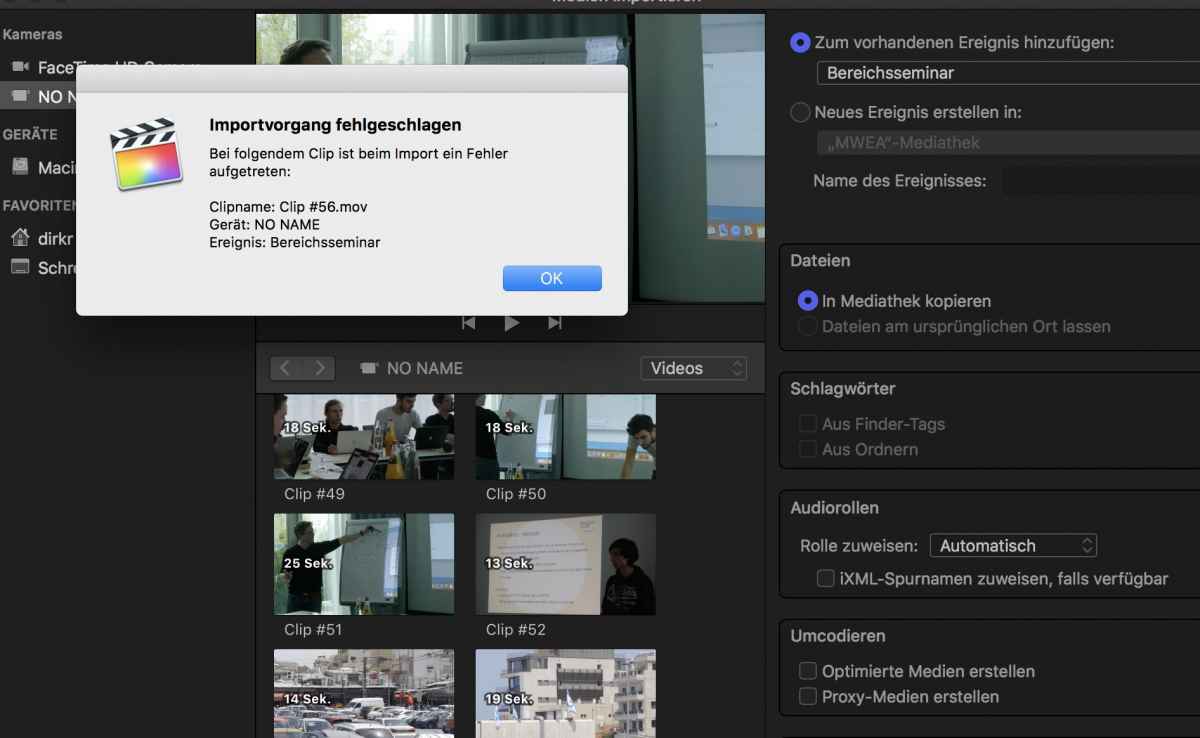
I'm using FCP for private occasions. Today I tried to import files shot with my Lumix GH 2 in an AVCHD container. Those files are displayed in the IMPORT pop-up of my FCP, but when I try to import them, for every clip I've tried to import it says:
Translation from German!
IMPORT failed.
There was a problem with the following clip:
clipname:
Device:
Album:
Am I the only one with this problem? It neither worked on 10.4.1 nor 10.4.2
I'm using FCP for private occasions. Today I tried to import files shot with my Lumix GH 2 in an AVCHD container. Those files are displayed in the IMPORT pop-up of my FCP, but when I try to import them, for every clip I've tried to import it says:
Translation from German!
IMPORT failed.
There was a problem with the following clip:
clipname:
Device:
Album:
Am I the only one with this problem? It neither worked on 10.4.1 nor 10.4.2
Please Log in to join the conversation.
- Tom Wolsky
-

- Offline
- Moderator
-

02 May 2018 18:47 #95373
by Tom Wolsky
Replied by Tom Wolsky on topic AVCHD Import with 10.4.2 impossible - every file throws an error window
I assume it worked in previous versions? Can you post a screenshot of what you see in the import window?
Please Log in to join the conversation.
03 May 2018 09:17 #95379
by droeder
Replied by droeder on topic AVCHD Import with 10.4.2 impossible - every file throws an error window
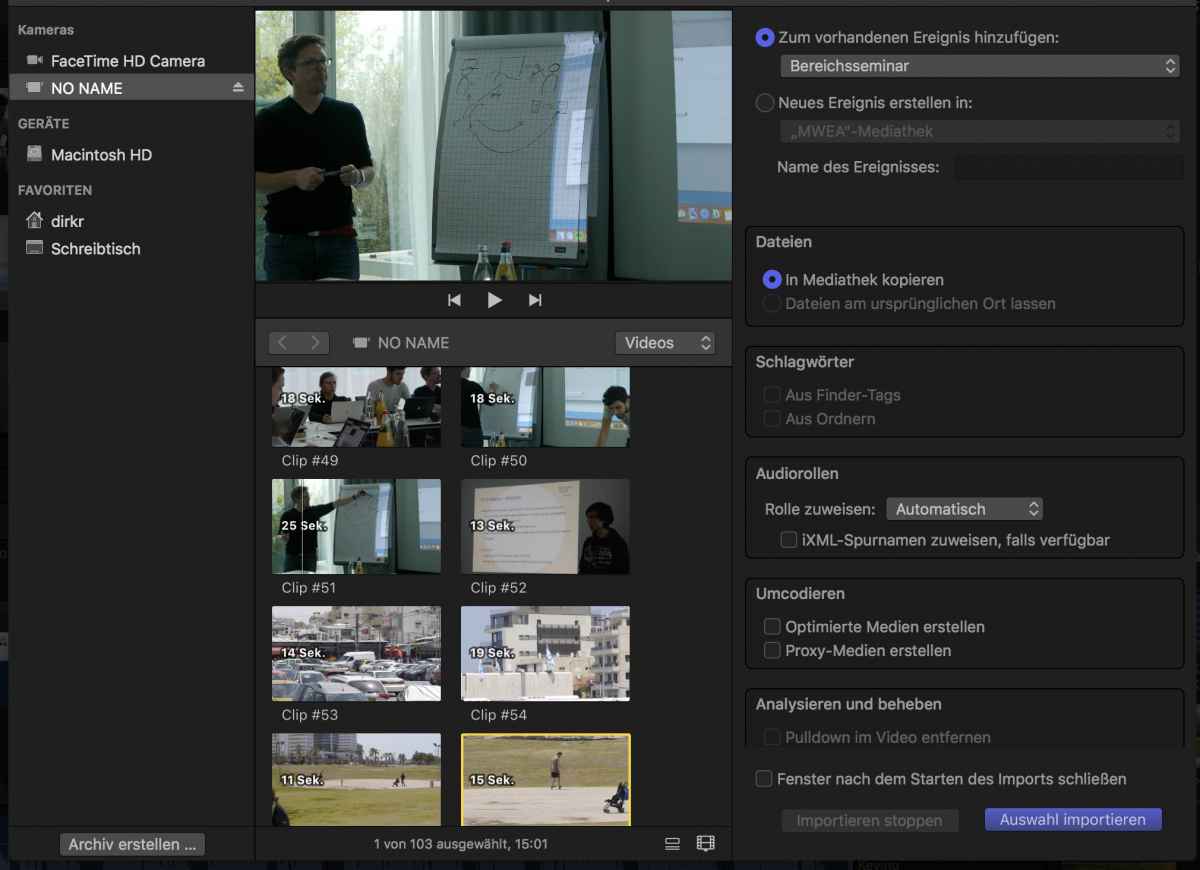
Here are some screenshots.
I can edit the file in FCP, but the file cannot be imported to the local library on my MAC.
I can edit the file in FCP, but the file cannot be imported to the local library on my MAC.
Please Log in to join the conversation.
03 May 2018 09:19 #95380
by droeder
Replied by droeder on topic AVCHD Import with 10.4.2 impossible - every file throws an error window
sorry
Please Log in to join the conversation.
- Tom Wolsky
-
- Offline
- Moderator
-
03 May 2018 12:04 #95381
by Tom Wolsky
Replied by Tom Wolsky on topic AVCHD Import with 10.4.2 impossible - every file throws an error window
You can edit the file in FCP? How are you doing that? Is the media storage location inside the library, which is on the system drive? If you have enough free space on the system drive, at least 10%, I don’t see why the media isn’t being imported.
Please Log in to join the conversation.
03 May 2018 12:07 #95382
by droeder
Replied by droeder on topic AVCHD Import with 10.4.2 impossible - every file throws an error window
Edit the footage straight from SD Card. I cannot - I repeat - import the files.
I've already tried on 2 Macs with the identical result. Nothing has changed from my setup: same camera, same files, same SD card and same Macs. All that has changed is the version number of FCP X
I've already tried on 2 Macs with the identical result. Nothing has changed from my setup: same camera, same files, same SD card and same Macs. All that has changed is the version number of FCP X
Please Log in to join the conversation.
- Tom Wolsky
-
- Offline
- Moderator
-
03 May 2018 12:17 #95383
by Tom Wolsky
Replied by Tom Wolsky on topic AVCHD Import with 10.4.2 impossible - every file throws an error window
“Edit the footage straight from SD Card.”
I did t know what you mean when you say this. I understand you can not import; I don’t understand why.
Do you have Perian installed on your systems? You would need to remove it from system preferences and reboot.
I did t know what you mean when you say this. I understand you can not import; I don’t understand why.
Do you have Perian installed on your systems? You would need to remove it from system preferences and reboot.
Please Log in to join the conversation.
- Karsten Schlüter
-

- Offline
- Moderator
-
Less
More
- Posts: 3790
- Thank you received: 718
04 May 2018 04:44 #95392
by Karsten Schlüter
Replied by Karsten Schlüter on topic AVCHD Import with 10.4.2 impossible - every file throws an error window
… or to rephrase Tom's remark:
you can not 'edit' AVCHD without importing …
What happens when you try to open that SDcard with Quicktime player?
//sorry for switching language, just to exclude a translation error //
Dein 'Foto' zeigt ja, dass ein Import - warum auch immer - nicht geht. Aber ohne Import kannst Du AVCHD in FCPX nicht bearbeiten … was meinst Du also mit 'straight from card'?
you can not 'edit' AVCHD without importing …
What happens when you try to open that SDcard with Quicktime player?
//sorry for switching language, just to exclude a translation error //
Dein 'Foto' zeigt ja, dass ein Import - warum auch immer - nicht geht. Aber ohne Import kannst Du AVCHD in FCPX nicht bearbeiten … was meinst Du also mit 'straight from card'?
Please Log in to join the conversation.
09 May 2018 16:48 #95444
by droeder
Don't know if this really was the problem, but I have de-installed Perian. Even w/o reboot it's working again. Thanks!
Replied by droeder on topic AVCHD Import with 10.4.2 impossible - every file throws an error window
Tom Wolsky wrote: “Edit the footage straight from SD Card.”
I did t know what you mean when you say this. I understand you can not import; I don’t understand why.
Do you have Perian installed on your systems? You would need to remove it from system preferences and reboot.
Don't know if this really was the problem, but I have de-installed Perian. Even w/o reboot it's working again. Thanks!
Please Log in to join the conversation.
09 May 2018 16:51 #95445
by droeder
Replied by droeder on topic AVCHD Import with 10.4.2 impossible - every file throws an error window
Hallo Karsten,
vielen Dank für die Antwort. Der Fehler - siehe letzten Beitrag von eben - ist weg. Keine Ahnung ob es tatsächlich an Preien lag, aber ich kann Wieder normal importieren. Das System läuft seit 2 Jahren immer unter den gleichen Voraussetzungen.
Der Fehler war wirklich komisch. Ich konnte die Filme im Importfenster ansehen, sogar darin "herumscrollen" und lediglich die "Links" in FCP importieren. Wenn ich die dann auf die Timeline gezogen habe, konnte ich sie auch bearbeiten. Dazu musste aber die SD Karte angeschlossen sein.
Im Endeffekt läuft s wieder. Danke!
vielen Dank für die Antwort. Der Fehler - siehe letzten Beitrag von eben - ist weg. Keine Ahnung ob es tatsächlich an Preien lag, aber ich kann Wieder normal importieren. Das System läuft seit 2 Jahren immer unter den gleichen Voraussetzungen.
Der Fehler war wirklich komisch. Ich konnte die Filme im Importfenster ansehen, sogar darin "herumscrollen" und lediglich die "Links" in FCP importieren. Wenn ich die dann auf die Timeline gezogen habe, konnte ich sie auch bearbeiten. Dazu musste aber die SD Karte angeschlossen sein.
Im Endeffekt läuft s wieder. Danke!
Please Log in to join the conversation.
