


- Posts: 730
- Thank you received: 26
3 Post Moderation Rule for New Boarders (25 Jan 2021)
New boarders will have their posts moderated - Don't worry if you cannot see your post immediately.
Mask chroma Keyer effect?
- DmitriZigany
-
 Topic Author
- Offline
- Platinum Member
-

Less
More
07 Feb 2018 09:50 - 07 Feb 2018 09:54 #93982
by DmitriZigany
Mask chroma Keyer effect? was created by DmitriZigany
Hey!
Working on a video where we have a shot of a room, where there's a partial green screen. The idea is that it should look like a window. However... things were not done quite properly and it's causing problems. as the green isn't good enough, so no matter what I do, the rest of the image is affected...Most effects have a mask you can activate, but the Keyer doesn't... what would be the best way to limit the keyer effect to the square? (see image)
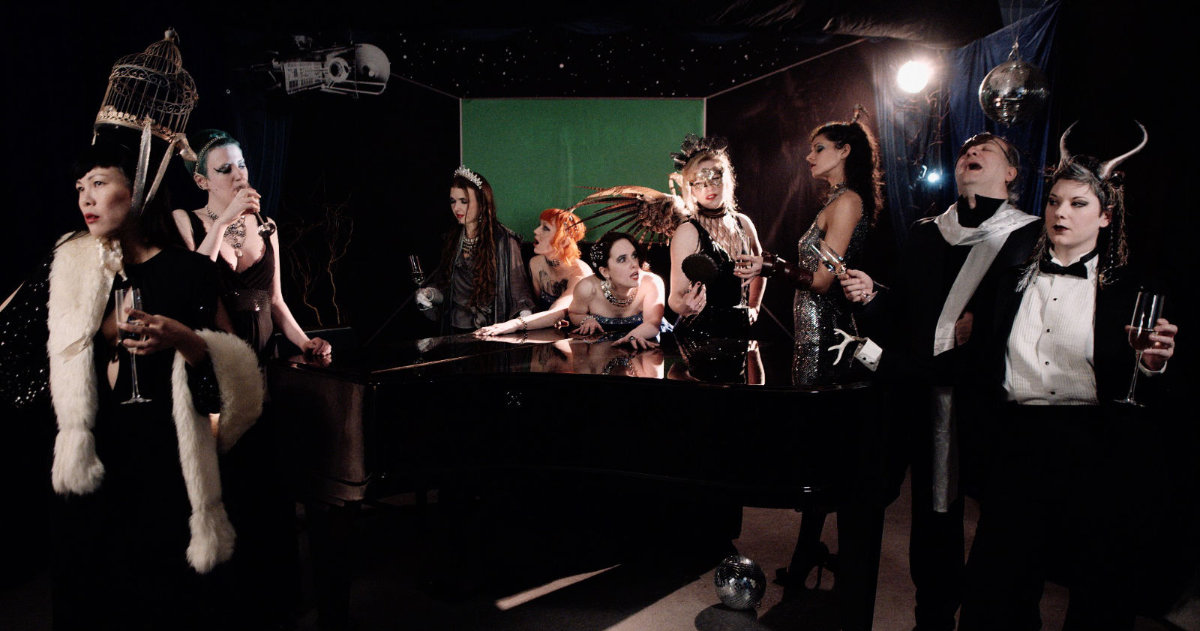
(image has LUT with film grain on it, have been applying keyer is before LUT so image isn't quite as noisy as appears here, but far from ideal)
Working on a video where we have a shot of a room, where there's a partial green screen. The idea is that it should look like a window. However... things were not done quite properly and it's causing problems. as the green isn't good enough, so no matter what I do, the rest of the image is affected...Most effects have a mask you can activate, but the Keyer doesn't... what would be the best way to limit the keyer effect to the square? (see image)
(image has LUT with film grain on it, have been applying keyer is before LUT so image isn't quite as noisy as appears here, but far from ideal)
Last edit: 07 Feb 2018 09:54 by DmitriZigany.
Please Log in to join the conversation.
- Karsten Schlüter
-

- Offline
- Moderator
-

Less
More
- Posts: 3790
- Thank you received: 718
07 Feb 2018 11:18 #93984
by Karsten Schlüter
ok, based upon you highly compressed screen-grab, I can not confirm any 'affections':
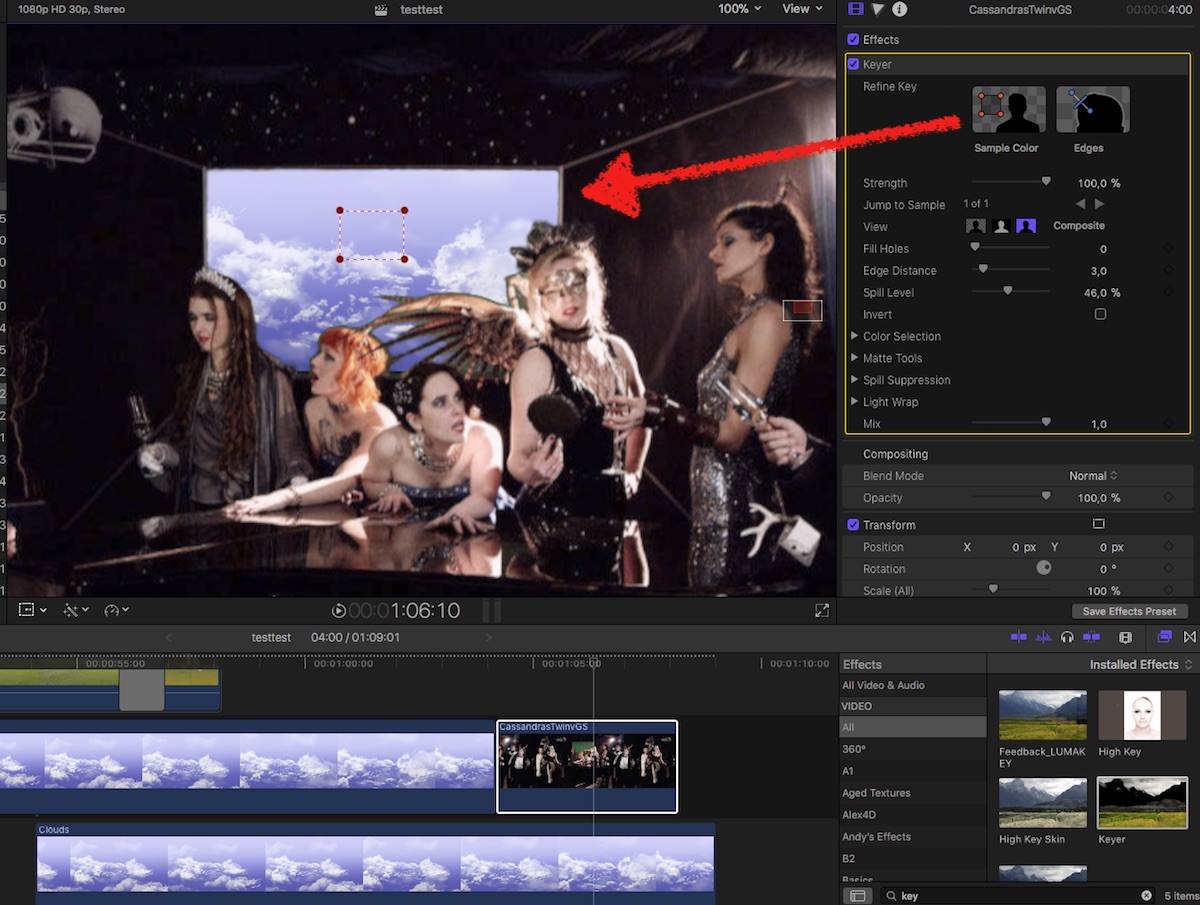
… did a sample = key's just fine.
No?
Replied by Karsten Schlüter on topic Mask chroma Keyer effect?
DmitriZigany wrote: … no matter what I do, the rest of the image is affected...…
ok, based upon you highly compressed screen-grab, I can not confirm any 'affections':
… did a sample = key's just fine.
No?
Please Log in to join the conversation.

07 Feb 2018 22:08 #94001
by JoeEditor
Replied by JoeEditor on topic Mask chroma Keyer effect?
As Karsten shows, it should work, but only when you manually sample an area.
Personally, I'd jump all over who ever was in charge of shooting this. Stretch that screen tight, put a light on it, jeez!
But yeah, I had the same result as Karsten. It helps to learn all the tools available in the Keyer, as most green/blue screens, in my humble experience, are rarely lit nor hung correctly.
Personally, I'd jump all over who ever was in charge of shooting this. Stretch that screen tight, put a light on it, jeez!
But yeah, I had the same result as Karsten. It helps to learn all the tools available in the Keyer, as most green/blue screens, in my humble experience, are rarely lit nor hung correctly.
Please Log in to join the conversation.
- Karsten Schlüter
-
- Offline
- Moderator
-
Less
More
- Posts: 3790
- Thank you received: 718
08 Feb 2018 08:54 #94010
by Karsten Schlüter
Replied by Karsten Schlüter on topic Mask chroma Keyer effect?
… and in addendum to my first reply:
Using The Worst Green Screens In Movie Making History in my school projects, I sing praises about FCPX 'auto settings' …
Keep in mind, you can set/culminate several Samples - in different places and in diff. times…
FCPX handles even such disasters successfully …:
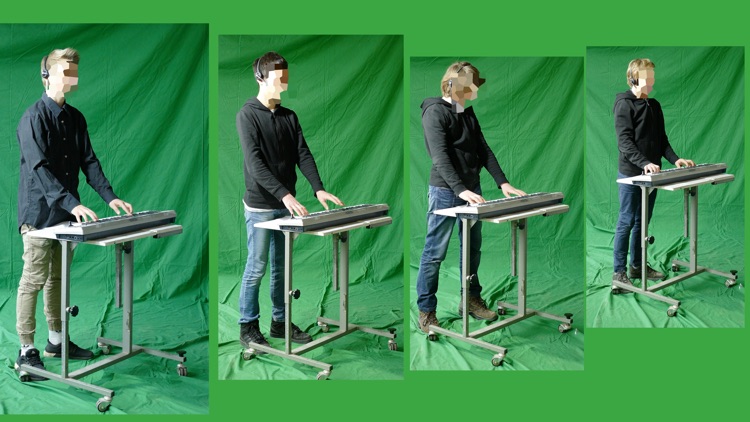
:woohoo:
Using The Worst Green Screens In Movie Making History in my school projects, I sing praises about FCPX 'auto settings' …
Keep in mind, you can set/culminate several Samples - in different places and in diff. times…
FCPX handles even such disasters successfully …:
:woohoo:
Please Log in to join the conversation.
- DmitriZigany
-
Topic Author
- Offline
- Platinum Member
-
Less
More
- Posts: 730
- Thank you received: 26
08 Feb 2018 17:44 - 08 Feb 2018 17:44 #94015
by DmitriZigany

And we new it was a gamble, but time and money and space etc didn't allow for anything else... Now trying to make the best of a shitty situation...
Replied by DmitriZigany on topic Mask chroma Keyer effect?
Well, I shot itFCPX.guru wrote: Personally, I'd jump all over who ever was in charge of shooting this. Stretch that screen tight, put a light on it, jeez!
And we new it was a gamble, but time and money and space etc didn't allow for anything else... Now trying to make the best of a shitty situation...
Last edit: 08 Feb 2018 17:44 by DmitriZigany.
Please Log in to join the conversation.
- DmitriZigany
-
Topic Author
- Offline
- Platinum Member
-
Less
More
- Posts: 730
- Thank you received: 26
08 Feb 2018 17:48 #94016
by DmitriZigany
Replied by DmitriZigany on topic Mask chroma Keyer effect?
Thing is, it it removes green from the rest of the image, giving everything a magenta cast... and if I improve the key to make it look good around the hair, other parts of the image gets keyed out as well... if I could only limit the keyer plug-in to an area around the square like with almost all other effects it would be fine...
Please Log in to join the conversation.
- DmitriZigany
-
Topic Author
- Offline
- Platinum Member
-
Less
More
- Posts: 730
- Thank you received: 26
08 Feb 2018 17:50 - 08 Feb 2018 17:51 #94017
by DmitriZigany
Yes, if it was ONLY greenscreen around the subject it would have been no problem... problem is that its just a screen that needs to go....
Replied by DmitriZigany on topic Mask chroma Keyer effect?
Karsten Schlüter wrote: …
Keep in mind, you can set/culminate several Samples - in different places and in diff. times…
FCPX handles even such disasters successfully …:
:woohoo:
Yes, if it was ONLY greenscreen around the subject it would have been no problem... problem is that its just a screen that needs to go....
Last edit: 08 Feb 2018 17:51 by DmitriZigany.
Please Log in to join the conversation.
08 Feb 2018 18:59 - 08 Feb 2018 19:00 #94018
by JoeEditor
Replied by JoeEditor on topic Mask chroma Keyer effect?
You need to duplicate the clip on top of itself. Mask out the green screen on the top copy. The bottom copy will have only the green screen and perhaps some stuff just around it. Key that. Then your sky or whatever underneath all of that stuff.
It's called a Garbage Matte, because it mattes out all the garbage that is not your green screen you need to key.
But as Karsten showed, you should be able to manually sample out what you need keyed.
It's called a Garbage Matte, because it mattes out all the garbage that is not your green screen you need to key.
But as Karsten showed, you should be able to manually sample out what you need keyed.
Last edit: 08 Feb 2018 19:00 by JoeEditor.
Please Log in to join the conversation.
- ronny courtens
-

- Offline
- Moderator
-
Less
More
- Posts: 4455
- Thank you received: 962
08 Feb 2018 19:23 - 08 Feb 2018 19:28 #94019
by ronny courtens
Replied by ronny courtens on topic Mask chroma Keyer effect?
As Ben has explained, you can use a garbage matte to limit the keyer effect.
That will help as long as the content within the mask in front of the green screen has not been affected too much. If the content in front of the green screen is affected too much, limiting the keyer will be useless.
But I agree you should be able to get a fairly decent key out of this without a mask. It is even possible to do this based on the low quality still you have posted:
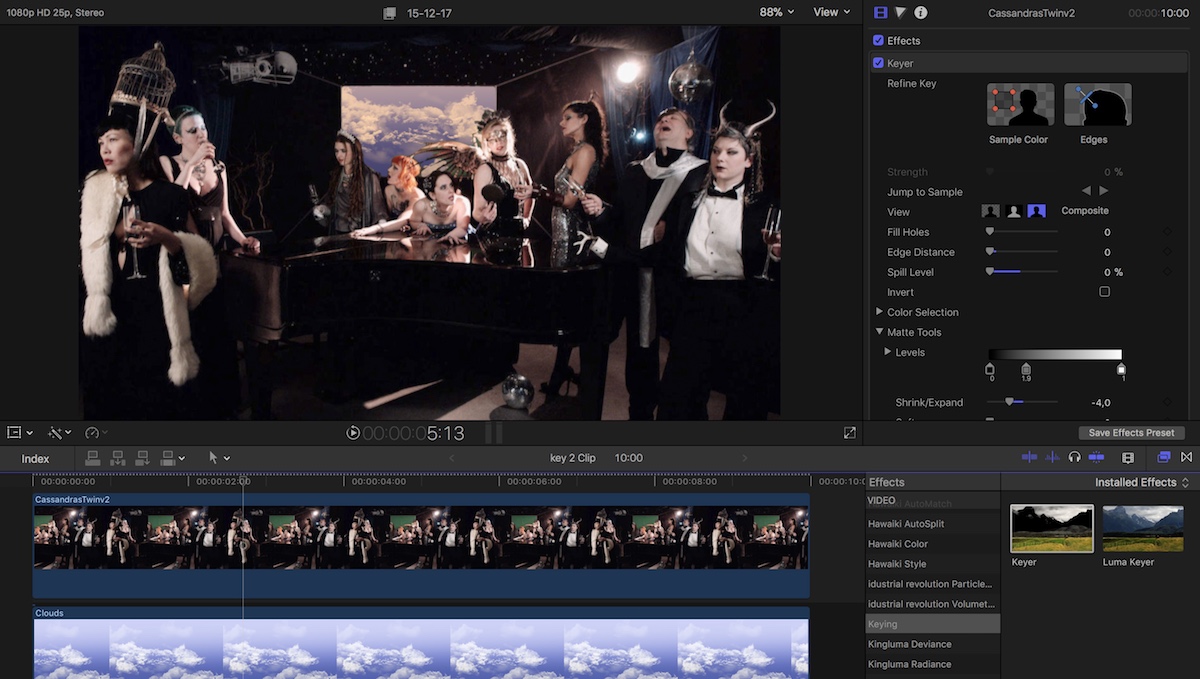
- Ronny
That will help as long as the content within the mask in front of the green screen has not been affected too much. If the content in front of the green screen is affected too much, limiting the keyer will be useless.
But I agree you should be able to get a fairly decent key out of this without a mask. It is even possible to do this based on the low quality still you have posted:
- Ronny
Last edit: 08 Feb 2018 19:28 by ronny courtens.
Please Log in to join the conversation.
08 Feb 2018 23:28 #94020
by JoeEditor
Replied by JoeEditor on topic Mask chroma Keyer effect?
And this just for educational purposes;
help.apple.com/finalcutpro/mac/10.4/#/ver40b0069e
help.apple.com/finalcutpro/mac/10.4/#/ver40b0069e
Please Log in to join the conversation.
- Karsten Schlüter
-
- Offline
- Moderator
-
Less
More
- Posts: 3790
- Thank you received: 718
09 Feb 2018 11:01 #94031
by Karsten Schlüter
Replied by Karsten Schlüter on topic Mask chroma Keyer effect?
conc. hair and spill and stuff:
my heroes at rippletraining.com offer advice in under 5min, for keying sub-par material
my heroes at rippletraining.com offer advice in under 5min, for keying sub-par material
Please Log in to join the conversation.
