


3 Post Moderation Rule for New Boarders (25 Jan 2021)
New boarders will have their posts moderated - Don't worry if you cannot see your post immediately.
FULL cut and paste of project timeline?

Please Log in to join the conversation.
- Andreas Kiel
-

- Offline
- Platinum Member
-

- Posts: 1077
- Thank you received: 189
When, where and how did you do????FCPX.guru wrote: The reality is we can't do it straight off as before. Enough of us fill out the feedback page, we'll get it sooner rather than later.
Please Log in to join the conversation.
- Andreas Kiel
-
- Offline
- Platinum Member
-
- Posts: 1077
- Thank you received: 189
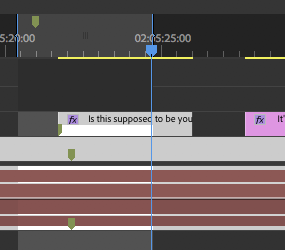
What would happen here in PPro if you press cmd-C
Please Log in to join the conversation.


As I outlined several times, I would like (and expect) everything that is connected to my selection to be copied. Therefore the issue with the transition wouldn't even come into play, since that storyline is not connected to the selected range. Only the title is. Range+Title… nothing more, nothing less.
And yes, bugreport.apple.com/ is in full activation mode. I just came here to make sure I wasn't just missing something painfully obvious, as it turns out more often than I'd like to admit.
@Andreas
Bingo. Finally someone that gets it/me. :lol:
p.s. alles gut bei dir?

Please Log in to join the conversation.
Legacy FCP, of course.
And since this is not a "bug" but a feature request, you should use the regular feedback page, you'll get better results that way.
www.apple.com/feedback/finalcutpro.html
Now, if I select a Range and export, I get EVERYTHING in that range exported. Therefore a copy/paste could reasonably be assumed to work the same.
Please Log in to join the conversation.

so once again. In my opinion three things are very needed for FCP X.
1. A function like Timeline in/out in order to select all clips without mouse drag.
2. FCP 7's v function = select nearest edit = select all trim point in order to trim all layered clips.
3. Audio only cross fade
Please Log in to join the conversation.
FCPX.guru wrote: this is not a "bug" but a feature request, you should use the regular feedback page
In other words you're not familiar with the page i.e. the options there. Okay.
FCPX.guru wrote: Now, if I select a Range and export, I get EVERYTHING in that range exported. Therefore a copy/paste could reasonably be assumed to work the same.
Exactly.
wawany wrote: trim all layered clips.
This is already possible.
wawany wrote: 3. Audio only cross fade
This is as well, albeit in a different way than in 7. There was even a whole article here just recently on one way to do it.
But then all that is completely OT anyway.
- RK
Please Log in to join the conversation.
Trimming all layerd clips is almost possible. but there is a limitation. All connected clips can trim together. but clips in storyline can't trim together.
Maybe all I asked three things looks trivial. but I see very big opportunity to persuade FCP 7 users without tracks.
Please Log in to join the conversation.
- Tom Wolsky
-

- Offline
- Moderator
-

Do you mean clips in multiple connected storylines? Not clear what you mean?
Please Log in to join the conversation.
I'm very familiar with the options there. Why do you make this statement?
Please Log in to join the conversation.
"Do you mean clips in multiple connected storylines? Not clear what you mean?"
If there is no connected clip, "[,],\" can select edit point in primary storyline.
If there are connected clips, "[,],\" can select edit point of all connected clip's together. but not in primary storyline's.
In most of case separate selection of primary clip and connected clip is reasonable. but in some case I want to select both together. For example I made lots of text information as connected clip. Because text's timing and position is important so I don't want to use marker. During the edit process, I should change my primary and connected clip's duration for many times. I can use "control D" for changing duration but I prefer trimming to do that.
I can tell many examples like that.
Please Log in to join the conversation.
- Tom Wolsky
-
- Offline
- Moderator
-
Please Log in to join the conversation.
