


- Posts: 254
- Thank you received: 9
3 Post Moderation Rule for New Boarders (25 Jan 2021)
New boarders will have their posts moderated - Don't worry if you cannot see your post immediately.
mid-2017 iMac vs iMac Pro
18 Dec 2017 20:55 #92459
by screendor
mid-2017 iMac vs iMac Pro was created by screendor
Folks:
Currently running a 2013 nMac Pro and an updated cheesegrater.
Considering a new box. Yes, would love the iMac Pro but wondering if it's more horsepower than we need for our mainly HD and 4K workflows. Sure, I'd love the iMac 10-core model, but the maxed out mid-2017 iMac seems like a good deal. Does anyone here have any thoughts about this--and if you have the 2017 iMac, how is it working out for you?
Thanks as always.
Currently running a 2013 nMac Pro and an updated cheesegrater.
Considering a new box. Yes, would love the iMac Pro but wondering if it's more horsepower than we need for our mainly HD and 4K workflows. Sure, I'd love the iMac 10-core model, but the maxed out mid-2017 iMac seems like a good deal. Does anyone here have any thoughts about this--and if you have the 2017 iMac, how is it working out for you?
Thanks as always.
Please Log in to join the conversation.


18 Dec 2017 22:22 #92462
by joema
Replied by joema on topic mid-2017 iMac vs iMac Pro
I have a top-spec 2015 and 2015 iMac 27 I use on large documentary projects with FCPX, mostly with 4k H264 material. The 2017 is very impressive -- about 2x faster than the 2015 at ingest and creating proxies or optimized media, about 2x faster at encode to H264, much faster at scrubbing an H264 timeline. I don't know why it's so much faster -- I assume the Kaby Lake Quick Sync is improved.
Overall it is not 2x faster at everything vs the 2015 -- the GeekBench CPU and GPU numbers are a better reflection of the overall difference (which is generally modest). But for H264 it is hugely faster. If you have an all-ProRes workflow from acquisition to delivery, a 12-core D700 nMP still isn't too bad. But for H264 on FCPX, the 2017 iMac is about 2x faster than the top-spec nMP on several key areas such as ingest, proxy creation and export to H264. With 4k ProRes the nMP is still about 2x faster on certain effects like sharpen and add noise than the 2017 iMac, so there are lots of differences based on what codec is used.
I have about 128TB of Thunderbolt arrays hooked to the iMac. FCPX 10.3.4 so far is handling 20 terabytes (about 300 hr) of documentary footage OK.
However there are cases where I still need more performance. Fast as FCPX is on the 2017 iMac, I still must generally transcode 4k H264 to proxy for multicam and the most fluid editing performance. If you have a high shooting ratio, that's a lot of transcoding time.
During the early phases of editing, you don't need the performance as much. But during the later phases, you end up rendering the project over and over, almost countless times. You are also adding very compute-intensive effects such as stabilization, Neat Video, Imagenomic Portraiture, Digital Anarchy Flicker Free, and hundreds of editing refinements -- all those slow down the render and export. As delivery deadlines approach, it becomes critical how rapidly you can repeatedly render, export, and incorporate changes -- on a timeline that is bogged down with lots of effects.
I had a 12-core nMP for a while and I really liked how quiet it was. But if your desktop is full of rotating Thunderbolt arrays, the computer noise is just one element among that. That said, when my iMac is transcoding for several days, I wish it was a bit quieter. It has been totally reliable but I wonder how running with all CPU cores pegged for days will affect long-term reliability and longevity.
A top-spec 2017 iMac 27 is pretty nice, esp. for H264. For 1080 material the 2017 iMac seems about all most people would need, at least on FCPX. 4k is another story, and especially H264. If you will ever edit HEVC material you'll need hardware acceleration of some type which means Kaby Lake or later or whatever trick the iMac Pro uses (maybe AMD's UVD and VCE hardware). The base level iMac Pro isn't that much more and it will probably be considerably faster. How much so, nobody yet knows because the early reviewers (except Vincent Laforet) didn't do any meaningful video performance testing, and that was on the 10-core Vega64 version.
Overall it is not 2x faster at everything vs the 2015 -- the GeekBench CPU and GPU numbers are a better reflection of the overall difference (which is generally modest). But for H264 it is hugely faster. If you have an all-ProRes workflow from acquisition to delivery, a 12-core D700 nMP still isn't too bad. But for H264 on FCPX, the 2017 iMac is about 2x faster than the top-spec nMP on several key areas such as ingest, proxy creation and export to H264. With 4k ProRes the nMP is still about 2x faster on certain effects like sharpen and add noise than the 2017 iMac, so there are lots of differences based on what codec is used.
I have about 128TB of Thunderbolt arrays hooked to the iMac. FCPX 10.3.4 so far is handling 20 terabytes (about 300 hr) of documentary footage OK.
However there are cases where I still need more performance. Fast as FCPX is on the 2017 iMac, I still must generally transcode 4k H264 to proxy for multicam and the most fluid editing performance. If you have a high shooting ratio, that's a lot of transcoding time.
During the early phases of editing, you don't need the performance as much. But during the later phases, you end up rendering the project over and over, almost countless times. You are also adding very compute-intensive effects such as stabilization, Neat Video, Imagenomic Portraiture, Digital Anarchy Flicker Free, and hundreds of editing refinements -- all those slow down the render and export. As delivery deadlines approach, it becomes critical how rapidly you can repeatedly render, export, and incorporate changes -- on a timeline that is bogged down with lots of effects.
I had a 12-core nMP for a while and I really liked how quiet it was. But if your desktop is full of rotating Thunderbolt arrays, the computer noise is just one element among that. That said, when my iMac is transcoding for several days, I wish it was a bit quieter. It has been totally reliable but I wonder how running with all CPU cores pegged for days will affect long-term reliability and longevity.
A top-spec 2017 iMac 27 is pretty nice, esp. for H264. For 1080 material the 2017 iMac seems about all most people would need, at least on FCPX. 4k is another story, and especially H264. If you will ever edit HEVC material you'll need hardware acceleration of some type which means Kaby Lake or later or whatever trick the iMac Pro uses (maybe AMD's UVD and VCE hardware). The base level iMac Pro isn't that much more and it will probably be considerably faster. How much so, nobody yet knows because the early reviewers (except Vincent Laforet) didn't do any meaningful video performance testing, and that was on the 10-core Vega64 version.
Please Log in to join the conversation.
18 Dec 2017 23:45 #92463
by screendor
Replied by screendor on topic mid-2017 iMac vs iMac Pro
Thanks for the thorough overview. Much appreciated.
It will be interesting to see the bench test results of the 2017 iMac vs the iMac Pro.
And I wonder what kind of speed boost one would get adding an AMD Vega to the 2017 iMac via an eGPU?
It will be interesting to see the bench test results of the 2017 iMac vs the iMac Pro.
And I wonder what kind of speed boost one would get adding an AMD Vega to the 2017 iMac via an eGPU?
Please Log in to join the conversation.

19 Dec 2017 01:47 #92468
by JoeEditor
Replied by JoeEditor on topic mid-2017 iMac vs iMac Pro
I'm planning on doing a series of tests on my maxed out late 2013 MP soon. And in 2 weeks when my iMP gets here, I'll run the same tests. I'll publish these somewhere. Any suggestions on FCPX, Motion and Compressor specific tests for comparison y'all would like to see?
Please Log in to join the conversation.
19 Dec 2017 03:08 #92476
by screendor
Replied by screendor on topic mid-2017 iMac vs iMac Pro
Publish them here! And assume you'll run the Bruce X test for FCPX...
Also: Jealous!
Also: Jealous!
Please Log in to join the conversation.
- Karsten Schlüter
-

- Offline
- Moderator
-

Less
More
- Posts: 3790
- Thank you received: 718
19 Dec 2017 08:57 #92481
by Karsten Schlüter
oh, excellent offer!! Would be interested on Motions computation powers:
Attached a simple 10sec/30fps Motion Project: a particle generator of a 100 'cubes' = glyphs, brushed gold, affected by gravity plus edge detection …
after 5secs, on my ol' 2012 MacMini/16GB Ram, it gives a not-so-promising 4-6fps :woohoo:
feel free to raise the initial number to 500, 2000 or whatever if actual Macs handle that easy
(400 freezes my brave tiny Tubberbox - LOL)
Replied by Karsten Schlüter on topic mid-2017 iMac vs iMac Pro
FCPX.guru wrote: … Any suggestions on FCPX, Motion and Compressor specific tests for comparison y'all would like to see?
oh, excellent offer!! Would be interested on Motions computation powers:
Attached a simple 10sec/30fps Motion Project: a particle generator of a 100 'cubes' = glyphs, brushed gold, affected by gravity plus edge detection …
after 5secs, on my ol' 2012 MacMini/16GB Ram, it gives a not-so-promising 4-6fps :woohoo:
feel free to raise the initial number to 500, 2000 or whatever if actual Macs handle that easy
(400 freezes my brave tiny Tubberbox - LOL)
Please Log in to join the conversation.
19 Dec 2017 13:05 #92500
by JoeEditor
Replied by JoeEditor on topic mid-2017 iMac vs iMac Pro
Excellent ides, Karsten. I was trying to think of Motion functions to test. Since PM (along with profile editing) is permanently disabled here, drop me an email, please. benb at bbalser dot com
Please Log in to join the conversation.
20 Dec 2017 13:32 #92556
by joema
I dub this new benchmark KarstenX
Replied by joema on topic mid-2017 iMac vs iMac Pro
Karsten Schlüter wrote: ...Attached a simple 10sec/30fps Motion Project: a particle generator of a 100 'cubes' = glyphs, brushed gold, affected by gravity plus edge detection …
after 5secs, on my ol' 2012 MacMini/16GB Ram, it gives a not-so-promising 4-6fps :woohoo: ..
I dub this new benchmark KarstenX
Please Log in to join the conversation.
- Karsten Schlüter
-
- Offline
- Moderator
-
Less
More
- Posts: 3790
- Thank you received: 718
20 Dec 2017 15:50 - 20 Dec 2017 16:08 #92568
by Karsten Schlüter
hahaha, excellent Joe! :silly:
for a more meaningful result, I made a vers2 of that…:
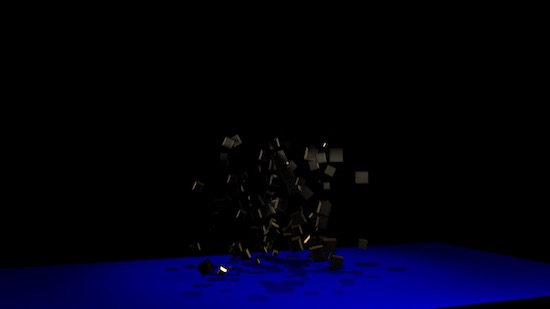
(whoo, dark …)
I make a separat post for it to avoid thread-jacking
=> Motion Stress Test here >>
Replied by Karsten Schlüter on topic mid-2017 iMac vs iMac Pro
joema wrote: …I dub this new benchmark KarstenX
hahaha, excellent Joe! :silly:
for a more meaningful result, I made a vers2 of that…:
(whoo, dark …)
I make a separat post for it to avoid thread-jacking
=> Motion Stress Test here >>
Last edit: 20 Dec 2017 16:08 by Karsten Schlüter.
Please Log in to join the conversation.
