


- Posts: 14
- Thank you received: 0
3 Post Moderation Rule for New Boarders (25 Jan 2021)
New boarders will have their posts moderated - Don't worry if you cannot see your post immediately.
Removing embarrassing shadows?
- realdavidai
-
 Topic Author
- Offline
- New Member
-

Less
More
25 Nov 2017 17:49 #91931
by realdavidai
Removing embarrassing shadows? was created by realdavidai
I upload a video recently where I filmed myself using iPhone 7 on a tripod...got some very obvious shadows of the rig in the footage.
In case this happens again what tools/strategy would have been best to try to fix this? (Other than re-shooting
This is a hobby for me but I would still like to continuously improve.
The shadows are at the 0:18 mark
In case this happens again what tools/strategy would have been best to try to fix this? (Other than re-shooting
This is a hobby for me but I would still like to continuously improve.
The shadows are at the 0:18 mark
Please Log in to join the conversation.

25 Nov 2017 20:28 - 25 Nov 2017 21:03 #91932
by Axel
Replied by Axel on topic Removing embarrassing shadows?
You could bravely stack copies of your door-opening clip as connected clips, re-position and scale them so that they cover the shadows and mask out and feather small portions. An awful patchwork, would take you hours. What particularly complicates the task is the evacuation sign. You'd had to repeat that with the mirror on the right.
If I were you, I would first get rid of the mirror. Comp something in that fits a hotel room and isn't too distracting.
I would then image-google a new door, similar to the one we see, resolution also roughly the same. Look for a door with a flat knob, not a handle. You could even stick an evacuation plan on it. Knock out the door in Photoshop/Affinity/Gimp or Preview and import that image. Now since you don't have four corners to track it and pin it on (and, obviously, no tracker anyway), you basically put it on top of your door, roughly scale it in with opacity to 30% or what (>inspector >composite) using the hinges, the edges and the knob as guides. Then you reveal the Skew controls (hope that's the right translation for distort here), set keyframes for upper left and lower left, then jump to the last frame (when the door is open) and turn up the values until the edges and the knob fit perfectly. You reset opacity and color correct the door to fit. You probably have to import a small strip of wood for the edge too.
One more thing: the clip is graded, desaturated. Do this rough cover-up on the ungraded version. That makes it blend in better afterwards.
Is that perfect? No. But you'll probably get away with it.
If I were you, I would first get rid of the mirror. Comp something in that fits a hotel room and isn't too distracting.
I would then image-google a new door, similar to the one we see, resolution also roughly the same. Look for a door with a flat knob, not a handle. You could even stick an evacuation plan on it. Knock out the door in Photoshop/Affinity/Gimp or Preview and import that image. Now since you don't have four corners to track it and pin it on (and, obviously, no tracker anyway), you basically put it on top of your door, roughly scale it in with opacity to 30% or what (>inspector >composite) using the hinges, the edges and the knob as guides. Then you reveal the Skew controls (hope that's the right translation for distort here), set keyframes for upper left and lower left, then jump to the last frame (when the door is open) and turn up the values until the edges and the knob fit perfectly. You reset opacity and color correct the door to fit. You probably have to import a small strip of wood for the edge too.
One more thing: the clip is graded, desaturated. Do this rough cover-up on the ungraded version. That makes it blend in better afterwards.
Is that perfect? No. But you'll probably get away with it.
Last edit: 25 Nov 2017 21:03 by Axel.
Please Log in to join the conversation.
- Karsten Schlüter
-

- Offline
- Moderator
-

Less
More
- Posts: 3790
- Thank you received: 718
26 Nov 2017 04:46 - 26 Nov 2017 05:03 #91939
by Karsten Schlüter
Replied by Karsten Schlüter on topic Removing embarrassing shadows?
… what better to do on a lazy Sunday morning than rotoscoping a Chinese music-video :lol:
Following partly Axel's excellent advice, I tried two things:
• Mirror … first of all, I didn't noticed the right part as a mirror! So, I simply grabbed a still, selected a part and 'stretched' it to make it cover the whole wall:
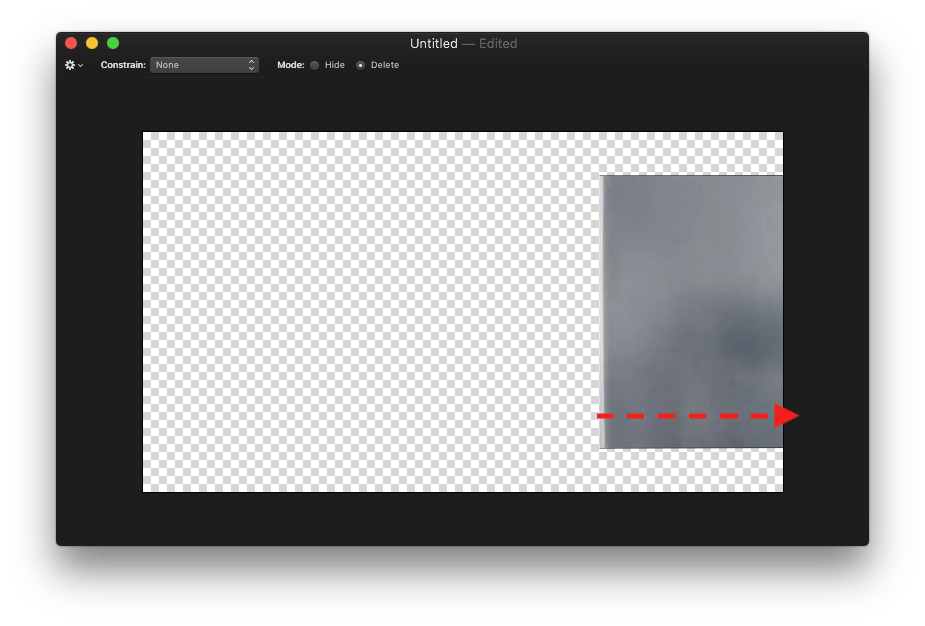
Plaster that over the clip -done … (by my hobbyists standards)
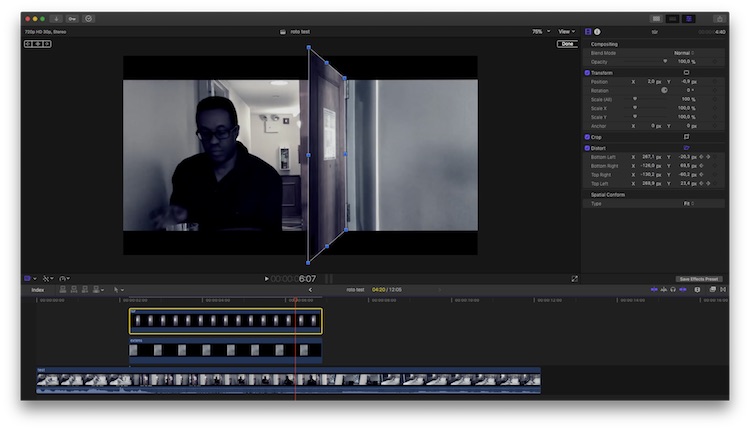
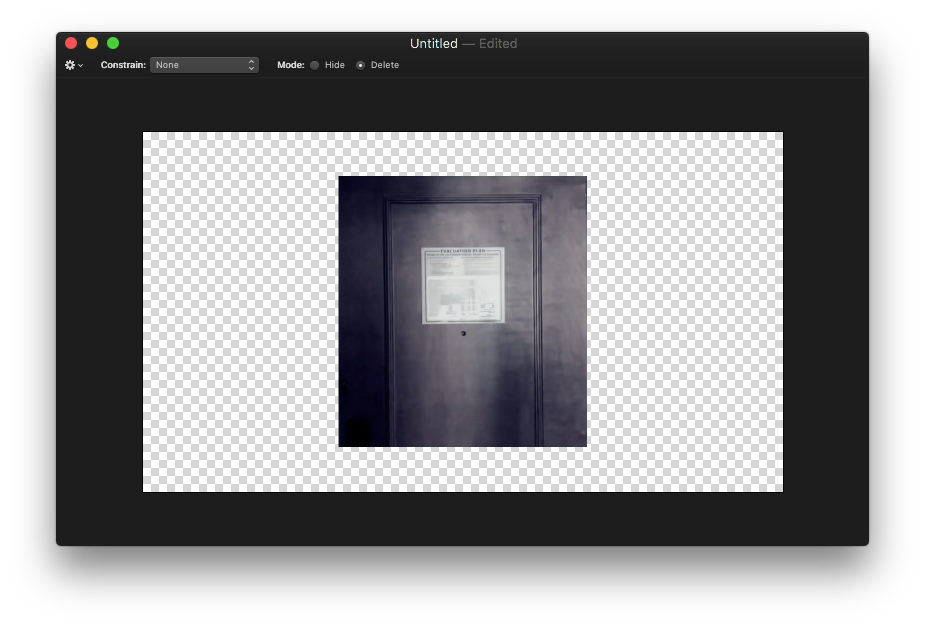
• The Door … David HAS a 'clean plate of the door, incl the sign, a few frames before the shadowed part… BUT:
… when the door opens, you'll notice its 3-dimensionality!
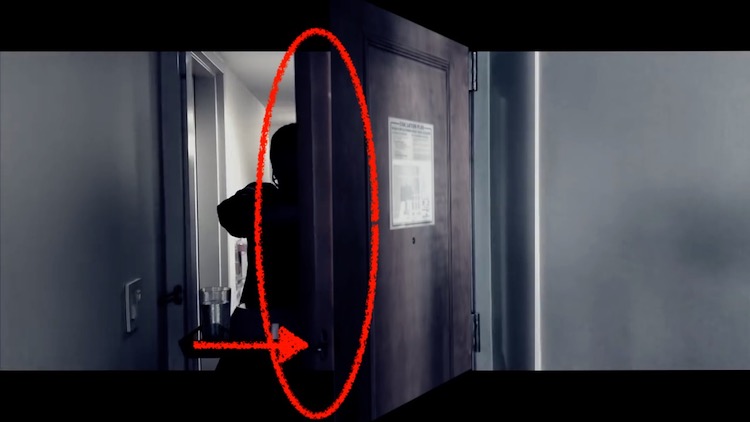
… best noticed by the lock gets visible!
… finally:
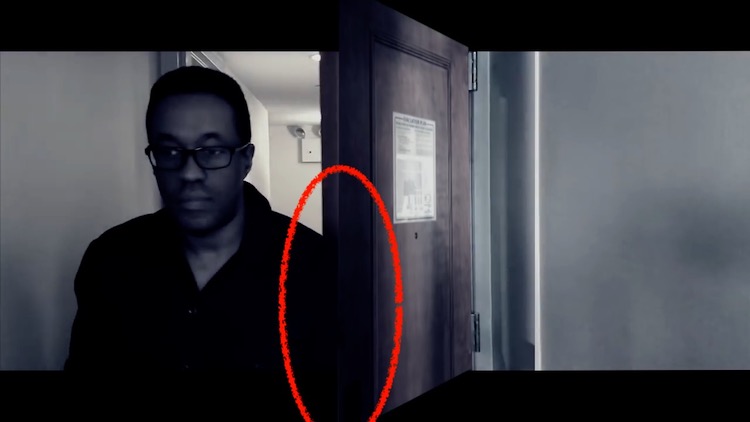
the room service guy covers parts of the door with his shoulder - you would have to 'roto' that too.
Aside the doors movement … tried a quick'n dirty manual keyframed distortion - … no, _I_ am not to able to mimic the original move/push/swing....
Verdict from the German jury:
live with it (compared to the quality of the rest of the video - no option)
or, you won't like to hear it: … re-shoot … it is 'just' that single, seconds short sequence … you used available light, I guess? guy, shirt, tablet, done in 15min
And, theoretically, you don't even need THAT specific location, could be any hotel rooms door (magic of editing).
Following partly Axel's excellent advice, I tried two things:
• Mirror … first of all, I didn't noticed the right part as a mirror! So, I simply grabbed a still, selected a part and 'stretched' it to make it cover the whole wall:
Plaster that over the clip -done … (by my hobbyists standards)
• The Door … David HAS a 'clean plate of the door, incl the sign, a few frames before the shadowed part… BUT:
… when the door opens, you'll notice its 3-dimensionality!
… best noticed by the lock gets visible!
… finally:
the room service guy covers parts of the door with his shoulder - you would have to 'roto' that too.
Aside the doors movement … tried a quick'n dirty manual keyframed distortion - … no, _I_ am not to able to mimic the original move/push/swing....
Verdict from the German jury:
live with it (compared to the quality of the rest of the video - no option)
or, you won't like to hear it: … re-shoot … it is 'just' that single, seconds short sequence … you used available light, I guess? guy, shirt, tablet, done in 15min
And, theoretically, you don't even need THAT specific location, could be any hotel rooms door (magic of editing).
Last edit: 26 Nov 2017 05:03 by Karsten Schlüter.
Please Log in to join the conversation.
- realdavidai
-
Topic Author
- Offline
- New Member
-
Less
More
- Posts: 14
- Thank you received: 0
26 Nov 2017 05:43 #91941
by realdavidai
Replied by realdavidai on topic Removing embarrassing shadows?
Hahaa..thanks for the analysis. I think I will leave it and chalk it up to experience. I suppose I've now learned to -always- check for lighting anomalies like this. Good point that it could be any hotel room door  hmm.
hmm.
hmm. Please Log in to join the conversation.
